
Modrinth · Forge
RS Integration on your Minecraft server
RS Integration runs on Minecraft servers with Forge. Order your server, set the loader in the panel and install the mod with one click in the mod browser.
Recursive crafting, remote machine access, and storage utilities for Refined Storage and Beyond Dimensions, with optional cross-mod integrations.
- Downloads
- 500.3K
- Author
- Elten-huanghuang
- Loader
- Forge
- Minecraft
- 1.20.1
- Updated
- –
Screenshots
What RS Integration looks like



Images: RS Integration on Modrinth, published by the project team.
Setup
Install RS Integration on your server
The server and players need the same loader and Minecraft version. Back up the world before adding or updating mods.
- 01
Configure
4 GB of RAM is preselected. You choose the term and add-ons and pay by credit card or PayPal.
- 02
Set the loader
In the panel, set the server software to Forge and choose the matching Minecraft version, for example 1.20.1.
- 03
Install the mod
Search the mod browser for “RS Integration” and install the release for your loader. Alternatively, upload the .jar to the mods folder via SFTP. Required dependencies are listed on the project page.
- 04
Connect
Every player installs the same RS Integration release locally and connects using the server address from the panel.
- On the server
- Required
- On the client
- Required
- Loader
- Forge
- Minecraft
- 1.20.1
- License
- LicenseRef-All-Rights-Reserved
The panel
Install mods, find errors.
Real screenshots from the Mado panel. Both come with every Minecraft server.
Mod browser
Modrinth and CurseForge, right in the panel.
The browser filters by your Minecraft version. Install mods with one click, without uploading .jar files.

AI crash analysis
When a mod crashes, the analyzer reads the log.
Mods often fail on a wrong loader version, Java version or missing dependency. The analyzer names a likely cause and suggests a fix.

Releases
Published releases
Pick the file that matches your server’s loader and Minecraft version. The server and players need the same release.
RS Integration · ModrinthOriginal description by the project author
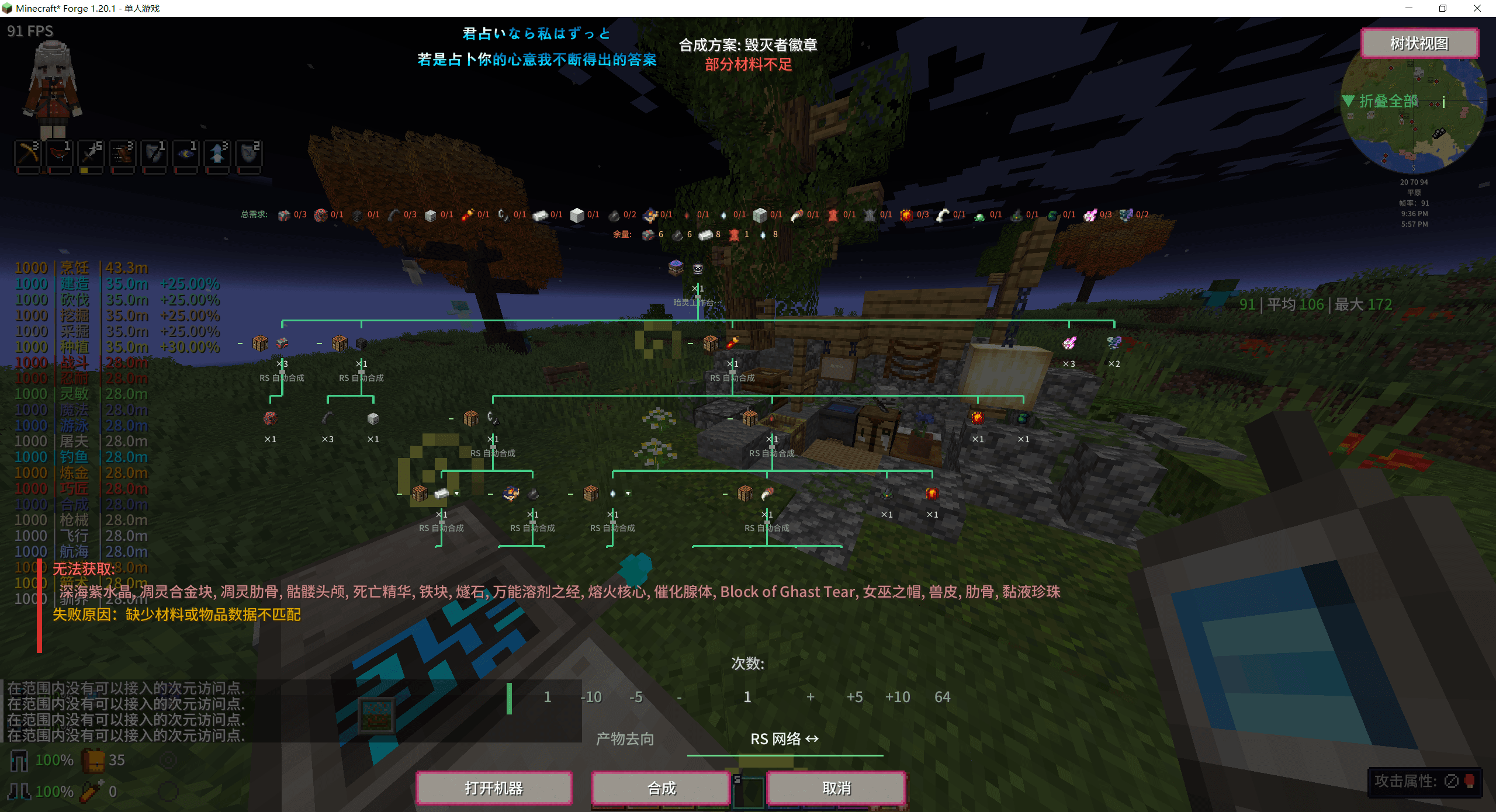
Choose a recipe. Preview the plan. Let your machines do the work.
RS Integration (RSI) adds recursive crafting, remote machine access, and storage tools for Refined Storage and Beyond Dimensions.
What you can do
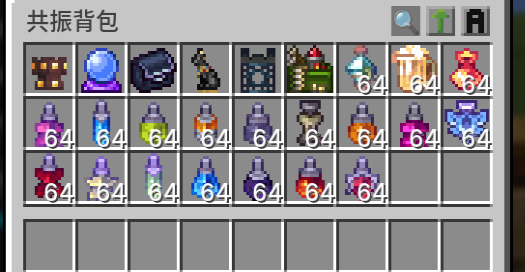
- Craft across mods: start from JEI/EMI, inspect the recipe tree and missing materials, choose alternatives, and run supported machines. Select inventory, the current storage network, and Sophisticated Backpacks as material sources.
- Manage machines remotely: bind machines, open compatible GUIs, and share repeated work across multiple machines. Press
Pfor plans, progress, and machine management. - Expand your storage: browse items and fluids in one mixed terminal, or store items, fluids, and magic resources in a Myriad Realms Guixu Disk for RS.
- Use stored items: Resonance Disks provide supported passive effects and resource access; resonant containers connect to native Botania and Ars Nouveau systems.
- Reduce routine work: transfer container contents with
F, order food, replenish trades and reforging materials, and use FTB Quests and Sophisticated Backpack integrations. - Make it yours: search plans and machines, use pinyin-aware search, switch UI themes, and edit settings in game.
Requirements
Minecraft 1.20.1 · Forge 47+ · JEI on the client. Install the same RSI version on the client and server. EMI support also requires JEI.
Refined Storage 1.12+ and Beyond Dimensions are optional. Ordinary crafting-table recipes work recursively from inventory alone. RS and BD remain separate networks; their balances are never combined automatically.
Quick start
- Connect an RS or BD network, or begin with inventory-only crafting.
- For machine recipes, hold a compatible network linker or terminal and use
Alt+ right-click to bind a machine, or press;nearby to scan. - Open a recipe in JEI/EMI and click the RSI craft action.
- Review the plan, choose material sources, recipes, quantity, and output destination, then confirm.
- Press
Pto follow progress. Cancel in the screen or with/rsi cancel.
Integrations and help
Supported integrations include Botania, Ars Nouveau, Goety, Malum, Embers/Aetherworks, Farmer's Delight and addons, Apotheosis, Iron's Spells 'n Spellbooks, and more. Each module loads only with its target mod. Support is recipe-specific; native machine requirements and some manual ritual steps still apply.
- Full compatibility table
- Controls, configuration, and recovery commands
- 中文使用指南
- Developer API · Source code
License
Proprietary. Official unmodified releases may be used in modpacks under the project license.
RS Integration server crashes on startup – what to do?
Common causes: the loader or Minecraft version does not match the mod file, a dependency is missing, or RAM is too low. Check the log (latest.log) for “OutOfMemoryError”, “Mixin” or missing mods. At Mado, the AI crash analysis reads the log and suggests a cause. You can change the loader and version in the panel.
Which loader does RS Integration run on?
According to Modrinth, RS Integration supports Forge for Minecraft 1.20.1.
How much RAM does a server with RS Integration need?
As guidance, 3–4 GB for a server with this mod. This is an estimate, not a measured minimum. More mods, many players and long view distances need more. The spark profiler shows whether a mod is costing tick time.
Similar mods
Popular mods in the same category
 Client only

Mouse Tweaks
by YaLTeR
Enhances inventory management by adding various functions to the mouse buttons.
 Server-ready

Clumps
by jaredlll08
Clumps XP orbs together to reduce lag
 Client only

Inventory Profiles Next
by blackd
Take control over your inventory. Sort. Move matching Items. Throw all. Locked slots. Gear sets! And much more.
 Server-ready

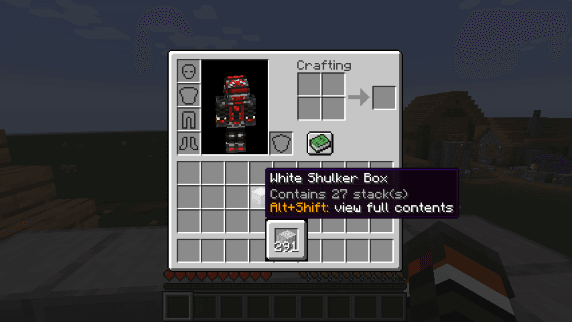
Shulker Box Tooltip
by MisterPeModder
View the contents of shulker boxes from your inventory
Ready for your server with RS Integration?
4 GB of RAM from €8.00 per month. 35% off your first month with MADO35.