
Search on MCMOD
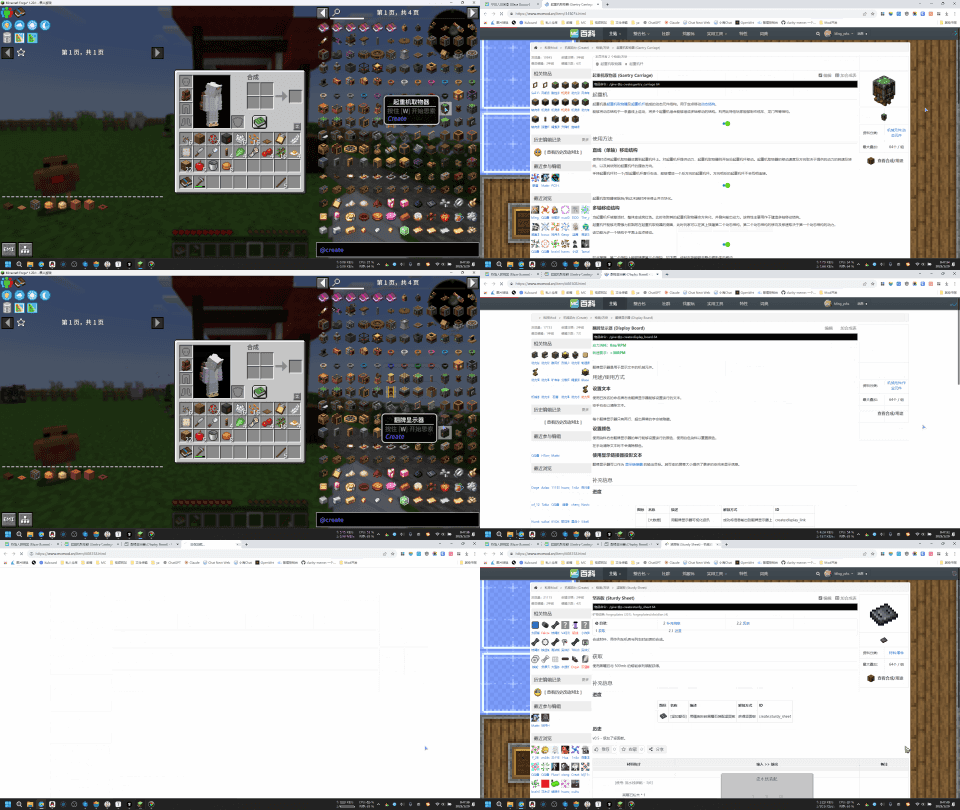
Search for items under the cursor on mcmod.cn
About this Mod
ENG
Search for items under the cursor on mcmod.cn
Usage:
- Hover your mouse over the item bar, the JEI item list, or any area that displays item information.
- Press the "B" key on your keyboard (this can be modified in the settings), which will automatically open the item information page on mcmod.cn
- If the item information page cannot be directly opened, a search will be performed on mcmod.cn instead.
中文
在 MC百科 中搜索鼠标下方的物品
使用方式:
- 将鼠标放在物品栏,或者JEI的物品列表,或者任意的地方上面,只要能显示物品信息就行
- 按键盘B键(可以在设置里修改),会自动打开MC百科的物品介绍页面
- 如果无法直接打开物品介绍界面,则会在MC百科里进行搜索
Available Versions
How to Install Search on MCMOD on Your Client
Install the Mod Loader Locally
Install fabric for your local Minecraft version.
Download the Matching File
Choose the Search on MCMOD file for fabric and Minecraft 26.1.2.
Install Mod
Place the .jar file in your local .minecraft/mods folder and restart Minecraft. No server-side installation is required.
Compatibility
Mod Loaders
Minecraft Versions
26.1.2, 26.1.1, 26.1 (+29 more)
Server-side
✗ UnsupportedRecommended RAM
4 GB(min. 3 GB)Frequently Asked Questions
Does Search on MCMOD need to be installed on the Minecraft server?
No. Modrinth marks Search on MCMOD as unsupported on the server side. Install it only in your local Minecraft mods folder. Your server can remain unchanged unless the mod page lists an additional dependency.
Which version and loader does Search on MCMOD require?
Use a file for fabric, forge, neoforge and your exact Minecraft version. Supported versions include 26.1.2, 26.1.1, 26.1. Files for different loaders are not interchangeable.
Search on MCMOD is not working – what should I check?
First check the Minecraft version, loader version and required dependencies. Put the .jar file in your local .minecraft/mods folder and remove older duplicates. Because this mod is client-side, adding server RAM will not fix it.
Similar Mods




![[ETF] Entity Texture Features](https://cdn.modrinth.com/data/BVzZfTc1/af683d206d50b05258d865b0d6e4aa2f2cee12f2_96.webp)

Minecraft Server for Your Group
Search on MCMOD stays on your client. Host a compatible world for your group.