Shingeki no Craft | Attack on Titan
Titan Shifters, ODM, Cannons, Pure Titans, Thunder Spears, Modified Villages, Firearms, Royal Blood, Quests and more! Made using only Command Blocks, Minecraft Vanilla!
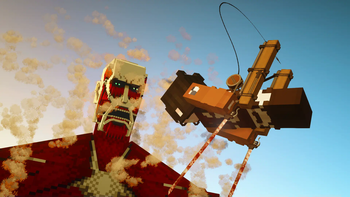
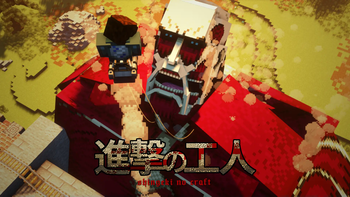
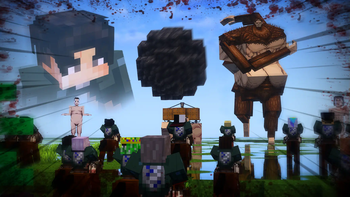
Screenshots
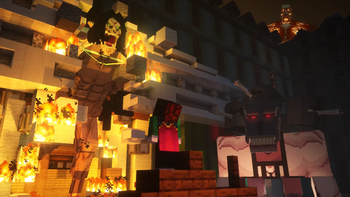
About this Mod

Throughout this post, you'll find public information documenting the mechanisms and operation of the various gadgets and mobs included in this project. Make sure to install the required resource pack for this datapack to work.
But, what is a datapack? Isn't it the same as a mod?
A datapack is built using Minecraft's built-in features. I take a bunch of command blocks and convert them into actual files to do crazy stuff. They have more limitations than regular mods, but they are easier to install and use once you get started.
Can I use this in a server?
Yes, absolutely.
~Fanfo
IMPORTANT: Required Resource Pack
To make the most out of Shingeki no Craft, you must install the required resource pack. This pack provides new sprites, audio, and textures that are essential to the experience.
Download the Resource Pack here
Shingeki no Craft Music (Recommended)
Support this project on Patreon!
Link to Discord Server!
Get Started:
Visit the Official Site and Wiki of Shingeki no Craft for more info!
Check out the advancements; they'll guide you through the crafting progression.
Advancements!

Configuration:

Use /function snc:api/config to customize the game to your liking!
Commands and Content Creators:

Use any /function snc:api/... command to test the datapack!
You can get all the items with: /function snc:api/all_items
Available Versions
How to Install Shingeki no Craft | Attack on Titan on Your Server
Order Server
Order a Minecraft Java server with at least 3 GB RAM (4 GB recommended).
Set datapack Loader
In the panel under "Egg", select the datapack loader and matching Minecraft version (1.21.11).
Install Mod
Open the mod browser in the dashboard and search for "Shingeki no Craft | Attack on Titan". Click "Install" – done! Alternatively, upload the .jar via SFTP to the /mods folder.
Compatibility
Mod Loaders
Minecraft Versions
1.21.11, 1.21.10, 1.21.9 (+11 more)
Server-side
✓ RequiredRecommended RAM
4 GB(min. 3 GB)Frequently Asked Questions
Shingeki no Craft | Attack on Titan server crashes on startup – what to do?
Most common cause: wrong datapack version or insufficient RAM. Check the server log (latest.log) for "OutOfMemoryError" or "Mixin" errors. With Mado Hosting: ensure at least 3 GB RAM is allocated and the loader matches the mod version (1.21.11). You can switch loaders with one click in the panel.
Is Shingeki no Craft | Attack on Titan compatible with datapack and fabric and forge and neoforge?
Shingeki no Craft | Attack on Titan officially supports datapack, fabric, forge, neoforge for Minecraft 1.21.11, 1.21.10, 1.21.9. Note: Forge and Fabric mods are NOT cross-compatible – pick one loader and stick with it. The Mado dashboard automatically detects incompatible loader combinations.
Server lagging with Shingeki no Craft | Attack on Titan – how to optimize performance?
Recommended RAM: 4 GB (per 8 players). Use /spark profiler to check if Shingeki no Craft | Attack on Titan consumes the most tick time. Common fixes: reduce server view-distance to 8-10, install "performant" or "starlight" as supplementary mods on Forge. With Mado Hosting, your server runs on NVMe SSDs with dedicated CPU cores for minimal latency.
Similar Mods




Rent Modded Server
Install Shingeki no Craft | Attack on Titan with just one click on your server.