
SkyVision
Elytra Pitch Bar, Fall Distance, Attribute Swap Indicator, Pearl Prediction, and Shield Renderer for precise Mace pvp gameplay. It tells the future XD
Screenshots

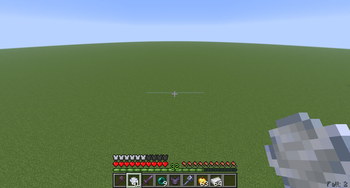


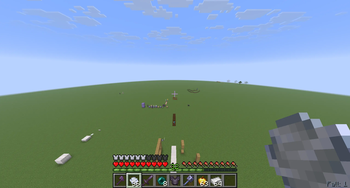

About this Mod
Description:
SkySight is a client-side HUD mod that provides useful visual feedback and highlights certain blocks to help you with pvp related mechanics
Features:
Elytra Flight Timer: Tracks how long you’ve worn an Elytra and displays a fading HUD above the hotbar when you remove it. Older values shift upwards and fade out smoothly. This is usefull to train a techniq called elytra preservation that lets you presever durability if the timer stays under 20 ticks.
Atribute Swap: It tells you if you atribute swap was sucessful.
Damage Indicator: Displays a red screen border whenever the player takes damage, this is usefull if you have damagetilt turned off.
Fall Distance HUD: Shows your current fall distance, and goes red if you distance to ground will kill you with further falling.
Block Highlights: Highlights the blocks directly beneath you when standing on the ground, so you always know where you can't place blocks -> for a hitcrystal. 1.21.1 Only
Pearl catch prediction: Tells you if your pearl catch will suced after throwing a pearl and a windcharge behind your pearl. Can be inacurate on servers.
Shield Area Renderer: Render an outline around the shield blocking areas of your two nearest opponents. Usefull for backstabs. 1.21.1 Only
Elytra Pitch:A bar that indicates your pitch while Flying with elytra, is at 0 when your pitch is 40 aka enough to build up falldistance.
Player Damgage: A indicator under your corsshair that shows how much damage u will deal to a maxed player with you current y-diference to him +falldistance. Turns red when its fatal.
It DOES NOT expects critical hits for calculation -> Perfect swap and no sprinting.
Enemy Damage: Same as PLayer damage just that it indicates the dmg the enemy can deal to you.
Configurable HUD: Toggle HUDs on and off using the commands /ToggleFutureHud and /TogglePresentHud and /ToggleShieldArea.
In new versions its /SkyVision toggle...
Important:I dont realy know but some servers could consider this as cheats so consider yourself warned.
Current Projekt: A HUD that predicts if you die of fire and a hud that pre simulates anemy bowshots. Creating an actual AI that predicts movement with maschinal learning
Check out my mod about AI movement prediction:PvpSense
Get help and talk about the mod: discord.gg/MX4y9Nsk
Available Versions
How to Install SkyVision on Your Client
Install the Mod Loader Locally
Install fabric for your local Minecraft version.
Download the Matching File
Choose the SkyVision file for fabric and Minecraft 1.21.11.
Install Mod
Place the .jar file in your local .minecraft/mods folder and restart Minecraft. No server-side installation is required.
Compatibility
Mod Loaders
Minecraft Versions
1.21.11, 1.21.1
Server-side
✗ UnsupportedRecommended RAM
4 GB(min. 3 GB)Frequently Asked Questions
Does SkyVision need to be installed on the Minecraft server?
No. Modrinth marks SkyVision as unsupported on the server side. Install it only in your local Minecraft mods folder. Your server can remain unchanged unless the mod page lists an additional dependency.
Which version and loader does SkyVision require?
Use a file for fabric and your exact Minecraft version. Supported versions include 1.21.11, 1.21.1. Files for different loaders are not interchangeable.
SkyVision is not working – what should I check?
First check the Minecraft version, loader version and required dependencies. Put the .jar file in your local .minecraft/mods folder and remove older duplicates. Because this mod is client-side, adding server RAM will not fix it.
Similar Mods






Minecraft Server for Your Group
SkyVision stays on your client. Host a compatible world for your group.