
Spawn
An overworld wilderness overhaul that adds tons of animals, biomes, ambience and functionality
Screenshots



About this Mod
About Spawn
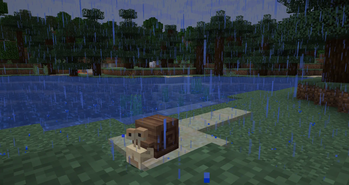
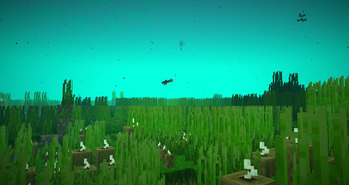
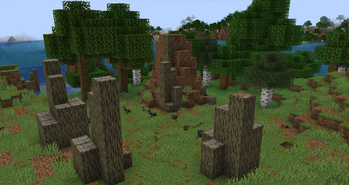
Spawn is a mod that plans to change up and improve onto the game's wilderness, with tons of new biomes, mobs, ambience, mechanics and more!
Mod-loader, Version and Config
This mod is being developed for 1.21.1 Neoforge. No backports are planned.
Spawn has a native config, and has a lot of integration with datapacks, allowing you to add more animal variants, change if and where animals or variants spawn and even tweak or expand with new recipe systems.
Compatibility with other mods
Jade
Integration for things like Stickbugs and Octopus locked chests.
JEI
New spawn recipe type can be looked up within jei directly
Field Guide
All spawn mobs have a Field Guide entry that helps you figure out what their deal might be. As well as full variant compat using Teal Lib.
Immersive Overlays
All spawn biomes have their own icon
Farmer's delight
Tons of new food items made with animal drops, as well as wood salvageability, and soup changes being also applied to spawn's foods.
Every Compat (Wood Good)
All spawn wood types, when Wood Good is installed, have unique textures for:
Amendments
Spawn music discs have a unique texture when played in a jukebox
Item Descriptions
All spawn items have custom descriptions (Can be useful as some sort of in-game wiki!)
Available Versions
How to Install Spawn on Your Server
Order Server
Order a Minecraft Java server with at least 4 GB RAM (6 GB recommended).
Set fabric Loader
In the panel under "Egg", select the fabric loader and matching Minecraft version (1.21.1).
Install Mod
Open the mod browser in the dashboard and search for "Spawn". Click "Install" – done! Alternatively, upload the .jar via SFTP to the /mods folder.
Compatibility
Mod Loaders
Minecraft Versions
1.21.1, 1.20.1, 1.20
Server-side
✓ RequiredRecommended RAM
6 GB(min. 4 GB)Frequently Asked Questions
Spawn server crashes on startup – what to do?
Most common cause: wrong fabric version or insufficient RAM. Check the server log (latest.log) for "OutOfMemoryError" or "Mixin" errors. With Mado Hosting: ensure at least 4 GB RAM is allocated and the loader matches the mod version (1.21.1). You can switch loaders with one click in the panel.
Is Spawn compatible with fabric and forge and neoforge?
Spawn officially supports fabric, forge, neoforge for Minecraft 1.21.1, 1.20.1, 1.20. Note: Forge and Fabric mods are NOT cross-compatible – pick one loader and stick with it. The Mado dashboard automatically detects incompatible loader combinations.
Server lagging with Spawn – how to optimize performance?
Recommended RAM: 6 GB (per 5 players). Use /spark profiler to check if Spawn consumes the most tick time. Common fixes: reduce server view-distance to 8-10, install "performant" or "starlight" as supplementary mods on Forge. With Mado Hosting, your server runs on NVMe SSDs with dedicated CPU cores for minimal latency.
Similar Mods




Rent Modded Server
Install Spawn with just one click on your server.