
Starlance
Cosmic Horizons x Valkyrien Skies
Screenshots
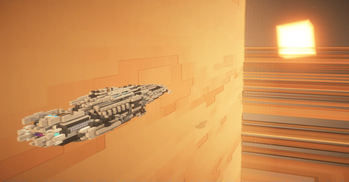
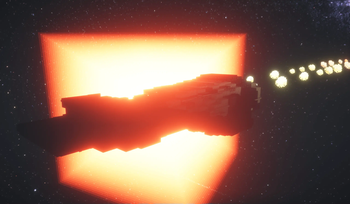
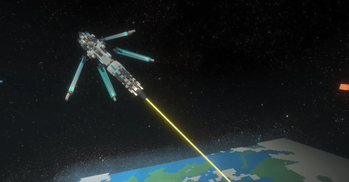

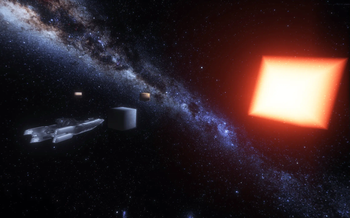
About this Mod
Starlance
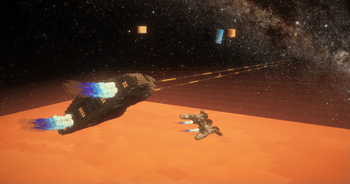
This mod aims to provide compatibility between various space mods and Valkyrien Skies!
Currently supported mods:
The mod adds:
- The ability for VS ships to go between planets and space!
- Thrusters to power your ships!
- Optional artificial drag block for space! (good for slowing down in zero G!)
- Magnet Boots for artificial gravity!
- Two thruster modes, GLOBAL and POSITION, toggle with an item, or disable in config!
How it works:
The mod takes the existing space system of the space mods it supports, and adds VS ship compat to them.
For example, with Cosmic Horizons installed, VS ships will go into its space dimension on reaching y=560 (like Cosmic Horizons entity rocket ships). Then in the space dimension, if the ship enters a planet, it gets transported there.
With Ad Astra on the otherhand, the VS ship will open the same GUI as an entity rocket would on reaching "space", and lands where you select. Starlance also adds "tier blocks", accessible with /give, which dictate what tier of Ad Astra planet you can go to. Perfect for modpack developers!
Planned features:
- Survival friendly thruster system (fuel, etc)
- Warp drive for VS ships
- Full player rotation in space?
Current limitations:
- When transitioning between planet/space, player may be left behind by ship to be stranded in space or fall down to planet. More likely at high speeds. Solution is to sit down in a seat.
- Player can't rotate upside down with the ship in space, unless seated
Where to find the config
Find your world save folder, then find your specific worlds folder. Then go into server-configs. Open vsch.json (or similar). Alternatively, use the "configure other mods" feature of the Create config menu. (Note that Starlance is also listed there as 'vsch')
Video Gallery:
Available Versions
How to Install Starlance on Your Server
Order Server
Order a Minecraft Java server with at least 3 GB RAM (4 GB recommended).
Set forge Loader
In the panel under "Egg", select the forge loader and matching Minecraft version (1.20.1).
Install Mod
Open the mod browser in the dashboard and search for "Starlance". Click "Install" – done! Alternatively, upload the .jar via SFTP to the /mods folder.
Compatibility
Mod Loaders
Minecraft Versions
1.20.1
Server-side
✓ RequiredRecommended RAM
4 GB(min. 3 GB)Frequently Asked Questions
Starlance server crashes on startup – what to do?
Most common cause: wrong forge version or insufficient RAM. Check the server log (latest.log) for "OutOfMemoryError" or "Mixin" errors. With Mado Hosting: ensure at least 3 GB RAM is allocated and the loader matches the mod version (1.20.1). You can switch loaders with one click in the panel.
Is Starlance compatible with forge?
Starlance officially supports forge for Minecraft 1.20.1. The Mado dashboard automatically detects incompatible loader combinations.
Server lagging with Starlance – how to optimize performance?
Recommended RAM: 4 GB (per 8 players). Use /spark profiler to check if Starlance consumes the most tick time. Common fixes: reduce server view-distance to 8-10, install "performant" or "starlight" as supplementary mods on Forge. With Mado Hosting, your server runs on NVMe SSDs with dedicated CPU cores for minimal latency.
Similar Mods




Rent Modded Server
Install Starlance with just one click on your server.