

Modrinth · Forge
TESLA on your Minecraft server
TESLA runs on Minecraft servers with Forge. Order your server, set the loader in the panel and install the mod with one click in the mod browser.
A power API
- Downloads
- 9.4K
- Author
- Darkhax
- Loader
- Forge
- Minecraft
- 1.10 – 1.9.4
- Updated
- –
Setup
Install TESLA on your server
The server and players need the same loader and Minecraft version. Back up the world before adding or updating mods.
- 01
Configure
4 GB of RAM is preselected. You choose the term and add-ons and pay by credit card or PayPal.
- 02
Set the loader
In the panel, set the server software to Forge and choose the matching Minecraft version, for example 1.9.4.
- 03
Install the mod
Search the mod browser for “TESLA” and install the release for your loader. Alternatively, upload the .jar to the mods folder via SFTP. Required dependencies are listed on the project page.
- 04
Connect
Every player installs the same TESLA release locally and connects using the server address from the panel.
- On the server
- Required
- On the client
- Required
- Loader
- Forge
- Minecraft
- 1.9.4, 1.9.3, 1.9 +7 more
- License
- MIT License
The panel
Install mods, find errors.
Real screenshots from the Mado panel. Both come with every Minecraft server.
Mod browser
Modrinth and CurseForge, right in the panel.
The browser filters by your Minecraft version. Install mods with one click, without uploading .jar files.

AI crash analysis
When a mod crashes, the analyzer reads the log.
Mods often fail on a wrong loader version, Java version or missing dependency. The analyzer names a likely cause and suggests a fix.

Releases
Published releases
Pick the file that matches your server’s loader and Minecraft version. The server and players need the same release.
TESLA · Modrinth- Tesla-1.12.2-1.0.63June 7, 2023Minecraft 1.12.2 · Forge
- Tesla-1.11-1.3.0.52June 7, 2023Minecraft 1.11, 1.11.2 · Forge
- Tesla-1.10.2-1.2.1.49June 7, 2023Minecraft 1.10.2, 1.9.4 · Forge
- Tesla-1.10.2-1.2.1.42June 7, 2023Minecraft 1.10, 1.10.1, 1.10.2, 1.9.3, 1.9.4 · Forge
- Tesla-1.9-1.0.2.23June 7, 2023Minecraft 1.9 · Forge
Original description by the project author
Tesla
Tesla is a power API designed for cross mod communication. It allows for Items, Blocks and Entities from various mods to interact with each other over the Tesla power network.
WARNING: Alpha and beta releases are intended for mod authors and testers. Mods that support Tesla should only target full releases! Using an alpha build may crash mods that require it!

This project is sponsored by Nodecraft. Use code DARKHAX for 30% off your first month of service!
Getting Started
The best way to use the Tesla API is through Forge's Capability system. The idea is very simple, capabilities are implementations of an interface that handle a certain type of Tesla related logic. These capabilities can then be attached to supported things (Tile Entity, ItemStack and Entity). When a capability is attached, that thing will have access to the provided tesla logic, and it will be visible to other tesla enabled things. You can see a basic capability implementation here and a tile entity example here. There is also an item example here.
Frequently Asked Questions
Where can people go to discuss the Tesla API?
There is a public discord server which can be found here.
What makes Tesla different from other power API?
The Tesla API functions very similarly to other power API, however there are several design choices made the API much more flexible. One of these choices was the decision to use Forge's capability system, which allows for Tesla support to be added to nearly anything. It would be possible for a mod to add Tesla support to a vanilla furnace with this system, without using any dirty hacks. Another decision was using longs over integers. This change allows for mods to easily work with larger power numbers.
Why did you make this API?
The API was originally made as a fun side project, but received a lot of unexpected attention from other developers. It was not created as a crusade to kill other power API or anything like that.
Are there any standards for Tesla?
The API does not enforce any standard, however there are a few things which mod authors are encouraged to follow. One Tesla should equal 1 RF, tile entities should not directly implement capability interfaces, and sided logic should be handled through the capability methods.
Should the Tesa API be bundled with other mods?
While bundling API is frequently done, and supported by Forge, it is a very bad practice. While there is nothing stopping other mods from bundling the API it is highly discouraged and will not be officially supported.
How does soft dependency work if I can't bundle the API?
Forge provides several tools which make soft dependency really simple. The first is the Optional annotation. This annotation can be added to any class that implements an interface, and if a certain mod ID is not detected, the interface can be stripped from the class. This allows for existing container objects to implement Tesla's interfaces without a hard dependency. The CapabilityInject annotation is also extremely useful for soft dependency. You can use this annotation on a field to have it initialized with a specific capability when said capability is initialized. You can also put this annotation on methods to have then called when the capability is initialized. One thing you might notice is that the annotation takes a reference to the capability class from Tesla, which will be missing under soft dependency. Due to the way annotations and the JVM work, it is safe to make this reference in the annotation. It will not give you a Class Definition exception.
Modpack Policy
Yes, you can use this in a mod pack. Please don't send me messages asking for permission to use this in your mod pack. I will not be responding to such messages.
TESLA server crashes on startup – what to do?
Common causes: the loader or Minecraft version does not match the mod file, a dependency is missing, or RAM is too low. Check the log (latest.log) for “OutOfMemoryError”, “Mixin” or missing mods. At Mado, the AI crash analysis reads the log and suggests a cause. You can change the loader and version in the panel.
Which loader does TESLA run on?
According to Modrinth, TESLA supports Forge for Minecraft 1.9.4, 1.9.3, 1.9.
How much RAM does a server with TESLA need?
As guidance, 3–4 GB for a server with this mod. This is an estimate, not a measured minimum. More mods, many players and long view distances need more. The spark profiler shows whether a mod is costing tick time.
Similar mods
Popular mods in the same category
 Server-ready

Fabric API
by modmuss50
Lightweight and modular API providing common hooks and intercompatibility measures utilized by mods using the Fabric toolchain.
 Server-ready

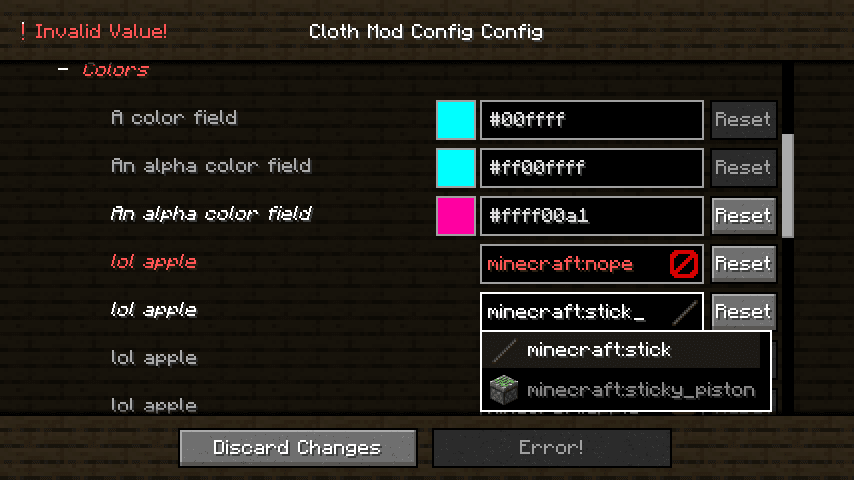
Cloth Config API
by shedaniel
Configuration Library for Minecraft Mods
 Server-ready

YetAnotherConfigLib (YACL)
by isxander
A builder-based configuration library for Minecraft!
 Server-ready

Fabric Language Kotlin
by modmuss50
This is a mod that enables usage of the Kotlin programming language for Fabric mods.
Ready for your server with TESLA?
4 GB of RAM from €8.00 per month. 35% off your first month with MADO35.