
Modrinth · Fabric
Text Utilities on your Minecraft server
Text Utilities runs on Minecraft servers with Fabric. Order your server, set the loader in the panel and install the mod with one click in the mod browser.
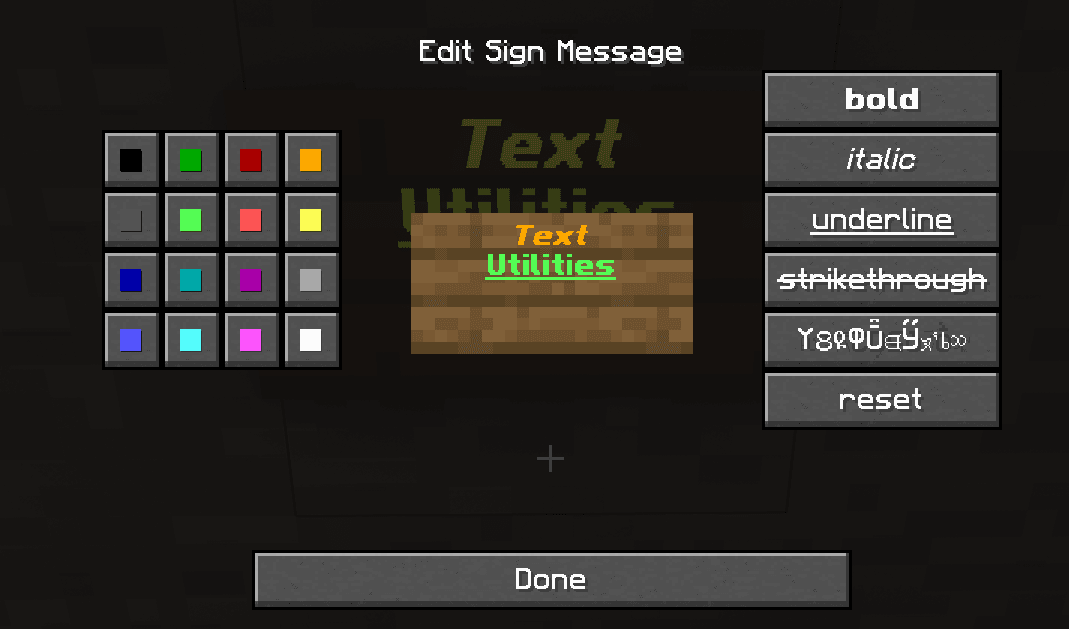
Adds buttons to format and color the text in signs, books, and anvils.
- Downloads
- 57.3K
- Author
- Chaws
- Loader
- Fabric
- Minecraft
- 1.19 – 1.21.8
- Updated
- –
Screenshots
What Text Utilities looks like

Images: Text Utilities on Modrinth, published by the project team.
Setup
Install Text Utilities on your server
The server and players need the same loader and Minecraft version. Back up the world before adding or updating mods.
- 01
Configure
4 GB of RAM is preselected. You choose the term and add-ons and pay by credit card or PayPal.
- 02
Set the loader
In the panel, set the server software to Fabric and choose the matching Minecraft version, for example 1.21.8.
- 03
Install the mod
Search the mod browser for “Text Utilities” and install the release for your loader. Alternatively, upload the .jar to the mods folder via SFTP. Required dependencies are listed on the project page.
- 04
Connect
Every player installs the same Text Utilities release locally and connects using the server address from the panel.
- On the server
- Required
- On the client
- Required
- Loader
- Fabric
- Minecraft
- 1.21.8, 1.21.7, 1.21.6 +18 more
- License
- GNU Lesser General Public License v3.0 only
The panel
Install mods, find errors.
Real screenshots from the Mado panel. Both come with every Minecraft server.
Mod browser
Modrinth and CurseForge, right in the panel.
The browser filters by your Minecraft version. Install mods with one click, without uploading .jar files.

AI crash analysis
When a mod crashes, the analyzer reads the log.
Mods often fail on a wrong loader version, Java version or missing dependency. The analyzer names a likely cause and suggests a fix.

Releases
Published releases
Pick the file that matches your server’s loader and Minecraft version. The server and players need the same release.
Text Utilities · Modrinth- v1.7.2 for 1.20.1February 16, 2025Minecraft 1.20, 1.20.1, 1.20.2, 1.20.3 · Fabric
- v1.7.2 for 1.21.2February 16, 2025Minecraft 1.21.2, 1.21.3, 1.21.4, 1.21.5, 1.21.6, 1.21.7, 1.21.8 · Fabric
- v1.7.2 for 1.21.0February 16, 2025Minecraft 1.21, 1.21.1 · Fabric
- v1.7.2 for 1.20.4February 16, 2025Minecraft 1.20.4, 1.20.5, 1.20.6 · Fabric
- v1.4.1 for 1.19.3January 3, 2023Minecraft 1.19.3, 1.19.4 · Fabric
Original description by the project author
Text Utilities (for Fabric)



Text Utilities is a free and open-source mod for Minecraft which adds color and formatting
options to signs, books, and anvils.
Features
- Adds color and formatting buttons to the sign editor screen, anvil screen, and the book edit screen.
- Adds color and formatting support to fabric server's when installed on a server.
- Formatting code prefix is configurable to support servers that don't use the default
§(for example, Purpur has built in support for&). - Adds the ability to click-through signs and item frames when they are attached to containers.
- Sign click through is prevented when holding a sign, dye, an ink sac, or a glowing ink sac in your main hand.
- Item Frame click through is prevented while sneaking or if the item frame has no item in it.
- Supports adding custom blocks/entites to the click-through list
- Increases max width and height of chat hud so that you can adjust it to your liking.
NOTE: At the moment, you have to press a color before a format button if you want to use both.
Supported Mods
- Create Mod
- Adds click-through functionality to
create:placard
- Adds click-through functionality to

Installation


Manual installation
You will need Fabric Loader 0.10.x or newer installed in your game in order to load Text
Utilities. If you haven't installed Fabric mods before, you can find a variety of community
guides for doing so here.
Stable releases

The latest releases of Text Utilities are published to our Modrinth,
CurseForge,
and GitHub release pages. Releases
are considered to be suitable for general use, but they are not guaranteed to be free of bugs
and other issues.
Usually, releases will be made available on GitHub slightly sooner than other locations.
Bleeding-edge builds (unstable)

If you are a player who is looking to get your hands on the latest bleeding-edge changes for
testing, consider taking a look at the automated builds produced through our
GitHub Actions workflow.
This workflow automatically runs every time a change is pushed to the repository, and as such,
the builds it produces will generally reflect the latest snapshot of development.
Bleeding edge builds will often include unfinished code that hasn't been extensively tested.
That code may introduce incomplete features, bugs, crashes, and all other kinds of weird issues.
You should not use these bleeding edge builds unless you know what you are doing and are
comfortable with software debugging.
Reporting Issues
You can report bugs and crashes by opening an issue on our issue tracker.
Before opening a new issue, use the search tool to make sure that your issue has not already
been reported and ensure that you have completely filled out the issue template. Issues that are
duplicates or do not contain the necessary information to triage and debug may be closed.
Please note that while the issue tracker is open to feature requests, development is primarily
focused on improving hardware compatibility, performance, and finishing any unimplemented
features necessary for parity with the vanilla renderer.
License
Text Utilities is licensed under GNU LGPLv3, a free and open-source license. For more information,
please see the license file.
Text Utilities server crashes on startup – what to do?
Common causes: the loader or Minecraft version does not match the mod file, a dependency is missing, or RAM is too low. Check the log (latest.log) for “OutOfMemoryError”, “Mixin” or missing mods. At Mado, the AI crash analysis reads the log and suggests a cause. You can change the loader and version in the panel.
Which loader does Text Utilities run on?
According to Modrinth, Text Utilities supports Fabric for Minecraft 1.21.8, 1.21.7, 1.21.6.
How much RAM does a server with Text Utilities need?
As guidance, 3–4 GB for a server with this mod. This is an estimate, not a measured minimum. More mods, many players and long view distances need more. The spark profiler shows whether a mod is costing tick time.
Similar mods
Popular mods in the same category
 Server-ready

FerriteCore
by malte0811
Memory usage optimizations
 Client only

Mod Menu
by Prospector
Adds a mod menu to view the list of mods you have installed.
 Server-ready

YetAnotherConfigLib (YACL)
by isxander
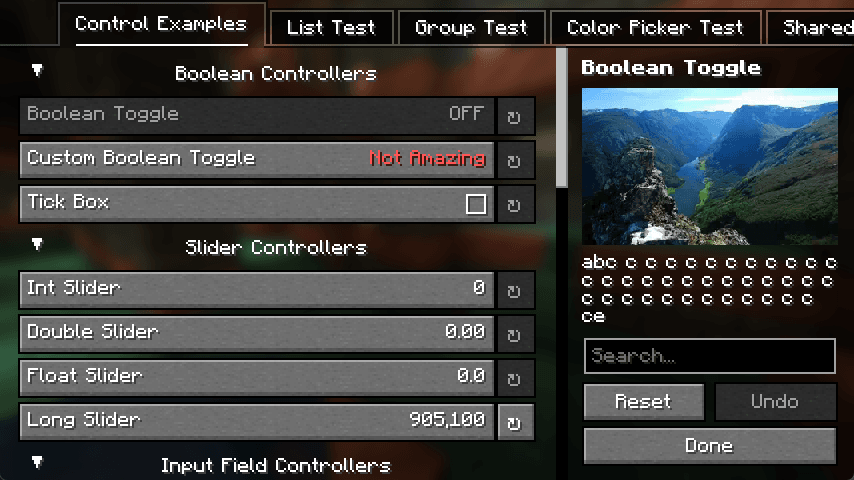
A builder-based configuration library for Minecraft!
 Server-ready

Xaero's Minimap
by thexaero
Displays a map of the nearby world terrain, players, mobs, entities in the corner of your screen. Lets you create waypoints which help you find the locations you've marked.
Ready for your server with Text Utilities?
4 GB of RAM from €8.00 per month. 35% off your first month with MADO35.