
Modrinth · Fabric
The Long Story on your Minecraft server
The Long Story runs on Minecraft servers with Fabric. Order your server, set the loader in the panel and install the mod with one click in the mod browser.
Explore The Simulation, a whole new dimension far away from the overworld. New enemies, new resources, new challenges.
- Downloads
- 11.8K
- Author
- Okamiz
- Loader
- Fabric
- Minecraft
- 1.20.1 – 1.20.2
- Updated
- –
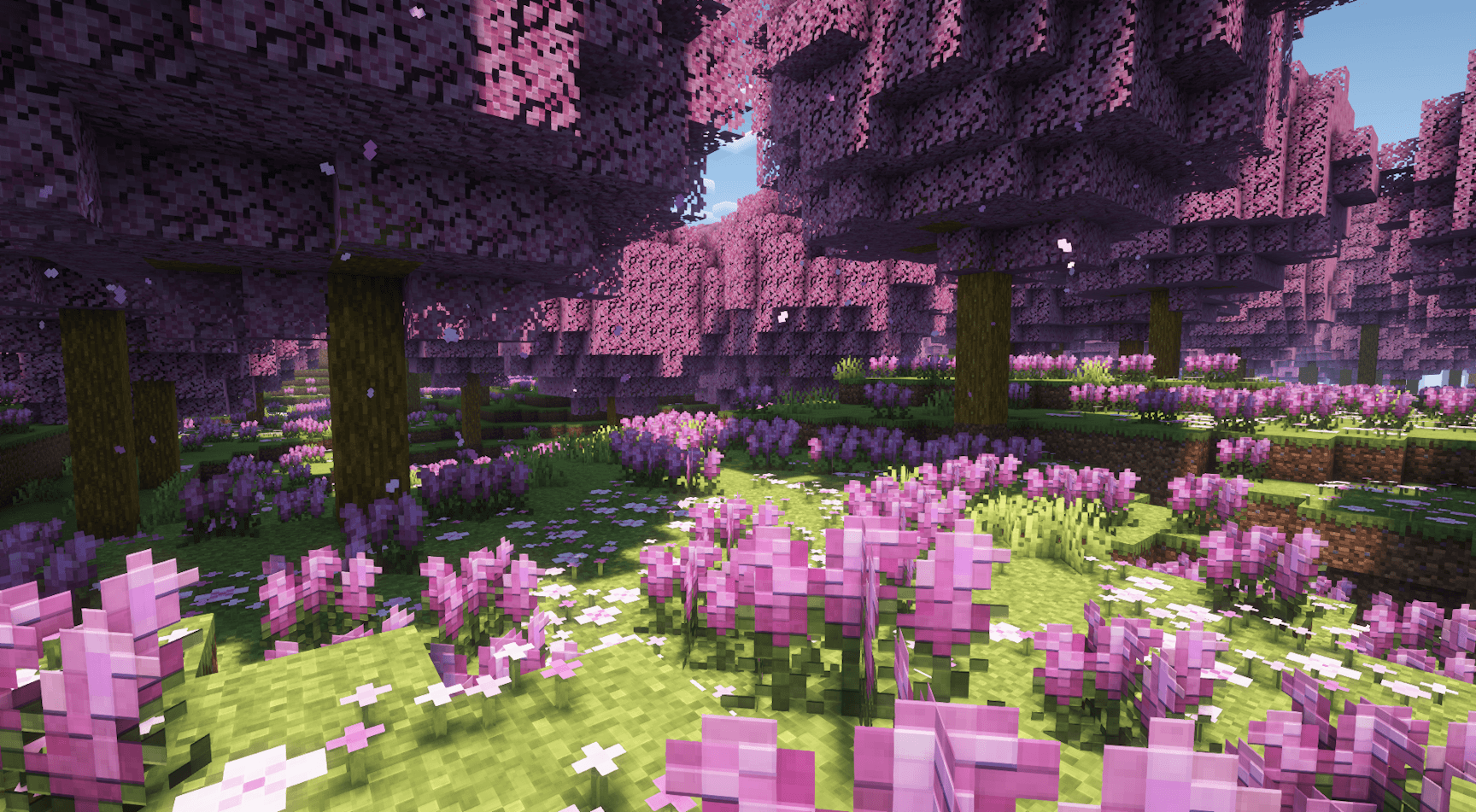
Screenshots
What The Long Story looks like


Images: The Long Story on Modrinth, published by the project team.
Setup
Install The Long Story on your server
The server and players need the same loader and Minecraft version. Back up the world before adding or updating mods.
- 01
Configure
4 GB of RAM is preselected. You choose the term and add-ons and pay by credit card or PayPal.
- 02
Set the loader
In the panel, set the server software to Fabric and choose the matching Minecraft version, for example 1.20.2.
- 03
Install the mod
Search the mod browser for “The Long Story” and install the release for your loader. Alternatively, upload the .jar to the mods folder via SFTP. Required dependencies are listed on the project page.
- 04
Connect
Every player installs the same The Long Story release locally and connects using the server address from the panel.
- On the server
- Required
- On the client
- Required
- Loader
- Fabric
- Minecraft
- 1.20.2, 1.20.1
- License
- LicenseRef-All-Rights-Reserved
The panel
Install mods, find errors.
Real screenshots from the Mado panel. Both come with every Minecraft server.
Mod browser
Modrinth and CurseForge, right in the panel.
The browser filters by your Minecraft version. Install mods with one click, without uploading .jar files.

AI crash analysis
When a mod crashes, the analyzer reads the log.
Mods often fail on a wrong loader version, Java version or missing dependency. The analyzer names a likely cause and suggests a fix.

Releases
Published releases
Pick the file that matches your server’s loader and Minecraft version. The server and players need the same release.
The Long Story · Modrinth- The Long Story 0.3 - 1.20.1July 21, 2024Minecraft 1.20.1 · Fabric
- The Long Story 0.2.3 - 1.20.2February 24, 2024Minecraft 1.20.2 · Fabric
Original description by the project author


Click Here To Support My Projects
🪼 What is The Long Story 🪼
The Long Story is a mod that adds a unique new dimension to Minecraft. This dimension, called “The Simulation”, is a virtual dimension in which players can find unique biomes, new resources, new mobs and unique structures! In this mod, exploration will be the key to obtaining better equipment and overcoming the challenges that await you!
🐍 About the Simulation 🐍
In The Long Story, you need to be careful before venturing into the simulation. First of all, you'll need a teleportation remote to return unscathed. In this virtual dimension, you'll find several things:
- Unique biomes to explore.
- New structures and lots of loot.
- Dimension-specific monsters with their own mechanisms.
- New resources and equipment.
🐲 Starting with the mod 🐲
To get started with this mod, you'll first need to find and mine Thestone ores. This will give you Thestone powder. With this powder, you can start creating various things, such as ingots, equipment and materials. Once you've defeated the wither, you can use the wither star to create a power star with 4 end crystals. This is an important item, as it allows you to craft a greffed command system, which in turn allows you to create advanced blocks such as the simulation teleporter or homemade command blocks that allows you to have potions effects with you.
You can access this dimension via the Simulation Teleporter, and must return with the Teleportation Remote. Otherwise, you're stuck. For the teleportation remote to work, you need to have slept in a bed at least once in your game. The teleportation remote will teleport you directly to your bed.
Before going to the Simulation Dimension, make sure you have the Teleportation Remote in your inventory, otherwise, you'll be stuck there and you'll have to die to respawn in the overworld.
With a greffed command system, you can craft a Greffed Command System Block.To Activate a Greffed Command System, you need to collect an Essence Container and use it on an associated mob (just below) by clicking on it.

Each essence container can be obtained by right-clicking on it's linked mob with a soul container (craftable item). The mob must be under 15hp to capture his essence.
You can now activate a Greffed command system with the essence you've got. Depending of the essence, you can have different effects . For exemple, the Vision essence container will give you night vision through the Greffed Command System block.
⚙️ More ⚙️
Here's the recipe of the Pure Amethyst Shard. It's not displaying on REI for now.
This machine can be crafted with an Amethyst Core, wich can be obtained by beating the Amethyst boss. You'll need a Key to summon it, the Amethyst Key.
Spoiler


If you have any question, suggestion, request, please leave a comment below or in the discord server and I'll answer to you as soon as possible.
NOTE: This mod is still in alpha. That means it will be updated several times with more and more content. Be aware that certain updates can take time.
🔧 Integrations 🔧


The Long Story server crashes on startup – what to do?
Common causes: the loader or Minecraft version does not match the mod file, a dependency is missing, or RAM is too low. Check the log (latest.log) for “OutOfMemoryError”, “Mixin” or missing mods. At Mado, the AI crash analysis reads the log and suggests a cause. You can change the loader and version in the panel.
Which loader does The Long Story run on?
According to Modrinth, The Long Story supports Fabric for Minecraft 1.20.2, 1.20.1.
How much RAM does a server with The Long Story need?
As guidance, 3–4 GB for a server with this mod. This is an estimate, not a measured minimum. More mods, many players and long view distances need more. The spark profiler shows whether a mod is costing tick time.
Similar mods
Popular mods in the same category
 Server-ready

Xaero's Minimap
by thexaero
Displays a map of the nearby world terrain, players, mobs, entities in the corner of your screen. Lets you create waypoints which help you find the locations you've marked.
 Server-ready

Xaero's World Map
by thexaero
Adds a full screen world map which shows you what you have explored in the world. Works great together with Xaero's Minimap.
 Client only

Not Enough Animations
by tr7zw
Bringing first-person animations to the third-person
 Client only

3D Skin Layers
by tr7zw
Render the player skin layer in 3d!
Ready for your server with The Long Story?
4 GB of RAM from €8.00 per month. 35% off your first month with MADO35.