
The Undergarden
Deep underground, a forgotten land awaits.
Screenshots
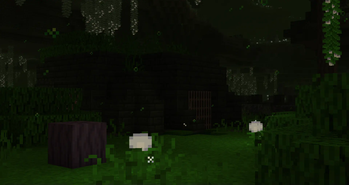
About this Mod

Deep underground, a forgotten land awaits.
Discord: https://discord.gg/zrnMPDM
What is the Undergarden?
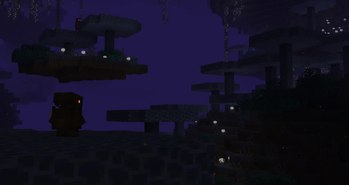
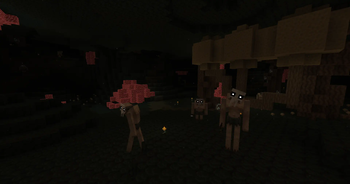
The Undergarden is a dark, subterranean world located deep below the bedrock of the Overworld. The flora here has adapted to their conditions and can grow anywhere, independent of light. Strange creatures call these dark lands home, and are plagued by the invasive Rotspawn, monsters originating from a chaotic, mysterious realm.
Minecraft Server
Want to rent your own server? Click the banner below to get started with a 20% discount on the first month.
Features
A whole new dimension to explore, build, and survive in
Over 10 unique entities
15 biomes
Ores that have special properties when made into tools and weapons
Over 10 music tracks
Over 10 advancements to guide you on your journey
4 special potion effects
1 dungeon
And more to come in the future...
How to enter the Undergarden
To enter the Undergarden, you must first craft a Catalyst.
You can craft a Catalyst using the recipe below:

Once you have made that, create a frame in the shape of a Nether portal using Stone Bricks or Deepslate Bricks. Activate the Undergarden portal by right clicking the inner bottom of the frame with the Catalyst.

You can also use bricks derived from the Undergarden to create the portal.
Available Versions
How to Install The Undergarden on Your Server
Order Server
Order a Minecraft Java server with at least 4 GB RAM (6 GB recommended).
Set forge Loader
In the panel under "Egg", select the forge loader and matching Minecraft version (26.1.2).
Install Mod
Open the mod browser in the dashboard and search for "The Undergarden". Click "Install" – done! Alternatively, upload the .jar via SFTP to the /mods folder.
Compatibility
Mod Loaders
Minecraft Versions
26.1.2, 1.21.1, 1.21 (+3 more)
Server-side
✓ RequiredRecommended RAM
6 GB(min. 4 GB)Frequently Asked Questions
The Undergarden server crashes on startup – what to do?
Most common cause: wrong forge version or insufficient RAM. Check the server log (latest.log) for "OutOfMemoryError" or "Mixin" errors. With Mado Hosting: ensure at least 4 GB RAM is allocated and the loader matches the mod version (26.1.2). You can switch loaders with one click in the panel.
Is The Undergarden compatible with forge and neoforge?
The Undergarden officially supports forge, neoforge for Minecraft 26.1.2, 1.21.1, 1.21. The Mado dashboard automatically detects incompatible loader combinations.
Server lagging with The Undergarden – how to optimize performance?
Recommended RAM: 6 GB (per 5 players). Use /spark profiler to check if The Undergarden consumes the most tick time. Common fixes: reduce server view-distance to 8-10, install "performant" or "starlight" as supplementary mods on Forge. With Mado Hosting, your server runs on NVMe SSDs with dedicated CPU cores for minimal latency.
Similar Mods




Rent Modded Server
Install The Undergarden with just one click on your server.