
Modrinth · Fabric, Forge, NeoForge
Tiny Skeletons on your Minecraft server
Tiny Skeletons runs on Minecraft servers with Fabric or Forge or NeoForge. Order your server, set the loader in the panel and install the mod with one click in the mod browser.
Teeny, tiny skeletons, send shivers down your spine...
- Downloads
- 3.8M
- Author
- Fuzs
- Loader
- Fabric, Forge, NeoForge
- Minecraft
- 1.18.2 – 26.3
- Updated
- –
Screenshots
What Tiny Skeletons looks like

Images: Tiny Skeletons on Modrinth, published by the project team.
Setup
Install Tiny Skeletons on your server
The server and players need the same loader and Minecraft version. Back up the world before adding or updating mods.
- 01
Configure
4 GB of RAM is preselected. You choose the term and add-ons and pay by credit card or PayPal.
- 02
Set the loader
In the panel, set the server software to Fabric or Forge or NeoForge and choose the matching Minecraft version, for example 26.3.
- 03
Install the mod
Search the mod browser for “Tiny Skeletons” and install the release for your loader. Alternatively, upload the .jar to the mods folder via SFTP. Required dependencies are listed on the project page.
- 04
Connect
Every player installs the same Tiny Skeletons release locally and connects using the server address from the panel.
- On the server
- Required
- On the client
- Required
- Loader
- Fabric, Forge, NeoForge
- Minecraft
- 26.3, 26.2, 26.1.2 +21 more
- License
- Mozilla Public License 2.0
The panel
Install mods, find errors.
Real screenshots from the Mado panel. Both come with every Minecraft server.
Mod browser
Modrinth and CurseForge, right in the panel.
The browser filters by your Minecraft version. Install mods with one click, without uploading .jar files.

AI crash analysis
When a mod crashes, the analyzer reads the log.
Mods often fail on a wrong loader version, Java version or missing dependency. The analyzer names a likely cause and suggests a fix.

Releases
Published releases
Pick the file that matches your server’s loader and Minecraft version. The server and players need the same release.
Tiny Skeletons · Modrinth- v26.3.0-mc26.3.x+fabricSeptember 24, 2026Minecraft 26.3 · Fabric
- v26.3.0-mc26.3.x+neoforgeSeptember 24, 2026Minecraft 26.3 · NeoForge
- [NEOFORGE] [26.2.x] v26.2.1August 20, 2026Minecraft 26.2 · NeoForge
- [FABRIC] [26.2.x] v26.2.1August 20, 2026Minecraft 26.2 · Fabric
- [FABRIC] [26.1.x] v26.1.1August 20, 2026Minecraft 26.1, 26.1.1, 26.1.2 · Fabric
Original description by the project author




Tiny Skeletons brings baby skeletons to Minecraft at last! 💀 If baby zombies exist, why not skeletons too? Normal skeletons, strays, bogged, parched, and even wither skeletons can now spawn as tiny variants, each with their own unique behaviors, attacks, and rewards.
Cute? Sometimes. Harmless? Absolutely not. ✨

- 💀 Natural Spawning: Baby skeleton variants spawn naturally with a 5% chance, just like baby zombies.
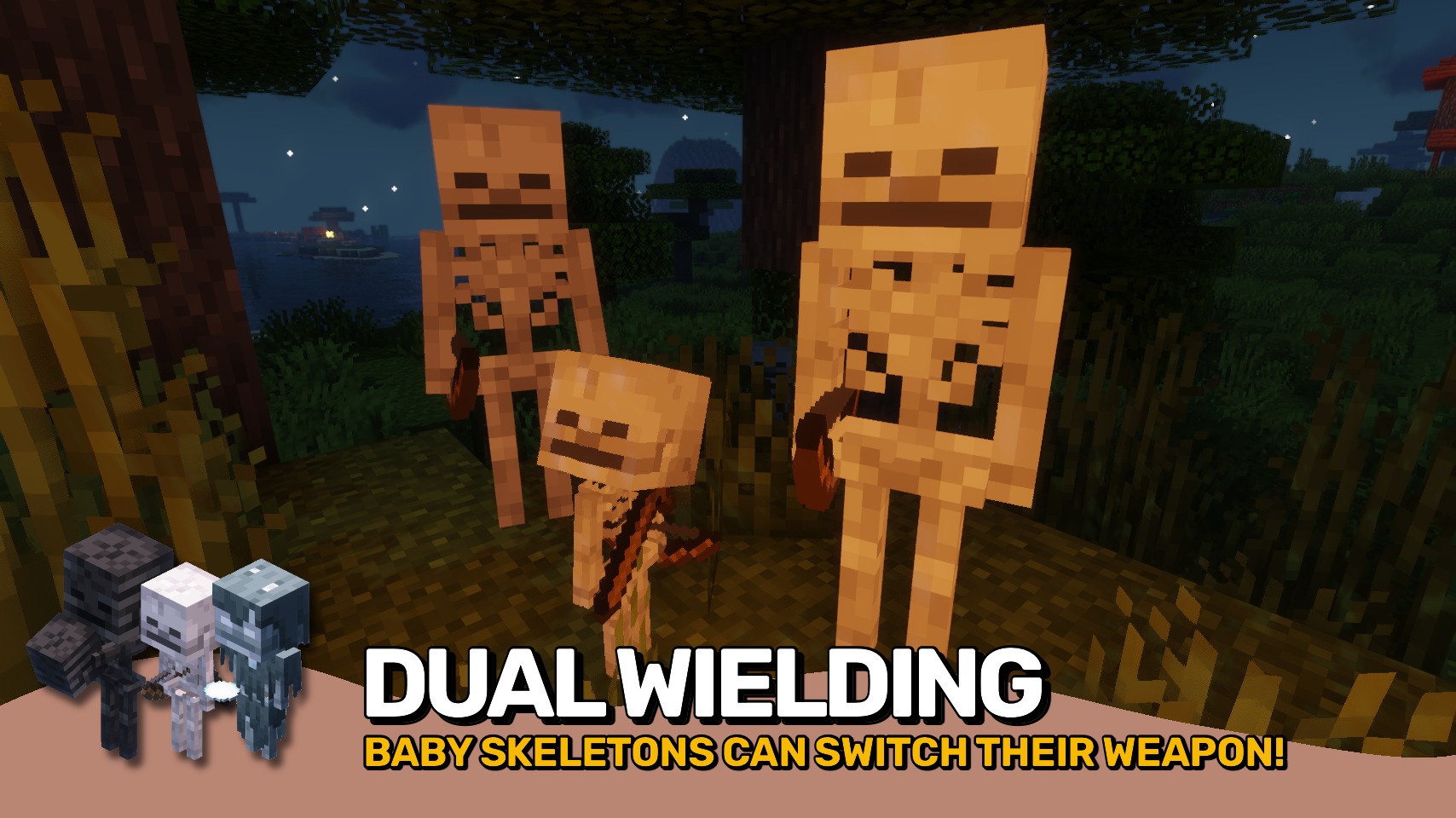
- 🏹 Baby Skeletons: Fight with bows at range, then quickly switch to melee combat with a wooden sword when you get too close.
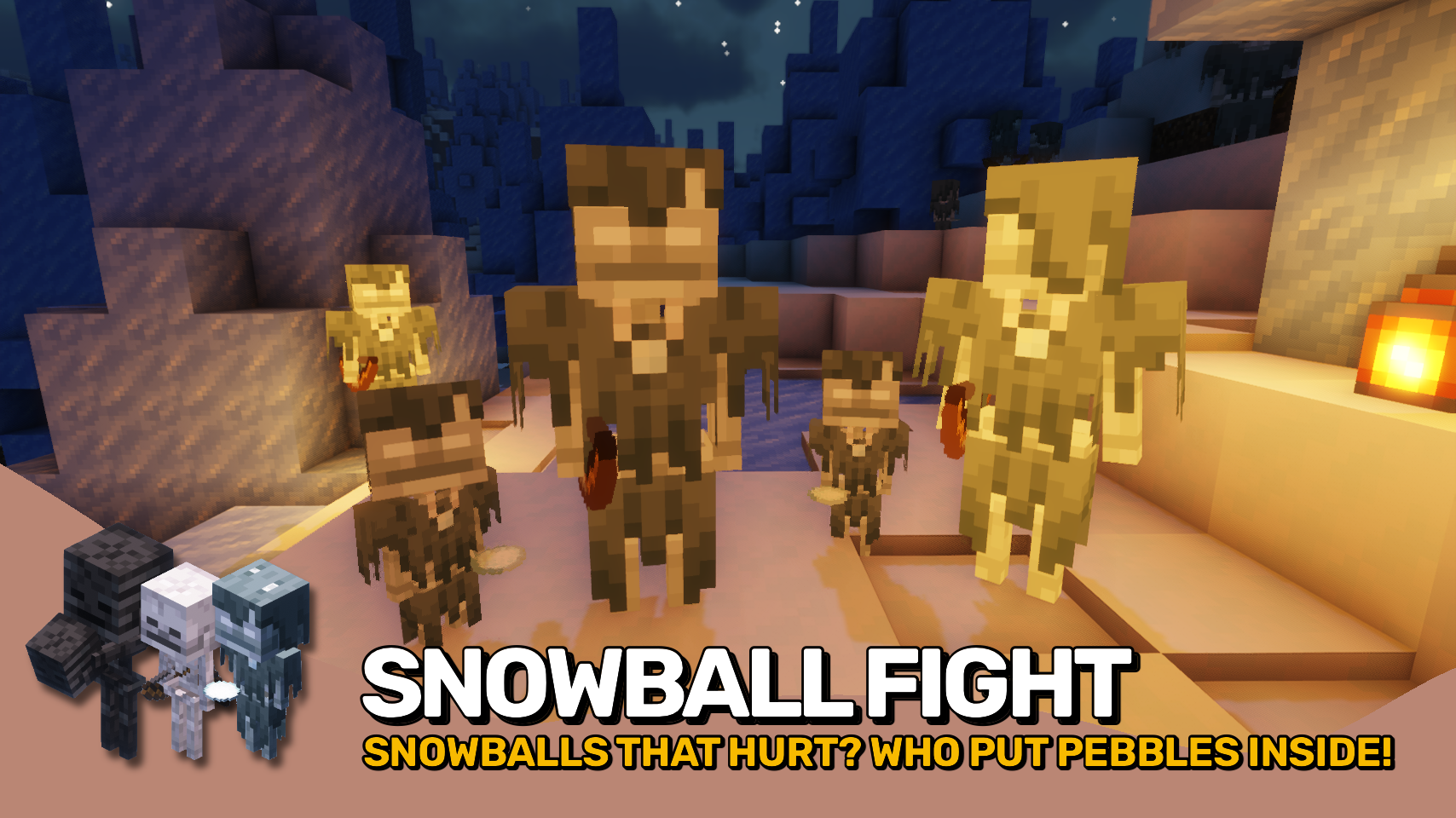
- ❄️ Baby Strays: Throw icy snowballs mixed with pebbles that deal a small amount of damage and knock targets back. They may even drop blue ice when defeated.
- 🍄 Baby Bogged: Toss mushrooms at their enemies from a distance, dealing light damage while providing unique mushroom themed drops.
- 🏜️ Baby Parched: Throw chunks of sand at nearby targets and can provide a handy source of sand.
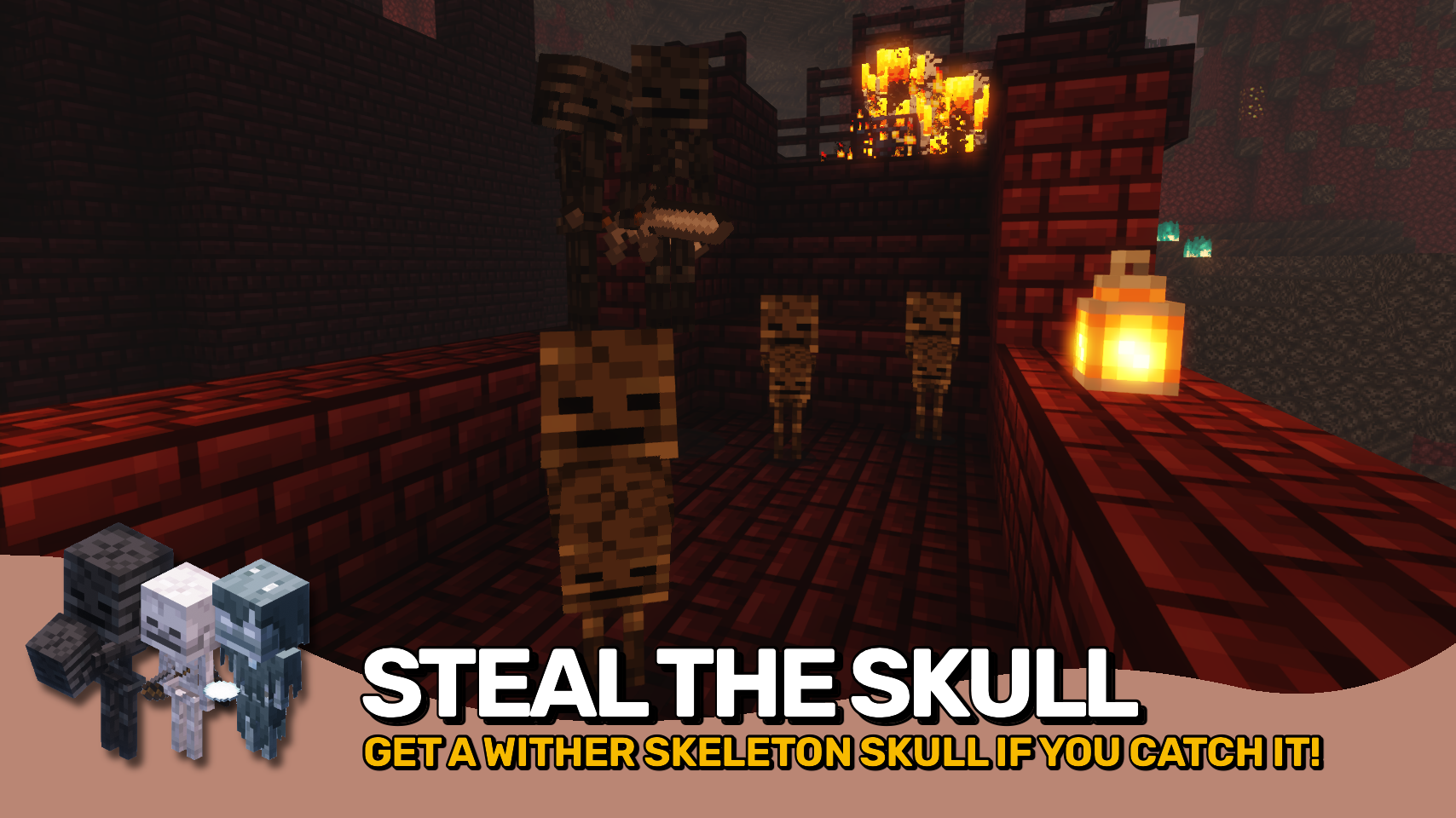
- 🖤 Baby Wither Skeletons: Surprisingly timid creatures that flee when approached, terrified you might steal the wither skeleton skull they always carry. Defeat one for a guaranteed skull drop, or trade it a wither rose instead.
- 🎁 Unique Rewards: Several baby skeleton variants offer special drops and alternate ways to obtain useful resources.


⏩ INSTALLATION REQUIRED ON CLIENT & REQUIRED ON SERVER
⏩ REQUIRES PUZZLES LIB TO BE INSTALLED (FABRIC & NEOFORGE)
⏩ REQUIRES FABRIC API TO BE INSTALLED (FABRIC)
⏩ REQUIRES FORGE CONFIG API PORT TO BE INSTALLED (FABRIC)

If available for a mod, configuration is possible directly from in-game using the mod menu (requires Mod Menu by Prospector to be installed on Fabric).
For manual configuration using an external text editor all files are found at .minecraft/config, named as MOD_ID-client.toml, MOD_ID-common.toml, or MOD_ID-server.toml, depending on the type of config. Not all types might exist for a mod, if any at all.

🌟 Thanks to Daveyx0 for inspiring the baby skeleton's combat behavior with the skeleton warrior from their Primitive Mobs mod.
🌟 Thanks to Globox_Z for some of the code for rendering items on the back of baby skeletons from their BackSlot mod.
🌟 Thanks to Furgle for inspiring baby wither skeletons carrying skulls from their Baby Mobs mod.
 |
 |
|
 |
 |
|
 |
 |
|
 |
 |
|
 |
 |
© 2026 @heyitsfuzs. All rights reserved. This page was last edited on 11 September 2026, at 06:44 (UTC).
Tiny Skeletons server crashes on startup – what to do?
Common causes: the loader or Minecraft version does not match the mod file, a dependency is missing, or RAM is too low. Check the log (latest.log) for “OutOfMemoryError”, “Mixin” or missing mods. At Mado, the AI crash analysis reads the log and suggests a cause. You can change the loader and version in the panel.
Which loader does Tiny Skeletons run on?
According to Modrinth, Tiny Skeletons supports Fabric, Forge, NeoForge for Minecraft 26.3, 26.2, 26.1.2. Forge and Fabric files are not interchangeable: pick one loader for the server and clients.
How much RAM does a server with Tiny Skeletons need?
As guidance, 3–4 GB for a server with this mod. This is an estimate, not a measured minimum. More mods, many players and long view distances need more. The spark profiler shows whether a mod is costing tick time.
Similar mods
Popular mods in the same category
 Server-ready

Xaero's Minimap
by thexaero
Displays a map of the nearby world terrain, players, mobs, entities in the corner of your screen. Lets you create waypoints which help you find the locations you've marked.
 Server-ready

Xaero's World Map
by thexaero
Adds a full screen world map which shows you what you have explored in the world. Works great together with Xaero's Minimap.
 Client only

Not Enough Animations
by tr7zw
Bringing first-person animations to the third-person
 Client only

3D Skin Layers
by tr7zw
Render the player skin layer in 3d!
Ready for your server with Tiny Skeletons?
4 GB of RAM from €8.00 per month. 35% off your first month with MADO35.