
TrashSlot
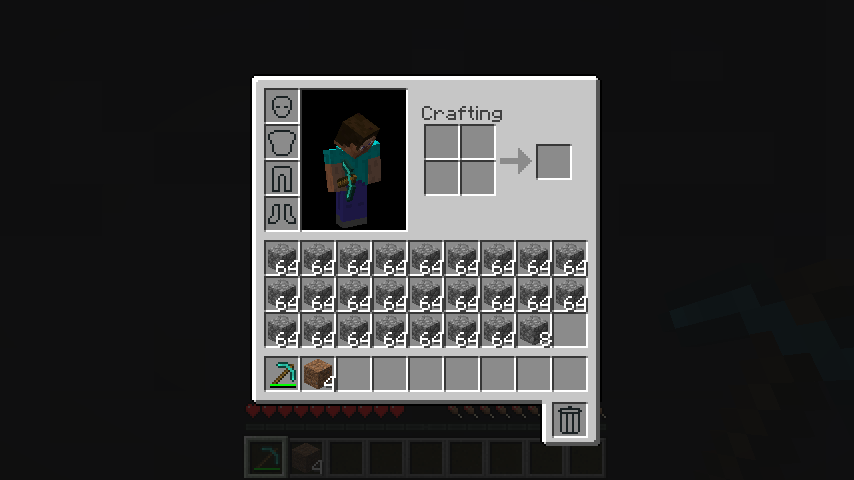
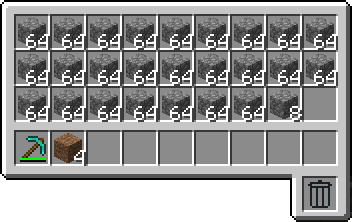
Adds a draggable trash slot to all inventory screens. Press T to toggle.
Screenshots
About this Mod
This mod adds a trash slot to your inventory allowing you to quickly and safely get rid of unwanted items.
The trash slot keeps the last deleted item stored to allow you to take your trash back out. It can be dragged around and enabled or disabled in nearly every screen.
This mod requires Balm, which must be installed alongside the mod.

- Trash Slot to delete items by dropping them into it
- Untrashing of the last trash item in case of mistakes by taking it out of the trash slot again
- Configurable trash slot position by simply dragging it around with the mouse cursor
- Delete key to delete item at mouse cursor
- Shift+Delete key to delete all items of same type as the one at mouse cursor
- Optional on clients. Only the server and players that want to use it need to install it.
Available Versions
How to Install TrashSlot on Your Server
Order Server
Order a Minecraft Java server with at least 3 GB RAM (4 GB recommended).
Set fabric Loader
In the panel under "Egg", select the fabric loader and matching Minecraft version (26.3).
Install Mod
Open the mod browser in the dashboard and search for "TrashSlot". Click "Install" – done! Alternatively, upload the .jar via SFTP to the /mods folder.
Compatibility
Mod Loaders
Minecraft Versions
26.3, 26.2, 26.1.2 (+27 more)
Server-side
✓ RequiredRecommended RAM
4 GB(min. 3 GB)Frequently Asked Questions
TrashSlot server crashes on startup – what to do?
Most common cause: wrong fabric version or insufficient RAM. Check the server log (latest.log) for "OutOfMemoryError" or "Mixin" errors. With Mado Hosting: ensure at least 3 GB RAM is allocated and the loader matches the mod version (26.3). You can switch loaders with one click in the panel.
Is TrashSlot compatible with fabric and forge and neoforge?
TrashSlot officially supports fabric, forge, neoforge for Minecraft 26.3, 26.2, 26.1.2. Note: Forge and Fabric mods are NOT cross-compatible – pick one loader and stick with it. The Mado dashboard automatically detects incompatible loader combinations.
Server lagging with TrashSlot – how to optimize performance?
Recommended RAM: 4 GB (per 8 players). Use /spark profiler to check if TrashSlot consumes the most tick time. Common fixes: reduce server view-distance to 8-10, install "performant" or "starlight" as supplementary mods on Forge. With Mado Hosting, your server runs on NVMe SSDs with dedicated CPU cores for minimal latency.
Similar Mods






Rent Modded Server
Install TrashSlot with just one click on your server.