
Vanilla Fireflies
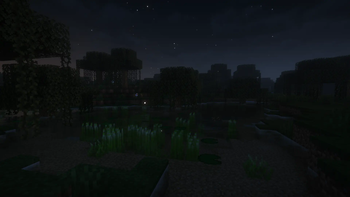
Datapack that adds ambient fireflies - now they fly not only near bushes.
Screenshots


About this Mod

Fireflies can be found in the swamp and mangrove swamp biome at night
🏞️ Supported Custom Biomes:
- Terralith
- Biomes O' Plenty
- Regions Unexplored
- Terrestria
- William Wythers' Expanded Ecosphere
- Nature's Spirit
📚 Fireflies Settings
The easiest and recommended way to customize your experience is through the interactive chat menu!
- Open the Main Menu:
/function vanilla_fireflies:menu
(Use this to quickly select pre-made modes or open the new visual Detailed Configuration dialog).
🛠️ Advanced (Manual Commands)
For users who prefer typing commands manually or want to use them inside command blocks, you can bypass the menu using the following functions:
- Quick Amount Change:
/function vanilla_fireflies:amount {amount:<integer>} - Fine-Tune Everything:
/function vanilla_fireflies:configure {amount:<integer>, speed:<float>, delta_x:<float>, delta_y:<float>, delta_z:<float>}
💡 Default Parameters Reference:
If you ever need to reset or refer to the base settings, the defaults are:
amount: 60speed: 0.3delta_x: 40delta_y: 10delta_z: 40
📂Installing as datapack
- Download and install datapack in the world
- For a new world: You can click the "Data Packs" option when creating a new world and select this datapack
🔧Installing as mod
- Download and put mod in your
.minecraft/modsfolder
If you have any questions, bugs, suggestions you can create an issue on github or join our discord server
Available Versions
How to Install Vanilla Fireflies on Your Server
Order Server
Order a Minecraft Java server with at least 3 GB RAM (4 GB recommended).
Set datapack Loader
In the panel under "Egg", select the datapack loader and matching Minecraft version (26.3).
Install Mod
Open the mod browser in the dashboard and search for "Vanilla Fireflies". Click "Install" – done! Alternatively, upload the .jar via SFTP to the /mods folder.
Compatibility
Mod Loaders
Minecraft Versions
26.3, 26.2, 1.21.6 (+16 more)
Server-side
✓ RequiredRecommended RAM
4 GB(min. 3 GB)Frequently Asked Questions
Vanilla Fireflies server crashes on startup – what to do?
Most common cause: wrong datapack version or insufficient RAM. Check the server log (latest.log) for "OutOfMemoryError" or "Mixin" errors. With Mado Hosting: ensure at least 3 GB RAM is allocated and the loader matches the mod version (26.3). You can switch loaders with one click in the panel.
Is Vanilla Fireflies compatible with datapack and fabric and forge and neoforge and quilt?
Vanilla Fireflies officially supports datapack, fabric, forge, neoforge, quilt for Minecraft 26.3, 26.2, 1.21.6. Note: Forge and Fabric mods are NOT cross-compatible – pick one loader and stick with it. The Mado dashboard automatically detects incompatible loader combinations.
Server lagging with Vanilla Fireflies – how to optimize performance?
Recommended RAM: 4 GB (per 8 players). Use /spark profiler to check if Vanilla Fireflies consumes the most tick time. Common fixes: reduce server view-distance to 8-10, install "performant" or "starlight" as supplementary mods on Forge. With Mado Hosting, your server runs on NVMe SSDs with dedicated CPU cores for minimal latency.
Similar Mods




Rent Modded Server
Install Vanilla Fireflies with just one click on your server.