

Modrinth · Fabric, Forge, NeoForge, Quilt
Version Numbering Converter on your Minecraft server
Version Numbering Converter runs on Minecraft servers with Fabric or Forge or NeoForge or Quilt. Order your server, set the loader in the panel and install the mod with one click in the mod browser.
Do you hate the new Apple-like version numbering system? Same! Do you like it? Don't care! Do you care about the version numbering and how to convert old versions to its new version or viceversa? This project is for you!
- Downloads
- 1.8K
- Author
- CroaBeast
- Loader
- Fabric, Forge, NeoForge, Quilt
- Minecraft
- 1.0 – 26.2
- Updated
- –
Setup
Install Version Numbering Converter on your server
The server and players need the same loader and Minecraft version. Back up the world before adding or updating mods.
- 01
Configure
4 GB of RAM is preselected. You choose the term and add-ons and pay by credit card or PayPal.
- 02
Set the loader
In the panel, set the server software to Fabric or Forge or NeoForge or Quilt and choose the matching Minecraft version, for example rd-20090515.
- 03
Install the mod
Search the mod browser for “Version Numbering Converter” and install the release for your loader. Alternatively, upload the .jar to the mods folder via SFTP. Required dependencies are listed on the project page.
- 04
Connect
Version Numbering Converter is optional on the client. Players connect using the server address from the panel.
- On the server
- Optional
- On the client
- Optional
- Loader
- Fabric, Forge, NeoForge, Quilt
- Minecraft
- rd-20090515, rd-161348, rd-160052 +902 more
- License
- GNU General Public License v3.0 or later
The panel
Install mods, find errors.
Real screenshots from the Mado panel. Both come with every Minecraft server.
Mod browser
Modrinth and CurseForge, right in the panel.
The browser filters by your Minecraft version. Install mods with one click, without uploading .jar files.

AI crash analysis
When a mod crashes, the analyzer reads the log.
Mods often fail on a wrong loader version, Java version or missing dependency. The analyzer names a likely cause and suggests a fix.

Releases
Published releases
Pick the file that matches your server’s loader and Minecraft version. The server and players need the same release.
Version Numbering Converter · ModrinthOriginal description by the project author
Spoiler
VNC (Version Numbering Converter)
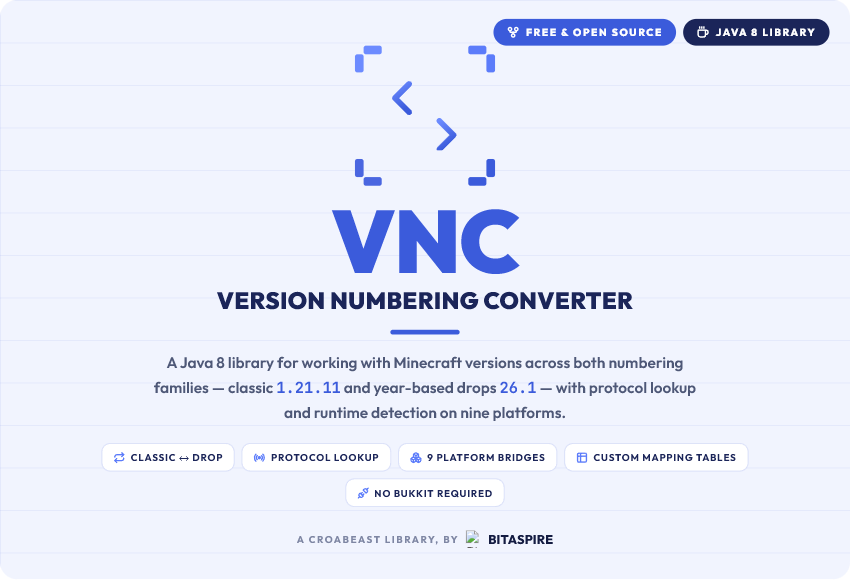
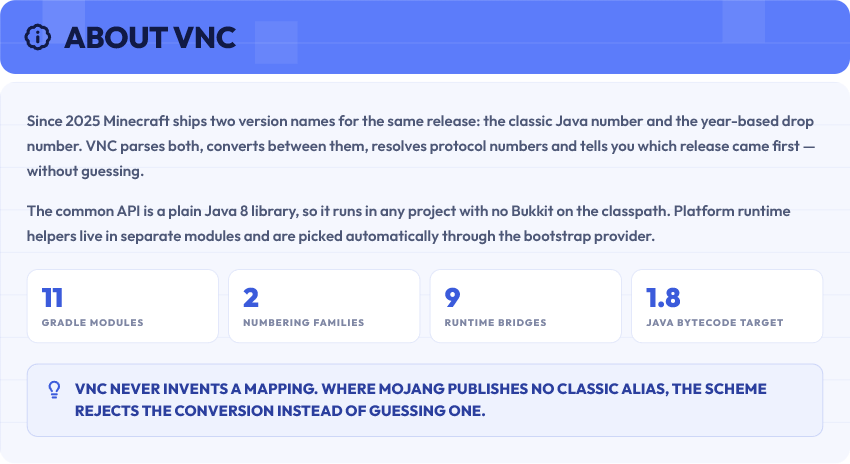
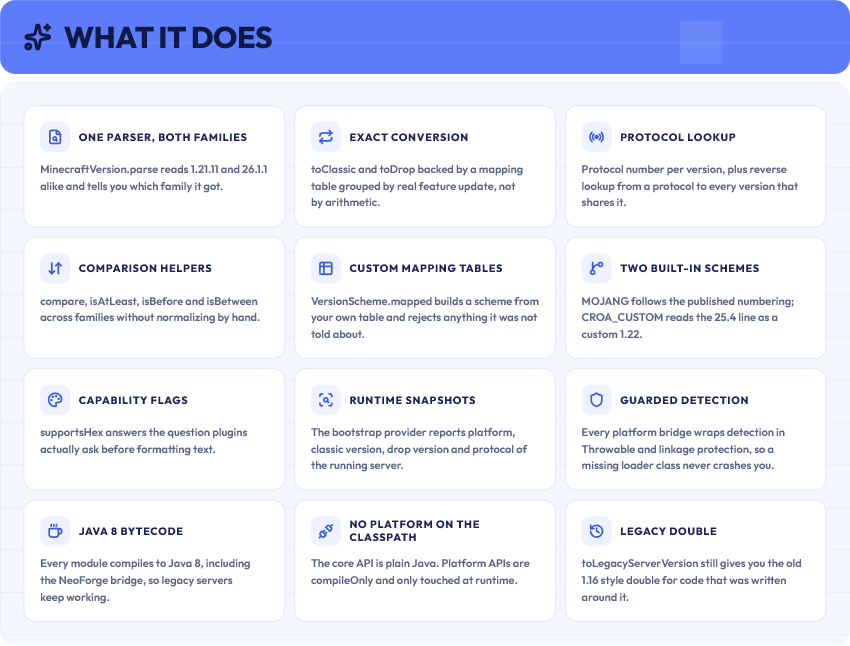
Version Numbering Converter (VNC) is a Java 8 library for working with Minecraft versions across both numbering families:
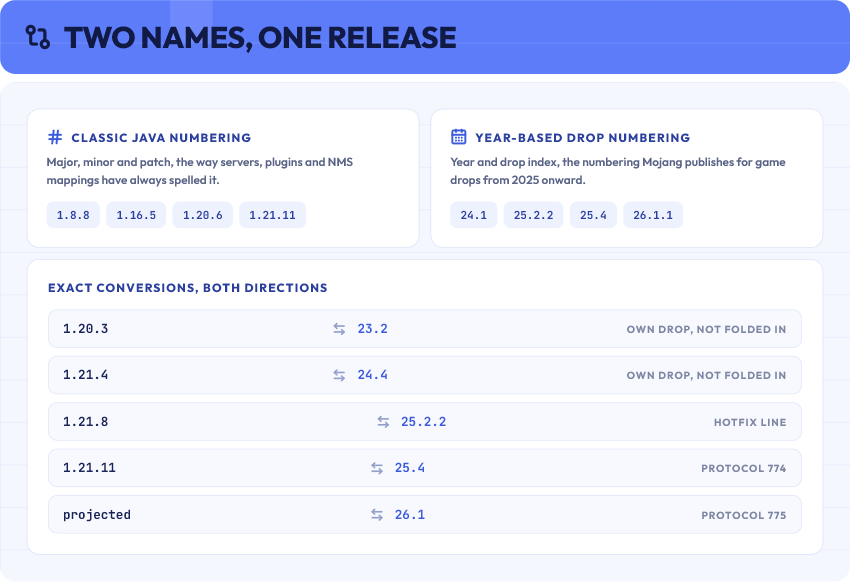
- Classic Java-style versions such as
1.20.6and1.21.11 - Year-based drop versions such as
24.1,25.4, and26.1.1
The project is split so the common API can be used from any Java project without Bukkit on the classpath. Platform-specific runtime helpers live in separate modules and are selected through the bootstrap provider.
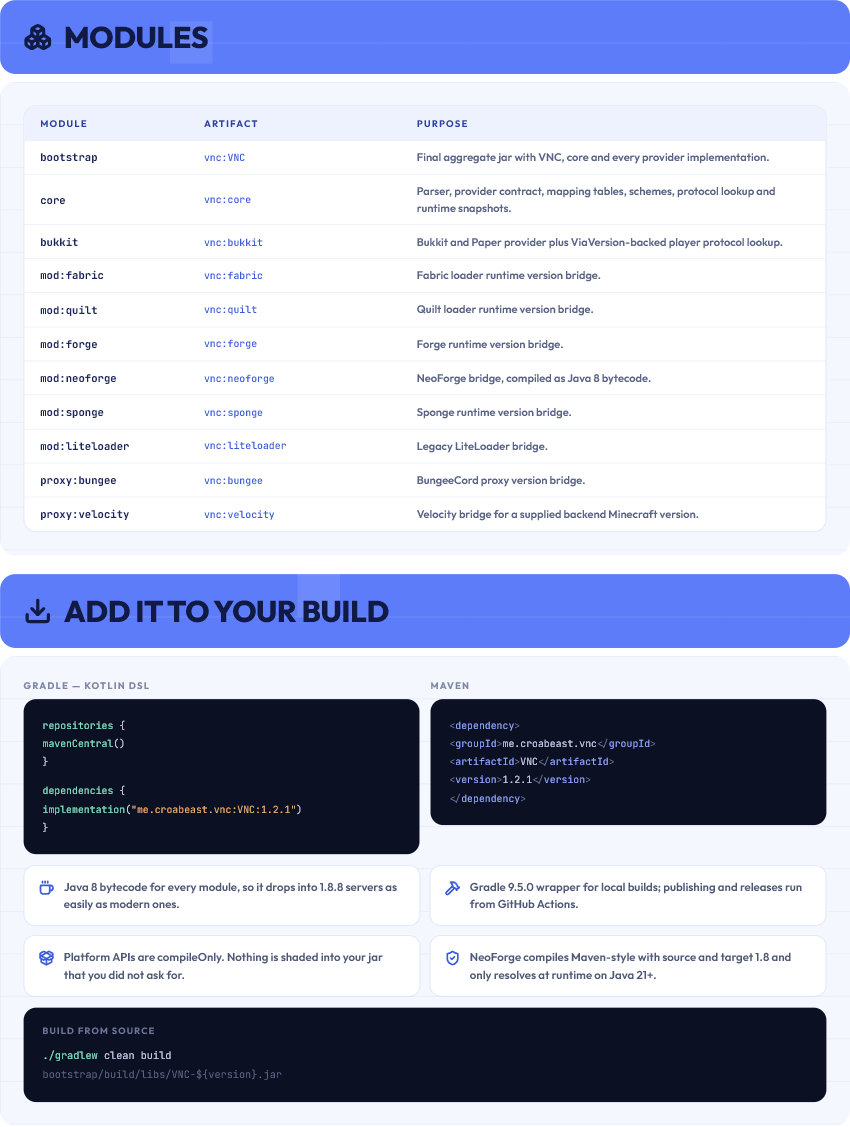
Modules
| Module | Artifact | Purpose |
|---|---|---|
bootstrap |
me.croabeast.vnc:VNC |
Final aggregate jar with VNC, core, and the provider implementations. |
core |
me.croabeast.vnc:core |
Common parser, provider contract, mapping tables, conversion schemes, protocol lookup, and generic runtime snapshots. |
bukkit |
me.croabeast.vnc:bukkit |
Internal Bukkit/Paper provider and ViaVersion-backed player protocol lookup. |
mod:fabric |
me.croabeast.vnc:fabric |
Fabric loader runtime version bridge. |
mod:quilt |
me.croabeast.vnc:quilt |
Quilt loader runtime version bridge. |
mod:forge |
me.croabeast.vnc:forge |
Forge runtime version bridge. |
mod:neoforge |
me.croabeast.vnc:neoforge |
NeoForge runtime version bridge compiled as Java 8 bytecode. |
mod:sponge |
me.croabeast.vnc:sponge |
Sponge runtime version bridge. |
mod:liteloader |
me.croabeast.vnc:liteloader |
Legacy LiteLoader bridge. |
proxy:bungee |
me.croabeast.vnc:bungee |
BungeeCord proxy version bridge. |
proxy:velocity |
me.croabeast.vnc:velocity |
Velocity proxy bridge for a supplied backend/support Minecraft version. |
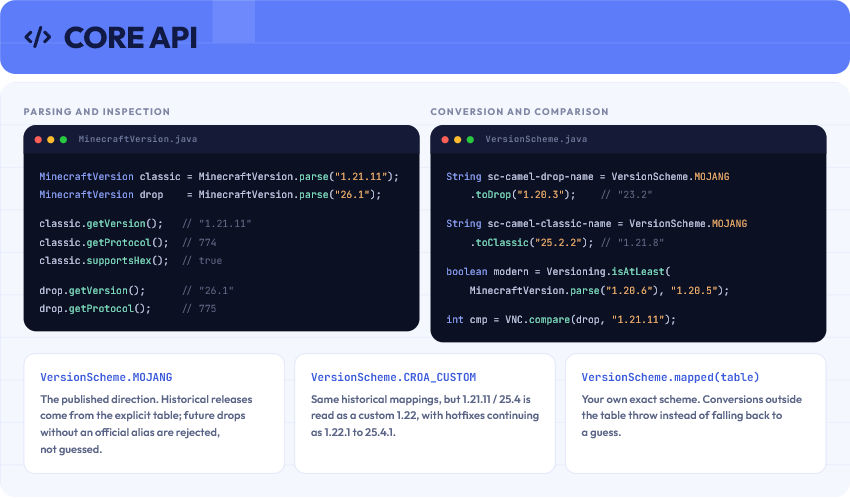
Core API
MinecraftVersion classic = MinecraftVersion.parse("1.21.11");
MinecraftVersion drop = MinecraftVersion.parse("26.1");

classic.getVersion();         // "1.21.11"
classic.getProtocol();        // 774
classic.supportsHex();        // true

drop.getVersion();            // "26.1"
drop.getProtocol();           // 775
String dropName = VersionScheme.MOJANG.toDrop("1.20.3");       // "23.2"
String classicName = VersionScheme.MOJANG.toClassic("25.2.2"); // "1.21.8"

boolean modernRegistry = Versioning.isAtLeast(MinecraftVersion.parse("1.20.6"), "1.20.5");
int comparison = VNC.compare(MinecraftVersion.parse("26.1"), "1.21.11");
Platform Runtime API
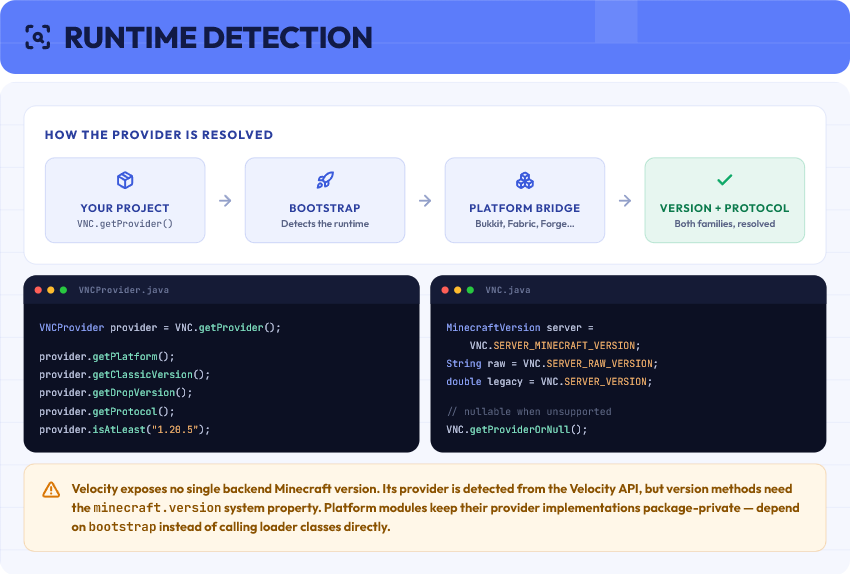
Use bootstrap when you want VNC to detect the runtime provider:
VNCProvider provider = VNC.getProvider();

String platform = provider.getPlatform();
String classic = provider.getClassicVersion();
String drop = provider.getDropVersion();
int protocol = provider.getProtocol();
boolean modernRegistry = provider.isAtLeast("1.20.5");
VNC still exposes convenience methods for the detected provider:
MinecraftVersion server = VNC.SERVER_MINECRAFT_VERSION;
double legacy = VNC.SERVER_VERSION;
boolean modernRegistry = VNC.isAtLeast("1.20.5");
When the runtime may not have a supported provider, use the nullable accessor:
VNCProvider provider = VNC.getProviderOrNull();
if (provider != null && provider.isAtLeast("1.20.5")) {
    // use modern behavior
}
Platform modules contain package-private provider implementations. Consumers should depend on bootstrap for runtime detection instead of calling loader-specific classes directly.
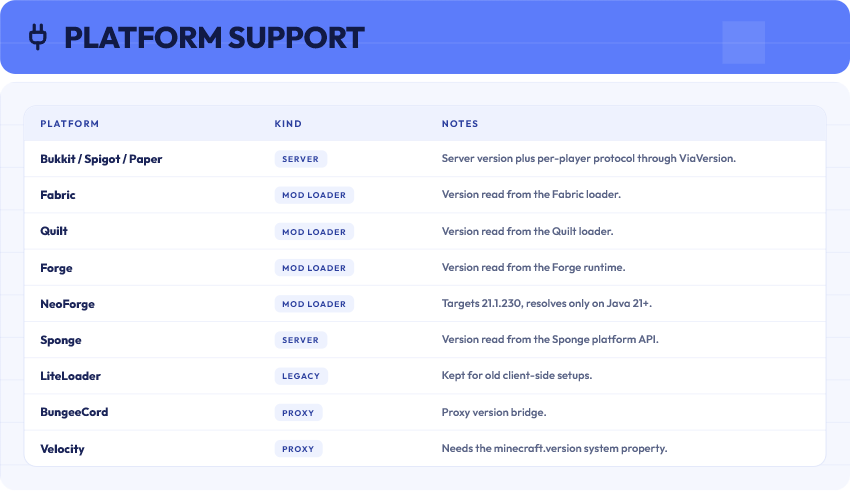
Velocity does not expose one global backend Minecraft version. Its provider is still detected from the Velocity API, but version methods need a minecraft.version system property.
Requirements
- Java 8 bytecode for every module
- Gradle 9.4.1 wrapper for local builds
- Optional platform APIs are
compileOnly; platform modules use direct APIs and guard runtime detection withThrowable/linkage protection - The NeoForge module targets NeoForge
21.1.230, compiles Maven-style withsource/target 1.8, and only resolves at runtime when Java21+and NeoForge are present
Build
./gradlew clean build
The final consumer jar is generated by the bootstrap module:
bootstrap/build/libs/VNC-${version}.jar
Maven repository publishing is handled only by .github/workflows/publish.yml.
Version Numbering Converter server crashes on startup – what to do?
Common causes: the loader or Minecraft version does not match the mod file, a dependency is missing, or RAM is too low. Check the log (latest.log) for “OutOfMemoryError”, “Mixin” or missing mods. At Mado, the AI crash analysis reads the log and suggests a cause. You can change the loader and version in the panel.
Which loader does Version Numbering Converter run on?
According to Modrinth, Version Numbering Converter supports Fabric, Forge, NeoForge, Quilt for Minecraft rd-20090515, rd-161348, rd-160052. Forge and Fabric files are not interchangeable: pick one loader for the server and clients.
How much RAM does a server with Version Numbering Converter need?
As guidance, 3–4 GB for a server with this mod. This is an estimate, not a measured minimum. More mods, many players and long view distances need more. The spark profiler shows whether a mod is costing tick time.
Similar mods
Popular mods in the same category
 Server-ready

Fabric API
by modmuss50
Lightweight and modular API providing common hooks and intercompatibility measures utilized by mods using the Fabric toolchain.
 Server-ready

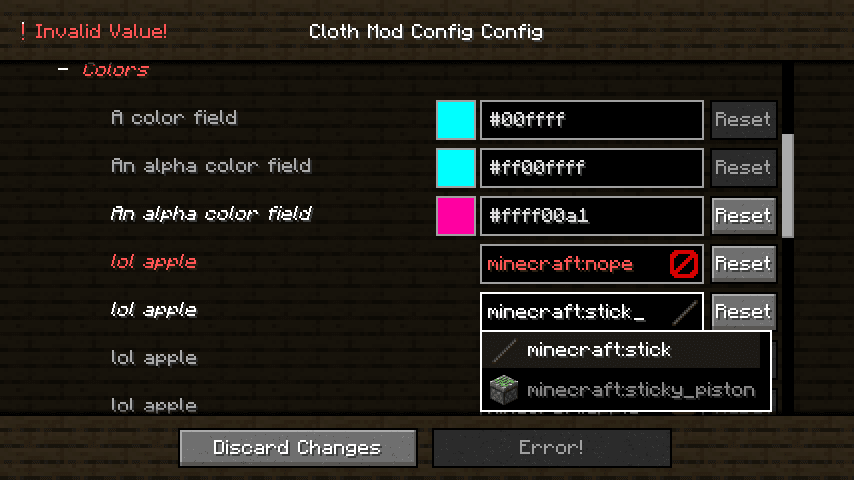
Cloth Config API
by shedaniel
Configuration Library for Minecraft Mods
 Server-ready

YetAnotherConfigLib (YACL)
by isxander
A builder-based configuration library for Minecraft!
 Server-ready

Fabric Language Kotlin
by modmuss50
This is a mod that enables usage of the Kotlin programming language for Fabric mods.
Ready for your server with Version Numbering Converter?
4 GB of RAM from €8.00 per month. 35% off your first month with MADO35.