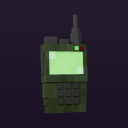
Walkie-Talkie
Adds two-way radios with different upgrades.
Screenshots
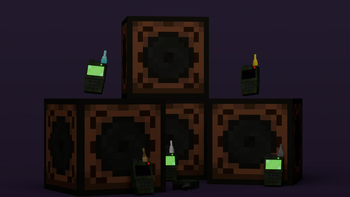
About this Mod
Minecraft Walkie-Talkie Mod
Warning
This is not an official addon. Please don't go to the Simple Voice Chat discord server for support! Instead, please use GitHub issues
for support. I'll try to provide support as soon as possible but there is no guarantee for how long it will take.This mod requires Simple Voice Chat and Architectury API
If you use Fabric, this mod require Fabric API.
This mod adds two-way radios with different upgrades.
Versions maintained
| Minecraft Version | Fabric | Forge |
|---|---|---|
| 1.20.4 | ✅ | ❌ |
| 1.20.2 | ✅ | ✅ |
| 1.20.1 | ✅ | ✅ |
| 1.19.4 | ❌ | ❌ |
| 1.19.3 | ❌ | ❌ |
| 1.19.2 | ✅ | ✅ |
| 1.18.2 | ✅ | ✅ |
| 1.16.5 | ❌ | ✅ |
How to use
Walkie-Talkie:
- Right-click to open the Walkie-Talkie menu
- Turn on the walkie-talkie
- To speak, make sure the walkie-talkie is in your hand
- To listen, make sure the walkie-talkie is in your hotbar
Speaker:
- Right-click on the speaker to open menu
- Turn on the speaker
Features
- An interface for configuring the radio
- Select a radio channel
- Turn off the microphone (of the walkie-talkie)
- Turn off the microphone (of the walkie-talkie)
- Limited distance
- Upgrade to extend the limit
- Add speaker block
- Volume category for speakers
- Keybind to activate/deactivate the walkie-talkie
Upgrades
- Wood: 128 block distance
- Stone: 256 block distance
- Iron: 512 block distance
- Gold: 1024 block distance
- Diamond: 2048 block distance
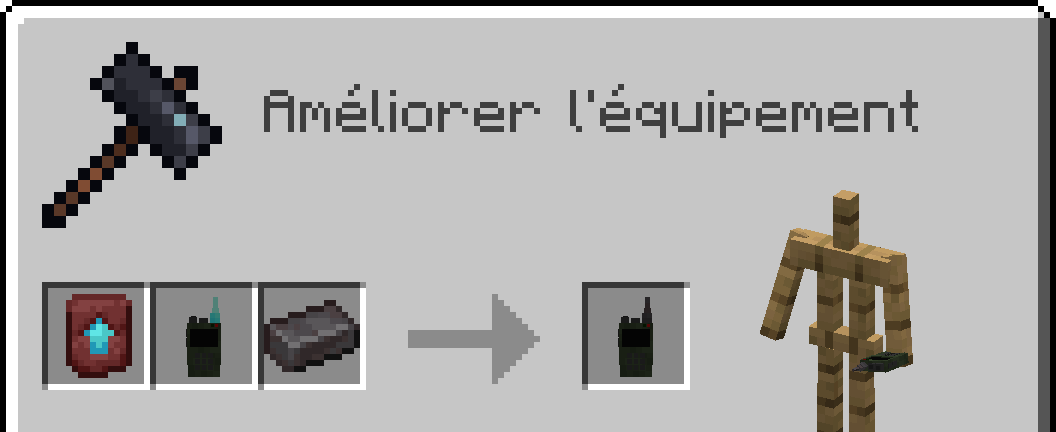
- Netherite: 4096 block distance
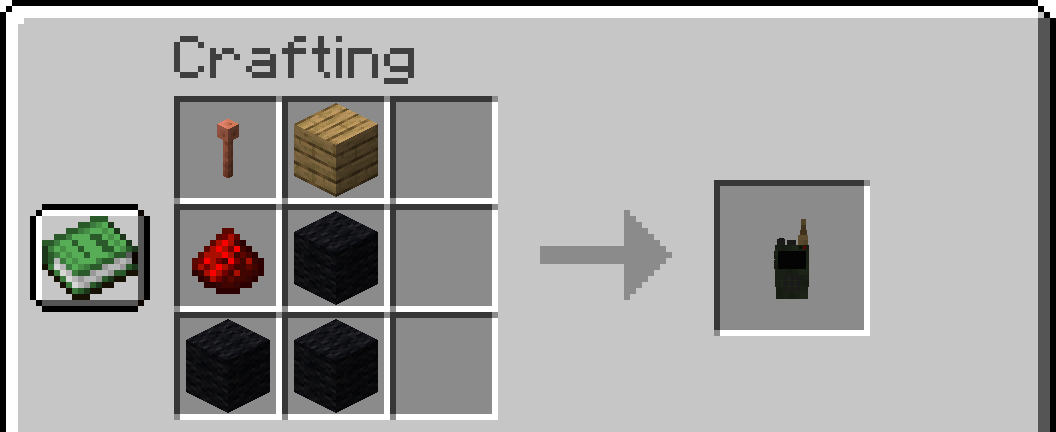
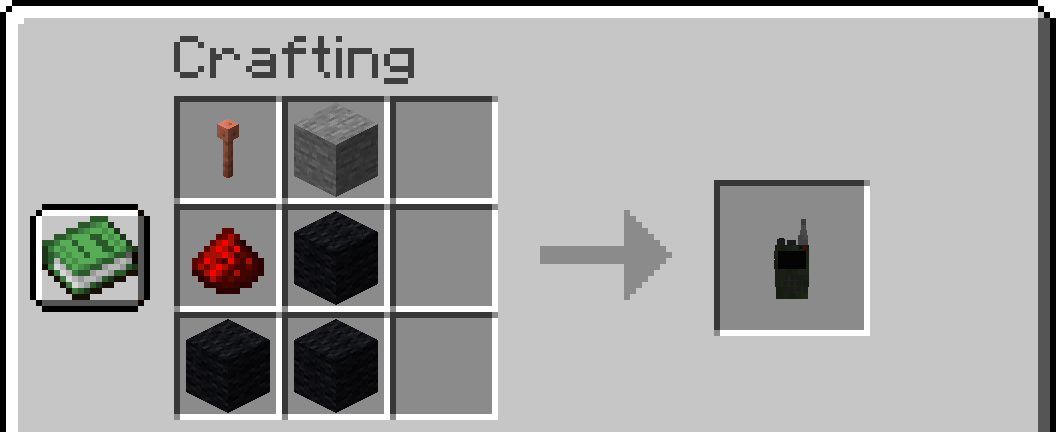
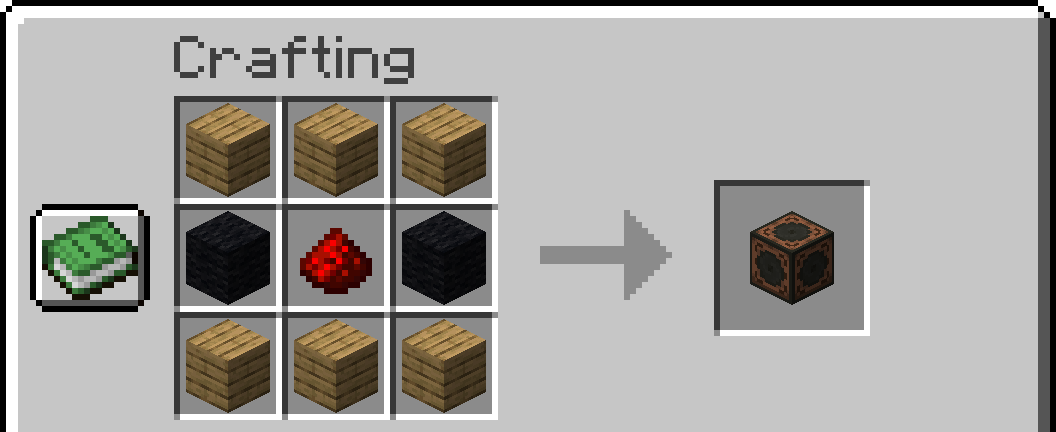
Crafts:
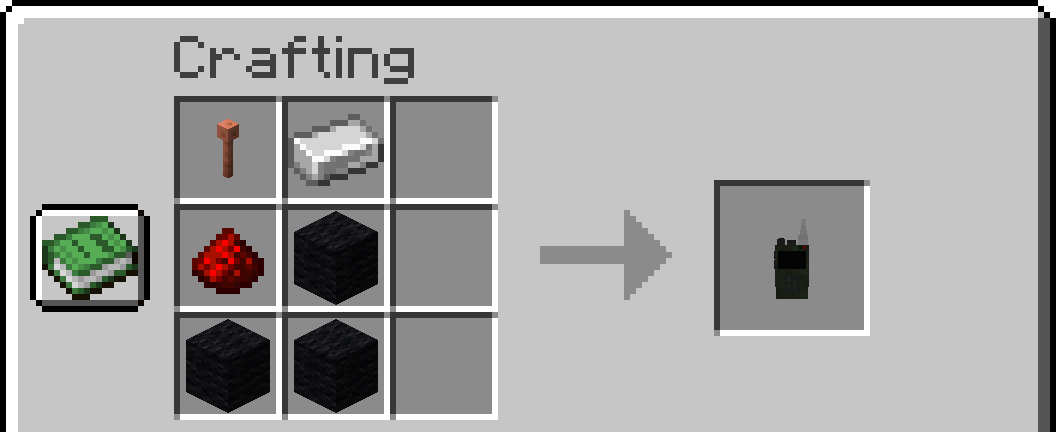
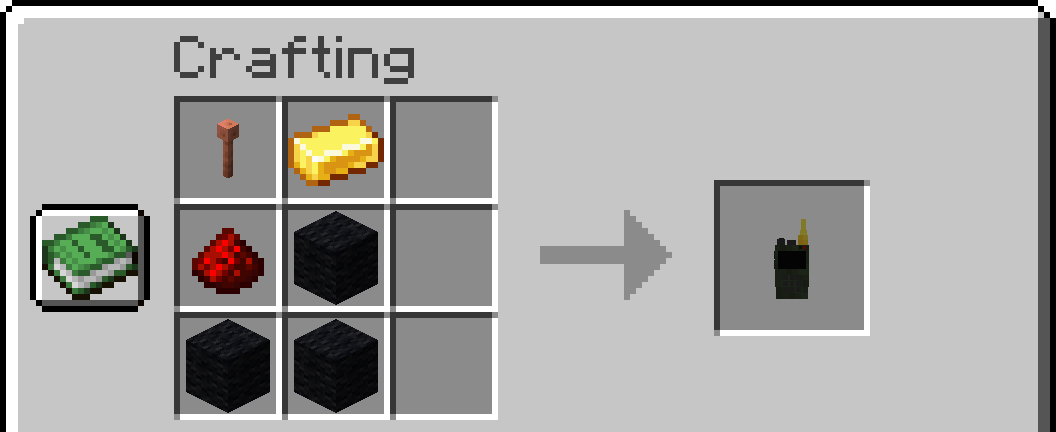
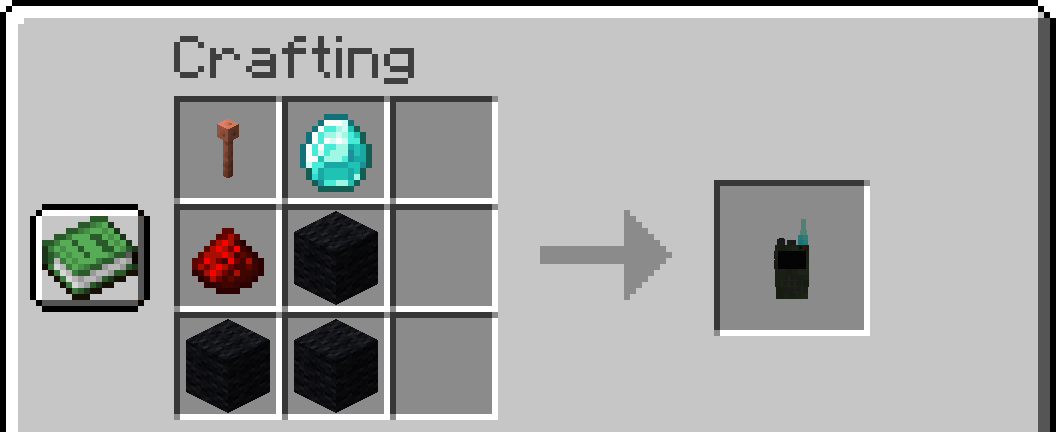
Notes: Any type of wood and wool is allowed. 1.16.5 replaced lightning rod with iron bars
Wooden Walkie-Talkie
Stone Walkie-Talkie
Iron Walkie-Talkie
Gold Walkie-Talkie
Diamond Walkie-Talkie
Netherite Walkie-Talkie
Speaker
Config
- Max Channel
- Speaker Distance
- Speaker Voice Duplication
- Walkie-Talkie Range
- Cross dimensional behavior
Credits
Textures and models :
- 4irwan
Translators :
- Russian: Heimdallr-1
- German: Kampftroll
SFX :
- JustinBW
Mod :
Available Versions
How to Install Walkie-Talkie on Your Server
Order Server
Order a Minecraft Java server with at least 3 GB RAM (4 GB recommended).
Set fabric Loader
In the panel under "Egg", select the fabric loader and matching Minecraft version (1.20.4).
Install Mod
Open the mod browser in the dashboard and search for "Walkie-Talkie". Click "Install" – done! Alternatively, upload the .jar via SFTP to the /mods folder.
Compatibility
Mod Loaders
Minecraft Versions
1.20.4, 1.20.2, 1.20.1 (+5 more)
Server-side
✓ RequiredRecommended RAM
4 GB(min. 3 GB)Frequently Asked Questions
Walkie-Talkie server crashes on startup – what to do?
Most common cause: wrong fabric version or insufficient RAM. Check the server log (latest.log) for "OutOfMemoryError" or "Mixin" errors. With Mado Hosting: ensure at least 3 GB RAM is allocated and the loader matches the mod version (1.20.4). You can switch loaders with one click in the panel.
Is Walkie-Talkie compatible with fabric and forge?
Walkie-Talkie officially supports fabric, forge for Minecraft 1.20.4, 1.20.2, 1.20.1. Note: Forge and Fabric mods are NOT cross-compatible – pick one loader and stick with it. The Mado dashboard automatically detects incompatible loader combinations.
Server lagging with Walkie-Talkie – how to optimize performance?
Recommended RAM: 4 GB (per 8 players). Use /spark profiler to check if Walkie-Talkie consumes the most tick time. Common fixes: reduce server view-distance to 8-10, install "performant" or "starlight" as supplementary mods on Forge. With Mado Hosting, your server runs on NVMe SSDs with dedicated CPU cores for minimal latency.
Similar Mods




Rent Modded Server
Install Walkie-Talkie with just one click on your server.