
WhatIsInThatShelf
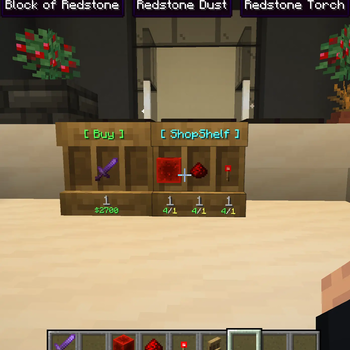
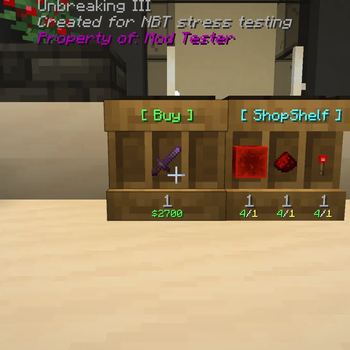
See exactly what's on display! A Quality of Life HUD mod that shows you the tooltip of any item inside a shelf block just by looking at it
Screenshots
About this Mod
WhatIsInThatShelf (WIITS)
Never wonder what's sitting on that shelf again.
WhatIsInThatShelf is a lightweight utility mod that adds a clean, highly houses-configurable HUD tooltip for Shelf blocks. Instead of opening an inventory to check your items, simply look at a shelf to see exactly what is inside.
✨ Primary Features
📦 Smart Item Detection
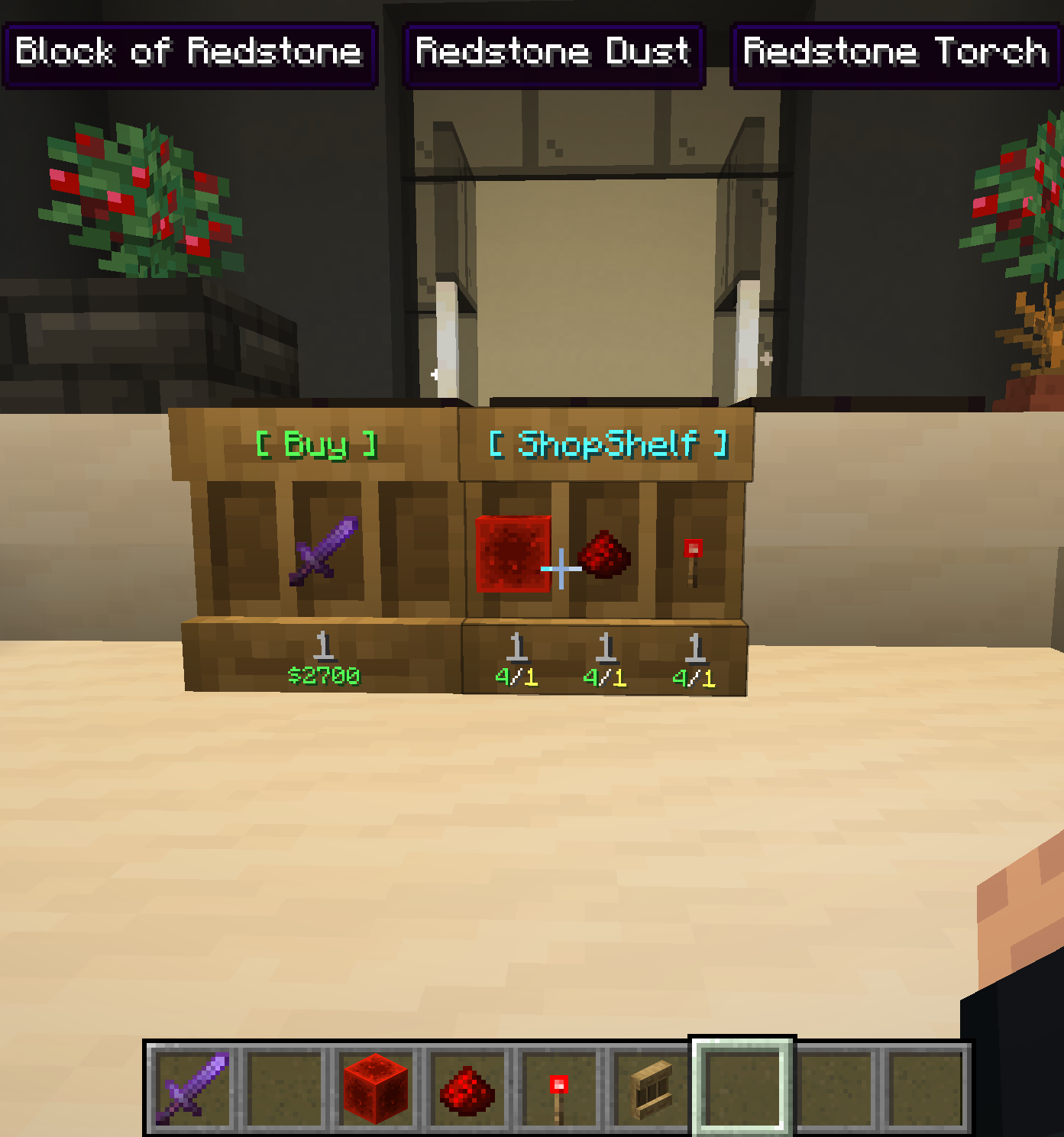
When looking at a shelf, the mod identifies the specific slot your crosshair is targeting and displays its contents instantly.
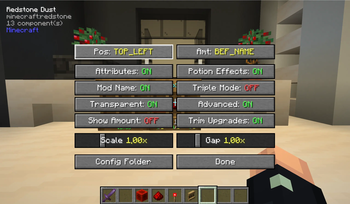
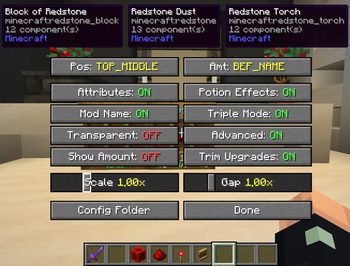
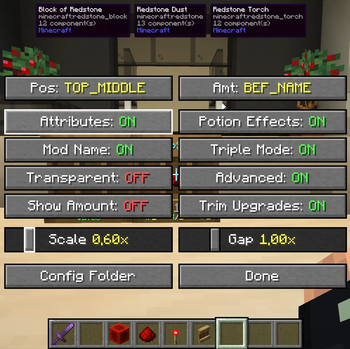
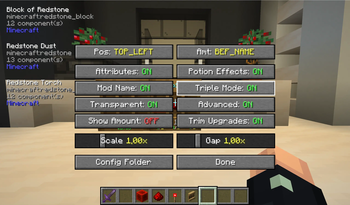
- Triple Mode: If you prefer to see everything at once, you can enable Triple Mode in the settings. This displays all three shelf slots simultaneously.
- Adjustable Spacing: You can use the "Gap" slider to fine-tune the distance between these three tooltips, whether they are stacked vertically or spread horizontally.
🛠️ Live Configuration
Forget about restarting your game to change settings. Pressing "I" (the default, rebindable key) opens a specialized settings screen.
- Visual Feedback: Because the settings menu can be used while looking at a shelf, you can see HUD changes in real-time as you toggle options or move sliders.
- Dynamic Scaling: The "Scale" slider (0.25x to 3.0x) allows you to resize the tooltip based on your preference.
- Config Folder Access: A dedicated button in the menu opens your configuration folder instantly, making manual edits easy.
📍 Intelligent Positioning
The HUD includes six anchor points: Top Left, Middle, and Right, and Bottom Left, Middle, and Right.
- Chat Awareness: If you use a Bottom position, the tooltip will automatically jump to the Top whenever you open the chat bar so it doesn't block your typing.
- XP Bar Safety: The Bottom-Middle position is pre-configured with a specific margin to sit safely above your experience bar and hotbar.
🎨 Content & Style
You have total control over what information is displayed on the HUD:
- Data Toggles: Choose to show or hide item attributes, potion effects, mod names, and advanced technical info.
- Amount Formatting: Display item counts in seven different positions, such as above the name, after the name, or even relative to the item lore.
- Color Overrides: The mod supports custom Hex codes (
&#RRGGBB), Minecraft color codes (&6), and named colors for mod names, attributes, and more. - Transparency Mode: You can toggle the background box on or off to create a floating text effect for a more minimal UI.
⚙️ Compatibility & Requirements
- WTHIT Integration: Built-in compatibility prevents overlapping tooltips. WIITS tells WTHIT to hide its default block tooltip when looking at a shelf so only the item info is visible.
- Requirements: Requires Minecraft 1.21.x, Fabric Loader, and Fabric API.
Available Versions
How to Install WhatIsInThatShelf on Your Client
Install the Mod Loader Locally
Install fabric for your local Minecraft version.
Download the Matching File
Choose the WhatIsInThatShelf file for fabric and Minecraft 26.3.
Install Mod
Place the .jar file in your local .minecraft/mods folder and restart Minecraft. No server-side installation is required.
Compatibility
Mod Loaders
Minecraft Versions
26.3, 26.2, 26.1.2 (+5 more)
Server-side
✗ UnsupportedRecommended RAM
4 GB(min. 3 GB)Frequently Asked Questions
Does WhatIsInThatShelf need to be installed on the Minecraft server?
No. Modrinth marks WhatIsInThatShelf as unsupported on the server side. Install it only in your local Minecraft mods folder. Your server can remain unchanged unless the mod page lists an additional dependency.
Which version and loader does WhatIsInThatShelf require?
Use a file for fabric and your exact Minecraft version. Supported versions include 26.3, 26.2, 26.1.2. Files for different loaders are not interchangeable.
WhatIsInThatShelf is not working – what should I check?
First check the Minecraft version, loader version and required dependencies. Put the .jar file in your local .minecraft/mods folder and remove older duplicates. Because this mod is client-side, adding server RAM will not fix it.
Similar Mods






Minecraft Server for Your Group
WhatIsInThatShelf stays on your client. Host a compatible world for your group.