
William Wythers' Overhauled Overworld
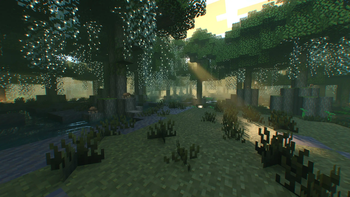
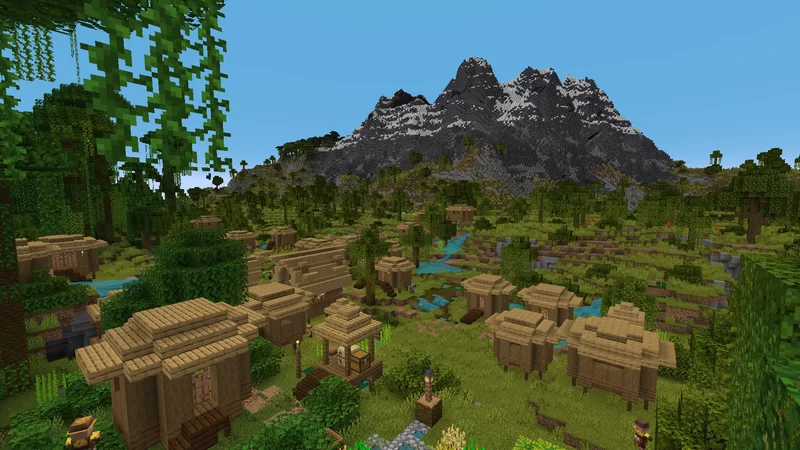
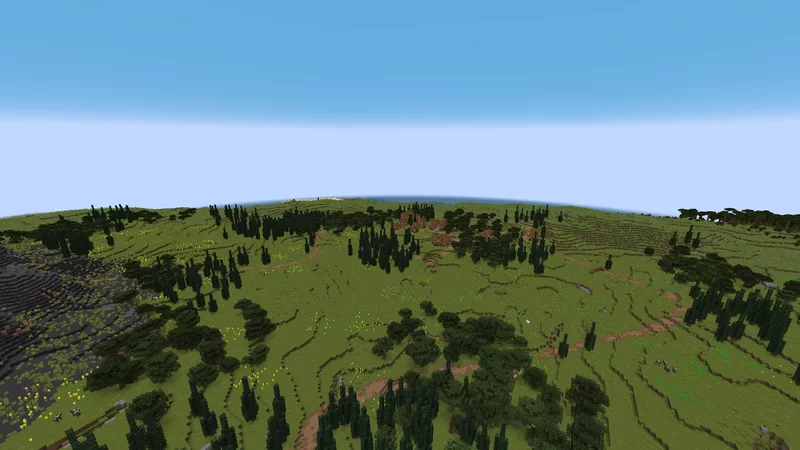
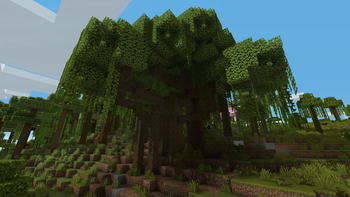
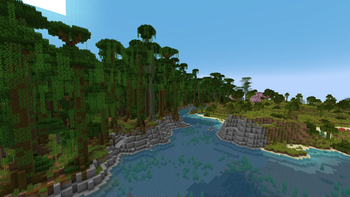
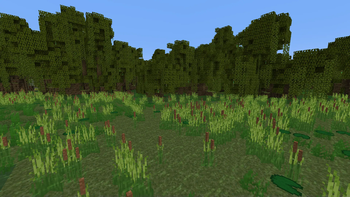
This mod overhauls all vanilla biomes, with different sub biomes!
Screenshots
About this Mod
Welcome to William Wythers' Overhauled Overworld for 1.20.1 and higher!

Introduction
This mod attempts to recreate the familiar landscapes you know and love in a way that creates a more realistic and atmospheric world.
WWOO/WWEE difference
We decided to split WWOO in two distinct mods:
- Expanded Ecosphere: This mod includes new biomes and builds upon the old 1.19/1.20 WWOO (bad compatibility with other world-gen mods).
- WWOO: This new project is focused on overhauling the vanilla biomes and is inspired by the style of the old 1.16/1.17 WWOO (good compatibility with other world-gen mods).
Use one or the other! Don't use both. Many features might be doubled and they are NOT intended to be combined.
Key Features
Overhauled Biomes
Every biome has been reworked to provide a more realistic and immersive environment. Say goodbye to the standard biomes and welcome an enhanced world filled with diverse landscapes and exciting adventures.
For an extensive showcase of the (sub)biomes, join our Discord and check out this channel (1.21.5+).
Biome Transitions
Discover the new transitions between biomes, that eliminate jarring shifts between environments, allowing for a more natural world flow. Check out this example picture in the Gallery.
Compatibility with Vanilla Clients
Worried about compatibility issues with your friends? Fear not! Overhauled Overworld exclusively uses vanilla blocks, ensuring that you can install this mod on your server, and your friends can join with their vanilla clients. This makes for a hassle-free and enjoyable multiplayer experience.
Enhance Your Experience
Since WWOO 2.6.0 these are included in the mod and can be enabled via the config!
Navigable Rivers: Improve your river experience with this travel-friendly add-on. Download Here
Cliffs and Coves: Improve your world with better coastlines using this add-on. Download Here
Towering Tepuis: Add a forbidding and mysterious area of adventure to your world. Download Here
If you prefer a datapack over a mod, click here to download the datapack version of WWOO.
Join Our Community
If you have any questions, suggestions, or just want to connect with fellow adventurers, we invite you to join our Discord Server. While there's no Wiki available yet, our friendly community is always ready to assist you on your journey through the Overhauled Overworld.
Available Versions
How to Install William Wythers' Overhauled Overworld on Your Server
Order Server
Order a Minecraft Java server with at least 4 GB RAM (6 GB recommended).
Set fabric Loader
In the panel under "Egg", select the fabric loader and matching Minecraft version (26.3).
Install Mod
Open the mod browser in the dashboard and search for "William Wythers' Overhauled Overworld". Click "Install" – done! Alternatively, upload the .jar via SFTP to the /mods folder.
Compatibility
Mod Loaders
Minecraft Versions
26.3, 26.2, 26.1.2 (+14 more)
Server-side
✓ RequiredRecommended RAM
6 GB(min. 4 GB)Frequently Asked Questions
William Wythers' Overhauled Overworld server crashes on startup – what to do?
Most common cause: wrong fabric version or insufficient RAM. Check the server log (latest.log) for "OutOfMemoryError" or "Mixin" errors. With Mado Hosting: ensure at least 4 GB RAM is allocated and the loader matches the mod version (26.3). You can switch loaders with one click in the panel.
Is William Wythers' Overhauled Overworld compatible with fabric and forge and neoforge and quilt?
William Wythers' Overhauled Overworld officially supports fabric, forge, neoforge, quilt for Minecraft 26.3, 26.2, 26.1.2. Note: Forge and Fabric mods are NOT cross-compatible – pick one loader and stick with it. The Mado dashboard automatically detects incompatible loader combinations.
Server lagging with William Wythers' Overhauled Overworld – how to optimize performance?
Recommended RAM: 6 GB (per 5 players). Use /spark profiler to check if William Wythers' Overhauled Overworld consumes the most tick time. Common fixes: reduce server view-distance to 8-10, install "performant" or "starlight" as supplementary mods on Forge. With Mado Hosting, your server runs on NVMe SSDs with dedicated CPU cores for minimal latency.
Similar Mods



Rent Modded Server
Install William Wythers' Overhauled Overworld with just one click on your server.
Details
- License
- Creative Commons Attribution Non Commercial No Derivatives 4.0 International
- Server-side
- Required