
WynnVista
Automagically adjusts Distant Horizons render distance when outside the Wynncraft map.
Screenshots

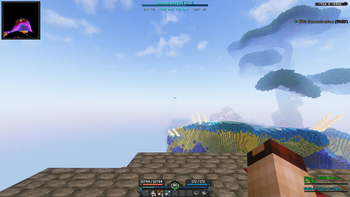
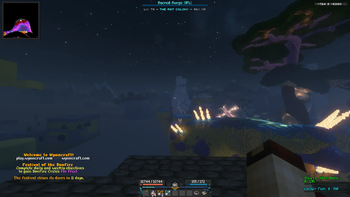
About this Mod
WynnVista
The Fog is coming. WynnVista is a Minecraft mod designed to enhance the gameplay experience on Wynncraft by automatically adjusting the render distance of LOD mods (Distant Horizons or Voxy). Made for my modpack World of Wynncraft
What's Up
- Supports both Distant Horizons and Voxy LOD mods
- Automagically adjusts LOD render distance based on player location
- Captures your current LOD render distance on first launch
- Returns to saved distance when inside the Wynncraft map, reduces when outside
- Configurable settings via Mod Menu or config file
Installation
- Make sure you have Fabric Loader and Fabric API installed
- Download and install either Distant Horizons (2.2+) or Voxy (0.2.9+)
- Download the latest version of WynnVista from the releases page
- Place the downloaded .jar file in your Minecraft mods folder
Configuration
You can configure WynnVista using Mod Menu.
Requirements
- Minecraft 1.21.11
- Fabric Loader 0.14.21 or higher
- Fabric API
- One of the following LOD mods:
- Distant Horizons 2.2 or higher
- Voxy 0.2.9-alpha or higher
- Cloth Config
- Mod Menu
Go Ham
- I don't know nothing about java so if you wanna fork this and fix this up go ham.
- Feel free to use this in your modpack
Acknowledgments
- Thanks to the Distant Horizons team for their amazing mod
- Thanks to Cortex for the incredible Voxy mod
- Thanks to the Wynncraft team for creating an awesome MMORPG experience in Minecraft
- Thanks to igbarvonsquid!!!
Support and My Mods
Please report any bugs or feature suggestions on the Github Issues page, I'll be updating this frequently with community feedback and ideas! You can also join my discord if you need direct support, or want to stay updated with all of my mods.
Check out all my projects!
Available Versions
How to Install WynnVista on Your Client
Install the Mod Loader Locally
Install fabric for your local Minecraft version.
Download the Matching File
Choose the WynnVista file for fabric and Minecraft 1.21.11.
Install Mod
Place the .jar file in your local .minecraft/mods folder and restart Minecraft. No server-side installation is required.
Compatibility
Mod Loaders
Minecraft Versions
1.21.11, 1.21.7, 1.21.6 (+6 more)
Server-side
✗ UnsupportedRecommended RAM
4 GB(min. 3 GB)Frequently Asked Questions
Does WynnVista need to be installed on the Minecraft server?
No. Modrinth marks WynnVista as unsupported on the server side. Install it only in your local Minecraft mods folder. Your server can remain unchanged unless the mod page lists an additional dependency.
Which version and loader does WynnVista require?
Use a file for fabric and your exact Minecraft version. Supported versions include 1.21.11, 1.21.7, 1.21.6. Files for different loaders are not interchangeable.
WynnVista is not working – what should I check?
First check the Minecraft version, loader version and required dependencies. Put the .jar file in your local .minecraft/mods folder and remove older duplicates. Because this mod is client-side, adding server RAM will not fix it.
Similar Mods




Minecraft Server for Your Group
WynnVista stays on your client. Host a compatible world for your group.