
X to Xray
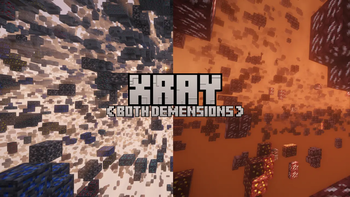
An Powerfull Xray Mod That Allows You To See Ores And More By Pressing X! [Requires Serverside!]
Screenshots
About this Mod
Videos /Guides / Tutorials
**X-TO-XRAY-TRAILER**MC-SKINS-TRAILER
SERVER-SETUP
Use Of Plugins
IMPORTANT: Plugins Are Not Made By Random Pixel Studios! Use All Plugins At Own Risk!Instalation:
- Create Or Get A Plugin JAR
- Launch Your Minecraft With X To Xray
- Go To The Config Menu
- Go To Plugins
- Drag-Drop Your Plugin There!
- If Nothing Shows Up, Restart Your Game!
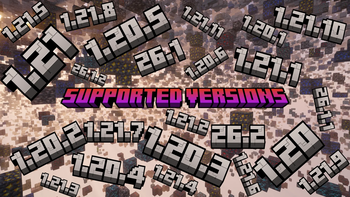
Activly Supportet Versions
- New Versions
- 26.x (Recomendet!)
- 1.21.x
- 1.20.x
Info: There Is An Version For Every New Snapshot Available But Snapshot-Versions Are Not Beeing Updatet!
Development
Plugins: You Can Create Plugins Here!
X To Xray: In The Discordserver You Can Help Us Develop The Mod!
Instalation
- Download The Mod JAR And Put It In Your
ModsFolder. - Put The Fabric API JAR In The
ModsFolder Too! - Launch Minecraft And Start X-Raying!
Credits
- Used Blockbench (Minecraft Title Generator Plugin) Fort Title And Logo!
- Used Complementary Shaders - Unbound In Logo, Gallery Images And Trailer Video
Available Versions
How to Install X to Xray on Your Server
Order Server
Order a Minecraft Java server with at least 3 GB RAM (4 GB recommended).
Set fabric Loader
In the panel under "Egg", select the fabric loader and matching Minecraft version (26.4-snapshot-2).
Install Mod
Open the mod browser in the dashboard and search for "X to Xray". Click "Install" – done! Alternatively, upload the .jar via SFTP to the /mods folder.
Compatibility
Mod Loaders
Minecraft Versions
26.4-snapshot-2, 26.4-snapshot-1, 26.3 (+48 more)
Server-side
~ OptionalRecommended RAM
4 GB(min. 3 GB)Frequently Asked Questions
X to Xray server crashes on startup – what to do?
Most common cause: wrong fabric version or insufficient RAM. Check the server log (latest.log) for "OutOfMemoryError" or "Mixin" errors. With Mado Hosting: ensure at least 3 GB RAM is allocated and the loader matches the mod version (26.4-snapshot-2). You can switch loaders with one click in the panel.
Is X to Xray compatible with fabric and forge and neoforge and quilt?
X to Xray officially supports fabric, forge, neoforge, quilt for Minecraft 26.4-snapshot-2, 26.4-snapshot-1, 26.3. Note: Forge and Fabric mods are NOT cross-compatible – pick one loader and stick with it. The Mado dashboard automatically detects incompatible loader combinations.
Server lagging with X to Xray – how to optimize performance?
Recommended RAM: 4 GB (per 8 players). Use /spark profiler to check if X to Xray consumes the most tick time. Common fixes: reduce server view-distance to 8-10, install "performant" or "starlight" as supplementary mods on Forge. With Mado Hosting, your server runs on NVMe SSDs with dedicated CPU cores for minimal latency.
Similar Mods






Rent Modded Server
Install X to Xray with just one click on your server.