
YTech
YTech - improves early game by increasing time to reach "iron age" using prehistoric technology.
Screenshots
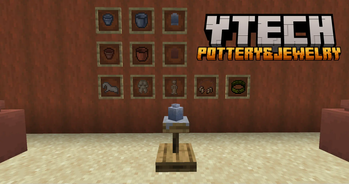
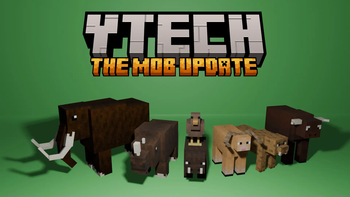
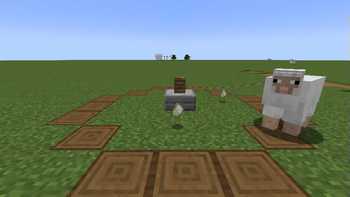
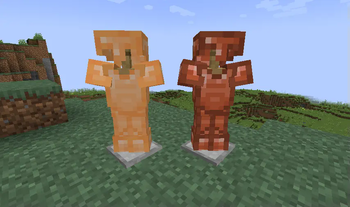
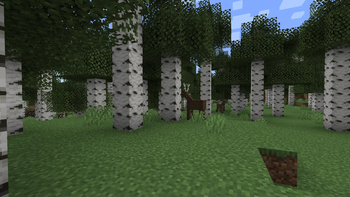
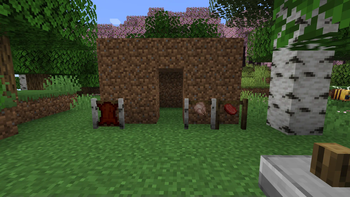
About this Mod
YTech
brings you to Stone Age, increasing difficulty on early game by forcing you to use primitive technology for progression.
Also, vanilla mobs like cows, pigs, sheep and chickens are replaced by their wild ancestors.
Vanilla recipes for early game items are modified, forcing tools on some blocks and adding new tools, items and blocks to help you with progression.
Currently mod covers
- Stone age
- Bronze age
- Beginning of iron age (crafting iron ingot is final step right now)
Compatibility
These dependencies are optional, but highly recommended:
- The One Probe - Provides more information about in-world blocks and entities
- Just Enough Items - You can see all changed recipes
- Curios API - Needed for jewelry effects, otherwise items are useless
- KubeJS - Easy way to add/modify/remove YTech recipes (API described on wiki)
- EMI - You can browse all recipes
- Jade - Provides more information about in-world blocks and entities
All bugs report on GitHub.
Ideas for expanding implemented ages or for next ages can be shared on discord.
For more information check wiki
Hints
- You can't mine wood and dirt without correct tool
- Your first goal is to find flint and hit stone with it
- Grass fibers can be obtained by breaking grass with sharp flint
- Look for deer, you need it for your first pickaxe
- Only deer with antlers drops correct item
- Primitive Smelter and Primitive Alloy Smelter needs chimneys for increasing temperature
- Each type of chimney can be up to 4 blocks high, otherwise it collapse
- Using reinforced chimney you can increase height up to 8 blocks, with 4 of each chimney
- Lead and Cassiterite can be gathered using Strainer
- It's recommended to use JEI
- You have to breed wild animals to get their domesticated versions
- Aurochs -> Cow
- Mouflon -> Sheep
- Fowl -> Chicken
- Wild Boar -> Pig
Available Versions
How to Install YTech on Your Server
Order Server
Order a Minecraft Java server with at least 3 GB RAM (4 GB recommended).
Set forge Loader
In the panel under "Egg", select the forge loader and matching Minecraft version (1.21.3).
Install Mod
Open the mod browser in the dashboard and search for "YTech". Click "Install" – done! Alternatively, upload the .jar via SFTP to the /mods folder.
Compatibility
Mod Loaders
Minecraft Versions
1.21.3, 1.21.1, 1.21 (+6 more)
Server-side
✓ RequiredRecommended RAM
4 GB(min. 3 GB)Frequently Asked Questions
YTech server crashes on startup – what to do?
Most common cause: wrong forge version or insufficient RAM. Check the server log (latest.log) for "OutOfMemoryError" or "Mixin" errors. With Mado Hosting: ensure at least 3 GB RAM is allocated and the loader matches the mod version (1.21.3). You can switch loaders with one click in the panel.
Is YTech compatible with forge and neoforge?
YTech officially supports forge, neoforge for Minecraft 1.21.3, 1.21.1, 1.21. The Mado dashboard automatically detects incompatible loader combinations.
Server lagging with YTech – how to optimize performance?
Recommended RAM: 4 GB (per 8 players). Use /spark profiler to check if YTech consumes the most tick time. Common fixes: reduce server view-distance to 8-10, install "performant" or "starlight" as supplementary mods on Forge. With Mado Hosting, your server runs on NVMe SSDs with dedicated CPU cores for minimal latency.
Similar Mods






Rent Modded Server
Install YTech with just one click on your server.