
Modrinth · NeoForge
Blue Skies & Black Smoke server hosting
Your own Blue Skies & Black Smoke server on AMD Ryzen 9 without a thread limit. The server is ready usually under 60 seconds; then install the pack with one click in the modpack browser.
BS&BS is a refreshing but simple take on modded skyblock. (and no, it isn't ex nihilo.)
- Downloads
- 989
- Followers
- 0
- Loader
- NeoForge
- Minecraft
- 1.21.1
- Updated
- –
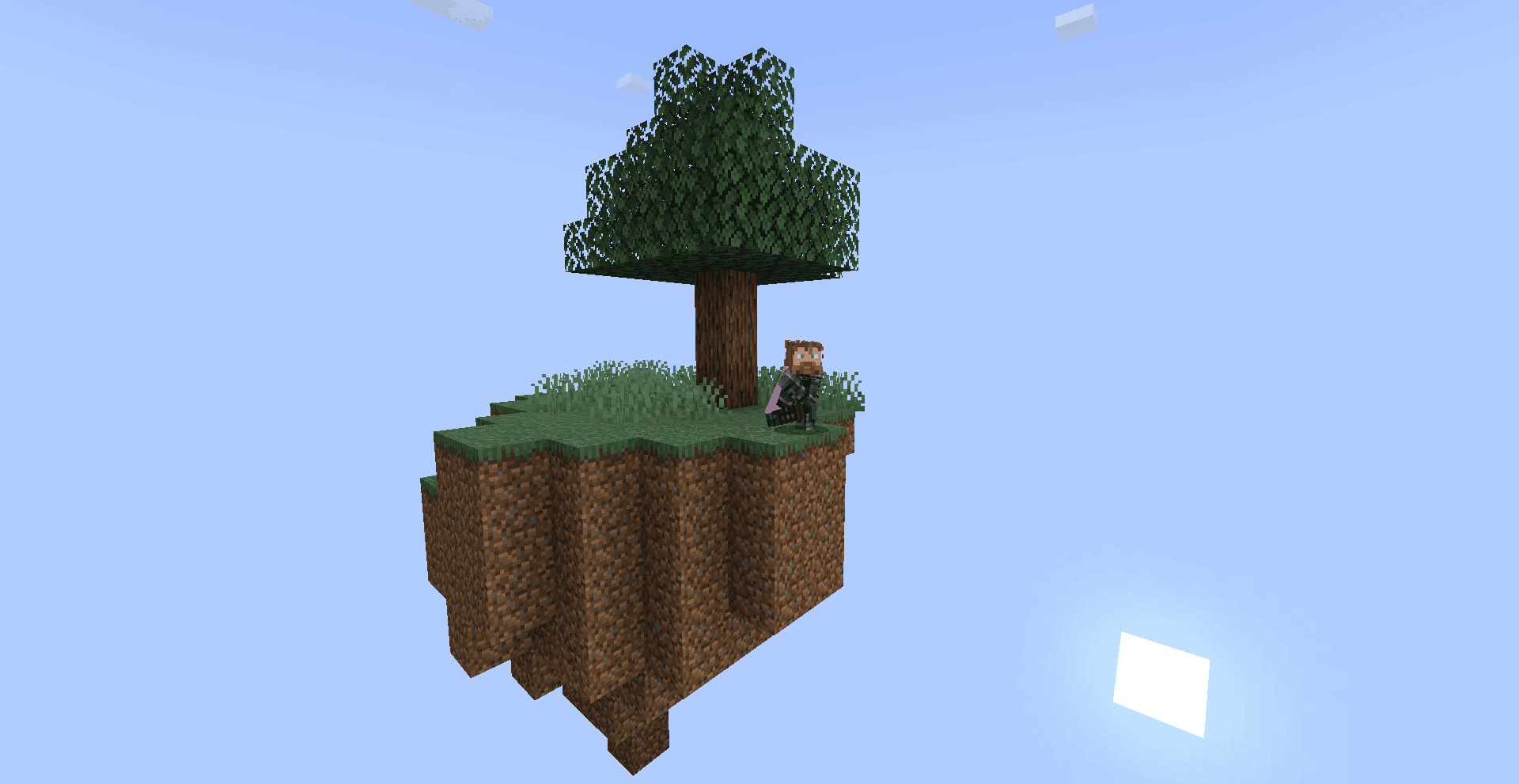
Screenshots
What Blue Skies & Black Smoke looks like


Images: Blue Skies & Black Smoke on Modrinth, published by the project team.
Setup
Your Blue Skies & Black Smoke server in four steps
For errors, check startup logs, Java version, loader and dependencies first. Increase RAM when there is evidence of memory pressure. Keep a copy of the working installation before updates.
- 01
Configure
8 GB of RAM is preselected and Blue Skies & Black Smoke is noted in the configurator. You choose the term and add-ons.
- 02
Pay
By credit card or PayPal. Your server is ready usually under 60 seconds.
- 03
Install the pack
Open the modpack browser in the panel, choose Modrinth, verify the project ID and install your chosen pack release. Back up an existing world first.
- 04
Connect
Every player installs the same pack release in a compatible launcher and connects using the server address from the panel.
Modrinth project ID: DpObOvSY
The panel
Install the pack, find errors.
Real screenshots from the Mado panel. Both come with every Minecraft server.
Modpack browser
Modrinth and CurseForge, right in the panel.
Search the pack, choose a release, install. You do not have to upload the loader or server files by hand.

AI crash analysis
When a mod crashes, the analyzer reads the log.
Large modpacks often fail on a single mod, Java version or missing dependency. The analyzer names a likely cause and suggests a fix.

Releases
Published pack releases
The server and players need the same pack release. Pick it in the modpack browser to match your group’s clients.
Blue Skies & Black Smoke · ModrinthOriginal description by the project author
WELCOME TO THE SKIES
BS&BS is a lightweight skyblock pack I made because theres a severe lack of decent skyblock modpacks, also because I can't find anything due to the flood of cobblemon packs.
(seriously guys, its getting out of hand.)
If your looking for a fun challenge, look no further!
Partnered Service
If your interested in setting up a server for you and your friends, click on the image below for 25% off a server with Wabbanode.

Getting Started
BS&BS Features a difficult but fair progression through the game, with a focus on occultism and create for the early game. To progress, you will need to make use of custom crafting proccesses, as well as your own ingenuity.
To get started, punch a tree. The little blue book in your inventory will open the quest menu. But dont think for a second you'll get straight to sieving, because ex nihilo aint here bud!
Custom Recipes
Every recipe added or changed is to aid progression, or to add a way to obtain an item which would otherwise be inaccessible.
Most changes involve create, though there are some others.
(Made on Potato)
(If you have a suggestion for a change let me know on the discord)
Similar packs
More server-ready modpacks
 Server-ready

Zombie Invade 100 Days
by FlameFire
僵尸入侵 100 天(高版本惊变重制)—— Same as Forge Labs 100 Days Zombie Apocalypse in new Minecraft
 Server-ready

COBBLEVERSE - Pokemon Adventure [Cobblemon]
by LUMYVERSE
Start a true Pokémon adventure in Minecraft: Cobblemon 1.8.4 | ALL 1025 Pokémon! | Mega Evolutions | Gyms & Badges | Starter Kit | Unique Structures | Custom Music | Shaders | Optimized | So much more! [1.21.1]
 Server-ready

Slimes Adventure
by NotWindx
Tensura: that time i got reincarnated as a slime modpack with many features
 Server-ready

Aged
by xR4YM0ND
realistic / medieval / progression based modpack for Fabric 1.21.1
Ready for your Blue Skies & Black Smoke server?
8 GB of RAM from €16.00 per month. 35% off your first month with MADO35.