
Modrinth · Fabric
CreateOrigin server hosting
Your own CreateOrigin server on AMD Ryzen 9 without a thread limit. The server is ready usually under 60 seconds; then install the pack with one click in the modpack browser.
Experience a colorful survival with Create mod at the Fabric
- Downloads
- 45.5K
- Followers
- 0
- Loader
- Fabric
- Minecraft
- 1.18.2 – 1.19.2
- Updated
- –
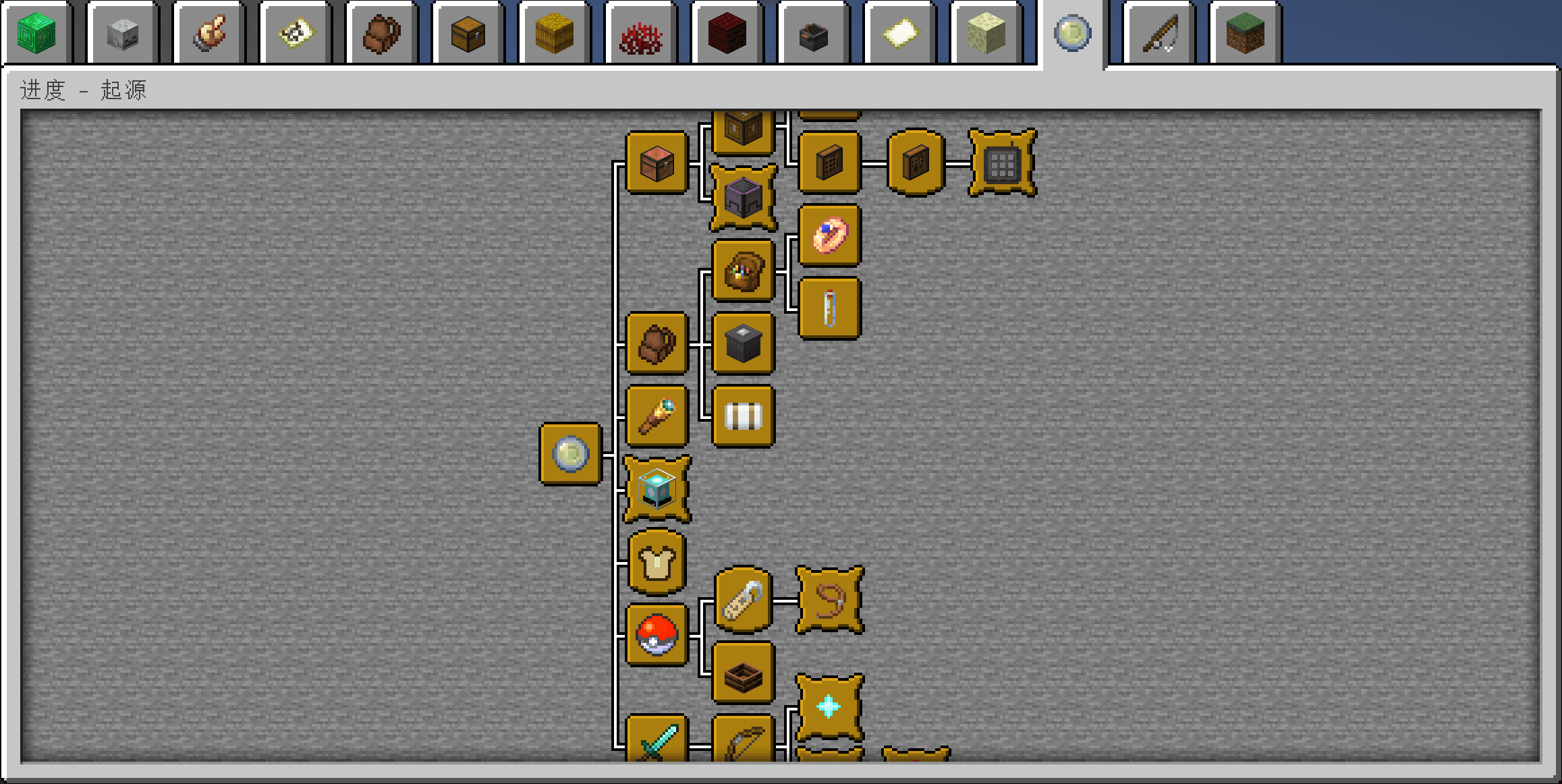
Screenshots
What CreateOrigin looks like

Images: CreateOrigin on Modrinth, published by the project team.
Setup
Your CreateOrigin server in four steps
For errors, check startup logs, Java version, loader and dependencies first. Increase RAM when there is evidence of memory pressure. Keep a copy of the working installation before updates.
- 01
Configure
8 GB of RAM is preselected and CreateOrigin is noted in the configurator. You choose the term and add-ons.
- 02
Pay
By credit card or PayPal. Your server is ready usually under 60 seconds.
- 03
Install the pack
Open the modpack browser in the panel, choose Modrinth, verify the project ID and install your chosen pack release. Back up an existing world first.
- 04
Connect
Every player installs the same pack release in a compatible launcher and connects using the server address from the panel.
Modrinth project ID: Cc9a9YwB
The panel
Install the pack, find errors.
Real screenshots from the Mado panel. Both come with every Minecraft server.
Modpack browser
Modrinth and CurseForge, right in the panel.
Search the pack, choose a release, install. You do not have to upload the loader or server files by hand.

AI crash analysis
When a mod crashes, the analyzer reads the log.
Large modpacks often fail on a single mod, Java version or missing dependency. The analyzer names a likely cause and suggests a fix.

Releases
Published pack releases
The server and players need the same pack release. Pick it in the modpack browser to match your group’s clients.
CreateOrigin · ModrinthOriginal description by the project author
Welcome to the world of Create Origin!
Please use HMCL 3.5.223 to install and launch the modpack
Before you Update to v4.0.0
v4.0.0 base on Minecraft 1.19.2,if you update from v3.x.x you should:
- Backup your world
- Remove all items from the drawer
- Release all creatures in the Pokéball
- Retrieve all items from the grave
- Back to your home
This modpack is made for Chinese players
This is an modpack that fits the original experience and provides more fun in the game based on the original version. Whether you are a retirement, redstone or adventure player, you can find a piece of heaven here.
Choosing the right origin will determine the way you start the game, and later you can get the maximum gain by choosing the right origin by mass-producing origin balls in the right occasion.
The integration pack is also geared towards multiplayer, with loot to be taken as much as exploration after exploration first.
We go through the progress system and introduce what features or items we offer, which will give you a little hint for your pre-survival.
All modules are fully Chineseized.
How to Create a Server
- Download the mrpack-install.
- Run cmd
. /mrpack-install create-origin. - Run
start.shorstart.batin the mc directory to start the server.
How to update
- Delete old version's
modsandopenloaderfolder. - Install a new version.
- Move new version all of files to older version,Overwrite when there are duplicate files, this does not affect your custom settings.
- Delete your new version,Start your old version and enjoy your game.
Related commands
/sethome set home
/home Teleport home
/tpa player name Request to teleport to player
/tpahere Player name Request to teleport the player to yourself
/tpaccept Agree to teleport
Cheat permission commands
- Carpet module related commands
This package also pre-installed Masa family bucket (tweakeroo, miniHUD, projection, etc.) for the convenience of raw electricity players, the specific operation can be seen on the B site related information.
This package also supports the use of clientcommands for RNG attachments and other operations, which can be found in the related materials.
For video creators you can also install the Replay module to simplify video production.
Thanks
- Xaeros_Minimap
- Xaero's World Map
- XeKrSquarePattern
- naturalist
- When Dungeons Arise - Fabric! add translate
- Complementary Reimagined
- Jade
- More Villagers [Fabric]
Chinese
欢迎加入起源创造的世界
请下载HMCL最新开发版安装并启动整合包
在你更新v4.0.0版本之前
v4.0.0 基于我的世界 1.19.2,如果你从v3.x.x升级:
- 备份你的世界
- 从抽屉中取出所有物品
- 将所有精灵球中生物释放
- 取回所有在坟墓中的物品
- 回到你的家
这是一个贴合原版体验,并在原版的基础上提供更多游戏乐趣的整合包。无论你是养老、生电还是冒险玩家,在这里都能找到属于你的一片天地。
选择合适的起源将决定你开局方式,后期可以通过量产起源球在适合的场合选择适合的起源获得最大增益。
同时该整合包也是面向多人游戏的,先探索后探索一样有战利品可拿。
游戏没有提供任务系统,您只需关注进度页面,这将成为你前期发展的提示。
所有模组均有完整汉化。
创建服务器
- 下载mrpack-install。
- 运行
./mrpack-install create-origin。 - 运行mc目录下的
start.sh或start.bat启动服务器。
如何更新
- 删除旧版本的
mods和openloader文件夹。 - 安装新版本。
- 将新版本的所有文件移到旧版本,当有重复的文件时就覆盖,这不影响你的自定义设置。
- 删除你的新版本,启动你的旧版本并享受你的游戏。
相关指令
/sethome 设置家
/home 传送回家
/tpa 玩家名 请求传送至玩家
/tpahere 玩家名 请求将玩家传送至自己身边
/tpaccept 同意传送
作弊权限指令
- carpet 地毯模组相关指令
本整合包同时也预装了Masa全家桶(tweakeroo,miniHUD,投影等)方便生电玩家,具体操作可以B站查看相关资料。
同时本整合包支持使用clientcommands进行RNG附魔等操作,具体可以查阅相关资料。
对于视频创作者来说你也可以安装Replay模组来简化视频制作。
主要Mod:
Origin、Create、农夫乐事、Go Fish、自然主义、丰富的生态,结构变体,更好的下界,更好的末地,汤姆的简易存储
加入官方QQ群:790503003
Similar packs
More server-ready modpacks
 Server-ready

Cobblemon Official Modpack [Fabric]
by CobbledStudios
The official modpack of the Cobblemon mod, for Fabric!
 Server-ready

COBBLEVERSE - Pokemon Adventure [Cobblemon]
by LUMYVERSE
Start a true Pokémon adventure in Minecraft: Cobblemon 1.8.4 | ALL 1025 Pokémon! | Mega Evolutions | Gyms & Badges | Starter Kit | Unique Structures | Custom Music | Shaders | Optimized | So much more! [1.21.1]
 Server-ready

Better MC [FABRIC] - BMC2
by SHXRKIE
Version 1.20 | A Proper Vanilla+ Modpack | Don't play Vanilla play this!
 Server-ready

Vanilla Perfected
by demonjoeTV
A compilation of Vanilla Plus mods & packs to perfect the Minecraft experience without drifting too far from the feel of the base game!
Ready for your CreateOrigin server?
8 GB of RAM from €16.00 per month. 35% off your first month with MADO35.