
Create: Way Beyond
A Create: Aeronautics Based Modpack which takes you to space.
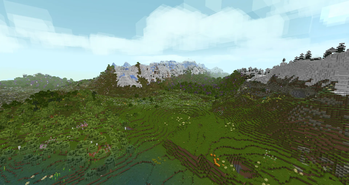
Screenshots
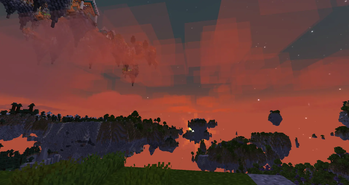
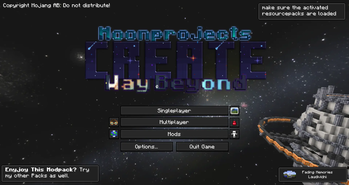

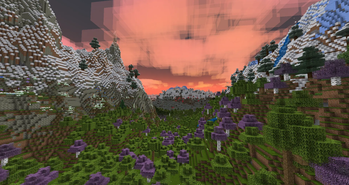
About this Modpack
Create: Way Beyond the modpack that lets you reach for the stars.
Overview
From a crafting table to flying to space, in Create: way beyond you can explore the diversity of the Dimensions and Planets and enjoy the stunning visuals.
Create: way beyond focuses around Visuals, Quests, Automation and Adventuring, a wild but exiting combination which will make for an immersive experience with mods like:
- Create
- Aeronautics
- Sky Archipelago
- Create: Northstar
- And many more mods focused around world gen, Visuals and more.
Credits:
- Most of the pixel artworks are made by CraftPix
- Logo and Modpack By Vanilama
- Quests by VoidableMoon & Lionstark
- Music Made By Laudividni
- Join The Discord server:

Available Versions
How to Set Up a Create: Way Beyond Server
Order Server
Choose at least 6 GB RAM (8 GB recommended for Create: Way Beyond). Based on player count: per 5 players.
Install Modpack in Dashboard
Open the modpack browser in the dashboard, search for "Create: Way Beyond" and click "Install". The neoforge loader and Minecraft 1.21.1 are configured automatically.
Start Server & Play
Start the server – all mods are loaded automatically. Share the server IP with friends and play together!
Frequently Asked Questions
Create: Way Beyond server crashes or won't start – what to do?
Most common causes: insufficient RAM or wrong neoforge loader. Check latest.log for "OutOfMemoryError" → increase RAM to at least 8 GB. For "Mixin" or "ClassNotFoundException" errors: modpack version and loader don't match. With Mado Hosting, loader and Minecraft version are auto-configured on modpack install – preventing most startup issues.
How much RAM does a Create: Way Beyond server really need?
Minimum 6 GB, recommended 8 GB for stable performance. per 5 players. Important: Minecraft modpacks need more RAM than vanilla – plan extra per additional player. With Mado Hosting, you can scale RAM up live at any time without data loss (from €7.800000000000001/month).
Can I add custom mods to Create: Way Beyond without conflicts?
Yes, but check compatibility: only use mods for the same loader (neoforge) and same Minecraft version (1.21.1). Common issues: ID conflicts with recipe mods and incompatible coremod versions. The Mado dashboard mod browser only shows compatible mods and warns about known conflicts.
Create: Way Beyond server lagging – performance tips
1) Increase RAM to 8 GB+. 2) Reduce server view-distance to 8 (server.properties). 3) Pre-generate chunks with the "Chunky" plugin. 4) Use /spark profiler to check which mods consume the most tick time. With Mado Hosting, all servers run on NVMe SSDs with dedicated CPU cores – eliminating hardware as a bottleneck.
Similar Modpacks
![Cobblemon Official Modpack [Fabric]](https://cdn.modrinth.com/data/5FFgwNNP/e7f9ee2e9d361623847853fe2ddce42f519ee64f.png)
![COBBLEVERSE - Pokemon Adventure [Cobblemon]](https://cdn.modrinth.com/data/Jkb29YJU/581ecf54530972afb18a04660afd820f2f24f6c7.png)
![Better MC [FABRIC] - BMC2](https://cdn.modrinth.com/data/shFhR8Vx/a19c2bcb51d38f32f138d3607e91cb2b7b8e387f_96.webp)


![Better MC [FORGE] - BMC4](https://cdn.modrinth.com/data/4BV47HRn/7f5ef7cc61b2593609aabef3ed07a866a4f11b73_96.webp)
Rent Create: Way Beyond Server
Start your own server with automatic modpack installation.
Supported Versions
Start your Create: Way Beyond Server now
From €7.80/month; 8 GB RAM is recommended for best performance.
Configure Server →