
DarkCraft
Attempt to make souls like modpack
Screenshots
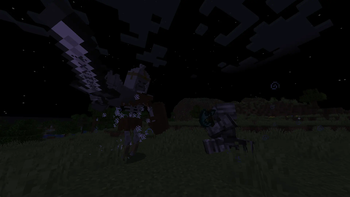
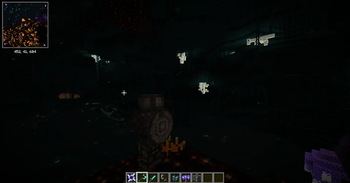
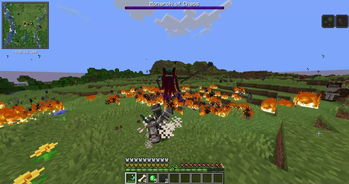
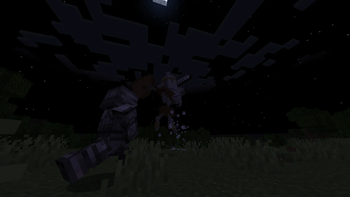
About this Modpack
Dark Craft
A challenging souls-like modpack, inspired by souls-like games.
If you like games like Dark Souls, and think that vanila is not as challenging as you want?
Than you shuld check this modpack!
New things
- ☠️ Bosses- new hard bosses that will blow your mind(some from original DS games!)
- 🏘️ Structures- villages,structures, dungeons, bioms and even new dimention come across your way
- 🗡️🏹🛡️ Weapons- a bunch of medieval weapons and armor will become your partners in this adventure
- 🪄 Magic- not a fan of close combat? Than just lear some magic stuff 🤷♂️
- 🧟 Mobs- new mobs with special abilities, along with old but improved ones, will diversify your gameplay
- ⚔️ Combat system-with new figth system you can combine almost every kind of weapon to become unstoppable.
- 🗺️ New World-new world generation make your journey memorable. And new Nether with End are filled with new challenges and beautiful views.
!! IMPORTANT !!
At current state modpack may crush in mp when trying to block player`s arrow with Corrupted Round Shield...Mod List
QoL
- Ambient Environment
- Ambient Fireflies
- Ambient Sounds
- Apple Skin
- Better Third Person
- Eating Animation
- Entity Culling
- Healing Campfire
- Indium
- Iris Shaders
- Just Enough Items
- Lamb Dynamic Lights
- Lithium
- Mod Menu
- Model Gap Fix
- Mouse Tweaks
- Not Enough Animations
- Nvidium(Disable for AMD GPUs)
- Patchouli
- Shoulder Surfing Reloaded
- Simple Voice Chat
- Useful Backpacks(Curse Forge Site)
- Xaero's Minimap
- Xaero's World Map
World Gen
Weapons, Magic and Bosses
Feel free to customize current modpack as you want!
Available Versions
How to Set Up a DarkCraft Server
Order Server
Choose at least 6 GB RAM (8 GB recommended for DarkCraft). Based on player count: per 5 players.
Install Modpack in Dashboard
Open the modpack browser in the dashboard, search for "DarkCraft" and click "Install". The fabric loader and Minecraft 1.20.1 are configured automatically.
Start Server & Play
Start the server – all mods are loaded automatically. Share the server IP with friends and play together!
Frequently Asked Questions
DarkCraft server crashes or won't start – what to do?
Most common causes: insufficient RAM or wrong fabric loader. Check latest.log for "OutOfMemoryError" → increase RAM to at least 8 GB. For "Mixin" or "ClassNotFoundException" errors: modpack version and loader don't match. With Mado Hosting, loader and Minecraft version are auto-configured on modpack install – preventing most startup issues.
How much RAM does a DarkCraft server really need?
Minimum 6 GB, recommended 8 GB for stable performance. per 5 players. Important: Minecraft modpacks need more RAM than vanilla – plan extra per additional player. With Mado Hosting, you can scale RAM up live at any time without data loss (from €7.800000000000001/month).
Can I add custom mods to DarkCraft without conflicts?
Yes, but check compatibility: only use mods for the same loader (fabric) and same Minecraft version (1.20.1). Common issues: ID conflicts with recipe mods and incompatible coremod versions. The Mado dashboard mod browser only shows compatible mods and warns about known conflicts.
DarkCraft server lagging – performance tips
1) Increase RAM to 8 GB+. 2) Reduce server view-distance to 8 (server.properties). 3) Pre-generate chunks with the "Chunky" plugin. 4) Use /spark profiler to check which mods consume the most tick time. With Mado Hosting, all servers run on NVMe SSDs with dedicated CPU cores – eliminating hardware as a bottleneck.
Similar Modpacks
![Cobblemon Official Modpack [Fabric]](https://cdn.modrinth.com/data/5FFgwNNP/e7f9ee2e9d361623847853fe2ddce42f519ee64f.png)
![COBBLEVERSE - Pokemon Adventure [Cobblemon]](https://cdn.modrinth.com/data/Jkb29YJU/581ecf54530972afb18a04660afd820f2f24f6c7.png)
![Better MC [FABRIC] - BMC2](https://cdn.modrinth.com/data/shFhR8Vx/a19c2bcb51d38f32f138d3607e91cb2b7b8e387f_96.webp)


![Better MC [FORGE] - BMC4](https://cdn.modrinth.com/data/4BV47HRn/7f5ef7cc61b2593609aabef3ed07a866a4f11b73_96.webp)
Rent DarkCraft Server
Start your own server with automatic modpack installation.
Supported Versions
Start your DarkCraft Server now
From €7.80/month; 8 GB RAM is recommended for best performance.
Configure Server →