
Modrinth · Fabric
Diamond Ages server hosting
Your own Diamond Ages server on AMD Ryzen 9 without a thread limit. The server is ready usually under 60 seconds; then install the pack with one click in the modpack browser.
This modpack is designed to recreate the feeling of Minecraft before version 1.8, bringing back the simplicity and nostalgic charm of the early days.
- Downloads
- 10.0K
- Followers
- 0
- Loader
- Fabric
- Minecraft
- 1.21.10 – 26.3
- Updated
- –
Screenshots
What Diamond Ages looks like
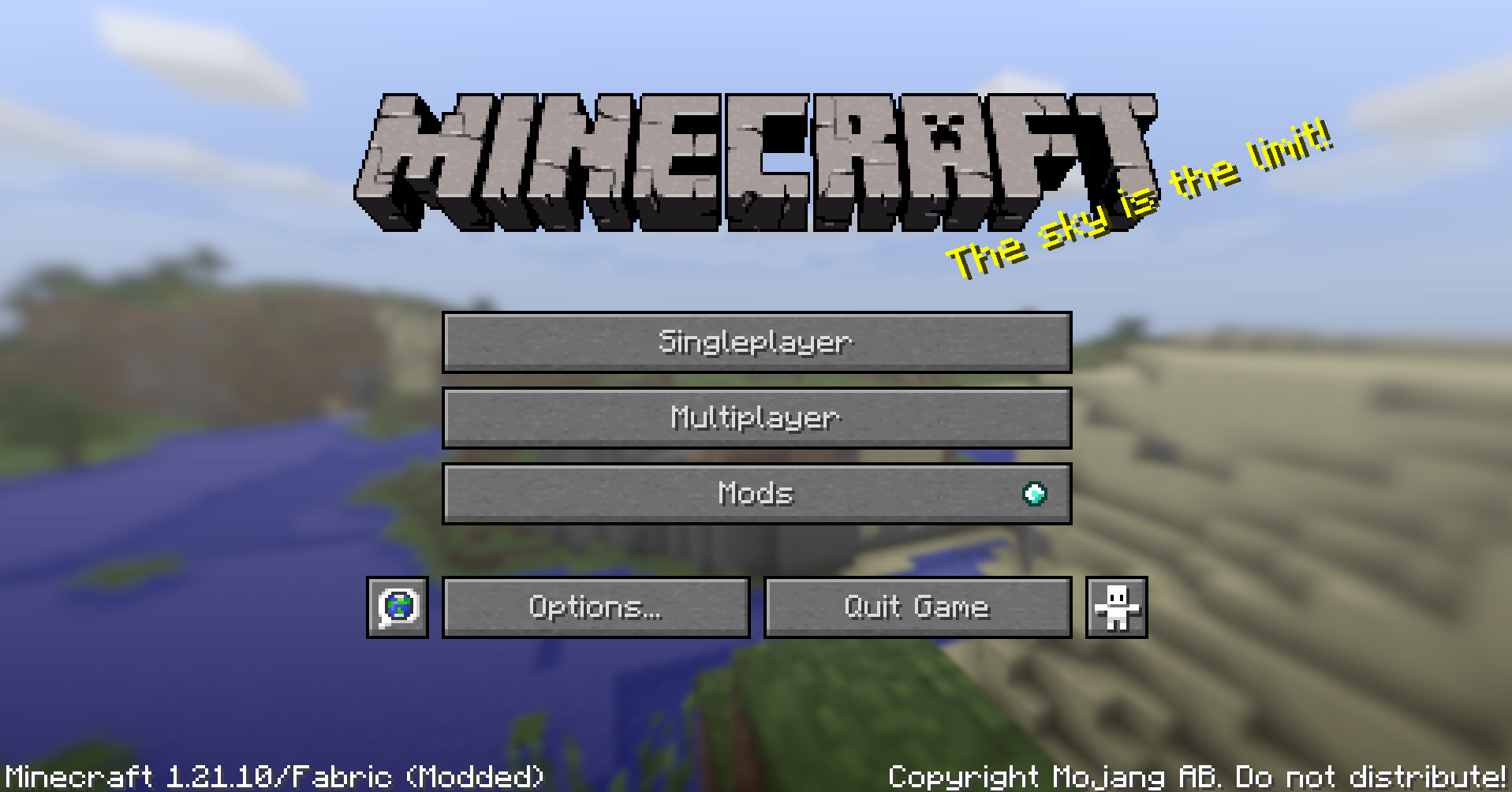
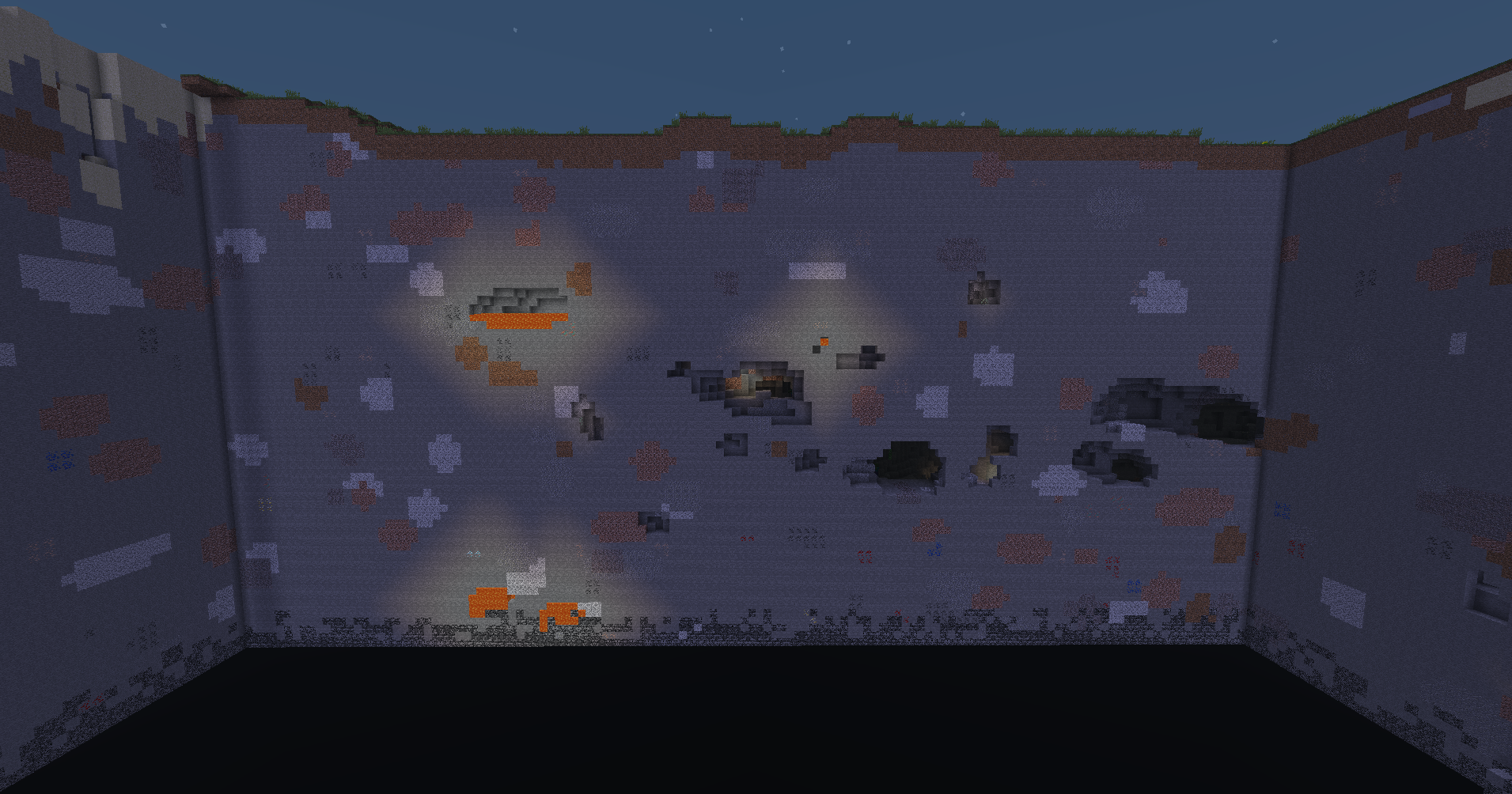
Images: Diamond Ages on Modrinth, published by the project team.
Setup
Your Diamond Ages server in four steps
For errors, check startup logs, Java version, loader and dependencies first. Increase RAM when there is evidence of memory pressure. Keep a copy of the working installation before updates.
- 01
Configure
8 GB of RAM is preselected and Diamond Ages is noted in the configurator. You choose the term and add-ons.
- 02
Pay
By credit card or PayPal. Your server is ready usually under 60 seconds.
- 03
Install the pack
Open the modpack browser in the panel, choose Modrinth, verify the project ID and install your chosen pack release. Back up an existing world first.
- 04
Connect
Every player installs the same pack release in a compatible launcher and connects using the server address from the panel.
Modrinth project ID: pNnoGEaL
The panel
Install the pack, find errors.
Real screenshots from the Mado panel. Both come with every Minecraft server.
Modpack browser
Modrinth and CurseForge, right in the panel.
Search the pack, choose a release, install. You do not have to upload the loader or server files by hand.

AI crash analysis
When a mod crashes, the analyzer reads the log.
Large modpacks often fail on a single mod, Java version or missing dependency. The analyzer names a likely cause and suggests a fix.

Releases
Published pack releases
The server and players need the same pack release. Pick it in the modpack browser to match your group’s clients.
Diamond Ages · Modrinth- Diamond Ages 1.22.3-1.9a-fabricSeptember 30, 2026Minecraft 26.3 · Fabric
- Diamond Ages 1.22.3-1.8a-fabricJuly 28, 2026Minecraft 26.2 · Fabric
- Diamond Ages 1.22.2-1.5a-fabricMay 23, 2026Minecraft 26.1.2 · Fabric
- diamondage-1.21.10-1.2bFebruary 21, 2026Minecraft 1.21.10 · Fabric
- diamondage-1.21.9-1.0.4a-fabricOctober 11, 2025Minecraft 1.21.9 · Fabric
Original description by the project author
Diamond Ages
Diamond Ages is a modpack designed to bring back the feeling of old-school Minecraft. Inspired by the classic eras of the game, it focuses on simplicity, adventure, and the charm that made Minecraft special in its early days.
How to contact me or make a review of the modpack?
You can let me a comment on the Diamond Ages's Curseforge page
Tips
If it is the first time that you are installing Diamond Ages, I suggest you to read all the main page of the modpack first to understand how it is working and how to changes minecraft in your advantage.
Textures
This modpack is modifying most of the minecraft textures. If, for example, a block was implemented into minecraft before the 1.14 texture changes, the modpack will put the <1.14 texture back but if this block is a "modern" one (like the copper or amethyst block), Diamond Ages will give it a texture that fits the old theme.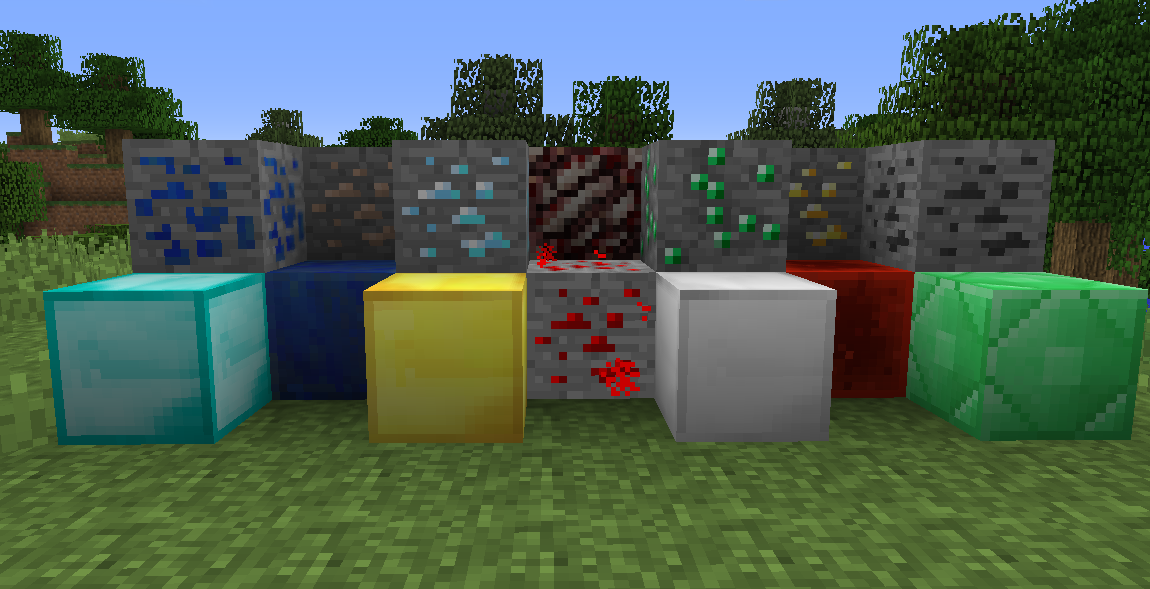
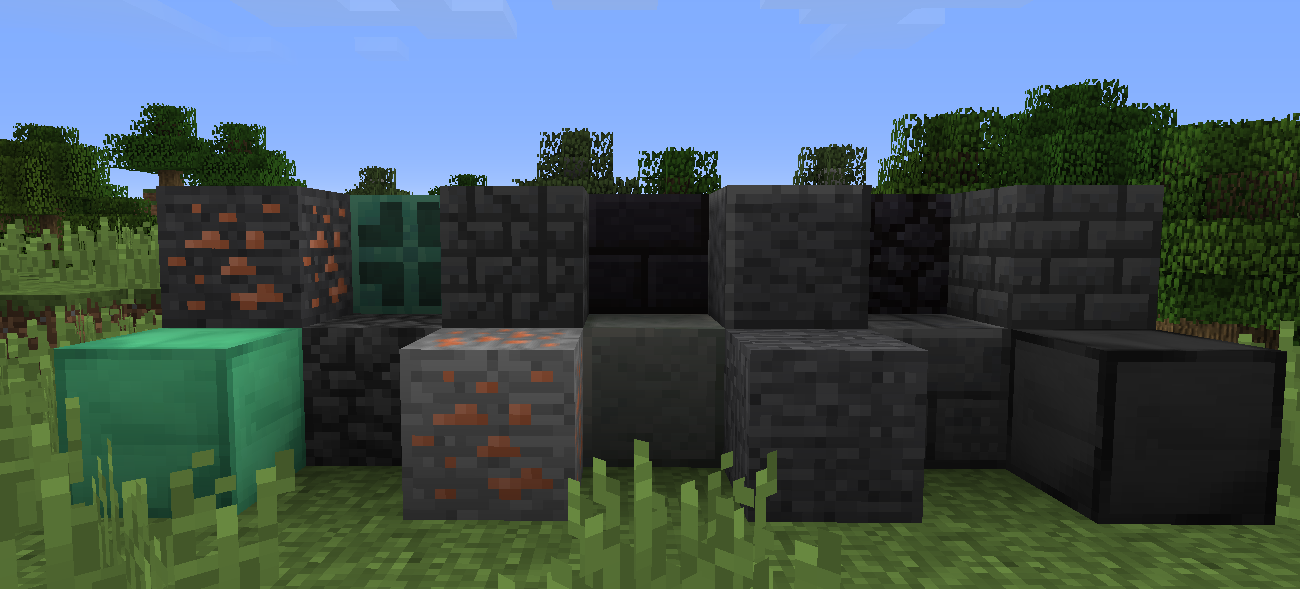
In the first image at the top, the ore and blocks has now their older textures before 1.14 but in the second picture, the block doesn't have older version of them so they have an "fan made" texture to fits the theme.
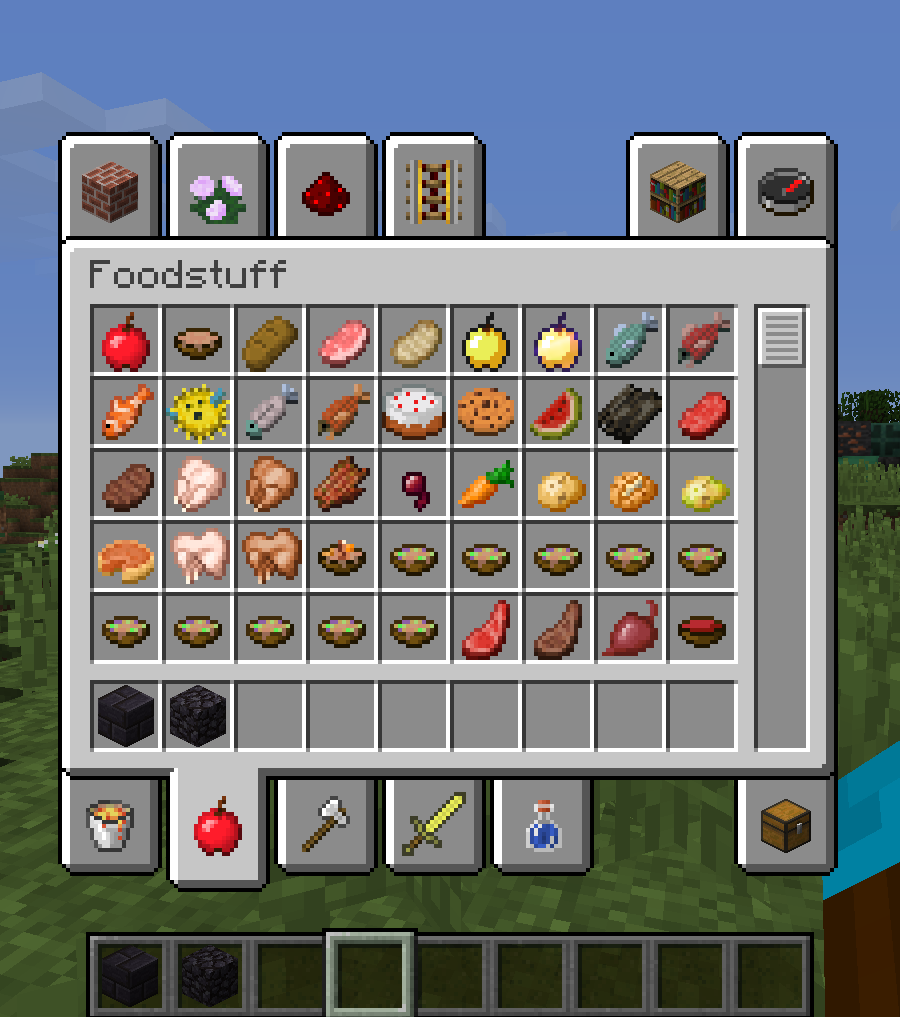
There isn't only the block but all the things in minecraft like the natural blocks, items, entities and the UI.
More examples:
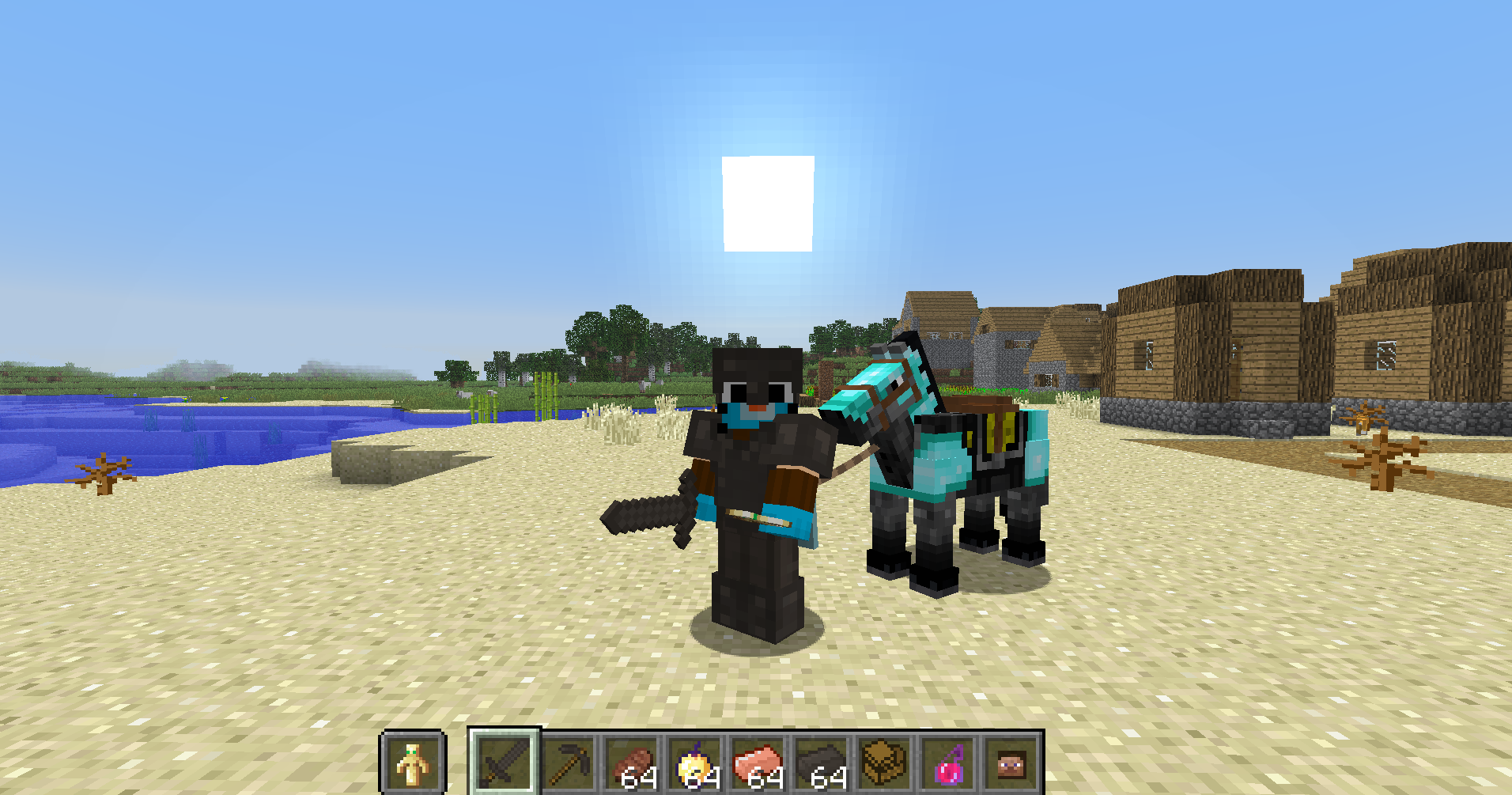
Sounds and music
As you know, the most popular producer of music for minecraft was C418 but unfortunately, he stopped doing music for the game and was replaced by some other great producer like Lena Raine.The modpack is replacing all the newer ambient music with the old one only. Also, for the music disc, they are replaced by unused C418 music and some legacy edition music. For example, the creator_music_box is replaced by Flake, a song from the festive world from the old minecraft console edition.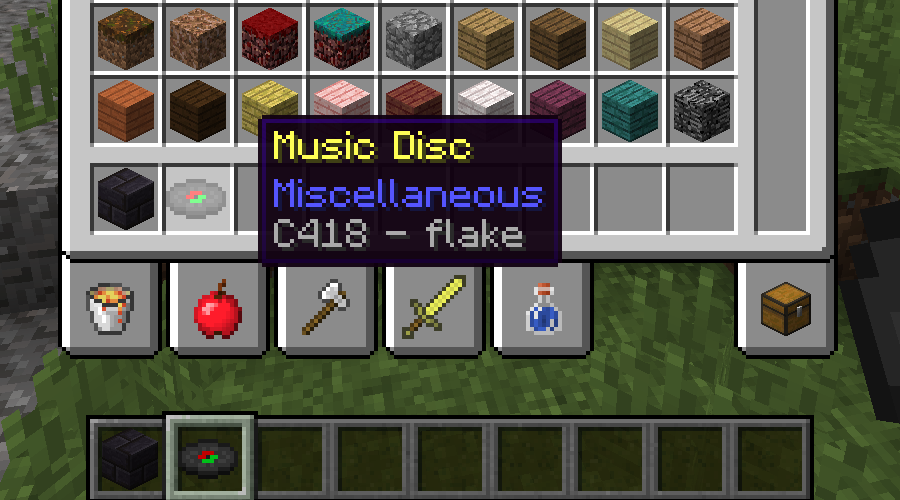
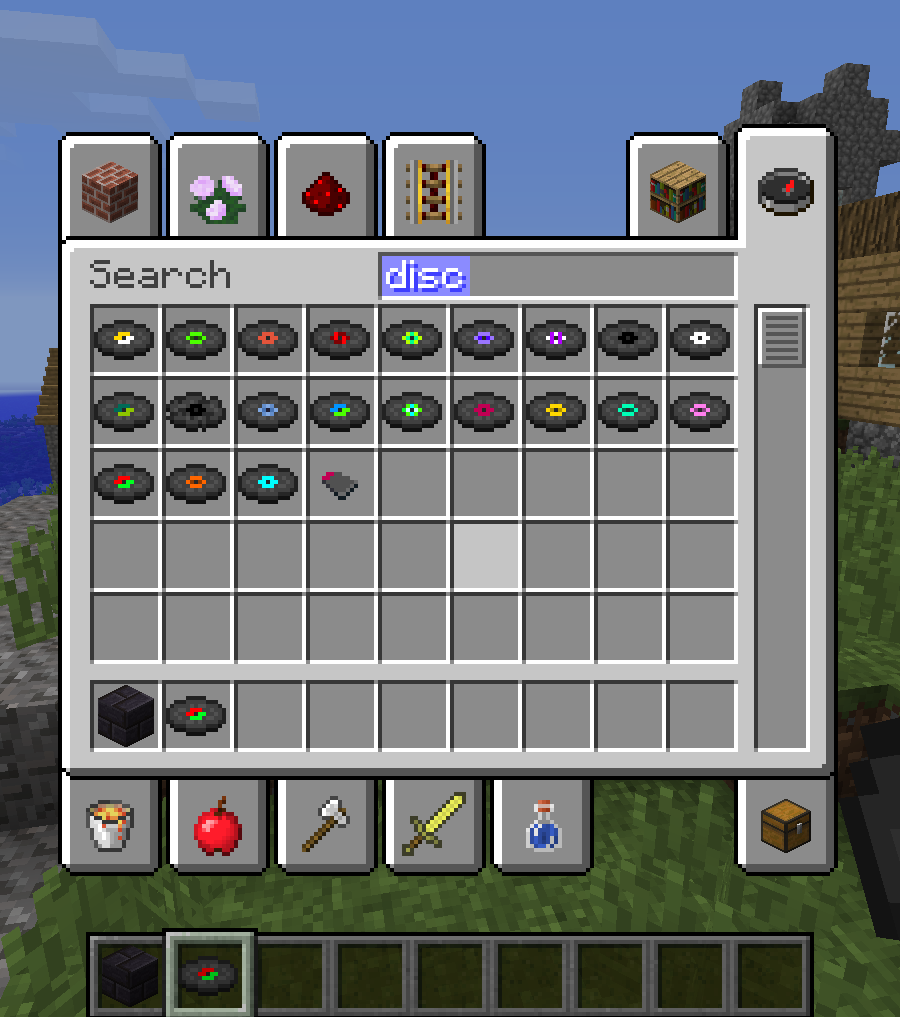
Here is the list of all the music discs added:
C418 - droppy
C418 - moog city
C418 - death
C418 - equinoxe
C418 - chris
C418 - excuse
C418 - flake
C418 - door
C418 - peanuts
This modpack also replace most of the newer sounds with old one.
Structures
Most of the structures are controlled by Datapacks and a mod called Structurify. This mod is disabling all the newer structures and keep all the old one. You can disable or enable any structures you want with it. If you want to enabling back all the newer structures, you can either do /structure dump or configurate the mod in the mod menu (the two options needs to recreate a world so that changes can take place).There is also a datapack called Classic Villages that transform the modern villages into the old ones.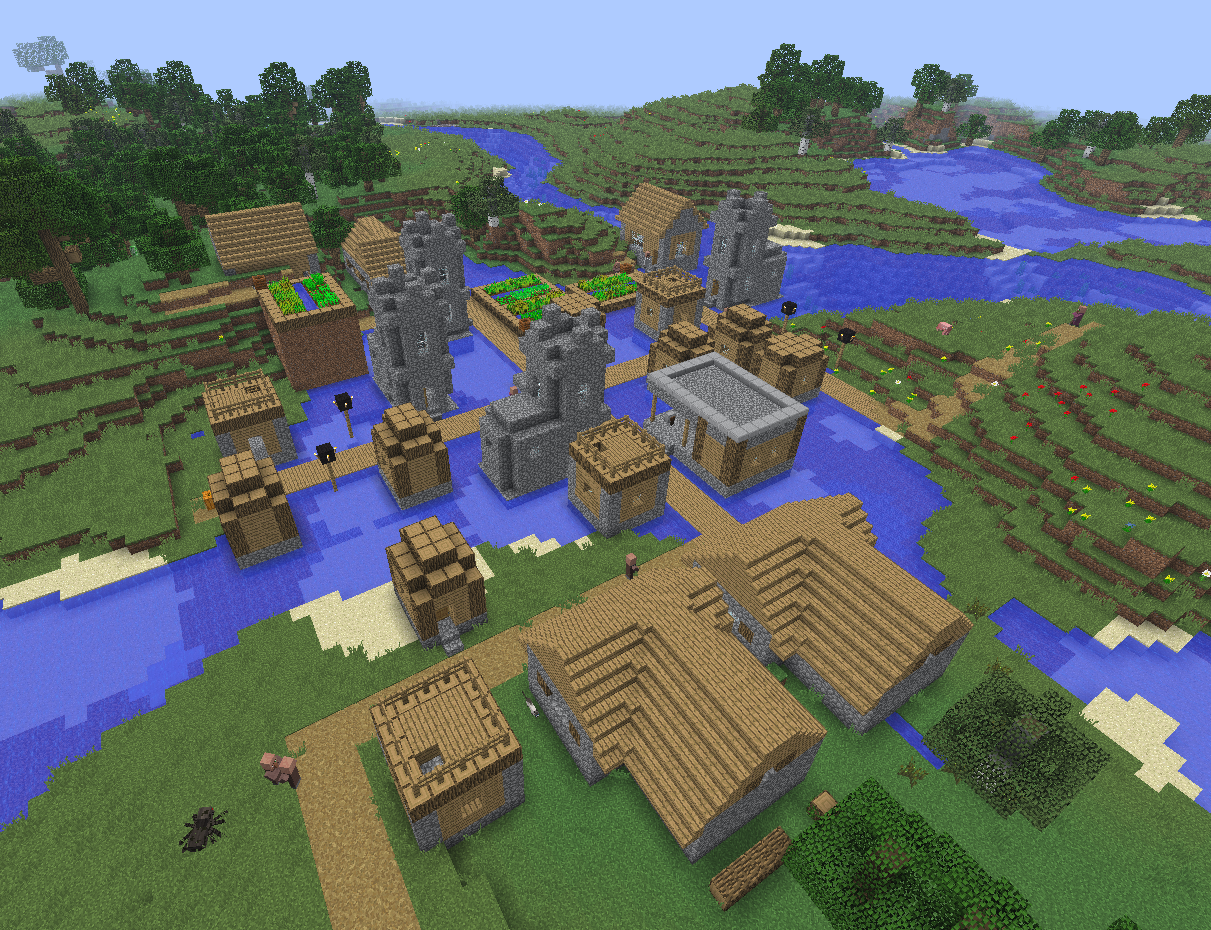
The Mod Menu
The modpack come with a mod menu so that you can modify the functionality without necessarily delete mod.To access the menu, you need to go to the ressources packs and click the Mods button next the "Open pack folder". If you want to modify a compatible mod with a config screen, you need to hover it and click it or click directly on the configure button, then you will access the config screen.This menu is essential and important if there is any problems in the modpack or if you want to changes something precisely.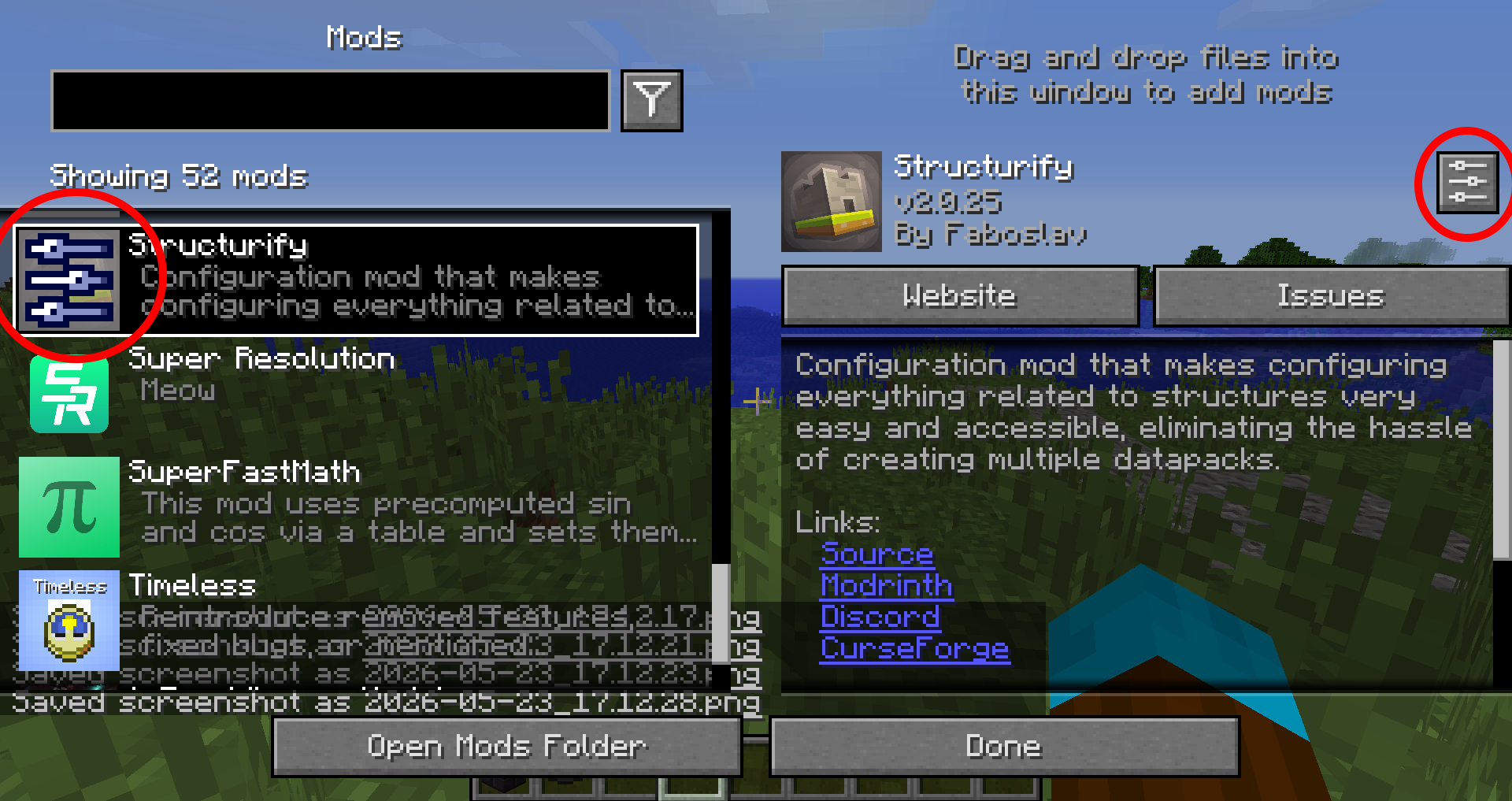
The World Generation
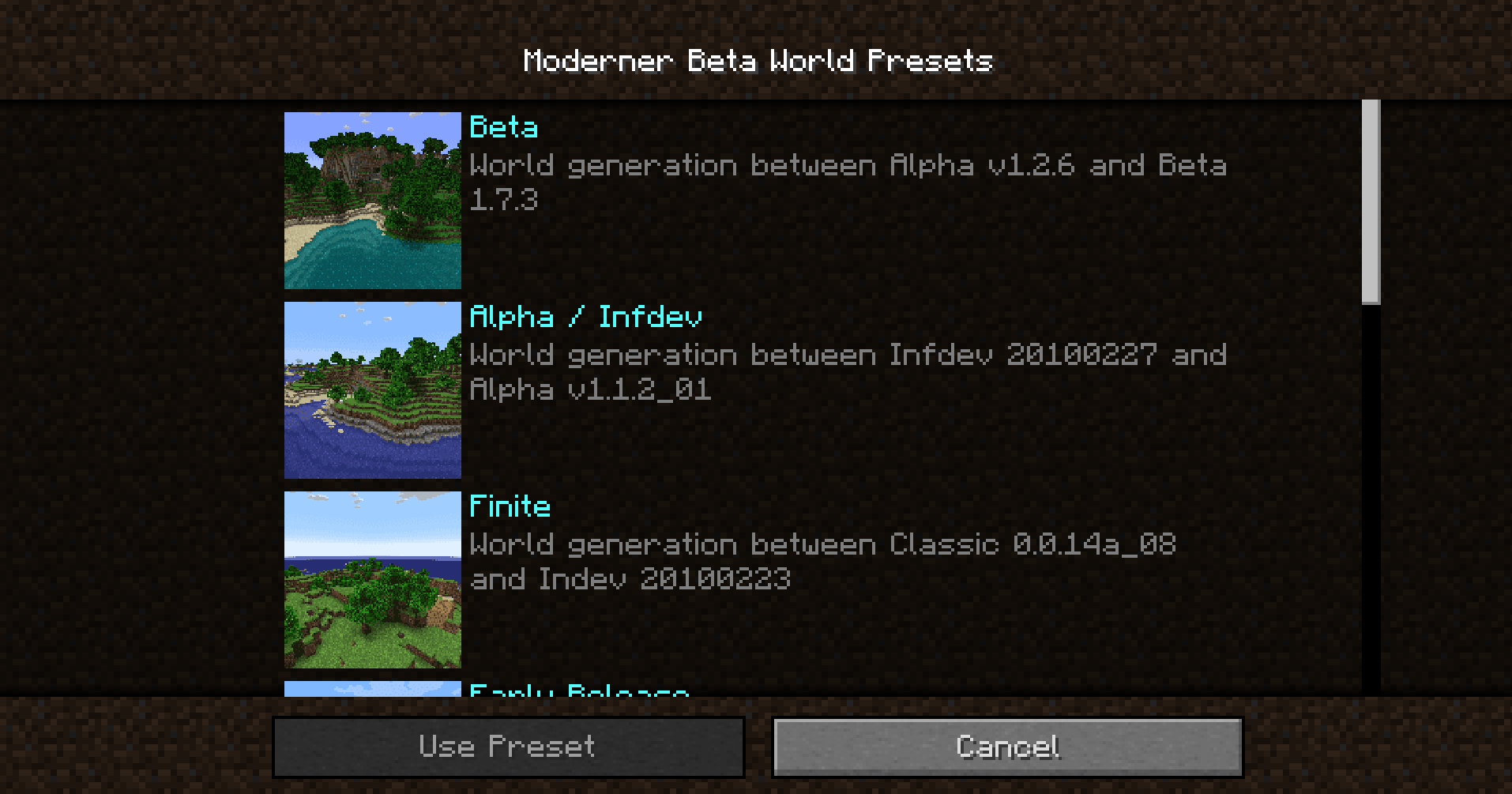
The world generation is mostly managed by the mod Moderner Beta.With this mod, you can revert the world generation to most of the old one like Beta 1.7.3 for example.To do that, you need to create a world and to put in the world type Moderner Beta. By Default, the generation is put as Beta 1.7.3 but you can modify it by clicking customise down the world type button and click World Preset in the World Customization menu.Then you will see a lot of presets with old and new versions, finite and infinite one.
Old Server
With a mod called Via Fabric Plus, you can join most of the minecraft server even if it isn't the right version. It support classic, indev, infdev, alpha, beta and release server.There is two method to join a server with Via Fabric Plus:You can click on add server on the multiplayer menu , click on the button set version in the top right and choose the right version for the server or directly go to the ViaFabric Plus button on the top right in the multiplayer menu.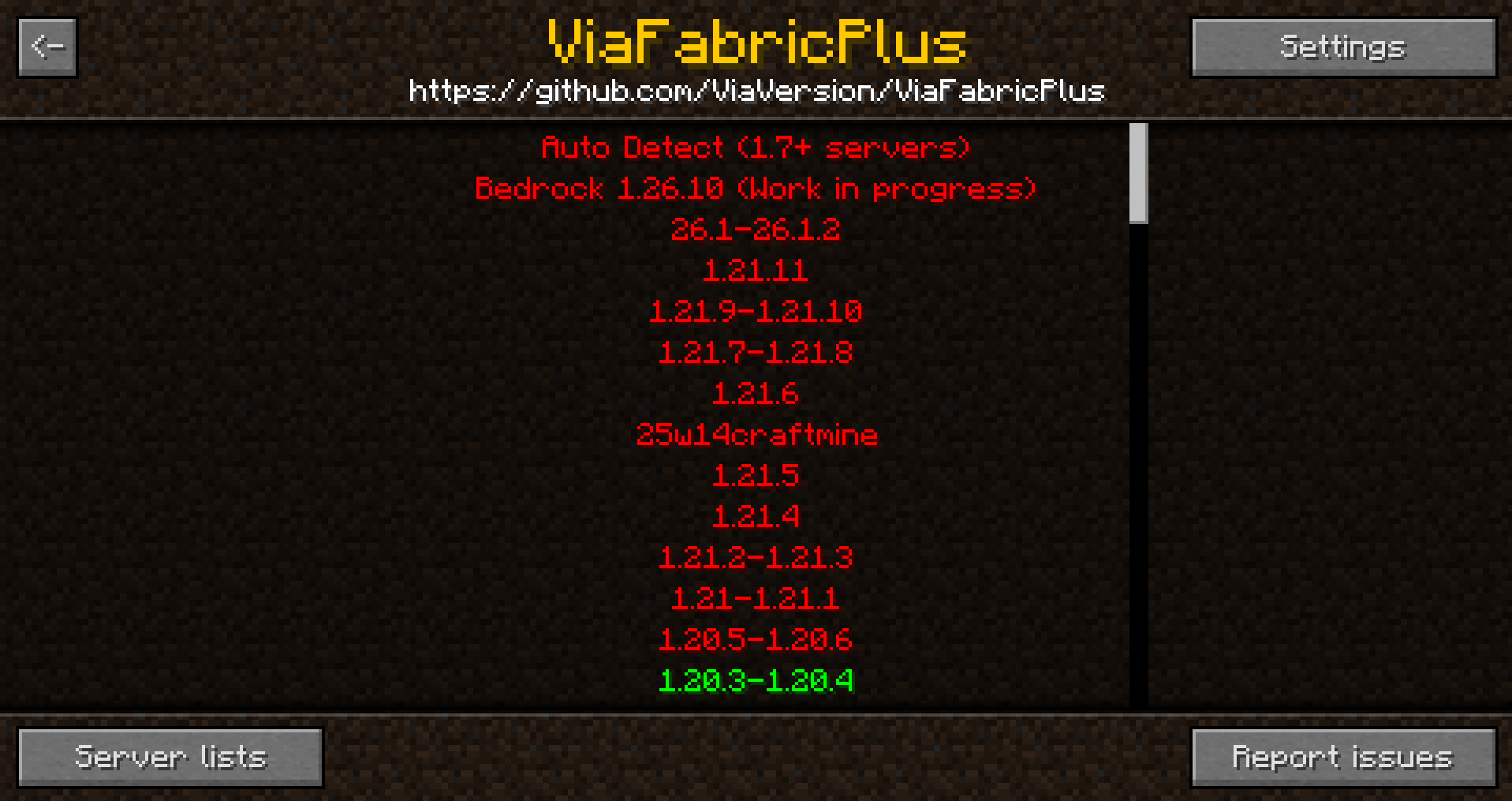
How to change the sounds and/or textures of the game?
If you want to change any of the assets of Minecraft, you need to go to the ressources/common folder in the modpack and either go to required or optional (it depend of the version of the modpack), if you see a folder called Diamond Age Lang, it is only the english language file of the game but if you see a folder called Diamond Age Ressources, it is the folder that contains every assets of the game and then you can modify the texture and the sounds with whatever you want.
Known Error
There are some minor known errors in the modpack.I'm working on removing them but that can take some time. Here are some with fixes:
- No Block placing sounds | you need to delete viafabricplus config files
- Shader lightning lag | you need to disable and enable back the shader
Similar packs
More server-ready modpacks
 Server-ready

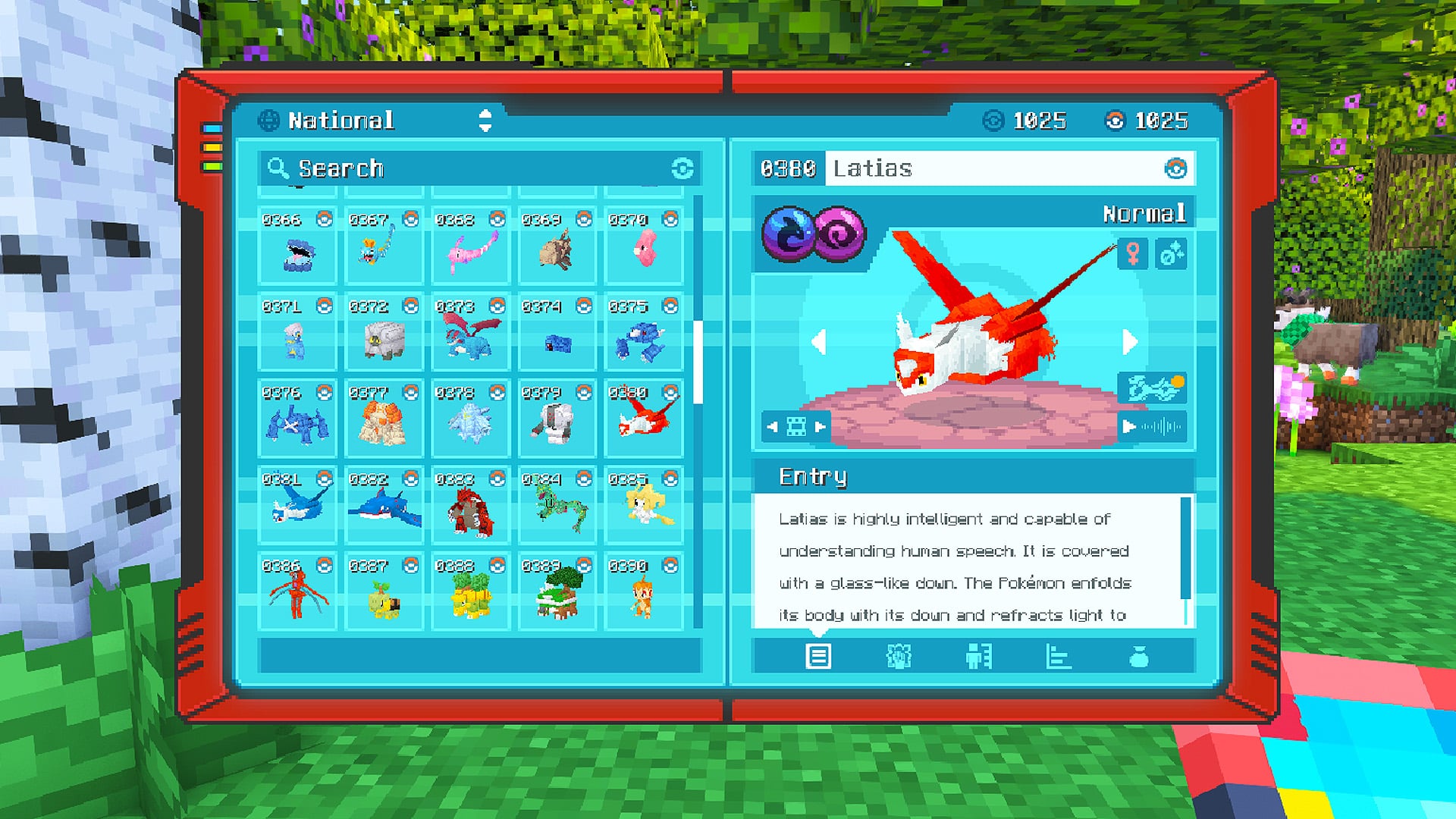
Cobblemon Official Modpack [Fabric]
by CobbledStudios
The official modpack of the Cobblemon mod, for Fabric!
 Server-ready

COBBLEVERSE - Pokemon Adventure [Cobblemon]
by LUMYVERSE
Start a true Pokémon adventure in Minecraft: Cobblemon 1.8.4 | ALL 1025 Pokémon! | Mega Evolutions | Gyms & Badges | Starter Kit | Unique Structures | Custom Music | Shaders | Optimized | So much more! [1.21.1]
 Server-ready

Better MC [FABRIC] - BMC2
by SHXRKIE
Version 1.20 | A Proper Vanilla+ Modpack | Don't play Vanilla play this!
 Server-ready

Vanilla Perfected
by demonjoeTV
A compilation of Vanilla Plus mods & packs to perfect the Minecraft experience without drifting too far from the feel of the base game!
Ready for your Diamond Ages server?
8 GB of RAM from €16.00 per month. 35% off your first month with MADO35.