
Into the backrooms: found footage horror
The classic VHS backrooms experience, but in Minecraft!
Screenshots
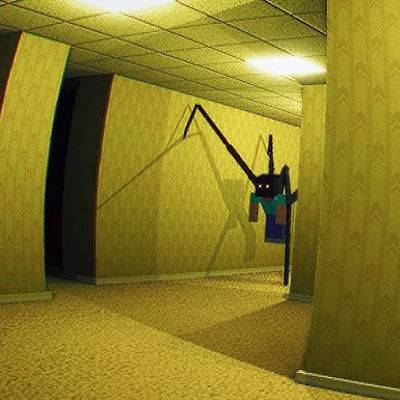
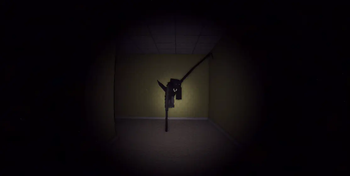
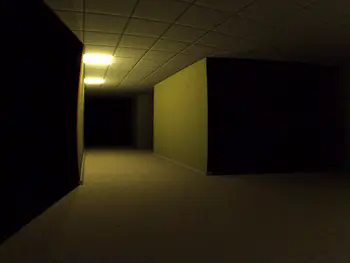
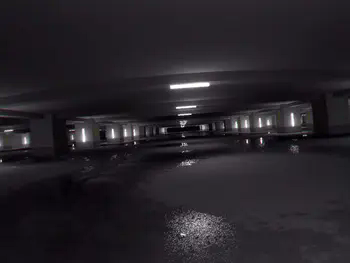
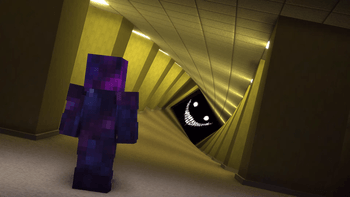
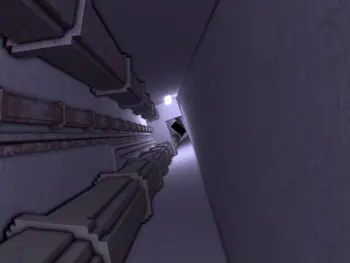
About this Modpack
Search tags: horror, scary, modpack, backrooms, stalker, psychological, liminal,
If you need help, have questions, or need people to play with, join the Discord server
In order to get to the backrooms, suffocate yourself with sand or gravel.
Welcome to the backrooms, you and your friends are stuck in an endless cycle of liminal rooms. Many anomalies and entities are found in these hallways and rooms. Surrounded by darkness, everything is unpredictable and unexpected. You will see things and you will hear things. Buzzing can be heard in every room, and whispers can be heard in the distance. You are always being watched, and you are never safe. This modpack uses "minecraft backrooms found footage" from modrinth as the primary mod.
Commands:
/skinwalker (username) : turn one of your friends into a skinwalker
/release (username) : releases a player from skinwalker
/backroomsevent (event) : forces backrooms event
/gimmemyinventoryback (username) : allows players to bring their inventory they had in the overworld into the backrooms since entering the backrooms clears your inventory
I do NOT own any of the mods in this modpack. I do NOT claim to own any of the mods. All credit goes to the owners.
Profile image gotten off of Dima's YouTube video
Most images gotten off of official modrinth mod page
Available Versions
How to Set Up a Into the backrooms: found footage horror Server
Order Server
Choose at least 6 GB RAM (8 GB recommended for Into the backrooms: found footage horror). Based on player count: per 5 players.
Install Modpack in Dashboard
Open the modpack browser in the dashboard, search for "Into the backrooms: found footage horror" and click "Install". The fabric loader and Minecraft 1.20.1 are configured automatically.
Start Server & Play
Start the server – all mods are loaded automatically. Share the server IP with friends and play together!
Frequently Asked Questions
Into the backrooms: found footage horror server crashes or won't start – what to do?
Most common causes: insufficient RAM or wrong fabric loader. Check latest.log for "OutOfMemoryError" → increase RAM to at least 8 GB. For "Mixin" or "ClassNotFoundException" errors: modpack version and loader don't match. With Mado Hosting, loader and Minecraft version are auto-configured on modpack install – preventing most startup issues.
How much RAM does a Into the backrooms: found footage horror server really need?
Minimum 6 GB, recommended 8 GB for stable performance. per 5 players. Important: Minecraft modpacks need more RAM than vanilla – plan extra per additional player. With Mado Hosting, you can scale RAM up live at any time without data loss (from €7.800000000000001/month).
Can I add custom mods to Into the backrooms: found footage horror without conflicts?
Yes, but check compatibility: only use mods for the same loader (fabric) and same Minecraft version (1.20.1). Common issues: ID conflicts with recipe mods and incompatible coremod versions. The Mado dashboard mod browser only shows compatible mods and warns about known conflicts.
Into the backrooms: found footage horror server lagging – performance tips
1) Increase RAM to 8 GB+. 2) Reduce server view-distance to 8 (server.properties). 3) Pre-generate chunks with the "Chunky" plugin. 4) Use /spark profiler to check which mods consume the most tick time. With Mado Hosting, all servers run on NVMe SSDs with dedicated CPU cores – eliminating hardware as a bottleneck.
Similar Modpacks
![Cobblemon Official Modpack [Fabric]](https://cdn.modrinth.com/data/5FFgwNNP/e7f9ee2e9d361623847853fe2ddce42f519ee64f.png)
![COBBLEVERSE - Pokemon Adventure [Cobblemon]](https://cdn.modrinth.com/data/Jkb29YJU/581ecf54530972afb18a04660afd820f2f24f6c7.png)
![Better MC [FABRIC] - BMC2](https://cdn.modrinth.com/data/shFhR8Vx/a19c2bcb51d38f32f138d3607e91cb2b7b8e387f_96.webp)


![Better MC [FORGE] - BMC4](https://cdn.modrinth.com/data/4BV47HRn/7f5ef7cc61b2593609aabef3ed07a866a4f11b73_96.webp)
Rent Into the backrooms: found footage horror Server
Start your own server with automatic modpack installation.
Supported Versions
Start your Into the backrooms: found footage horror Server now
From €7.80/month; 8 GB RAM is recommended for best performance.
Configure Server →