
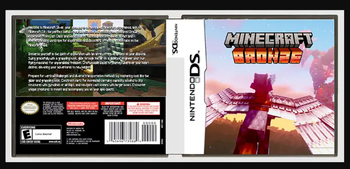
Minecraft Bronze
Journey, Venture, Quest, Explore, Uncover Treasure! Ride Beasts! Slay Titans! Make Friends? Take them with you! Take your BASE with you!
Screenshots
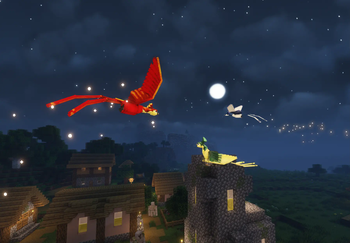
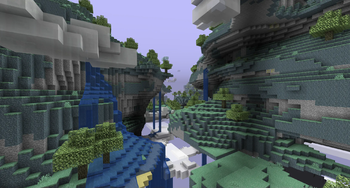
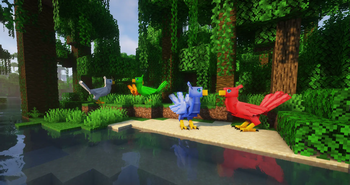
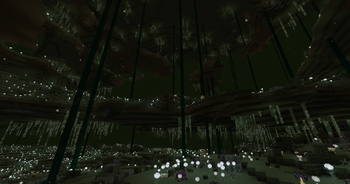
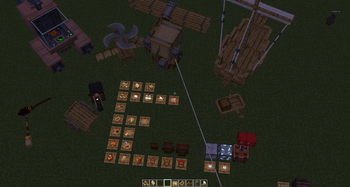
About this Modpack
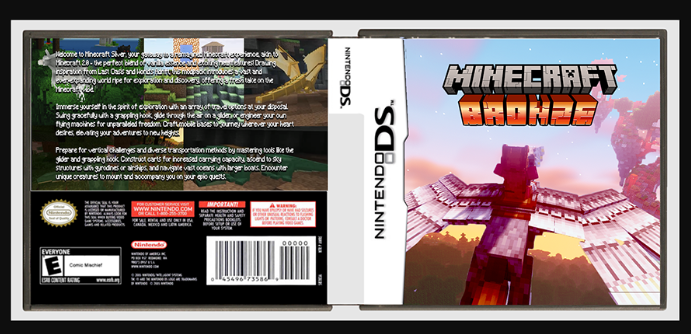
Minecraft Bronze expands upon the Minecraft universe, offering all the great adventures and fantasies players have longed for! Inspired by the adventurous classics like Terraria, Cubeworld, and Zelda, as well as the idea of an ultimate DLC or Expansion to Minecraft, bringing timeless adventures such as the classic Aether and Twilight Forest! Introducing enchanted realms and mythical creatures waiting to be encountered, forge bonds with creatures that can accompany you on your travels, and transport them with humane-sized cage traps. With its beautiful fantasy landscapes, Minecraft Bronze promises endless exploration and adventure! Chase on your never ending journey into Minecraft's Bronze Sunsets!
Main mods:
Transport and Storage:
- Carts
- Backpacks
- Gliders
- Grappling Hook
- Cloud Storage
- Ships
- Immersive Aircraft
- Valkyrien Skies
- Eureka
- Clockwork
- Create Trains
Mount mods:
- Gamma Creatures
- Roost
- Animalistic
- Mythic Mounts
Pet mods:
- Hash Falcons
- Splat
- Ylf
- Caracal
- Tameable Beasts
Fauna mods:
- Alex's Mobs
- Ecologics
- Naturalist
- Untamed WIlds
- Critters n' Crawlers
- Wildlife
Friends:
- Kobolds
- Orcs
- Goblins
- Neighborly Folk
- Gnumus
- Plenty of Golems
- Critters and Companions
Foes:
- Born in CHaos
- Galosphere
- Luminous
- Sons of Sins
- Ender's Cataclysm
- Sanguine
- Ice and Fire
- Legendary Monsters
- Crawlers n' Critters
Dimensions
- Aether
- The Undergarden
- Twilight Forest
- The Midnight
- Blue Skies
- Ad Astra!
https://drive.google.com/drive/folders/1jCw5rb6O-Tznf-M2HGak5J1oIB7R9oqo
Available Versions
How to Set Up a Minecraft Bronze Server
Order Server
Choose at least 6 GB RAM (8 GB recommended for Minecraft Bronze). Based on player count: per 5 players.
Install Modpack in Dashboard
Open the modpack browser in the dashboard, search for "Minecraft Bronze" and click "Install". The forge loader and Minecraft 1.20.1 are configured automatically.
Start Server & Play
Start the server – all mods are loaded automatically. Share the server IP with friends and play together!
Frequently Asked Questions
Minecraft Bronze server crashes or won't start – what to do?
Most common causes: insufficient RAM or wrong forge loader. Check latest.log for "OutOfMemoryError" → increase RAM to at least 8 GB. For "Mixin" or "ClassNotFoundException" errors: modpack version and loader don't match. With Mado Hosting, loader and Minecraft version are auto-configured on modpack install – preventing most startup issues.
How much RAM does a Minecraft Bronze server really need?
Minimum 6 GB, recommended 8 GB for stable performance. per 5 players. Important: Minecraft modpacks need more RAM than vanilla – plan extra per additional player. With Mado Hosting, you can scale RAM up live at any time without data loss (from €7.800000000000001/month).
Can I add custom mods to Minecraft Bronze without conflicts?
Yes, but check compatibility: only use mods for the same loader (forge) and same Minecraft version (1.20.1). Common issues: ID conflicts with recipe mods and incompatible coremod versions. The Mado dashboard mod browser only shows compatible mods and warns about known conflicts.
Minecraft Bronze server lagging – performance tips
1) Increase RAM to 8 GB+. 2) Reduce server view-distance to 8 (server.properties). 3) Pre-generate chunks with the "Chunky" plugin. 4) Use /spark profiler to check which mods consume the most tick time. With Mado Hosting, all servers run on NVMe SSDs with dedicated CPU cores – eliminating hardware as a bottleneck.
Similar Modpacks
![Cobblemon Official Modpack [Fabric]](https://cdn.modrinth.com/data/5FFgwNNP/e7f9ee2e9d361623847853fe2ddce42f519ee64f.png)
![COBBLEVERSE - Pokemon Adventure [Cobblemon]](https://cdn.modrinth.com/data/Jkb29YJU/581ecf54530972afb18a04660afd820f2f24f6c7.png)
![Better MC [FABRIC] - BMC2](https://cdn.modrinth.com/data/shFhR8Vx/a19c2bcb51d38f32f138d3607e91cb2b7b8e387f_96.webp)


![Better MC [FORGE] - BMC4](https://cdn.modrinth.com/data/4BV47HRn/7f5ef7cc61b2593609aabef3ed07a866a4f11b73_96.webp)
Rent Minecraft Bronze Server
Start your own server with automatic modpack installation.
Supported Versions
Start your Minecraft Bronze Server now
From €7.80/month; 8 GB RAM is recommended for best performance.
Configure Server →