
MMC
This mod pack is for the people who want to renew the Minecraft experience. It has extra content, vanilla plus features, and more. It's all in one and will be updated in the future.
Screenshots
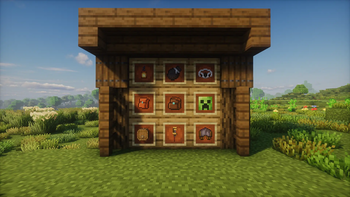
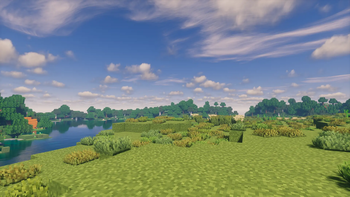
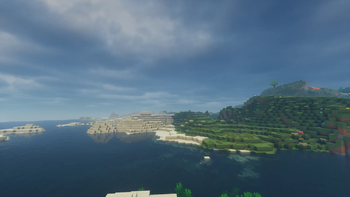
About this Modpack
This modpack expands Minecraft with carefully selected features designed to enhance gameplay while preserving the feel of vanilla. New mechanics, quality-of-life improvements, and subtle additions blend naturally into the existing game, offering more depth without overwhelming the core experience or drastically changing how Minecraft is played.
Every addition is chosen with balance and consistency in mind. The goal is not to reinvent Minecraft, but to refine it—smoothing out rough edges, adding convenience where it makes sense, and enhancing immersion without introducing unnecessary complexity or feature bloat.
Visual enhancements such as https://modrinth.com/resourcepack/fresh-animations-extensions
help bring entities to life while staying faithful to Minecraft’s original style. These improvements are meant to feel natural, enhancing expressiveness and atmosphere while still fitting seamlessly into the vanilla aesthetic.
Whether you’re exploring vast landscapes, building detailed structures, or surviving against the environment, each feature is designed to feel familiar yet refreshing. The modpack supports a wide range of playstyles, making it suitable for long-term survival worlds, casual playthroughs, or players who want a more polished vanilla experience.
Overall, this modpack focuses on meaningful improvements that respect Minecraft’s original vision—adding depth, immersion, and convenience while keeping the game recognizable, intuitive, and true to its roots.
Available Versions
How to Set Up a MMC Server
Order Server
Choose at least 6 GB RAM (8 GB recommended for MMC). Based on player count: per 5 players.
Install Modpack in Dashboard
Open the modpack browser in the dashboard, search for "MMC" and click "Install". The fabric loader and Minecraft 1.20.1 are configured automatically.
Start Server & Play
Start the server – all mods are loaded automatically. Share the server IP with friends and play together!
Frequently Asked Questions
MMC server crashes or won't start – what to do?
Most common causes: insufficient RAM or wrong fabric loader. Check latest.log for "OutOfMemoryError" → increase RAM to at least 8 GB. For "Mixin" or "ClassNotFoundException" errors: modpack version and loader don't match. With Mado Hosting, loader and Minecraft version are auto-configured on modpack install – preventing most startup issues.
How much RAM does a MMC server really need?
Minimum 6 GB, recommended 8 GB for stable performance. per 5 players. Important: Minecraft modpacks need more RAM than vanilla – plan extra per additional player. With Mado Hosting, you can scale RAM up live at any time without data loss (from €7.800000000000001/month).
Can I add custom mods to MMC without conflicts?
Yes, but check compatibility: only use mods for the same loader (fabric) and same Minecraft version (1.20.1). Common issues: ID conflicts with recipe mods and incompatible coremod versions. The Mado dashboard mod browser only shows compatible mods and warns about known conflicts.
MMC server lagging – performance tips
1) Increase RAM to 8 GB+. 2) Reduce server view-distance to 8 (server.properties). 3) Pre-generate chunks with the "Chunky" plugin. 4) Use /spark profiler to check which mods consume the most tick time. With Mado Hosting, all servers run on NVMe SSDs with dedicated CPU cores – eliminating hardware as a bottleneck.
Similar Modpacks
![Cobblemon Official Modpack [Fabric]](https://cdn.modrinth.com/data/5FFgwNNP/e7f9ee2e9d361623847853fe2ddce42f519ee64f.png)
![COBBLEVERSE - Pokemon Adventure [Cobblemon]](https://cdn.modrinth.com/data/Jkb29YJU/581ecf54530972afb18a04660afd820f2f24f6c7.png)
![Better MC [FABRIC] - BMC2](https://cdn.modrinth.com/data/shFhR8Vx/a19c2bcb51d38f32f138d3607e91cb2b7b8e387f_96.webp)


![Better MC [FORGE] - BMC4](https://cdn.modrinth.com/data/4BV47HRn/7f5ef7cc61b2593609aabef3ed07a866a4f11b73_96.webp)
Rent MMC Server
Start your own server with automatic modpack installation.
Supported Versions
Start your MMC Server now
From €7.80/month; 8 GB RAM is recommended for best performance.
Configure Server →