
New Origins
Welcome to New Origins! New Origins is a modpack made after the New Origins and Radical MC/SMP experience. This modpack simulates a Radical RPG Adventure gameplay with Multiplayer supported features. Also massively optimized to be playable on most PCs!
Screenshots
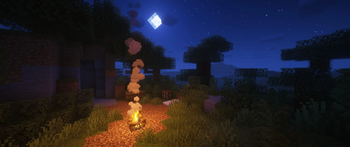
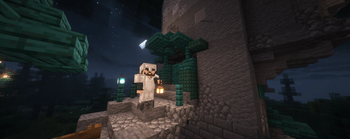
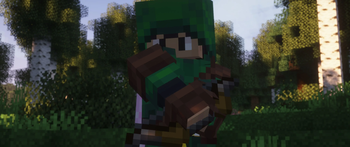
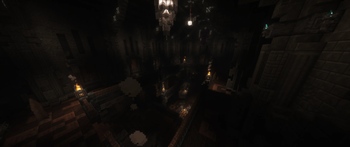
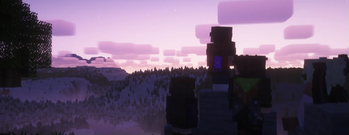
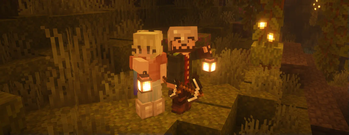
About this Modpack

Description
New Origins is a modpack that aims to turn Minecraft into a Radical RPG style game. You can explore large dungeons, build huge cities, or take on roles like a wizard, knight, or archer. You could even live the sneaky life of a thief, stealing from villagers. Tame a Dragon and become a Dragon Rider. You could set up and run your own factory. Many dangerous creatures awaken during the night. Explore a world dominated by Dragons. Go alone or bring some friends along for the adventure. But be careful, dangerous creatures are waiting in the shadows.
This modpack simulates a Radical RPG adventure. It attempts to make Minecraft more challenging and enhance the exploration side of the game. It's also optimized for lower end PCs! This modpack adds tons of new structures and mechanics to give it the RPG feel. For bigger servers with many people you can use /guild to create teams. Pressing K opens a very huge skill tree with multiple paths to choose from.
Features
- Difficulty - difficulty is scaled, the more you play and the further out you explore, the harder the mobs get.
- Host Worlds - add friends in the multiplayer tab, and then open your world to friends.
- Dragons - Tame dragons, become a dragon rider, and fly them into battle.
- Voice Chat - talk to people in game.
- Skill Tree - extensive skill tree with different paths to choose from.
- Paths - chose from paths such as Beserker, Spellblade, Rogue, etc.
- Day Cycle - days and nights are longer. (48 minutes and 24 minutes)
- Teams - get friends in your guild and explore the world together.
- Mobs - find new mobs and pets around the world.
- Combat - enhanced combat for a more engaging experience.
- Equipment - backpacks, battleaxes, and other weapons and items.
- Visual Enhancements - water effects, screen effects, particle effects.
- Audio Enhancements - ambient sounds in biomes, reverb, and echo's in large spaces.
- Original Soundtrack - original music that changes based on the situation.
- World Generation - explore unqiue biomes with large land masses varying in size and shape.
- Trade - setup shops and trade with villagers or other people.
- Build - build incredible structures with the huge selection of new building blocks, including verticle slabs.
- Create Mod - build incredible technology with Create.
- Structures - explore many structures across the world, structures are spread out.
Requirements
- OS - Windows 10 64-bit (1909 or newer)
- Processor - Intel Core i5-6600K or AMD Ryzen 5 1600X
- Memory - 4 GB RAM
- Graphics - NVIDIA Geforce GTS 450 / AMD Radeon HD 5570
- Storage - 5 GB available space
- Additional Notes - We recommend you install the game on SSD drive for better experience.
Other projects
Credits
Mods, Resourcepacks, Shaders
Available Versions
How to Set Up a New Origins Server
Order Server
Choose at least 6 GB RAM (8 GB recommended for New Origins). Based on player count: per 5 players.
Install Modpack in Dashboard
Open the modpack browser in the dashboard, search for "New Origins" and click "Install". The fabric loader and Minecraft 1.20.1 are configured automatically.
Start Server & Play
Start the server – all mods are loaded automatically. Share the server IP with friends and play together!
Frequently Asked Questions
New Origins server crashes or won't start – what to do?
Most common causes: insufficient RAM or wrong fabric loader. Check latest.log for "OutOfMemoryError" → increase RAM to at least 8 GB. For "Mixin" or "ClassNotFoundException" errors: modpack version and loader don't match. With Mado Hosting, loader and Minecraft version are auto-configured on modpack install – preventing most startup issues.
How much RAM does a New Origins server really need?
Minimum 6 GB, recommended 8 GB for stable performance. per 5 players. Important: Minecraft modpacks need more RAM than vanilla – plan extra per additional player. With Mado Hosting, you can scale RAM up live at any time without data loss (from €7.800000000000001/month).
Can I add custom mods to New Origins without conflicts?
Yes, but check compatibility: only use mods for the same loader (fabric) and same Minecraft version (1.20.1). Common issues: ID conflicts with recipe mods and incompatible coremod versions. The Mado dashboard mod browser only shows compatible mods and warns about known conflicts.
New Origins server lagging – performance tips
1) Increase RAM to 8 GB+. 2) Reduce server view-distance to 8 (server.properties). 3) Pre-generate chunks with the "Chunky" plugin. 4) Use /spark profiler to check which mods consume the most tick time. With Mado Hosting, all servers run on NVMe SSDs with dedicated CPU cores – eliminating hardware as a bottleneck.
Similar Modpacks
![Cobblemon Official Modpack [Fabric]](https://cdn.modrinth.com/data/5FFgwNNP/e7f9ee2e9d361623847853fe2ddce42f519ee64f.png)
![COBBLEVERSE - Pokemon Adventure [Cobblemon]](https://cdn.modrinth.com/data/Jkb29YJU/581ecf54530972afb18a04660afd820f2f24f6c7.png)
![Better MC [FABRIC] - BMC2](https://cdn.modrinth.com/data/shFhR8Vx/a19c2bcb51d38f32f138d3607e91cb2b7b8e387f_96.webp)


![Better MC [FORGE] - BMC4](https://cdn.modrinth.com/data/4BV47HRn/7f5ef7cc61b2593609aabef3ed07a866a4f11b73_96.webp)
Rent New Origins Server
Start your own server with automatic modpack installation.
Supported Versions
Start your New Origins Server now
From €7.80/month; 8 GB RAM is recommended for best performance.
Configure Server →