

Modrinth · Fabric
Outocraft server hosting
Your own Outocraft server on AMD Ryzen 9 without a thread limit. The server is ready usually under 60 seconds; then install the pack with one click in the modpack browser.
Survival modpack with RPG elements. Create and freaky NEEPMeat machinery. Explore beatiful landscapes, admire many animals and enjoy calming weather, stay safe during storms. Loot dungeons for epic gear or make your own.
- Downloads
- 2.0K
- Followers
- 0
- Loader
- Fabric
- Minecraft
- 1.20.1
- Updated
- –
Screenshots
What Outocraft looks like
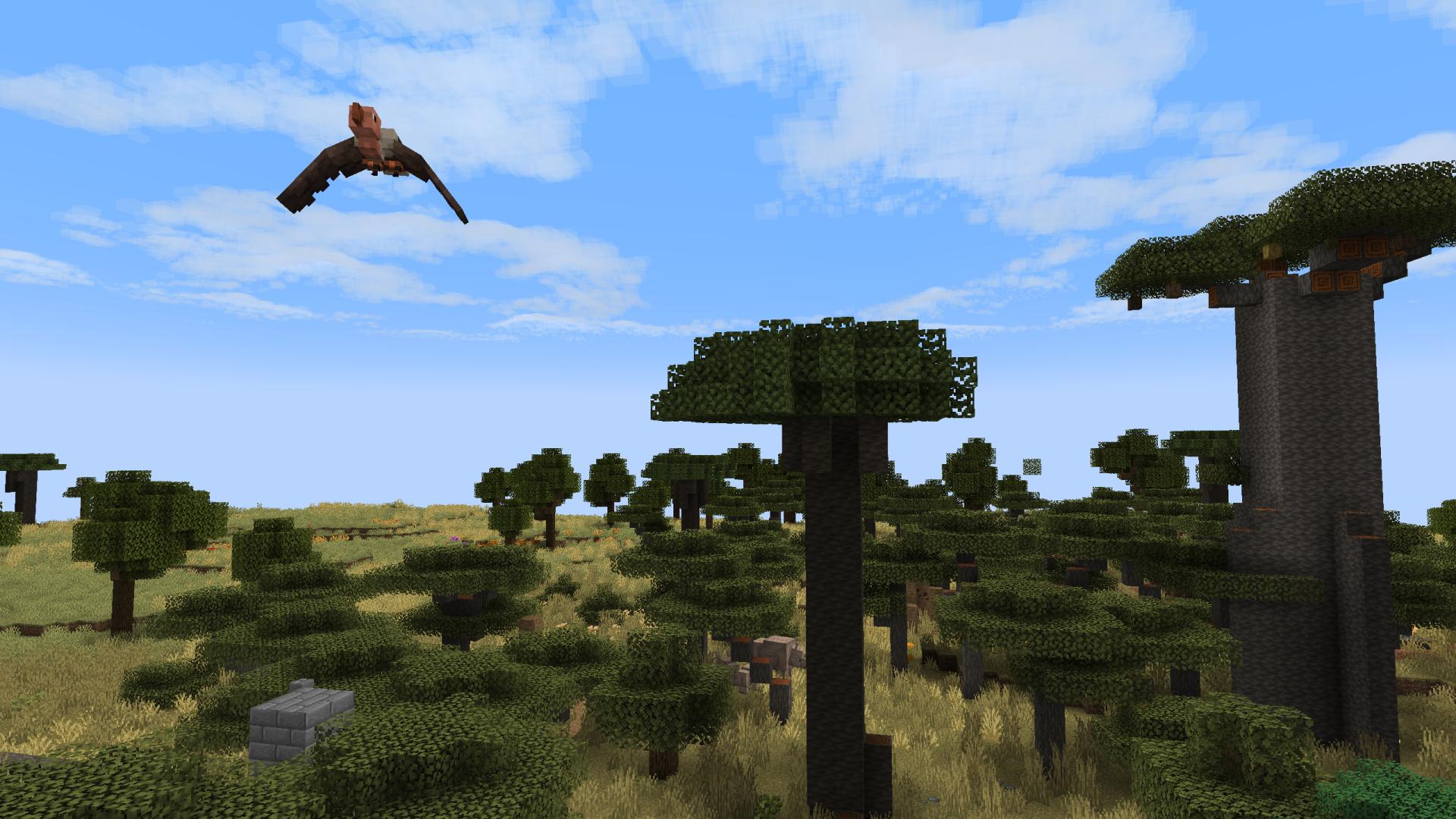
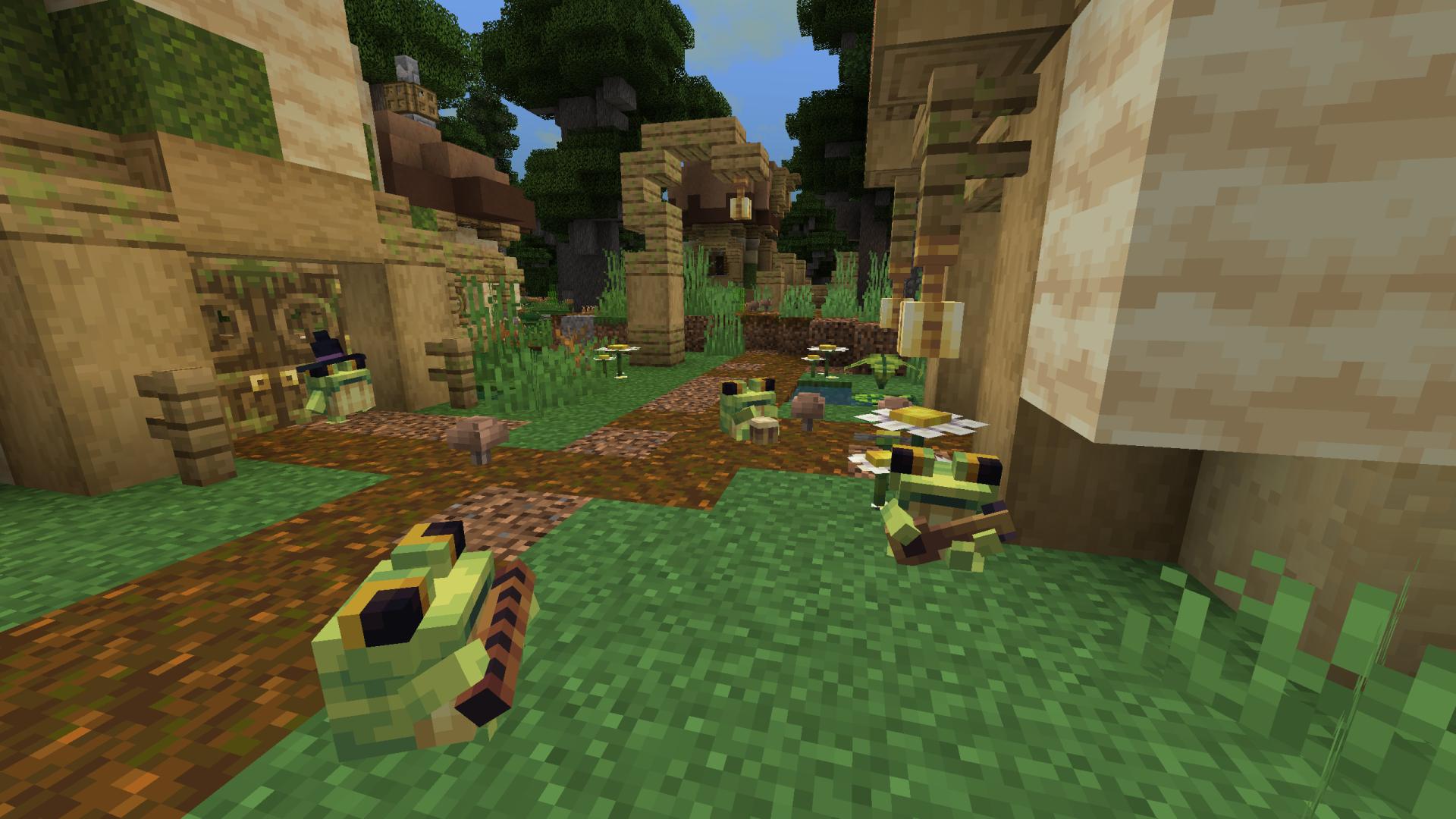
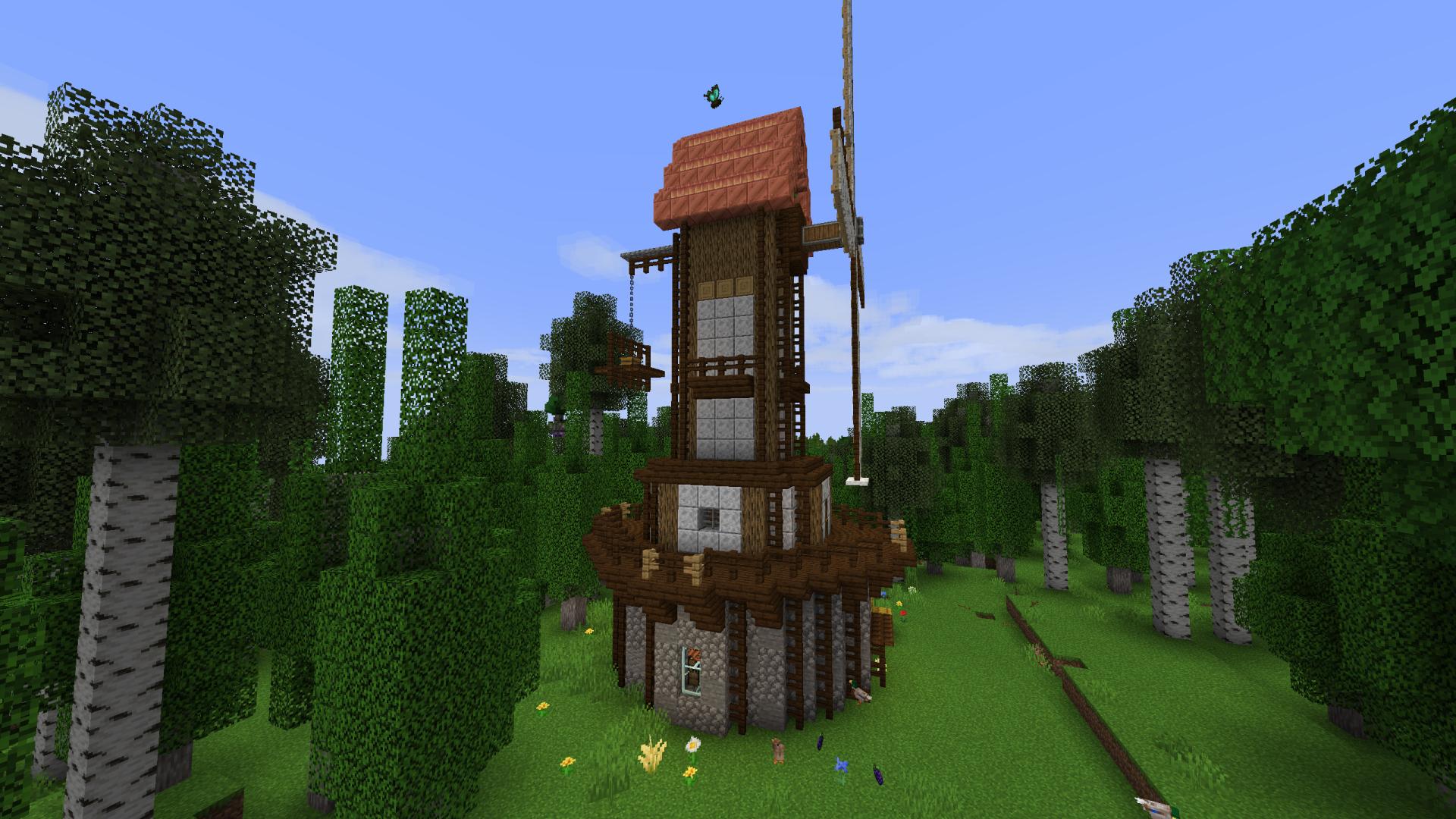
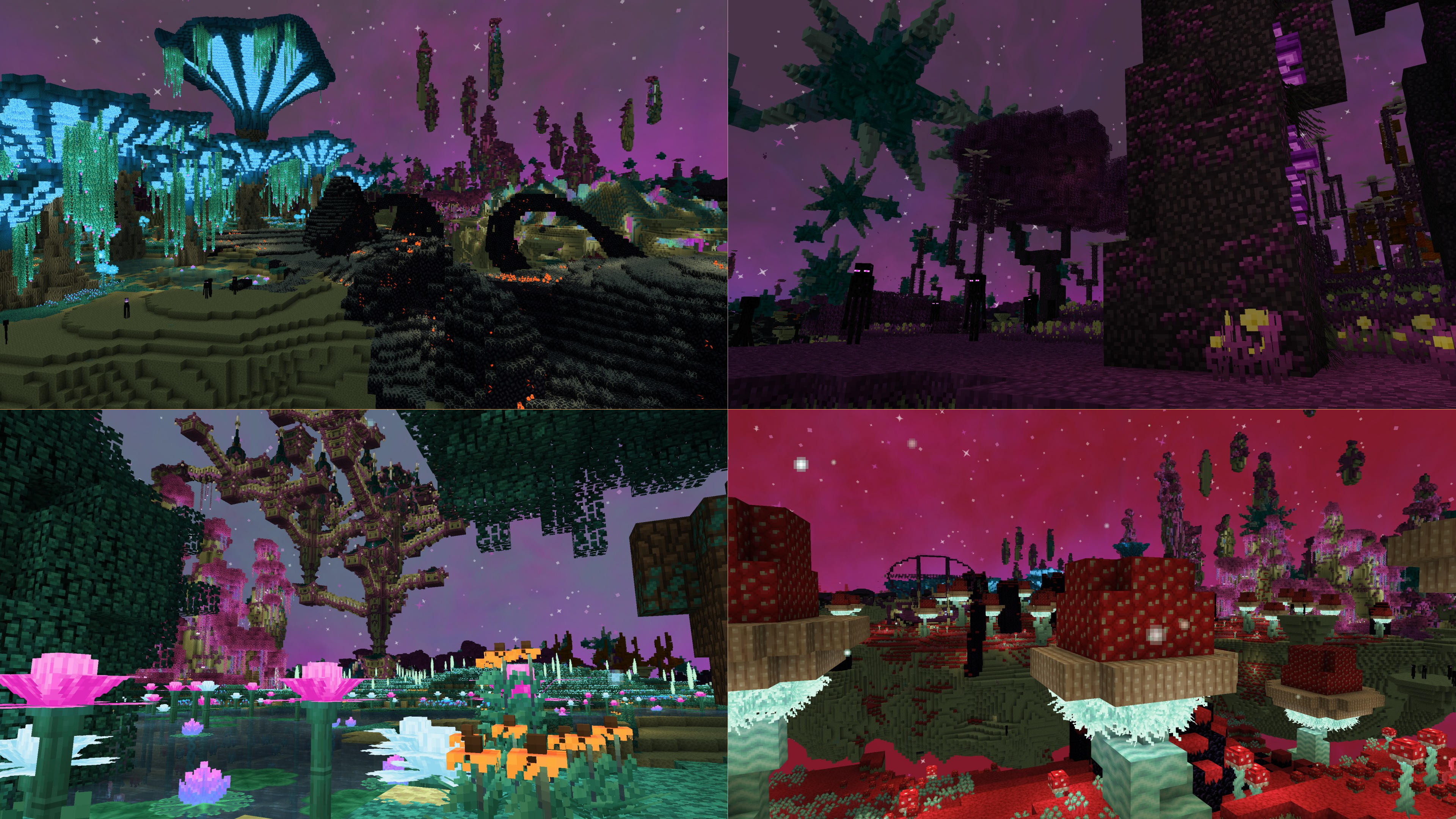
Images: Outocraft on Modrinth, published by the project team.
Setup
Your Outocraft server in four steps
For errors, check startup logs, Java version, loader and dependencies first. Increase RAM when there is evidence of memory pressure. Keep a copy of the working installation before updates.
- 01
Configure
8 GB of RAM is preselected and Outocraft is noted in the configurator. You choose the term and add-ons.
- 02
Pay
By credit card or PayPal. Your server is ready usually under 60 seconds.
- 03
Install the pack
Open the modpack browser in the panel, choose Modrinth, verify the project ID and install your chosen pack release. Back up an existing world first.
- 04
Connect
Every player installs the same pack release in a compatible launcher and connects using the server address from the panel.
Modrinth project ID: DHN1JUZ6
The panel
Install the pack, find errors.
Real screenshots from the Mado panel. Both come with every Minecraft server.
Modpack browser
Modrinth and CurseForge, right in the panel.
Search the pack, choose a release, install. You do not have to upload the loader or server files by hand.

AI crash analysis
When a mod crashes, the analyzer reads the log.
Large modpacks often fail on a single mod, Java version or missing dependency. The analyzer names a likely cause and suggests a fix.

Releases
Published pack releases
The server and players need the same pack release. Pick it in the modpack browser to match your group’s clients.
Outocraft · ModrinthOriginal description by the project author

Outocraft
Modpack where you can explore nature by visiting many beatiful places and observe many creatures in their daily routines but be careful some of them are dangerous. When night falls you can gaze upon stars and planets but beware there are some bloodthirsty creatures lurking in shadows (maybe you can become one of them too?).
For Creative Mind
- If you like building houses there are lot of beatiful blocks and decorations from many mods to chose from
- Build contraptions with Create
- Make biomechanical machines with NEEPMeat
- Make your own radio tower and contact your far away friends.
Make your own art
- You can play instruments
- Create your own music with Music Maker Mod
- For Painters there is Joy of Painting
Daycycle
Day and night cycle are much longer than vanilla. A day is 8 hours long in realtime. Time of daylight varies by seasons but it is around 4 hours. (can be changed in better days config)
Staying alive
Salt gives you protetction against undead, make salt circle around you and zombies can't get to you anymore.
You need to stay hydrated by either drinking water or eating fruits and berries but don' t worry you don't need to drink often unless you are sweating. Bringing a flask with purified water is good idea for your travels, drinking from ponds might make you sick and thristy.
Some foods give you extra benefits but are harder to make. Using grill for cooking meat give some basic boost.
Armor can help you to stay dry and warm or protect you from infernal heat of lava and fire. You can craft your first armor from wood blocks.
Diving suit is recomended if you want to explore oceans.
If you die you find grave with your name on it at the location of your death.
Performance
It's big modpack and I recommend to allocate at minimium 8192MB of memory for your minecraft instance, 16384MB should be more than enough. First time loading world takes time and generating chunks and LODs might be slow specially with older hardware but once they are generated loading is much faster next time.
If you have stutters and lag spikes try if these JVM arguments help. More info from oracle and from github user brucethemoose here
-XX:+UnlockExperimentalVMOptions
-XX:+UseCriticalJavaThreadPriority
-XX:+UseFastUnorderedTimeStamps
-XX:+UseVectorCmov
-XX:+ExplicitGCInvokesConcurrent
-XX:+PerfDisableSharedMem
-XX:-DontCompileHugeMethods
-XX:+UseG1GC
-XX:+AlwaysPreTouch
-XX:G1NewSizePercent=20
-XX:G1ReservePercent=20
-XX:MaxGCPauseMillis=50
-XX:G1HeapRegionSize=32M
-XX:+UseDynamicNumberOfGCThreads
If you play with slower PC it might be good to tweak Distant horizon settings, go low as required for your hardware. You can also disable Distant Horizon mod in launcher for extra performance.
Distant Horizon settings


Full Mod List
Mods included
- 3d-Skin-Layers by tr7zw
- Abridged by Apollo
- Abstract by Frogipher
- Accessories by Blodhgarm, chyzman, Dr.Zeal
- Accessories Trinkets Compat Layer by Blodhgarm
- Accessorify by pajic
- Adaptive Tooltips by isXander
- Additional Jewelry by Fichte
- Alloy Forgery by glisco
- AlmostUnified by Almost Reliable
- Amecs by Siphalor
- Amethyst Core by fzzyhmstrs
- Amethyst Imbuement by fzzyhmstrs
- Another Furniture by Starfish Studios
- AppleSkin by squeek502
- Archers (RPG Series) by Daedelus
- Archers Expansion by Fichte
- Architectury by shedaniel
- Astrocraft by pymsrps, eggmeal
- Async Locator by bright_spark
- AsyncParticles by Harvey_Husky
- Athena by ThatGravyBoat
- AzureLib Armor by AzureDoom, Gecko, Eliot, Hydos, DerToaster, Tslat, KyoSleep, Bvanseg
- BCLib by Quiqueck, paulevs, Bulldog83
- BackSlot by Globox_Z
- Barklings by Nathan
- Beautify by Suel_ki
- Better Advancements by way2muchnoise
- Better Archeology by Pandarix, Dunk3ll1cht
- Better Clouds by Qendolin
- Better Combat by Daedelus
- Better Combat Bewitchment Compatibility by Khazoda
- Better End by Quiqueck (code), paulevs (code & art), Bulldog83 (code & art), Edos (building), Yuki (art), Seaward (art), Firel (music)
- Better End Cities Better End by TheArchitects
- Better Nether by quiqueck, paulevs (original author)
- Better Third Person by Socolio, DreenDex
- BetterBoatMovement by btwonion
- BetterDays by wendall911
- BetterF3 by cominixo, TreyRuffy
- Bewitchment by MoriyaShiine, cybercat5555
- Bewitchment REI by TheWinABagel
- Bigger Better End Cities by architects
- Biolith by TerraformersMC, gniftygnome
- Birds Boids
- Boids
- Botarium by CodexAdrian
- Bountiful by Ejektaflex
- Bronze by Khazoda
- CTOV - Create: Structures by ChoiceTheorem
- Cardinal Components API by UpcraftLP, Pyrofab
- Chipped by Alex Nijjar, Grimbop, Kekie6, ThatGravyBoat
- ChoiceTheorem's Overhauled Village by ChoiceTheorem
- Cinderscapes by Vaerian, NeusFear, LudoCrypt, TerraformersMC
- Cloth Config v11 by shedaniel
- Clutter by EmilSG
- Collective by Rick South
- Combat Roll by Daedelus
- Concurrent Chunk Management Engine by RelativityMC, ishland
- Configured Defaults by Fuzs
- Conjuring by glisco
- Connected Doors by Domi
- Continuity by PepperCode1
- Cozy by Dev - ThatGravyBoat, Artist - Frogipher
- Cozy's Improved Cats by Cozy
- Cozy's Improved Wolves by Cozy
- Crawl by fewizz, McSkinnerOG, Chocohead
- Create by Fabricators of Create, Creators of Create
- Create Big Cannons by rbasamoyai
- Create Crafts & Additions by MRH0
- Create Deco by Kayla, Talrey
- Create Diesel Generators by george8188625, MrSterner, Bugord, mircey
- Create Enchantment Industry by MarbleGate, RaymondBlaze
- Create Jetpack by possible_triangle
- Create Man of Many Planes by Fugimii
- Create Nuclear by Create Nuclear
- Create Utilities by Duquee_
- Create: Bells & Whistles by sudolev
- Create: Bitterballen by Pyzpre, Vitecekuwu
- Create: Compat BetterEnd & BetterNether by collinfranckena77
- Create: Copycats+ by Lysine, Bennyboy1695, Redcat_XVIII
- Create: Escalated by rbasamoyai
- Create: Interiors by sudolev, rdh
- Create: Ironworks by robinfrt
- Create: Jetpack Curios by robinfrt
- Create: Let The Adventure Begin
- Create: Metalwork by average_anime
- Create: Pantographs & Wires by MrJulsen
- Create: Rustic Structures by robinfrt
- Create: SpawnerBoxer by cvrunmin
- Create: Steam 'n' Rails by The Railways Team
- Create: Structures by FusionSwarly
- Create: Structures Arise by SmartStreamLabs
- Create: Trading Floor by Tazer, Cak
- Create: Vibrant Vaults by ZLT
- Creeper Overhaul by Artist/Creator - Joosh, Dev - ThatGravyBoat
- Cristel Lib by Cristelknight999
- Critters and Companions by Joosh, EterDelta
- Custom Portals by Palyon
- Dawn API by Hugman
- Death Knights by ElocinDev
- Deeper and Darker by Kyanite Mods
- Derelict
- Desolation by raltsmc
- Distant Horizons
- DomiX's Creatures by DomixCZE
- Dungeons and Taverns by NovaWostra, Walls
- Dynamic Surroundings by OreCruncher
- Enderman Overhaul by Alex Nijjar, Joosh
- EntityCulling by tr7zw
- Epic Knights Mod by Magistu
- Eternal Attributes by ElocinDev
- Explorer's Compass by ChaosTheDude
- Explosive Enhancement by Superkat32
- Fabric API by FabricMC
- Fabric Language Kotlin by FabricMC
- Fabric Seasons by D4rkness_King
- Fabric Seasons: Extras by D4rkness_King
- Fabric Seasons: Terraformers Compat by D4rkness_King
- Fabric Waystones by LordDeatHunter
- Falling Leaves by Fourmisain, BrekiTomasson, RandomMcSomethin
- FerriteCore by malte0811
- FirstPerson by tr7zw
- Forge Config API Port by Fuzs
- Forgotten Graves by Ginsm
- Formations by SuperMartijn642
- Formations Nether by SuperMartijn642
- Formations Overworld by SuperMartijn642
- Forsaken Corpses by BaconDragon_
- Fowl Play by aqario
- Frights & Foliage by Nathan
- FrozenLib by Treetrain1, Luna
- Fzzy Config by fzzyhmstrs
- Fzzy Core by fzzyhmstrs
- Galosphere by Orcinus
- Gear Core by fzzyhmstrs
- GeckoLib 4 by Gecko, Eliot, AzureDoom, DerToaster, Tslat, Witixin
- Gliders by Jeryn99, TommyBricks, Lucraft
- Global Wind by Me!
- Good Ending by Orcinus, Ninni
- HT's TreeChop by hammertater
- Handcrafted by Alex Nijjar, Kekie6
- Herds Panic by Globox_Z, Abbanon
- Homeostatic by wendall911
- Hybrid Aquatic by MysticKoko, Aqua, Andante, Eggo, SupervillainMadi, Ragno, TheNuclearNexus, dragoncommands
- Imbued Gear by fzzyhmstrs
- ImmediatelyFast by RK_01
- Immersive Aircraft by Luke100000
- Immersive Armors by Luke100000
- Immersive Melodies by Luke100000
- Immersive Paintings by Luke100000
- Immersive Thunder by LeahPy
- Indium by comp500
- Iris by coderbot, IMS212, Justsnoopy30, FoundationGames
- Jade by Snownee
- Jade Addons by Snownee
- Jaden's Nether Expansion by ThatJadenXgamer
- Jewelry (RPG Series) by Daedelus
- Joy of Painting by xerca
- Kambrik by Ejektaflex
- Krypton by tuxed
- L&E Archers-Add On by Fichte
- L&E Paladins-Add On by Fichte
- L&E Rogues-Add On by Fichte
- L&E Wizards-Add On by Fichte
- Lavender by glisco
- LazyDFU by tuxed
- Lexiconfig by CodinGlitch
- Lilis' Lucky Lures by satisfy, MissLilitu
- Lio's Overhauled Villages
- Lithium by JellySquid, 2No2Name
- Lithostitched by Apollo
- Loot & Explore by Fichte
- Luki's Grand Capitals by lukidonu
- Macaw's Bridges by SketchMacaw
- Macaw's Doors by Sketch Macaw & Peachy Macaw
- Macaw's Fences and Walls by SketchMacaw
- Macaw's Furniture by Sketch Macaw & Peachy Macaw
- Macaw's Holidays by Sketch Macaw and Sketch Peachy
- Macaw's Lights and Lamps by SketchMacaw
- Macaw's Paintings by Sketch Peachy and Sketch Macaw
- Macaw's Paths and Pavings by Sketch Macaw, Peachy Macaw
- Macaw's Roofs by SketchMacaw
- Macaw's Trapdoors by SketchMacaw
- Macaw's Windows by SketchMacaw
- Man of Many Planes by Luke100000, Man of Many Snails
- MidnightLib by Motschen, TeamMidnightDust
- Mod Loading Screen by Gaming32
- Mod Menu by Prospector, haykam821, TerraformersMC
- ModernFix by embeddedt
- Moog's End Structures by FinnDog
- Moog's Nether Structures by FinnDog
- Moog's Voyager Structures by FinnDog
- More Culling by FX - PR0CESS
- More RPG Classes by Fichte
- Music Maker Mod by xerca
- Mythic Metals by Noaaan
- Mythic Metals Decorations by Noaaan, glisco
- NEEPMeat by MeatWheeze
- Natural Charcoal by Rick South
- Naturalist by Starfish Studios
- Nature's Compass by ChaosTheDude
- Nature's Spirit by Team Hibiscus
- Nature's Spirit - Create Recipe Compat by taguima
- Necronomicon by ElocinDev
- Nether Portal Spread by Rick South
- NiftyCarts by MennoMax, paul101, jmb19905
- Noisium by Steveplays28
- NotEnoughAnimations by tr7zw
- Nyf's Spiders by Nyfaria
- Open Parties and Claims by Xaero96, other contributors
- Orpheus by ECarrascon
- Overweight Farming by Binome, MrSterner
- Paladins & Priests (RPG Series) by Daedelus
- Panda's Falling Tree's by The Panda Oliver
- PandaLib by The Panda Oliver
- Paradise Lost by Immortal Devs - parent organization, kalucky0 - head of organization, 24Chrome - project lead, Azazelthedemonlord - lead designer, Jack Papel - lead developer, sunsette - lead sound designer, CDAGaming - developer, SollyW - developer, gudenau - developer, Kyrptonaught - developer
- Particle Rain by PigCart
- Particular by Chai
- Patchouli by Vazkii, williewillus
- Pehkui by Virtuoel
- Petal by Frogipher
- Phantom Tweaks by ThePotatoArchivist
- Platform by ItsBlackGear
- Player Animator by KosmX
- Polymorph by Illusive Soulworks
- Presence Footsteps by Hurricaaane (Ha3), Sollace
- Profundis by FireNH
- Projectile Damage Attribute by Daedelus
- Promenade by Hugman
- Pufferfish's Attributes by Pufferfish
- Pufferfish's Skills by Pufferfish
- Puzzles Lib by Fuzs
- RangedWeaponAPI by Daedelus
- Reese's Sodium Options by FlashyReese
- Regions Unexplored by UHQ_Games (Owner), KirboSoftware (Contributer), Loxi (Contributer)
- Repurposed Structures by TelepathicGrunt
- Resourceful Lib by ThatGravyBoat, Epic_Oreo
- Resourcefulconfig by ThatGravyBoat
- Ribbits by Joosh, YUNGNICKYOUNG, HellionGames, Refresh Studios
- Rogues & Warriors (RPG Series) by Daedelus
- Rotten Creatures by RPorotos, Team Fusion
- Roughly Enough Items by shedaniel
- Runes by Daedelus
- Seasons Nature's Spirit Compat by macuguita
- Shield API by TheRedBrain
- Simple Radio by CodinGlitch
- Simple Voice Chat by Max Henkel
- Simple Voice Chat Radio by Max Henkel
- Simply Swords by Sweenus, Konsyliarz42 (Art)
- SimplySkills by Sweenus, Timefall Development
- Sleepy Hollows by Jason13Official, Satisfy, cph101dev
- SmartBrainLib by Tslat
- Sodium by JellySquid (jellysquid3)
- Sodium Dynamic Lights by toni, LambdAurora
- Sodium Options API by toni
- Sodium Options Mod Compat by Toni, DeeChael
- Sound Physics Remastered by Sonic Ether, vlad2305m, Max Henkel, Saint
- Spawn by Ninni
- Spell Engine by Daedelus
- Spell Power Attribute by Daedelus
- Spiders Produce Webs by Rick South
- Structure Pool API by Daedelus
- SuperMartijn642's Config Lib by SuperMartijn642
- Sushi Bar by Chai
- Tectonic by Apollo
- TerraBlender by Adubbz
- Terrestria by coderbot16, NeusFear, TerraformersMC
- The Ceilands by Kitteh6660
- The Graveyard by Finallion
- Tidal Towns by joshieman
- Traveler's Backpack by Tiviacz1337
- TravellersToasts by 2Retr0
- Traverse by Prospector, NeusFear, TerraformersMC
- Tree Hollows by Reoseah
- Trinkets by Emi, C4
- Twigs by Ninni
- TxniLib by Toni
- Underground_Village by Reggarf aka Anoop Singh
- VanillaBackport by BlackGear
- Void Fog by Tamaized, Sollace
- Wakes by Goby56
- Weaker Spiderwebs by Rick South
- Wilder Wild by Lunade, Treetrain1, Soro
- Wizards (RPG Series) by Daedelus
- Xaero's Minimap by xaero96
- Xaero's World Map by xaero96
- YUNG's API by YUNGNICKYOUNG
- YUNG's Better Desert Temples by YUNGNICKYOUNG, Tera
- YUNG's Better Dungeons by YUNGNICKYOUNG, Acarii
- YUNG's Better End Island by YUNGNICKYOUNG, Acarii
- YUNG's Better Jungle Temples by YUNGNICKYOUNG, Tera
- YUNG's Better Mineshafts by YUNGNICKYOUNG
- YUNG's Better Nether Fortresses by YUNGNICKYOUNG, Acarii
- YUNG's Better Ocean Monuments by YUNGNICKYOUNG, Tera
- YUNG's Better Strongholds by YUNGNICKYOUNG, Acarii
- YUNG's Better Witch Huts by YUNGNICKYOUNG, Acarii
- YUNG's Bridges by YUNGNICKYOUNG
- YUNG's Cave Biomes by YUNGNICKYOUNG, HellionGames, Sully, LudoCrypt, Jasmine, K.jpg, Neko, Frenderman, Refresh Studios
- YUNG's Extras by YUNGNICKYOUNG, Acarii
- YetAnotherConfigLib by isXander
- [Let's Do Addon] Compat by Ninjdai
- [Let's Do Addon] Corn Expansion by Ninjdai, KalWantsPizza, Satisfy
- [Let's Do Addon] Fluids by Ninjdai
- [Let's Do Addon] Structures by Ninjdai
- [Let's Do] Bakery by satisfy
- [Let's Do] Beachparty by Satisfy, Jason13Official
- [Let's Do] BloomingNature by satisfy
- [Let's Do] Brewery by satisfy
- [Let's Do] Camping by satisfy, jason13
- [Let's Do] Candlelight by satisfy
- [Let's Do] Farm & Charm by satisfy, jason13official
- [Let's Do] Furniture by berksire, satisfy, cph101
- [Let's Do] HerbalBrews by satisfy
- [Let's Do] Meadow by satisfy, Jason13
- [Let's Do] Vinery by Jason13Official, Satisfy
- [Let's Do] WilderNature by satisfy, jason13
- oωo by glisco, BasiqueEvangelist, Noaaan
- sittingplus
Known issues
- Can't climb down ladders at windy situations, to fix it place some block over ladder to block skylight. Mod dev is aware of issue.
- Create Goggles render incorrectly with First Person Mod if in trinkets/accessories slot. You can hide goggles in accessories list(click tiny circle in face slot) or disable First Person Mod with F6 key.
- For some rare cases Linux client might crash before starting with SIGFPE error as mentioned this Error report,
Dont' worry it can be fixed at instance settings with Modrinth Launcher adding ENVAR ALSOFT_DRIVERS=pulse or ALSOFT_DRIVERS=alsa like this. In PrismLauncher Edit your Outocraft instance and add EnvVar ALSOFT_DRIVERS pulse or ALSOFT_DRIVERS alsa in settings like this .


Multiplayer
If you want to host server there is also Outocraft-Server pack.
Similar packs
More server-ready modpacks
 Server-ready

Cobblemon Official Modpack [Fabric]
by CobbledStudios
The official modpack of the Cobblemon mod, for Fabric!
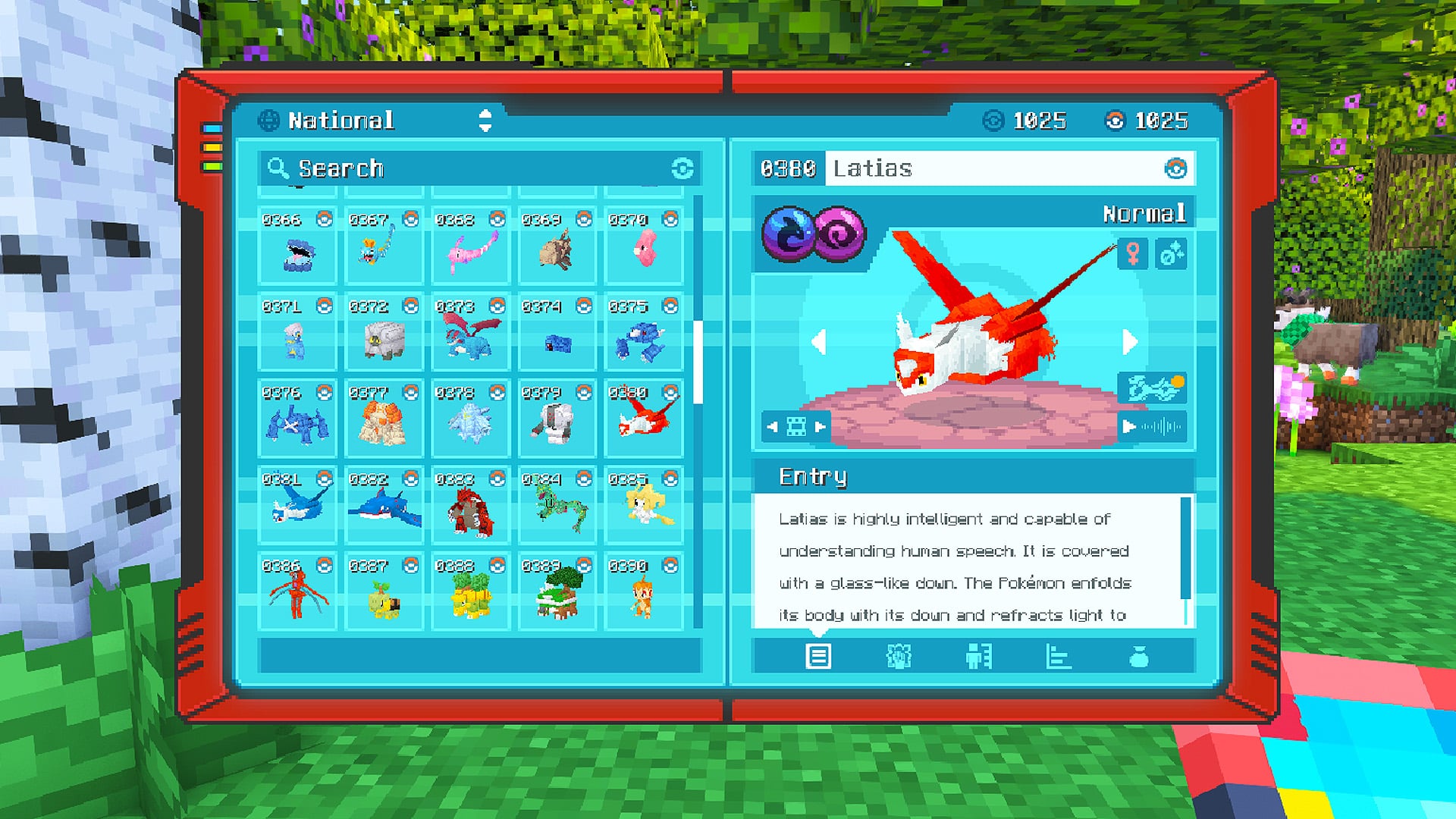 Server-ready

COBBLEVERSE - Pokemon Adventure [Cobblemon]
by LUMYVERSE
Start a true Pokémon adventure in Minecraft: Cobblemon 1.8.4 | ALL 1025 Pokémon! | Mega Evolutions | Gyms & Badges | Starter Kit | Unique Structures | Custom Music | Shaders | Optimized | So much more! [1.21.1]
 Server-ready

Better MC [FABRIC] - BMC2
by SHXRKIE
Version 1.20 | A Proper Vanilla+ Modpack | Don't play Vanilla play this!
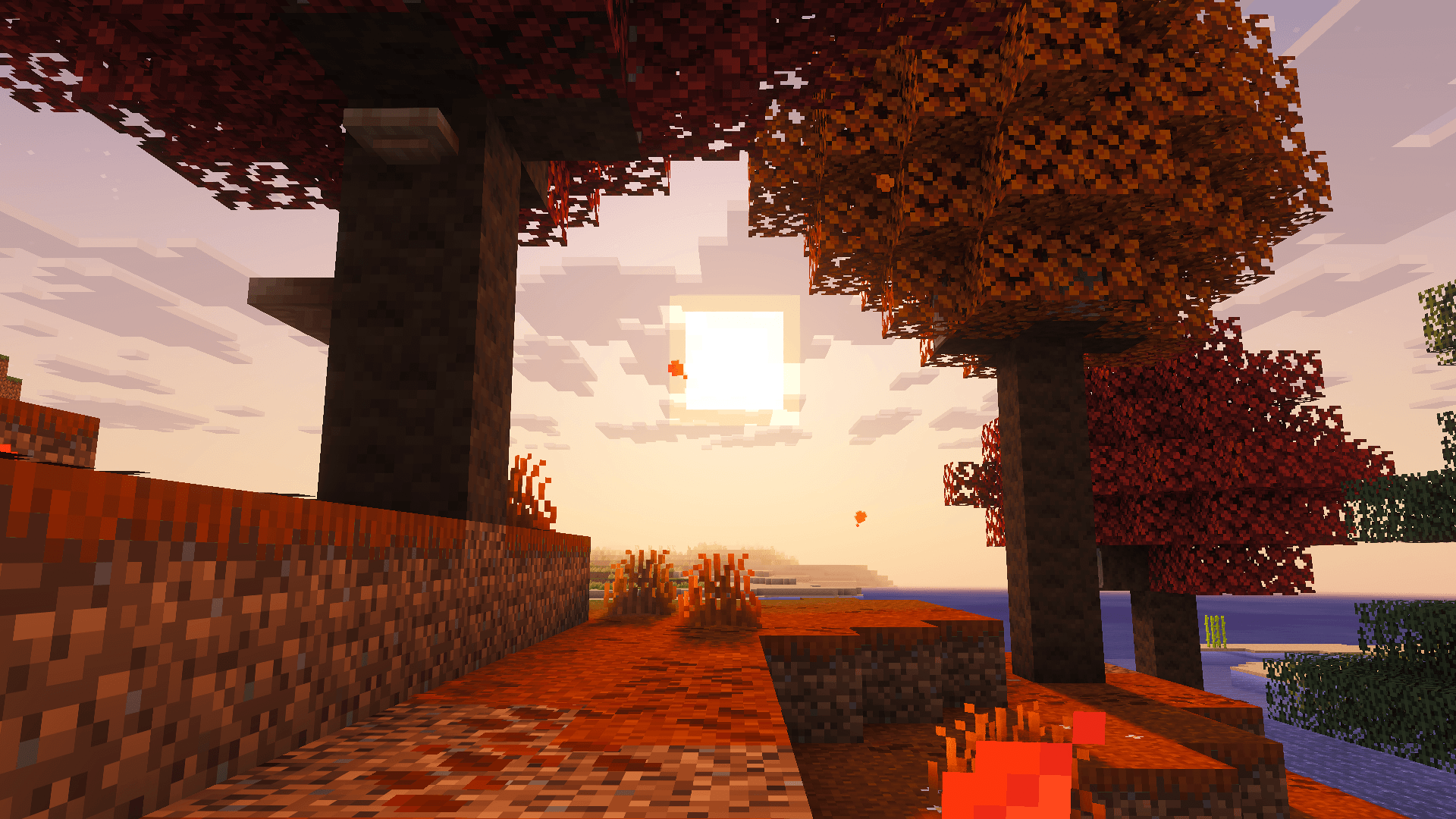 Server-ready

Vanilla Perfected
by demonjoeTV
A compilation of Vanilla Plus mods & packs to perfect the Minecraft experience without drifting too far from the feel of the base game!
Ready for your Outocraft server?
8 GB of RAM from €16.00 per month. 35% off your first month with MADO35.