
SF Integrated Modpack
A lightweight foundation modpack built around optimization, packed with quality-of-life features and designed for better performance.
About this Modpack

Description
SF Integrated Modpack is a foundational modpack centered on auxiliary optimization. It adds many practical features to the vanilla game while also striving for better performance.
This modpack is licensed under the MIT License. You are free to share and modify it, and you may also use it as a base for creating new modpacks. However, you must retain the original copyright notice. The modpack is completely free.
introduce
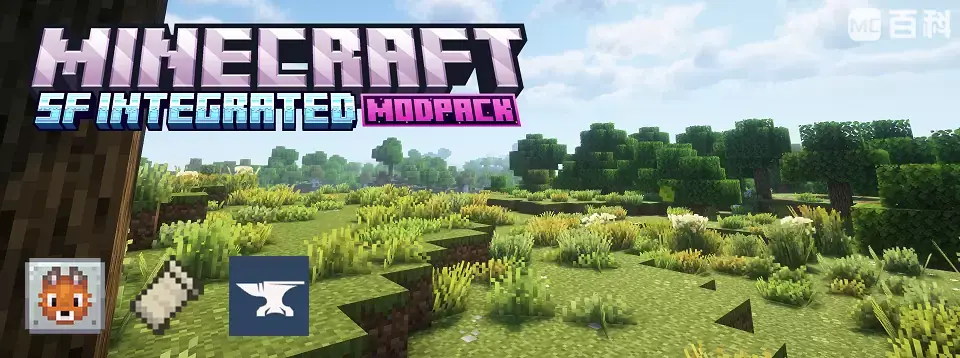
SF Integrated Modpack adds a large number of survival‑oriented helper mods without altering vanilla game mechanics, offering a wide range of practical features.
The modpack is available in two main versions: [Neo]Forge and Fabric. The [Neo]Forge version is designed for players who want to add more mods or use it as a foundation for developing new modpacks, while the Fabric version leans more toward a pure vanilla survival experience.
Whether you're playing vanilla survival, exploring modded content, or developing your own modpack, SF Integrated Modpack provides the help and support you need.
Performance
This modpack is built on a foundation of Rapid_Optimization. Through further coordinated tuning, it enhances game performance while ensuring that all features remain fully intact.
Compared to other foundational modpacks, SF Integrated Modpack delivers better performance.
[Forest Biome Render Distance: 12, Simulation Distance: 8, Seed: -5764802906405568434].
| SF Integrated Fabric | SF Integrated NeoForge | XPlus 2.0 | Arcomua |
|---|---|---|---|
| 1300-1400FPS | 1400-1500FPS | 1000-1100FPS | 1000-1100FPS |
Utilities & Fixes
Xaero's Worldmap/Minimap makes map navigation easy; JEI/REI provides recipe lookups; Jade displays detailed information about blocks and entities; cross‑version server play is supported; Peek allows quick item information viewing; and interface‑enhancing mods such as Better F3, Ride HUD, Advancements/Statistics Screen, and more bring great convenience to gameplay.
Additionally, Debugify is included to fix some unfixed vanilla bugs; Model Gap Fix addresses tool texture white‑edge issues; dynamic lighting is also available; and there is a universal skin patch, among others.
For technical/redstone players, the modpack also contains most of the commonly used technical mods, such as Tweakeroo, Mini HUD, Litematica, and more.
Features & Visual Enhancements
This modpack restores most of the functionality found in OptiFine, including connected textures, custom skyboxes, entity texture features, and shader loading—powered by mods such as CIT, Continuity, ETF, EMF, and more.
It also includes aesthetic mods like Dynamic Crosshair, and comes with built‑in resource packs for seamless glass and connected textures, along with a selection of pre‑included shaders.
Beyond these, the modpack offers many other features not listed here due to space constraints. For a full experience, feel free to download and explore it yourself!
[Neo]Forge
Compared to the Fabric version, the [Neo]Forge version is more oriented toward modded gameplay or modpack development. As such, it includes some additional features beyond what the Fabric version offers.
Adds several JEI add‑ons that allow quick viewing of breeding items for mobs, ore generation heights, entity drops, and more, making it easier to learn about mod items. Also includes Polymorph to resolve recipe conflicts that may arise from multiple mods.
Includes AttributeFix to raise the vanilla attribute caps, along with visually enhanced health and armor displays that break through the default limits, laying the groundwork for mods that increase player attributes. Additionally, Enchantment Descriptions is added to help understand the effects of mod‑added enchantments.
Notes
Mods such as Tweakeroo and Litematica do not have default keybindings. Please set your own preferred keybindings before use.
This modpack is licensed under the MIT License. You are free to share and modify it, and you may also use it as a base for creating new modpacks. However, you must retain the original copyright notice. The modpack is completely free.
The optimization system of this modpack is built upon the foundation of Fast Optimization Integration, with refinements made during development. The modpack's mod selection and settings were developed with reference to other modpacks. This modpack was created solely by the author, and we would like to express our gratitude to everyone who participated in testing.
Known Mod Issues
For all versions, Starlight is incompatible with Create versions above 0.5.1j.
Solution: Disable this mod.For all versions, Ixeris may cause issues on mobile devices, in fullscreen mode, or when shaders are enabled—such as fullscreen black screen or FPS drops with shaders active.
Solution: Disable this mod.On some devices, ImmediatelyFast may cause severe negative optimization.
Solution: In the config file, set "fast_buffer_upload" to false, or disable this mod.In versions 1.20.1 and 1.21.1, Accelerated Rendering may cause abnormal third‑person player model rendering when using certain shaders (e.g., Derivative, Photon v1.2a).
Solution: In Mod Settings → Accelerated Rendering → Core Settings, change the batching layer storage type to SORTED.
Q&A
Q: Why is [XX feature] missing in some versions?
A: Due to version compatibility, loader support limitations, and the author's scope of expertise, certain features may be absent in specific versions. Please refer to each version's mod list for definitive details.
Q: Can I use this modpack as a base to create a new modpack?
A: Absolutely! You are free to use this modpack as a foundation for creating new modpacks. However, you must retain the original copyright notice. The modpack is completely free.
Q: More questions? Or suggestions about the modpack?
A:Email: [email protected],The modpack's GitHub:SF-Integrated-Modpack
Available Versions
How to Set Up a SF Integrated Modpack Server
Order Server
Choose at least 4 GB RAM (6 GB recommended for SF Integrated Modpack). Based on player count: per 5 players.
Install Modpack in Dashboard
Open the modpack browser in the dashboard, search for "SF Integrated Modpack" and click "Install". The neoforge loader and Minecraft 26.2 are configured automatically.
Start Server & Play
Start the server – all mods are loaded automatically. Share the server IP with friends and play together!
Frequently Asked Questions
SF Integrated Modpack server crashes or won't start – what to do?
Most common causes: insufficient RAM or wrong neoforge loader. Check latest.log for "OutOfMemoryError" → increase RAM to at least 6 GB. For "Mixin" or "ClassNotFoundException" errors: modpack version and loader don't match. With Mado Hosting, loader and Minecraft version are auto-configured on modpack install – preventing most startup issues.
How much RAM does a SF Integrated Modpack server really need?
Minimum 4 GB, recommended 6 GB for stable performance. per 5 players. Important: Minecraft modpacks need more RAM than vanilla – plan extra per additional player. With Mado Hosting, you can scale RAM up live at any time without data loss (from €5.2/month).
Can I add custom mods to SF Integrated Modpack without conflicts?
Yes, but check compatibility: only use mods for the same loader (neoforge) and same Minecraft version (26.2). Common issues: ID conflicts with recipe mods and incompatible coremod versions. The Mado dashboard mod browser only shows compatible mods and warns about known conflicts.
SF Integrated Modpack server lagging – performance tips
1) Increase RAM to 6 GB+. 2) Reduce server view-distance to 8 (server.properties). 3) Pre-generate chunks with the "Chunky" plugin. 4) Use /spark profiler to check which mods consume the most tick time. With Mado Hosting, all servers run on NVMe SSDs with dedicated CPU cores – eliminating hardware as a bottleneck.
Similar Modpacks

![Cobblemon Official Modpack [Fabric]](https://cdn.modrinth.com/data/5FFgwNNP/e7f9ee2e9d361623847853fe2ddce42f519ee64f.png)
![COBBLEVERSE - Pokemon Adventure [Cobblemon]](https://cdn.modrinth.com/data/Jkb29YJU/581ecf54530972afb18a04660afd820f2f24f6c7.png)
![Better MC [FABRIC] - BMC2](https://cdn.modrinth.com/data/shFhR8Vx/a19c2bcb51d38f32f138d3607e91cb2b7b8e387f_96.webp)


Rent SF Integrated Modpack Server
Start your own server with automatic modpack installation.
Supported Versions
Start your SF Integrated Modpack Server now
From €5.20/month; 6 GB RAM is recommended for best performance.
Configure Server →