
Modrinth · Fabric
SodiumFull server hosting
Your own SodiumFull server on AMD Ryzen 9 without a thread limit. The server is ready usually under 60 seconds; then install the pack with one click in the modpack browser.
Is a Modpack disigned for More Optimizition with Bad PC´s
- Downloads
- 13.6K
- Followers
- 0
- Loader
- Fabric
- Minecraft
- 1.18 – 1.19.4
- Updated
- –
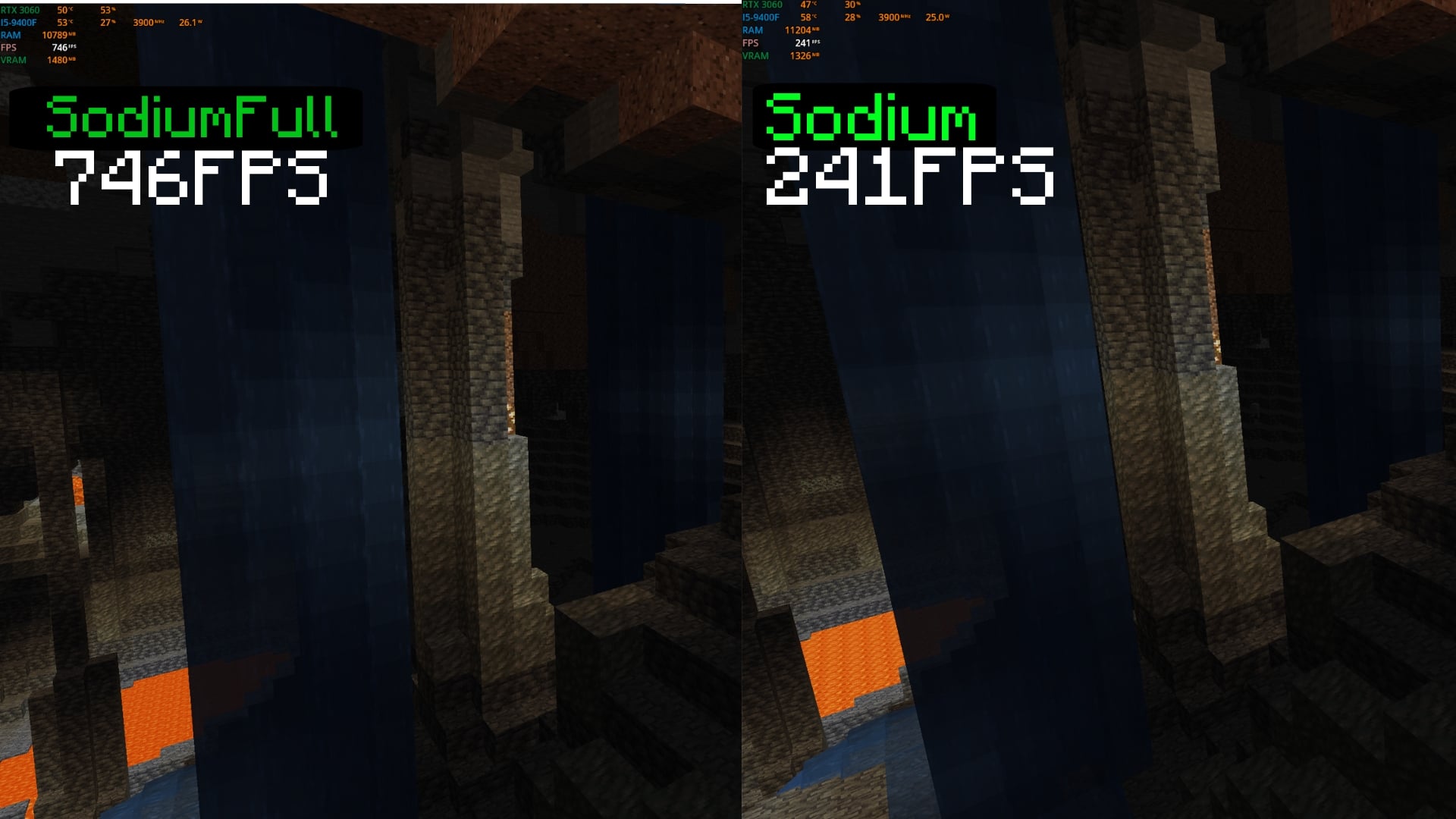
Screenshots
What SodiumFull looks like

Images: SodiumFull on Modrinth, published by the project team.
Setup
Your SodiumFull server in four steps
For errors, check startup logs, Java version, loader and dependencies first. Increase RAM when there is evidence of memory pressure. Keep a copy of the working installation before updates.
- 01
Configure
6 GB of RAM is preselected and SodiumFull is noted in the configurator. You choose the term and add-ons.
- 02
Pay
By credit card or PayPal. Your server is ready usually under 60 seconds.
- 03
Install the pack
Open the modpack browser in the panel, choose Modrinth, verify the project ID and install your chosen pack release. Back up an existing world first.
- 04
Connect
Every player installs the same pack release in a compatible launcher and connects using the server address from the panel.
Modrinth project ID: ZSulPbRQ
The panel
Install the pack, find errors.
Real screenshots from the Mado panel. Both come with every Minecraft server.
Modpack browser
Modrinth and CurseForge, right in the panel.
Search the pack, choose a release, install. You do not have to upload the loader or server files by hand.

AI crash analysis
When a mod crashes, the analyzer reads the log.
Large modpacks often fail on a single mod, Java version or missing dependency. The analyzer names a likely cause and suggests a fix.

Releases
Published pack releases
The server and players need the same pack release. Pick it in the modpack browser to match your group’s clients.
SodiumFull · ModrinthOriginal description by the project author

SodiumFull - The Ultimate Optimization Modpack
(EN/ES)
(EN)
Take your Minecraft experience to the next level with SodiumFull! This modpack is specially designed to maximize performance on all types of hardware, from low-end PCs to high-end gaming rigs. SodiumFull combines the most advanced optimization tools to ensure smooth gameplay, enhanced graphics, and reduced load times.
Key Features:
Extreme Performance: Built around the popular Sodium mod, this pack further boosts FPS by optimizing the game’s rendering engine.
Faster Loading Times: Experience reduced startup and world-loading delays, letting you jump into the action quicker.
Enhanced Visuals: Enjoy improved graphics settings without compromising performance.
Mod Compatibility: Fully compatible with most Minecraft mods and resource packs.
(ES)
¡Lleva tu experiencia en Minecraft al siguiente nivel con SodiumFull! Este modpack está diseñado específicamente para maximizar el rendimiento en todo tipo de equipos, desde computadoras de gama baja hasta las más potentes. SodiumFull combina las herramientas de optimización más avanzadas para garantizar una jugabilidad fluida, gráficos mejorados y tiempos de carga reducidos.
Características principales:
Rendimiento extremo: Basado en el famoso mod Sodium, este paquete mejora aún más los FPS al optimizar el motor gráfico del juego.
Cargas más rápidas: Disfruta de tiempos reducidos al iniciar el juego y cargar mundos, entrando en acción más rápido.
Gráficos mejorados: Ajustes visuales optimizados sin sacrificar rendimiento.
Compatibilidad total: Compatible con la mayoría de mods y paquetes de texturas para Minecraft.
Similar packs
More server-ready modpacks
 Server-ready

Cobblemon Official Modpack [Fabric]
by CobbledStudios
The official modpack of the Cobblemon mod, for Fabric!
 Server-ready

COBBLEVERSE - Pokemon Adventure [Cobblemon]
by LUMYVERSE
Start a true Pokémon adventure in Minecraft: Cobblemon 1.8.4 | ALL 1025 Pokémon! | Mega Evolutions | Gyms & Badges | Starter Kit | Unique Structures | Custom Music | Shaders | Optimized | So much more! [1.21.1]
 Server-ready

Better MC [FABRIC] - BMC2
by SHXRKIE
Version 1.20 | A Proper Vanilla+ Modpack | Don't play Vanilla play this!
 Server-ready

Vanilla Perfected
by demonjoeTV
A compilation of Vanilla Plus mods & packs to perfect the Minecraft experience without drifting too far from the feel of the base game!
Ready for your SodiumFull server?
6 GB of RAM from €12.00 per month. 35% off your first month with MADO35.