
3D Maps
Makes Minecrafts maps three-dimensional and customizable inside item frames.
About this Mod
A whole world, framed.
3D Maps transforms ordinary maps placed in item frames into miniature slices of your Minecraft world. Forests grow above the surface, mountains rise from the page, coastlines gain real depth, and the underground becomes part of the display.
And it's all customizable.
From flat picture to miniature world
Keep exploring and filling maps exactly as you normally would. Maps in your hands remain familiar, but place one in an item frame and the landscape comes to life in 3D. There are no new map items to craft and no special recipes to remember.
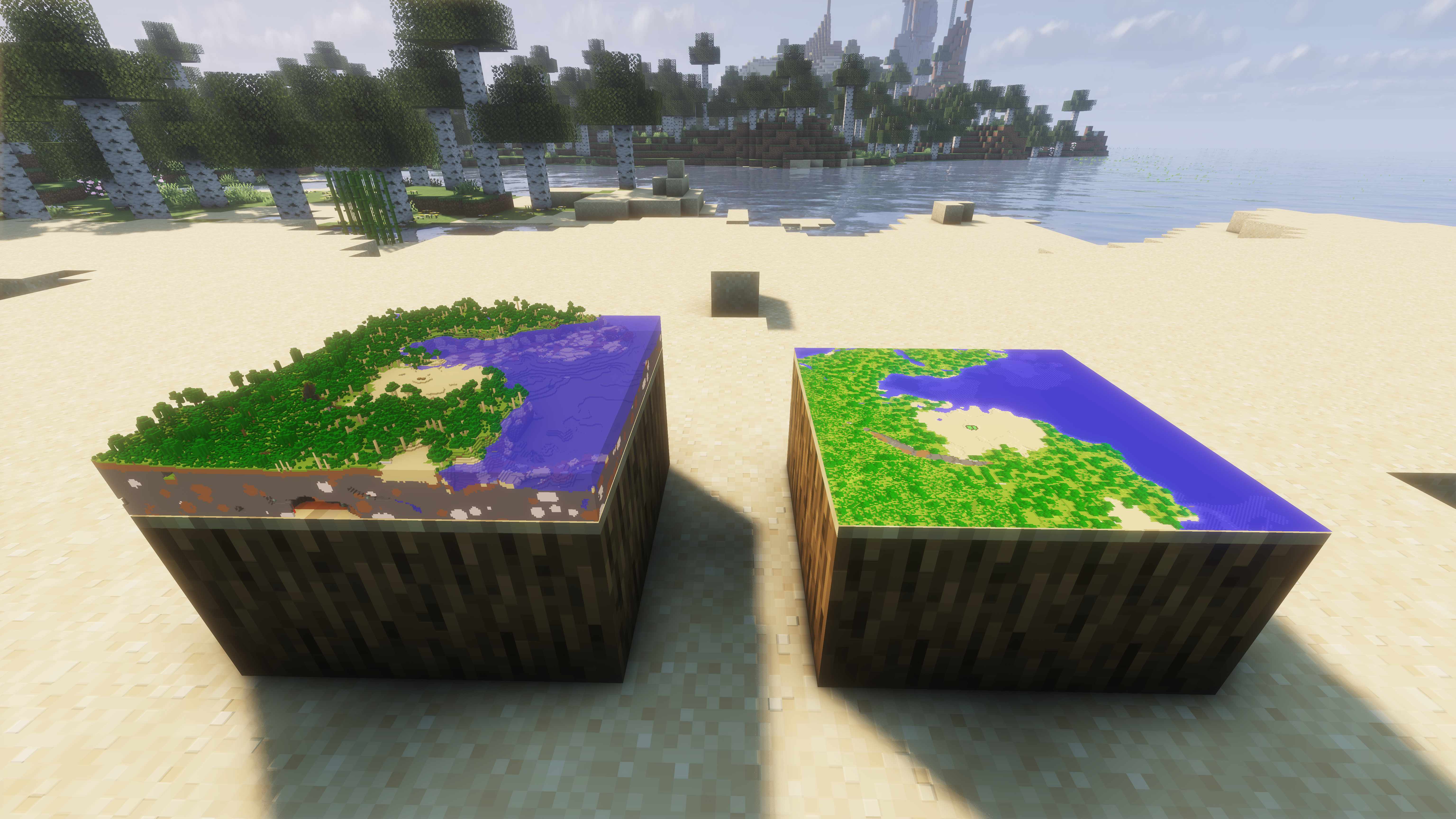
Same map, different settings
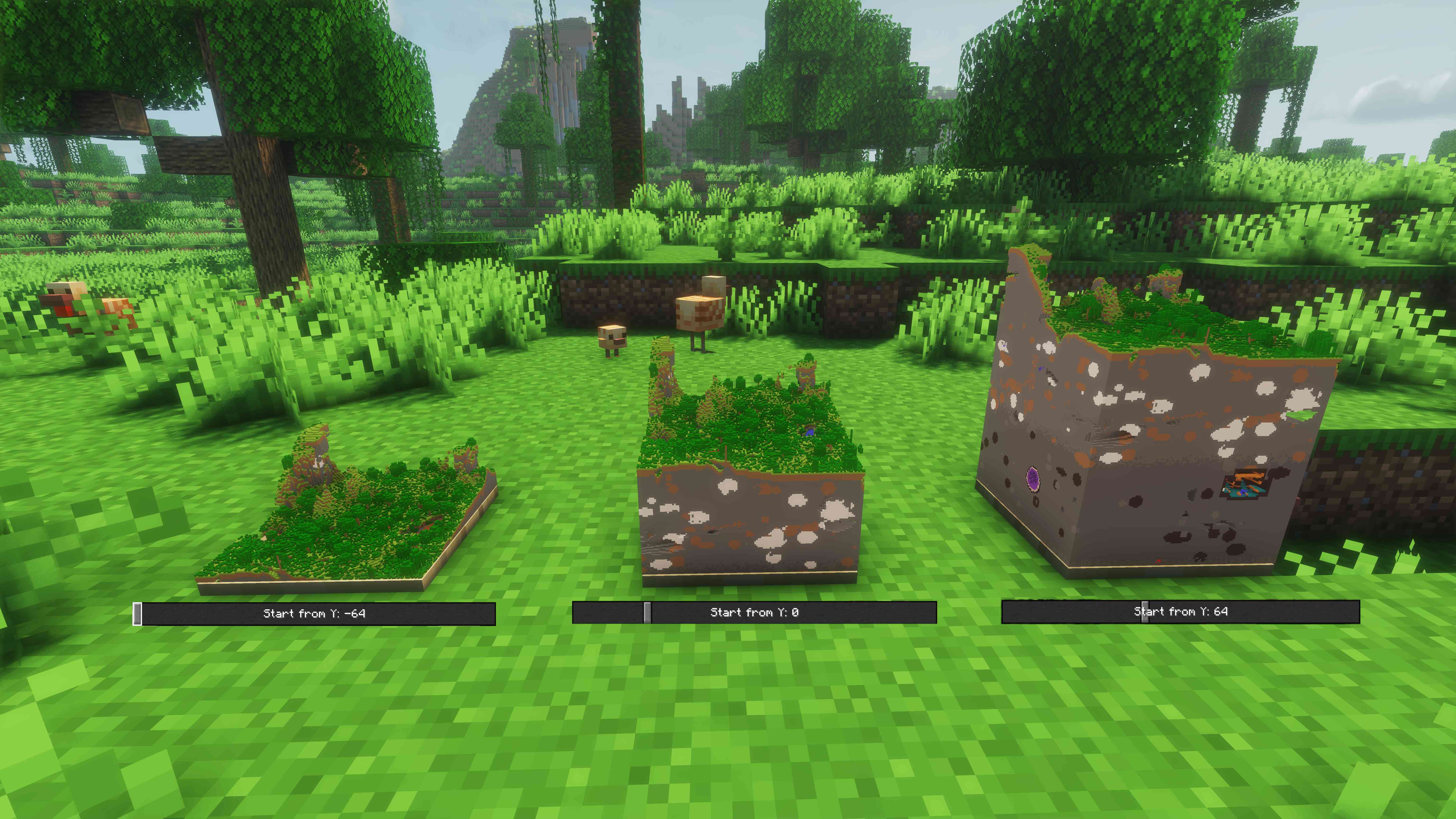
Right-click a framed map to open its own settings. Switch that placement between 2D and 3D, rotate it, or choose the Y level where the model begins. Keep only the landscape above ground, or lower the cutaway to reveal caves, ores, and everything hidden below.
Every item frame remembers its own choices, so the same map can be displayed in different ways around your base.
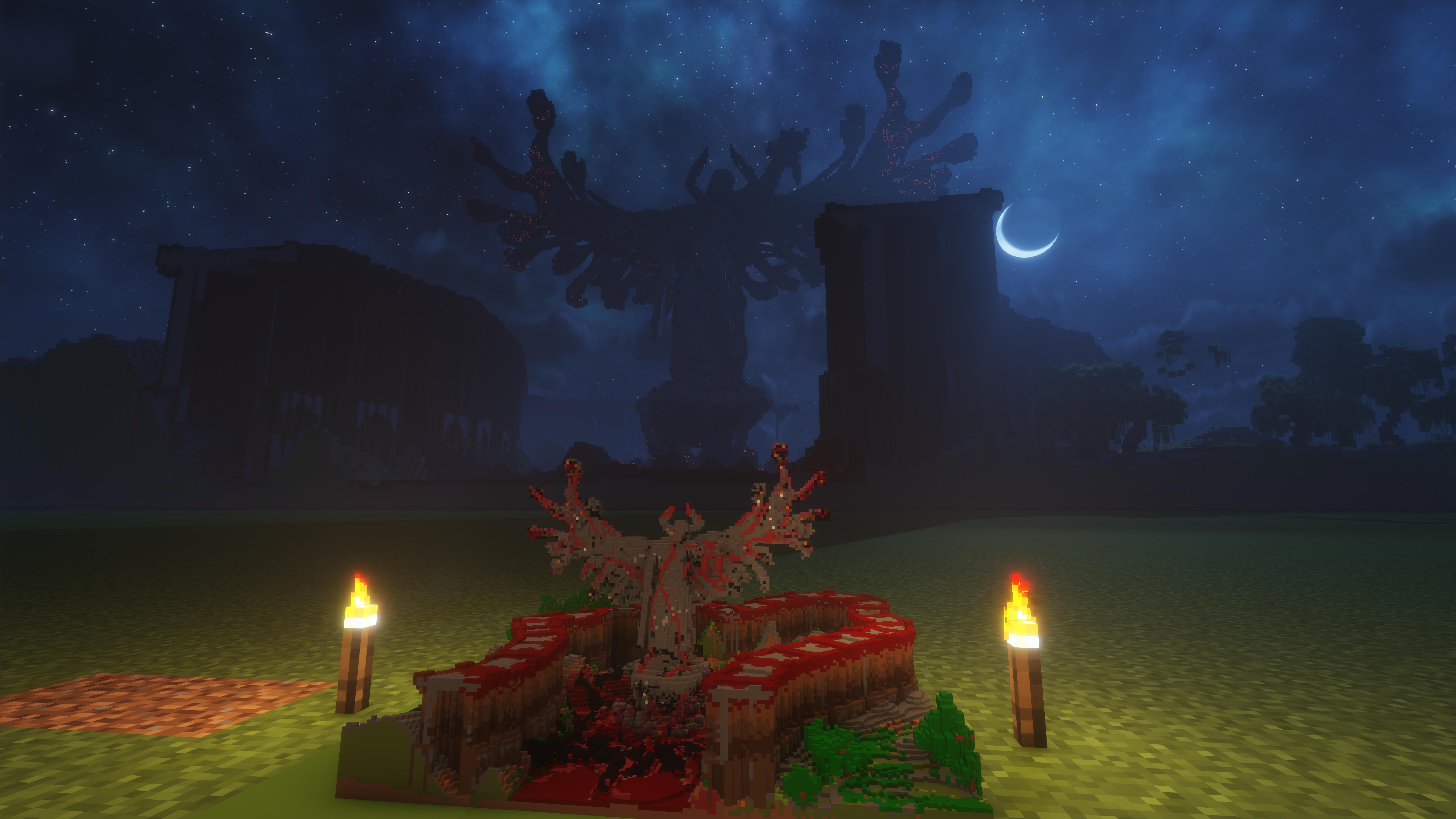
Turn builds into display pieces
Landscapes are only the beginning. Detailed builds and map art can become tiny 3D showpieces, giving trophy rooms, galleries, planning tables, and adventure hubs a completely new centerpiece.
Make it look—and run—the way you want
Choose from clear quality and performance presets depending on whether you want every nearby detail or smoother rendering around large map displays. You can also turn 3D map rendering off globally at any time while keeping each frame's setup ready for later.
Built-in Iris compatibility helps 3D maps feel at home in shader-enhanced worlds, too.
Existing world support
This mod does not add new map items or blocks, it just adds optional new functionality to vanilla maps.
Because of this, it is compatible with existing worlds and servers.
You can always install and uninstall this mod into existing worlds without corrupting anything.
Shader support
Supports most Iris shaders, breaks nothing but may look weird with some.
Tested and working on Solas and Complementary Reimagined.
Highlights
- Turns vanilla maps into detailed 3D terrain when placed in item frames
- Preserves the familiar vanilla map experience while held
- Captures the landscape above and below ground as you explore
- Offers independent 2D/3D mode, cutaway height, and rotation for every framed map
- Includes quality presets for anything from a single showcase to a wall of maps
- Supports most Iris shaders
- Adds no new items or recipes
Multiplayer
Bring your miniature worlds to a shared server and let everyone see the same terrain displays. Must be installed on both the server and the players who join it.
Available Versions
How to Install 3D Maps on Your Server
Order Server
Order a Minecraft Java server with at least 3 GB RAM (4 GB recommended).
Set fabric Loader
In the panel under "Egg", select the fabric loader and matching Minecraft version (26.3).
Install Mod
Open the mod browser in the dashboard and search for "3D Maps". Click "Install" – done! Alternatively, upload the .jar via SFTP to the /mods folder.
Compatibility
Mod Loaders
Minecraft Versions
26.3, 26.2, 26.1.2
Server-side
✓ RequiredRecommended RAM
4 GB(min. 3 GB)Frequently Asked Questions
3D Maps server crashes on startup – what to do?
Most common cause: wrong fabric version or insufficient RAM. Check the server log (latest.log) for "OutOfMemoryError" or "Mixin" errors. With Mado Hosting: ensure at least 3 GB RAM is allocated and the loader matches the mod version (26.3). You can switch loaders with one click in the panel.
Is 3D Maps compatible with fabric?
3D Maps officially supports fabric for Minecraft 26.3, 26.2, 26.1.2. The Mado dashboard automatically detects incompatible loader combinations.
Server lagging with 3D Maps – how to optimize performance?
Recommended RAM: 4 GB (per 8 players). Use /spark profiler to check if 3D Maps consumes the most tick time. Common fixes: reduce server view-distance to 8-10, install "performant" or "starlight" as supplementary mods on Forge. With Mado Hosting, your server runs on NVMe SSDs with dedicated CPU cores for minimal latency.
Similar Mods

![[ETF] Entity Texture Features](https://cdn.modrinth.com/data/BVzZfTc1/af683d206d50b05258d865b0d6e4aa2f2cee12f2_96.webp)
![[EMF] Entity Model Features](https://cdn.modrinth.com/data/4I1XuqiY/6e5bbd0d06b1741bfdab6c0cfab6de8fdaf0064c_96.webp)



Rent Modded Server
Install 3D Maps with just one click on your server.