
Modrinth · Fabric · Client mod
Adaptive Visuals (PVP)
Adaptive Visuals (PVP) is a client-side mod. Install it on your computer; the server does not need it.
A mod that adds beautiful visuals to your game and makes your Minecraft much more convenient.
- Downloads
- 50.7K
- Author
- fcPlugins
- Loader
- Fabric
- Minecraft
- 1.21.4
- Updated
- –


Setup
Install Adaptive Visuals (PVP) on your client
Client-side mods only run on your computer. More server RAM does not change their performance.
- 01
Install the loader locally
Install Fabric for your Minecraft version in your launcher.
- 02
Download the file
Download the Adaptive Visuals (PVP) file for your loader and your exact Minecraft version, for example 1.21.4.
- 03
Add it to the mods folder
Put the .jar file in your local .minecraft/mods folder and remove older duplicates.
- 04
Launch
Launch Minecraft with the loader profile. Nothing needs to change on the server.
- On the server
- Not needed
- On the client
- Required
- Loader
- Fabric
- Minecraft
- 1.21.4
- License
- MIT License
Releases
Published releases
Pick the file that matches your server’s loader and Minecraft version. The server and players need the same release.
Adaptive Visuals (PVP) · ModrinthOriginal description by the project author

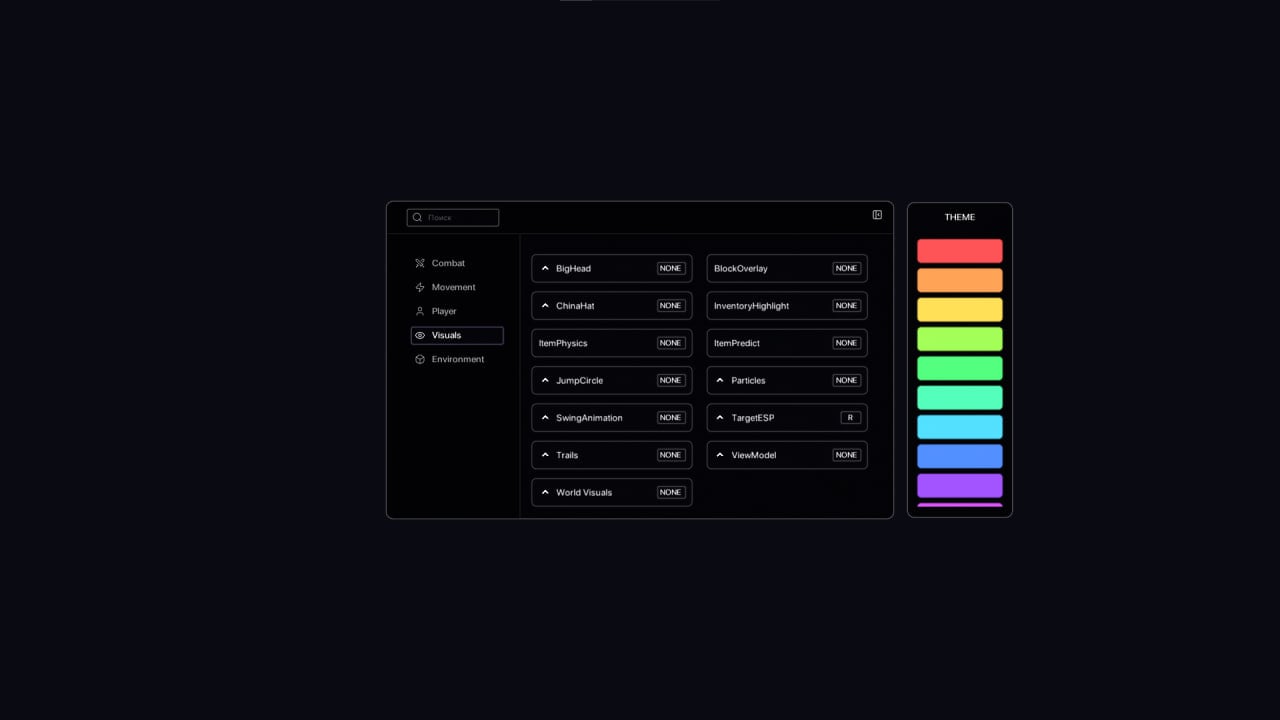
✨ Features
Adaptive Visuals is a comprehensive visual enhancement mod that brings your Minecraft experience to the next level with:
- Combat Enhancements — Beautiful hit particles, hit waves, customizable colors, and improved combat visuals
- Visual Effects — Target ESP, block overlays, jump circles, player trails, and enhanced world effects
- Gameplay Improvements — Inventory highlights, shulker preview, armor viewer, and useful in-game utilities
- Interface Upgrades — Custom UI, improved animations, better category navigation, enhanced color picker, and chat anti-spam
- Social Features — Friend manager and name protection system
- Server Utilities — Auto-login, clan investment, and slot protection for supported servers
- Movement Features — Auto sprint and other quality-of-life movement options
- Utility Commands — Built-in tools and helpful commands
All features are fully customizable through an intuitive ClickGUI interface!
Does Adaptive Visuals (PVP) need to be installed on the Minecraft server?
No. Modrinth marks Adaptive Visuals (PVP) as unsupported on the server side. Install it only in your local mods folder. Your server can stay unchanged unless the project page lists an additional dependency.
Which version and loader does Adaptive Visuals (PVP) require?
Use a file for Fabric and your exact Minecraft version. Supported versions include 1.21.4. Files for different loaders are not interchangeable.
Adaptive Visuals (PVP) is not working – what should I check?
First check the Minecraft version, loader version and required dependencies. Because the mod is client-side, more server RAM will not fix it.
Similar mods
Popular mods in the same category
 Client only

Iris Shaders
by coderbot
A modern shader pack loader for Minecraft intended to be compatible with existing OptiFine shader packs
 Client only

[ETF] Entity Texture Features
by Traben
Emissive, Random & Custom texture support for entities in resourcepacks just like Optifine but for Fabric
 Client only

[EMF] Entity Model Features
by Traben
EMF is an, OptiFine format, Custom Entity Model replacement mod available for Fabric and Forge.
 Client only

Not Enough Animations
by tr7zw
Bringing first-person animations to the third-person
Looking for mods for your own server?
The catalog lists mods that run on Minecraft servers.