
Auto HUD
A mod which dynamically hides parts of the user interface
Screenshots
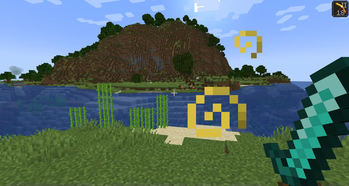
About this Mod
Auto HUD is a Minecraft mod which hides parts of the user
interface (HUD) that are currently not interesting.
It is inspired by similar mods ("immersive hud") for other games.
I personally really like the clean view of no visible HUD, but get frustrated by the
limitations of using F1 mode.
This is an opinionated rewrite of Head-down Display that never got updated.
NOTE: From version 4 on, Cloth-Config has been dropped. Now YetAnotherConfigLib is needed for an ingame configuration screen, but the mod will work fine without.
Features
- Toggle the whole HUD with a key binding.
- Have parts of the HUD that haven't changed hide away.
- Hide persistent, unchanging status effects, such as water breathing from the turtle helmet.
- Show remaining time of status effects.
- Highly configurable.
Visual differences to F1 mode
- Player hand / equipped items remain visible
- Player names remain visible
- The vignette remains active
- Incoming chat messages still pop up
- Crosshair remains visible (see my other mod Dynamic Crosshair for that)
- Configurable what elements are hidden
Dependencies
- Optional dependency on YetAnotherConfigLib for ingame configuration screen
Fabric only
- requires Fabric API
- optional: Mod Menu for ingame configuration screen
Mod Compatibility
This mod includes a modified version of magicus' Status Effect Timers,
because I could not figure out how to dynamically insert my modifications into it.
Since this mod allows for status effect icons to be hidden individually,
the non-modified version will draw the timers in the wrong place.
Known to be compatible:
- Dynamic Crosshair augments this mod by dynamically hiding the crosshair as well.
- Raised works perfectly.
- HUDTweaks mostly works.
Vertical status effects bar does not work with the timer overlay.
Animation direction and offset may have to be tweaked in AutoHud's settings manually. - AppleSkin appears to work fine.
- DetailArmorBar is supported.
- BerdinskiyBear's Armor Hud is supported in hotbar mode.
Known to be incompatible:
- OptiFabric crashes due to mixin conflicts.
- Any other mod that draws status effect timers should have that functionality disabled.
- HUD elements created by other mods will most likely not be moved.
- Bedrockify overwrites the status effect modifications. To get them working, disable the
screenSafeAreamixin. - Running AutoHUD together with Exordium can cause visual issues
Available Versions
How to Install Auto HUD on Your Client
Install the Mod Loader Locally
Install fabric for your local Minecraft version.
Download the Matching File
Choose the Auto HUD file for fabric and Minecraft 26.3.
Install Mod
Place the .jar file in your local .minecraft/mods folder and restart Minecraft. No server-side installation is required.
Compatibility
Mod Loaders
Minecraft Versions
26.3, 26.2, 1.21.11 (+24 more)
Server-side
✗ UnsupportedRecommended RAM
4 GB(min. 3 GB)Frequently Asked Questions
Does Auto HUD need to be installed on the Minecraft server?
No. Modrinth marks Auto HUD as unsupported on the server side. Install it only in your local Minecraft mods folder. Your server can remain unchanged unless the mod page lists an additional dependency.
Which version and loader does Auto HUD require?
Use a file for fabric, forge, neoforge and your exact Minecraft version. Supported versions include 26.3, 26.2, 1.21.11. Files for different loaders are not interchangeable.
Auto HUD is not working – what should I check?
First check the Minecraft version, loader version and required dependencies. Put the .jar file in your local .minecraft/mods folder and remove older duplicates. Because this mod is client-side, adding server RAM will not fix it.
Similar Mods




![[ETF] Entity Texture Features](https://cdn.modrinth.com/data/BVzZfTc1/af683d206d50b05258d865b0d6e4aa2f2cee12f2_96.webp)

Minecraft Server for Your Group
Auto HUD stays on your client. Host a compatible world for your group.