
AutoModpack
Enjoy a seamless modpack installation process and effortless updates with a user-friendly solution that simplifies management, making your gaming experience a breeze.
Screenshots
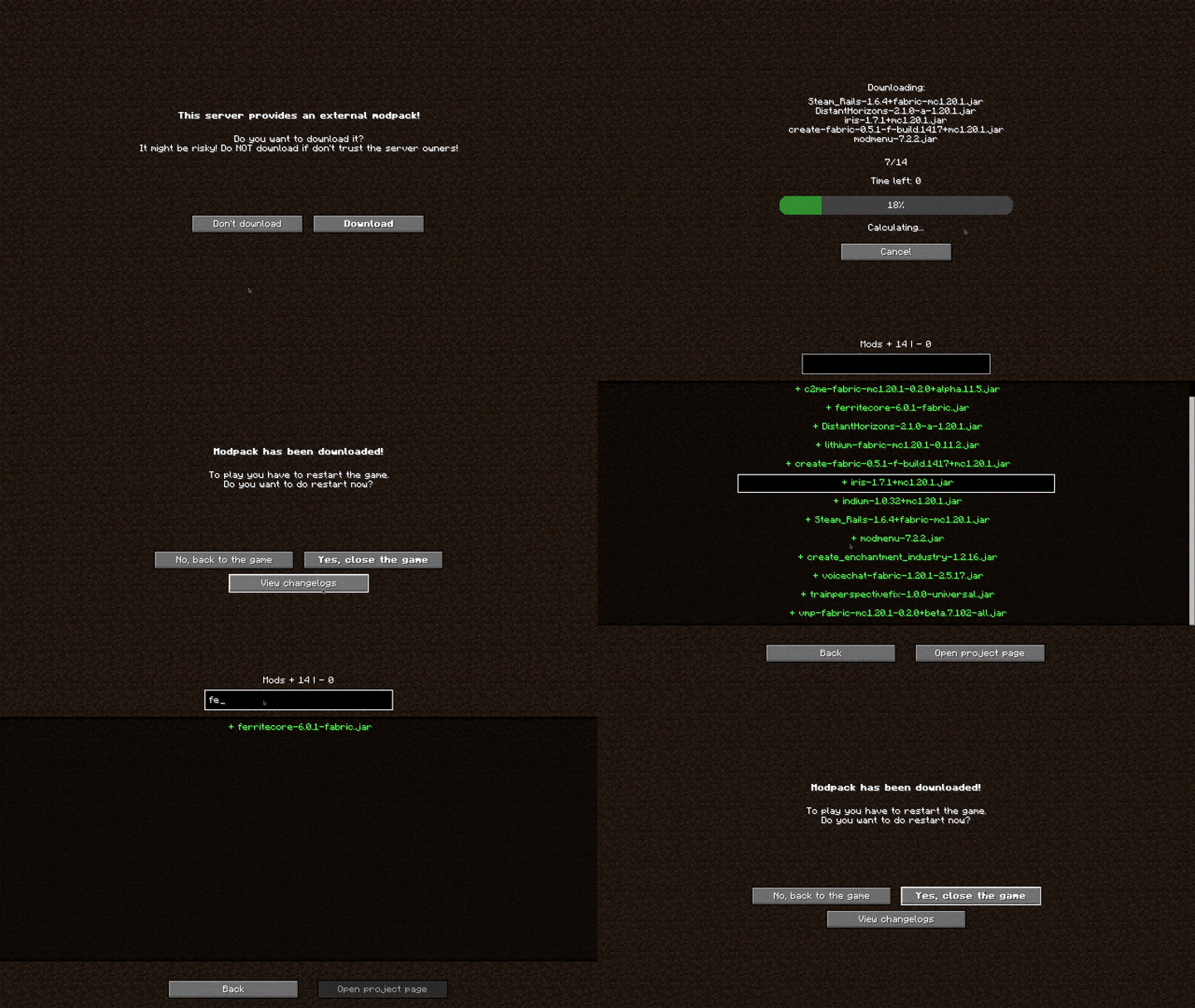
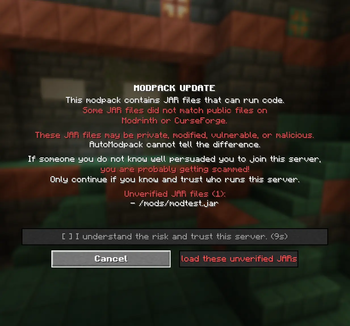
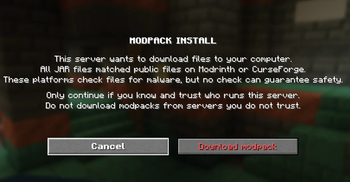
About this Mod
AutoModpack is a Minecraft modification designed to improve your private server modpack management. Say goodbye to the days of
struggling to get everyone on the same version! This mod automatically synchronizes players with the server's modpack, making playing with friends incredibly smooth and hassle-free.

(This showcase video above is a little outdated, but it gives you a good idea of what AutoModpack does!)



Disclaimer: While AutoModpack is a powerful tool for managing modpacks, the content it downloads (mods, resource packs, etc.) is created by various talented developers. Please remember to respect their work and licenses. Don't use AutoModpack to mass-distribute content without explicit permission, especially for commercial purposes. Always check the licenses of the mods you include in your pack.
🔥 Why AutoModpack is Your New Best Friend
- 🔌 Plug-'n'-Play: Install the mod, and you're done! Live in perfect sync with the server's modpack forever.
- 🗽 Independent: No need for special launchers or modpack approvals from any third party service.
- 🚀 Effortless Admin Management: Easily manage mods, configs, resource packs, shaders, anything really.
- ⚡️ Direct & Respectful Downloads: The mod pulls directly from Modrinth and CurseForge APIs, so mod authors get credit for every download.
- 🔒 Secure & Speed: Encrypted, authorized, compressed, quick modpack downloads.
🛠️ How the Magic Happens
AutoModpack works by generating a modpack (a metadata file) from your files on the server, which contains description of all the files.
The server then hosts that metadata and each modpack file indexed by its hash.
When a client connects to the server:
- AutoModpack establishes a secure connection and prompts you to verify the server's certificate fingerprint.
- It fetches the APIs for direct downloads of your modpack's files from Modrinth and CurseForge, where possible (mods,
resource packs, shaders). - Downloads all files to the client's automodpack folder.
- After game restart AutoModpack loads the modpack, and the client is perfectly synced and ready to play!
On subsequent game launches, AutoModpack checks for updates. If changes are detected, it updates the modpack in the background - no
additional restarts are required! (unless there's an update detected while you are already in-game, there's no way around that :/)
⚠️ Security and Trust!
With great power comes great responsibility.
Be aware that this mod allows remote servers to download arbitrary executable files directly into your computer. It's crucial to
only use it on servers you absolutely trust. A malicious administrator or a compromised server can include harmful files such as
malware - to protect against this, please use sandboxed launchers such as Pandora or if you are on
Linux, use launchers installed via Flatpak.
While AutoModpack itself tries to be as secure as possible, due to the nature of the internet, the creators and contributors of AutoModpack are not responsible for any harm, damage, loss, or issues that may result from using the mod. By using AutoModpack, you acknowledge and accept this risk.
If you have valuable security insights or concerns, please reach out! You can contact privately on Discord, publicly on Discord server or just open an issue on GitHub.
🚀 Getting Started
Installing AutoModpack is as simple as installing any other mod.
- If you have anything valuable in your Minecraft installation, make a backup before proceeding, just in case, if you are using
launcher which supports multiple instances, create a new instance for AutoModpack. - Download the AutoModpack from the releases page on GitHub, CurseForge, or Modrinth.
- Place the downloaded file into the
/mods/folder of both your server and client Minecraft installations. - Start your server and let AutoModpack generate the initial modpack metadata.
- Connect to your server with the mod installed on your client.
That's typically all you need to do! AutoModpack will automatically create the modpack from your server's mods.
Want to customize your modpack further? Add configs, client-side-only mods, and more? Check out the documentation! There's also a start guide covering more stuff. If you encounter any issues or have questions, feel free to join Discord server or open an issue on GitHub.
Prefer an all-in-one solution? You can also use our modified Fabric installer which downloads AutoModpack alongside the Fabric loader.
🙏 Huge Thanks to Our Supporters!
AutoModpack wouldn't be where it is without the amazing community!
- All the contributors who have helped improve the mod!
- duckymirror, Juan, cloud, Merith, SettingDust, Suerion, and griffin4cats for their invaluable help with testing, code, and ideas!
- HyperDraw for creating the mod icon!
- All the generous supporters on Ko-fi - your support means the world!
Available Versions
How to Install AutoModpack on Your Server
Order Server
Order a Minecraft Java server with at least 3 GB RAM (4 GB recommended).
Set fabric Loader
In the panel under "Egg", select the fabric loader and matching Minecraft version (26.3).
Install Mod
Open the mod browser in the dashboard and search for "AutoModpack". Click "Install" – done! Alternatively, upload the .jar via SFTP to the /mods folder.
Compatibility
Mod Loaders
Minecraft Versions
26.3, 26.2, 26.1.2 (+31 more)
Server-side
✓ RequiredRecommended RAM
4 GB(min. 3 GB)Frequently Asked Questions
AutoModpack server crashes on startup – what to do?
Most common cause: wrong fabric version or insufficient RAM. Check the server log (latest.log) for "OutOfMemoryError" or "Mixin" errors. With Mado Hosting: ensure at least 3 GB RAM is allocated and the loader matches the mod version (26.3). You can switch loaders with one click in the panel.
Is AutoModpack compatible with fabric and forge and neoforge and quilt?
AutoModpack officially supports fabric, forge, neoforge, quilt for Minecraft 26.3, 26.2, 26.1.2. Note: Forge and Fabric mods are NOT cross-compatible – pick one loader and stick with it. The Mado dashboard automatically detects incompatible loader combinations.
Server lagging with AutoModpack – how to optimize performance?
Recommended RAM: 4 GB (per 8 players). Use /spark profiler to check if AutoModpack consumes the most tick time. Common fixes: reduce server view-distance to 8-10, install "performant" or "starlight" as supplementary mods on Forge. With Mado Hosting, your server runs on NVMe SSDs with dedicated CPU cores for minimal latency.
Similar Mods






Rent Modded Server
Install AutoModpack with just one click on your server.