
Better Biome Reblend
Updated version of Better Biome Blend, a mod that improves Biome Blending
Screenshots
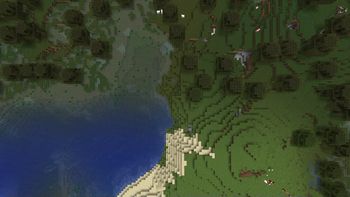
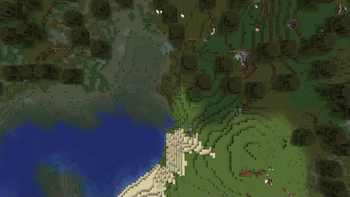
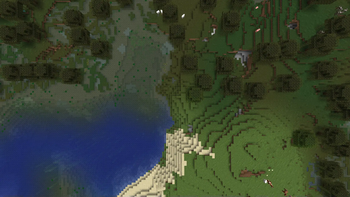
About this Mod
A updated version of BetterBiomeBlend for 1.21.x
FOR OLDER VERSIONS, USE THE ORIGNIAL Better Biome Blend
About
Better Biome Blend is a Client-Side performance and bug-fix mod. It adds support for smooth, large scale, sRGB correct biome color transitions. With the mod installed you can set the "Biome Blend" setting in your video options from 0x0 to 29x29. Compared to Vanilla, this setting no longer impacts performance.
About 1.18+
Better Biome Blend will always use a 29x29 biome blending radius (Unless on Sodium, which is forced 14x14.) This is because biomes are now 3D instead of 2D, which makes biome color calculation a lot harder. This required writing a more specialized algorithm, but in return the mod is still as fast as it is in 1.17. Better Biome Blend also completely supports grass, water and leaves in caves, while vanilla currently does not.
Compatibility
- Sodium: Fully Compatible on 1.21.x with 0.6.x
- Sodium: 0.5.x Compatible on 1.20.1/x
Usage:
You may use this mod without worry in any modpack. Though, credit would be nice.
Available Versions
How to Install Better Biome Reblend on Your Client
Install the Mod Loader Locally
Install fabric for your local Minecraft version.
Download the Matching File
Choose the Better Biome Reblend file for fabric and Minecraft 1.21.11.
Install Mod
Place the .jar file in your local .minecraft/mods folder and restart Minecraft. No server-side installation is required.
Compatibility
Mod Loaders
Minecraft Versions
1.21.11, 1.21.10, 1.21.9 (+18 more)
Server-side
✗ UnsupportedRecommended RAM
4 GB(min. 3 GB)Frequently Asked Questions
Does Better Biome Reblend need to be installed on the Minecraft server?
No. Modrinth marks Better Biome Reblend as unsupported on the server side. Install it only in your local Minecraft mods folder. Your server can remain unchanged unless the mod page lists an additional dependency.
Which version and loader does Better Biome Reblend require?
Use a file for fabric, forge, neoforge, quilt and your exact Minecraft version. Supported versions include 1.21.11, 1.21.10, 1.21.9. Files for different loaders are not interchangeable.
Better Biome Reblend is not working – what should I check?
First check the Minecraft version, loader version and required dependencies. Put the .jar file in your local .minecraft/mods folder and remove older duplicates. Because this mod is client-side, adding server RAM will not fix it.
Similar Mods


Minecraft Server for Your Group
Better Biome Reblend stays on your client. Host a compatible world for your group.