
Modrinth · Forge, NeoForge
Call to Battle on your Minecraft server
Call to Battle runs on Minecraft servers with Forge or NeoForge. Order your server, set the loader in the panel and install the mod with one click in the mod browser.
Call to Battle WW2 is a complete World War II conversion mod for Minecraft 1.12.2 that transforms it into a WWII game. Over 300 guns, around 100 maps, vehicles, and much more! Experience World War Two!
- Downloads
- 91.9K
- Author
- Beardielover
- Loader
- Forge, NeoForge
- Minecraft
- 1.12.2 – 1.20.6
- Updated
- –
Screenshots
What Call to Battle looks like
 Call to Battle WW2 Mod for Minecraft
 Remagen Bridge WW2
 Soviet Advance Stalingrad WW2
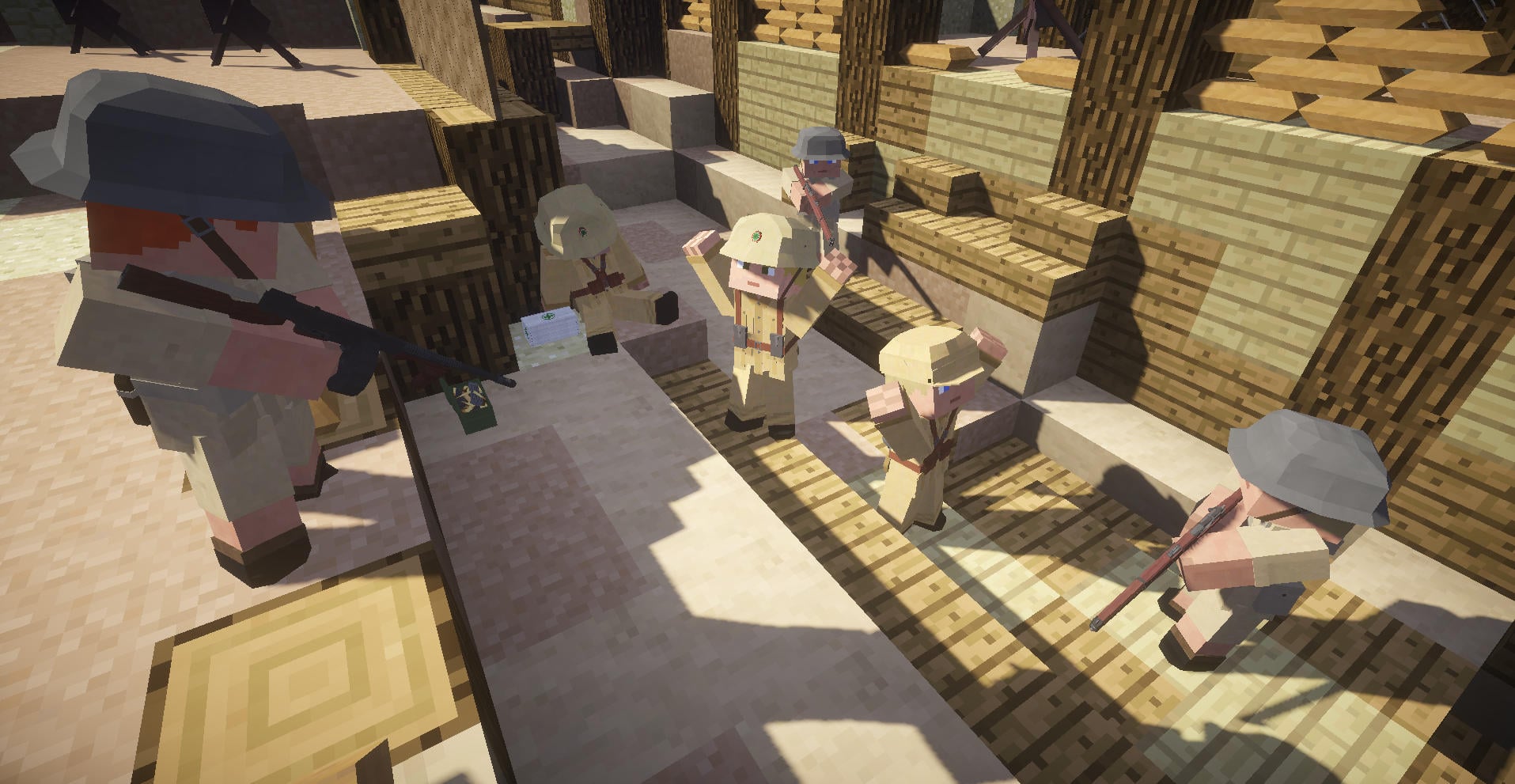
 Prisoners of War
 French Soldiers
Images: Call to Battle on Modrinth, published by the project team.
Setup
Install Call to Battle on your server
The server and players need the same loader and Minecraft version. Back up the world before adding or updating mods.
- 01
Configure
4 GB of RAM is preselected. You choose the term and add-ons and pay by credit card or PayPal.
- 02
Set the loader
In the panel, set the server software to Forge or NeoForge and choose the matching Minecraft version, for example 1.20.6.
- 03
Install the mod
Search the mod browser for “Call to Battle” and install the release for your loader. Alternatively, upload the .jar to the mods folder via SFTP. Required dependencies are listed on the project page.
- 04
Connect
Every player installs the same Call to Battle release locally and connects using the server address from the panel.
- On the server
- Required
- On the client
- Required
- Loader
- Forge, NeoForge
- Minecraft
- 1.20.6, 1.20.5, 1.20.4 +4 more
- License
- LicenseRef-All-Rights-Reserved
The panel
Install mods, find errors.
Real screenshots from the Mado panel. Both come with every Minecraft server.
Mod browser
Modrinth and CurseForge, right in the panel.
The browser filters by your Minecraft version. Install mods with one click, without uploading .jar files.

AI crash analysis
When a mod crashes, the analyzer reads the log.
Mods often fail on a wrong loader version, Java version or missing dependency. The analyzer names a likely cause and suggests a fix.

Releases
Published releases
Pick the file that matches your server’s loader and Minecraft version. The server and players need the same release.
Call to Battle · ModrinthOriginal description by the project author
Ready to go back in time?
Call to Battle brings a fresh World War 2 experience to Minecraft. Here's what it has:

Call to Battle adds over 300 guns with detailed models and combat mechanics. Damage is based off of caliber and where you hit the enemy! Guns can get dirty and jam. There are all sorts of attachments, such as scopes and bayonets.
There is not just guns! CtB has plenty of grenades, knives, swords, and more!

There are now many vehicles in Call to Battle, including Jeeps and Troop Transports! Be sure to get the required vehicles addon:
https://modrinth.com/mod/call-to-battle-vehicles

We've got all the essential nations: U.S., Germany, Japan, USSR.
We've also got U.K., France, and Italy.
If that wasn't enough, we even have Poland, Finland, Romania, Norway, Greece, and the Netherlands!!!

Call to Battle has an official server with almost 100 maps.
Storm the beaches on D-Day, survive the intense fighting in Stalingrad, fight through the thick jungles of the Pacific islands, and assault the deserts of the African front!

Multiple game modes are available on our maps. Capture all the enemy bases in Assault and defend yours in Final Stand. In Engagement you try to capture and defend, and in Warzone you try to hold as many as possible. There's also Frontline, where the battle lines constantly change throughout the battle!

The official server also has many classes to choose from: Rifleman, Assault, Technician, Support, Marksman, and more.
Help your team capture bases and defend them to unlock exciting historical weaponry to use against your foes!

Call to Battle has devestating destruction physics. Explosions can blow up buildings, causing the blocks they are made out of to come crashing to the ground! Gravity matters, and the debris is deadly.
So much more in-depth features exist in Call to Battle, find out for yourself!

Join the Discord:
https://discord.gg/invite/gGn8vMBukq
Youtube:
https://www.youtube.com/channel/UCZy0qJo1n88ezfSoICGO8DA
Instagram:
https://www.instagram.com/calltobattleofficial/

Call to Battle server crashes on startup – what to do?
Common causes: the loader or Minecraft version does not match the mod file, a dependency is missing, or RAM is too low. Check the log (latest.log) for “OutOfMemoryError”, “Mixin” or missing mods. At Mado, the AI crash analysis reads the log and suggests a cause. You can change the loader and version in the panel.
Which loader does Call to Battle run on?
According to Modrinth, Call to Battle supports Forge, NeoForge for Minecraft 1.20.6, 1.20.5, 1.20.4.
How much RAM does a server with Call to Battle need?
As guidance, 3–4 GB for a server with this mod. This is an estimate, not a measured minimum. More mods, many players and long view distances need more. The spark profiler shows whether a mod is costing tick time.
Similar mods
Popular mods in the same category
 Client only

Iris Shaders
by coderbot
A modern shader pack loader for Minecraft intended to be compatible with existing OptiFine shader packs
 Client only

[ETF] Entity Texture Features
by Traben
Emissive, Random & Custom texture support for entities in resourcepacks just like Optifine but for Fabric
 Client only

[EMF] Entity Model Features
by Traben
EMF is an, OptiFine format, Custom Entity Model replacement mod available for Fabric and Forge.
 Client only

Not Enough Animations
by tr7zw
Bringing first-person animations to the third-person
Ready for your server with Call to Battle?
4 GB of RAM from €8.00 per month. 35% off your first month with MADO35.