Modrinth · Fabric
Cobblemon Repel on your Minecraft server
Cobblemon Repel runs on Minecraft servers with Fabric. Order your server, set the loader in the panel and install the mod with one click in the mod browser.
New blocks that prevent Pokémon spawns in a radius
- Downloads
- 1.2M
- Author
- deuli
- Loader
- Fabric
- Minecraft
- 1.20.1 – 1.21.1
- Updated
- –
Screenshots
What Cobblemon Repel looks like
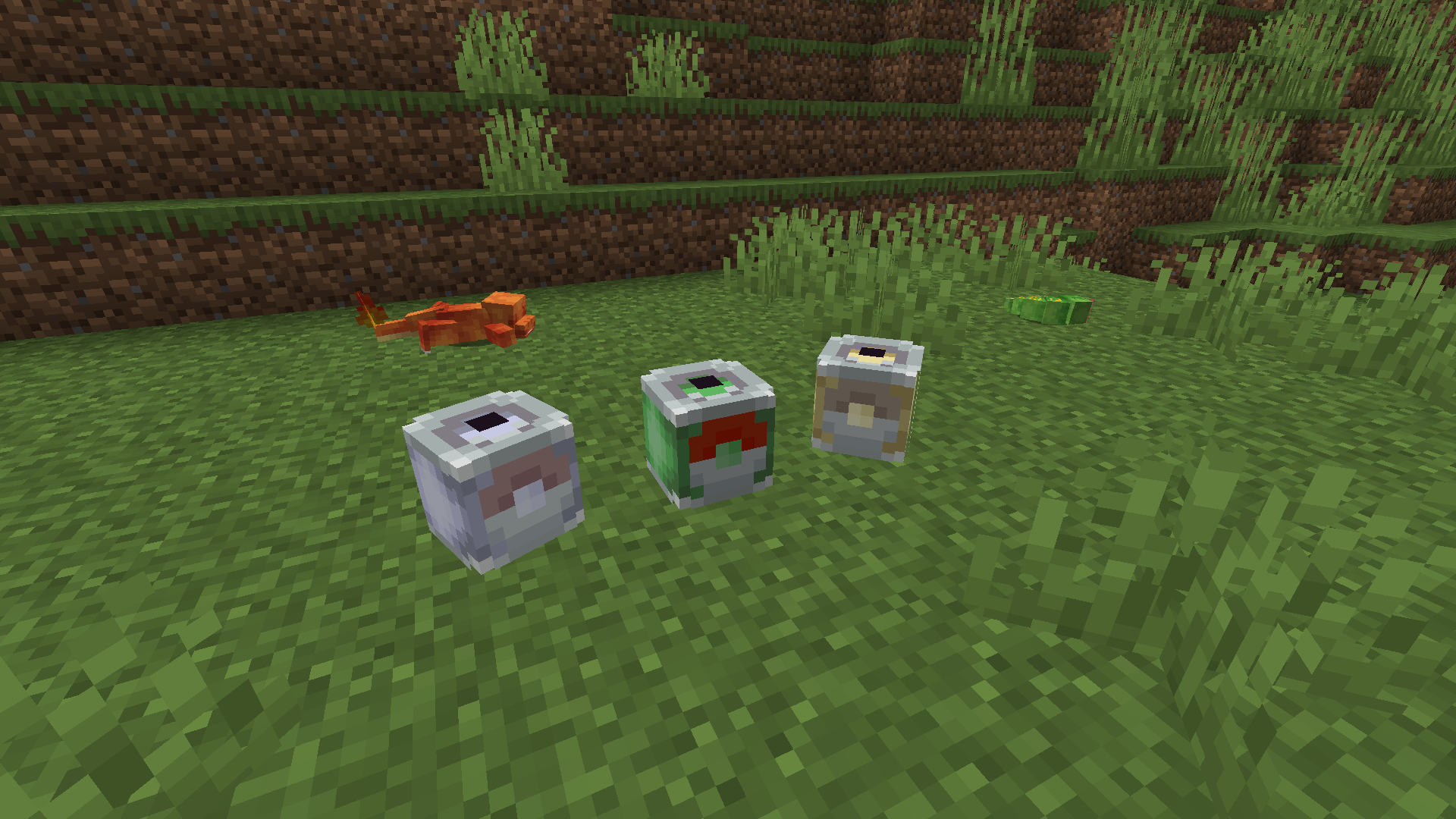
Images: Cobblemon Repel on Modrinth, published by the project team.
Setup
Install Cobblemon Repel on your server
The server and players need the same loader and Minecraft version. Back up the world before adding or updating mods.
- 01
Configure
4 GB of RAM is preselected. You choose the term and add-ons and pay by credit card or PayPal.
- 02
Set the loader
In the panel, set the server software to Fabric and choose the matching Minecraft version, for example 1.21.1.
- 03
Install the mod
Search the mod browser for “Cobblemon Repel” and install the release for your loader. Alternatively, upload the .jar to the mods folder via SFTP. Required dependencies are listed on the project page.
- 04
Connect
Cobblemon Repel is not needed on the client. Players connect using the server address from the panel.
- On the server
- Required
- On the client
- Not needed
- Loader
- Fabric
- Minecraft
- 1.21.1, 1.20.1
- License
- Apache License 2.0
The panel
Install mods, find errors.
Real screenshots from the Mado panel. Both come with every Minecraft server.
Mod browser
Modrinth and CurseForge, right in the panel.
The browser filters by your Minecraft version. Install mods with one click, without uploading .jar files.

AI crash analysis
When a mod crashes, the analyzer reads the log.
Mods often fail on a wrong loader version, Java version or missing dependency. The analyzer names a likely cause and suggests a fix.

Releases
Published releases
Pick the file that matches your server’s loader and Minecraft version. The server and players need the same release.
Cobblemon Repel · ModrinthOriginal description by the project author

(Also available on CurseForge)
Cobblemon Repel is a Fabric addon to Cobblemon that adds 3 new blocks that prevent Pokémon spawns in a configurable radius. This mod is completely server-side and can be added to the server with players still able to join even without the mod installed, thanks to Polymer. It can still be used in singleplayer however.


The Repel comes in three variants: regular, Super and Max. The regular Repel stops Pokémon spawns in a 32 block radius around it, while Super and Max double and triple the range respectively.
Recipes


Any Apricorn can be used, any Cobblemon Berry can be used, any Experience Candy can be used, any Evolution Item can be used
Configuration
The range of each Repel can be configured with the /gamerule command.
repelRange- The base range used for regular Repels, other Repels use this with a multiplier, can be a value between 0 and 512, default is 32. Setting this value to 0 will completely disable the Repels.superRepelRangeMultipler- The multiplier for the Super Repels, can be a value between 1 and 10, default is 2maxRepelRangeMultipler- The multiplier for the Max Repels, can be a value between 1 and 10, default is 3
Mod Support
Cobblemon Repel has support for Cobblemon Spawn Notification, where it disables the broadcast if the spawned Pokémon was caught by a Repel. (As of 1.7, this is no longer the case as Spawn Notification now surpresses the notification on its own if the spawn was cancelled.)
(Neo)Forge?
I won't port it to NeoForge, due to Polymer being Fabric only.
Someone did port this mod to NeoForge however! You can find it here.
Cobblemon Repel server crashes on startup – what to do?
Common causes: the loader or Minecraft version does not match the mod file, a dependency is missing, or RAM is too low. Check the log (latest.log) for “OutOfMemoryError”, “Mixin” or missing mods. At Mado, the AI crash analysis reads the log and suggests a cause. You can change the loader and version in the panel.
Which loader does Cobblemon Repel run on?
According to Modrinth, Cobblemon Repel supports Fabric for Minecraft 1.21.1, 1.20.1.
How much RAM does a server with Cobblemon Repel need?
As guidance, 3–4 GB for a server with this mod. This is an estimate, not a measured minimum. More mods, many players and long view distances need more. The spark profiler shows whether a mod is costing tick time.
Similar mods
Popular mods in the same category
 Client only

[EMF] Entity Model Features
by Traben
EMF is an, OptiFine format, Custom Entity Model replacement mod available for Fabric and Forge.
 Server-ready

Cobblemon
by CobbledStudios
A Pokémon mod for Fabric and NeoForge
 Server-ready

Dungeons and Taverns
by NovaWostra
A Structure Datapack adding dungeons, taverns and other structures to find while you explore the world.
 Server-ready

L_Ender's Cataclysm
by mcl_ender
Cataclysm is a mod that adds difficult dungeons, challenging boss-fights and powerful items.
Ready for your server with Cobblemon Repel?
4 GB of RAM from €8.00 per month. 35% off your first month with MADO35.