

Modrinth · Forge, NeoForge
Create: Central Kitchen on your Minecraft server
Create: Central Kitchen runs on Minecraft servers with Forge or NeoForge. Order your server, set the loader in the panel and install the mod with one click in the mod browser.
Offering more tools and methods to automate food processing of other mod in Create.
- Downloads
- 5.7M
- Author
- MarbleGateKeeper
- Loader
- Forge, NeoForge
- Minecraft
- 1.18.2 – 1.21.1
- Updated
- –
Setup
Install Create: Central Kitchen on your server
The server and players need the same loader and Minecraft version. Back up the world before adding or updating mods.
- 01
Configure
6 GB of RAM is preselected. You choose the term and add-ons and pay by credit card or PayPal.
- 02
Set the loader
In the panel, set the server software to Forge or NeoForge and choose the matching Minecraft version, for example 1.21.1.
- 03
Install the mod
Search the mod browser for “Create: Central Kitchen” and install the release for your loader. Alternatively, upload the .jar to the mods folder via SFTP. Required dependencies are listed on the project page.
- 04
Connect
Every player installs the same Create: Central Kitchen release locally and connects using the server address from the panel.
- On the server
- Required
- On the client
- Required
- Loader
- Forge, NeoForge
- Minecraft
- 1.21.1, 1.20.1, 1.19.2 +1 more
- License
- GNU Lesser General Public License v3.0 or later
The panel
Install mods, find errors.
Real screenshots from the Mado panel. Both come with every Minecraft server.
Mod browser
Modrinth and CurseForge, right in the panel.
The browser filters by your Minecraft version. Install mods with one click, without uploading .jar files.

AI crash analysis
When a mod crashes, the analyzer reads the log.
Mods often fail on a wrong loader version, Java version or missing dependency. The analyzer names a likely cause and suggests a fix.

Releases
Published releases
Pick the file that matches your server’s loader and Minecraft version. The server and players need the same release.
Create: Central Kitchen · Modrinth- Create: Central Kitchen 2.6.2b for Create 1.21.1-6.0.10October 9, 2026Minecraft 1.21.1 · NeoForge
- CCK 1.5.1 for Create 1.20.1-6.0.8August 29, 2026Minecraft 1.20.1 · Forge, NeoForge
- CCK 1.3.11.c for Create 1.19.2-0.5.1.fApril 3, 2024Minecraft 1.19.2 · Forge
- CCK 1.3.9.d for Create 1.18.2-0.5.1.fDecember 20, 2023Minecraft 1.18.2 · Forge
Original description by the project author
Welcome to Create: Central Kitchen 2.0, a mod offering more tools and methods to automate food processing for other mods in Create.
Create: Central Kitchen has been redesigned for version 2.0, and the content of version 1.0 will be divided into three modules, corresponding to three separate mods:
- Farming Automation: Create: Integrated Farming;
- Cooking Automation: Create: Central Kitchen;
- Ingredients & Recipes: In developement Create: Culinary Inventions;
We currently offer:
- Unpack ingredients with Packagers into Cooking Pots from Farmer’s Delight and its addons, Kegs from Brewin’ and Chewin’, Chillers and Ovens from Extra Delight, and Casks from Hearth & Harvest.
- Use Mechanical Arms with supported Cooking Pots, Skillets, Stoves, Cutting Boards, Chillers, Ovens, Braziers, and Casks.
- Automate servings from Farmer’s Delight Feasts and Pies, Cultural Delights’ Eggplant Parmesan, Rustic Delight’s Pancake Stacks, and Festive Delight’s Festive Chicken.
- Use all supported Boiler Heaters as cooking heat sources and active heaters to speed up Cooking Pots and Skillets.
- Use supported freezer sources with Brewin’ and Chewin’ Kegs.
- Convert Farmer’s Delight Cutting Board recipes into Create Sawing and Deploying recipes.
- Convert Brewin’ and Chewin’ Keg Pouring recipes into Create Filling and Emptying recipes, while prioritizing native Create recipes.
- Convert Extra Delight Mortar and Juicer recipes into Pressing, Melting Pot recipes into Mixing, and Gingerbread Decorating into Deploying.
- Generate Sawing recipes for stripping logs, producing bark—or straw from bamboo-like blocks.
If you'd like to add more things, please suggest them to us here!
Installation Requirements
Create & Create: Dragons Plus
Legacy 1.+ Feature
We currently offer:
- Pie Overhaul: Overhaul vanilla and modded pies in Farmer's Delight style, with placable blocks and slices.
Cake Slice Integration: Add cake slices for non Farmer's Delight add-ons. - Fluid Integration: Provide fluid for sauces, drinks, ice creams and more!
- Recipe Integration: Added hundreds of integration recipes in Create style, including Sequenced Assembly Recipes for Sandwiches, Burgers and Pies.
- Reasonable Automatic Mixing: Shapeless Recipes with certain container items (Glass Bottle, Bowl, Bucket) involved are now excluded from Automatic Mixing.
- Smarter Upright on Belt: Items with certain containers (Glass Bottle, Bowl, Bucket) are now automatically rendered upright on belt, without needing specifying item tag create:upright_on_belt.
Specifically, when Farmer's Delight is installed:
- Blaze Stove: Give your Blaze a guide and turn it into a master chef! Blaze Stove will provide Mechanical Arm support for kitchenwares including: Cooking Pot (Farmer's Delight), Kettle (Farmer's Respite), Copper Pot (Miner's Delight). Blaze Stove can also boost cooking up to 4x for the kitchenware above!
- Cutting Board Recipe Automation: Deployer can now perform Cutting Board Recipes (Farmer's Delight) on Belt and Depot.
- Smarter Basket: Basket (Farmer's Delight) can now directly interact with Belt and Mechanical Arm.
Harvester Compat: Harvester is now compatible with Mushroom Colonies (Farmer's Delight), Tea Bush (Farmer's Respite), Coffee (Farmer's Respite), Propelplant (Nether's Delight), Lime Bush (Collector's Reap), Pomegranate Bush (Collector's Reap)
Installation Requirements:
- Forge
- Create
Supported Mods:
- Create: Craft & Additions
- Create: Confectionery
- Farmer's Delight
- Farmer's Respite (1.20.1 Partial Support)
- Miner's Delight +
- Nether's Delight
- Atmospheric
- Autumnity
- Buzzier Bees
- Environmental
- Neapolitan
- Upgrade Aquatic
- Peculiars
- Seasonals
- Respiteful (1.18.2-1.19.2)
- Abnormal Delight
- Collector's Reap
- Cookielicious (1.18.2)
- Overweight Farming
- End's Delight
- Corn Delight
Create: Central Kitchen server crashes on startup – what to do?
Common causes: the loader or Minecraft version does not match the mod file, a dependency is missing, or RAM is too low. Check the log (latest.log) for “OutOfMemoryError”, “Mixin” or missing mods. At Mado, the AI crash analysis reads the log and suggests a cause. You can change the loader and version in the panel.
Which loader does Create: Central Kitchen run on?
According to Modrinth, Create: Central Kitchen supports Forge, NeoForge for Minecraft 1.21.1, 1.20.1, 1.19.2.
How much RAM does a server with Create: Central Kitchen need?
As guidance, 4–6 GB for a server with this mod. This is an estimate, not a measured minimum. More mods, many players and long view distances need more. The spark profiler shows whether a mod is costing tick time.
Similar mods
Popular mods in the same category
 Server-ready

AppleSkin
by squeek502
Food/hunger-related HUD improvements
 Server-ready

Farmer's Delight
by vectorwing
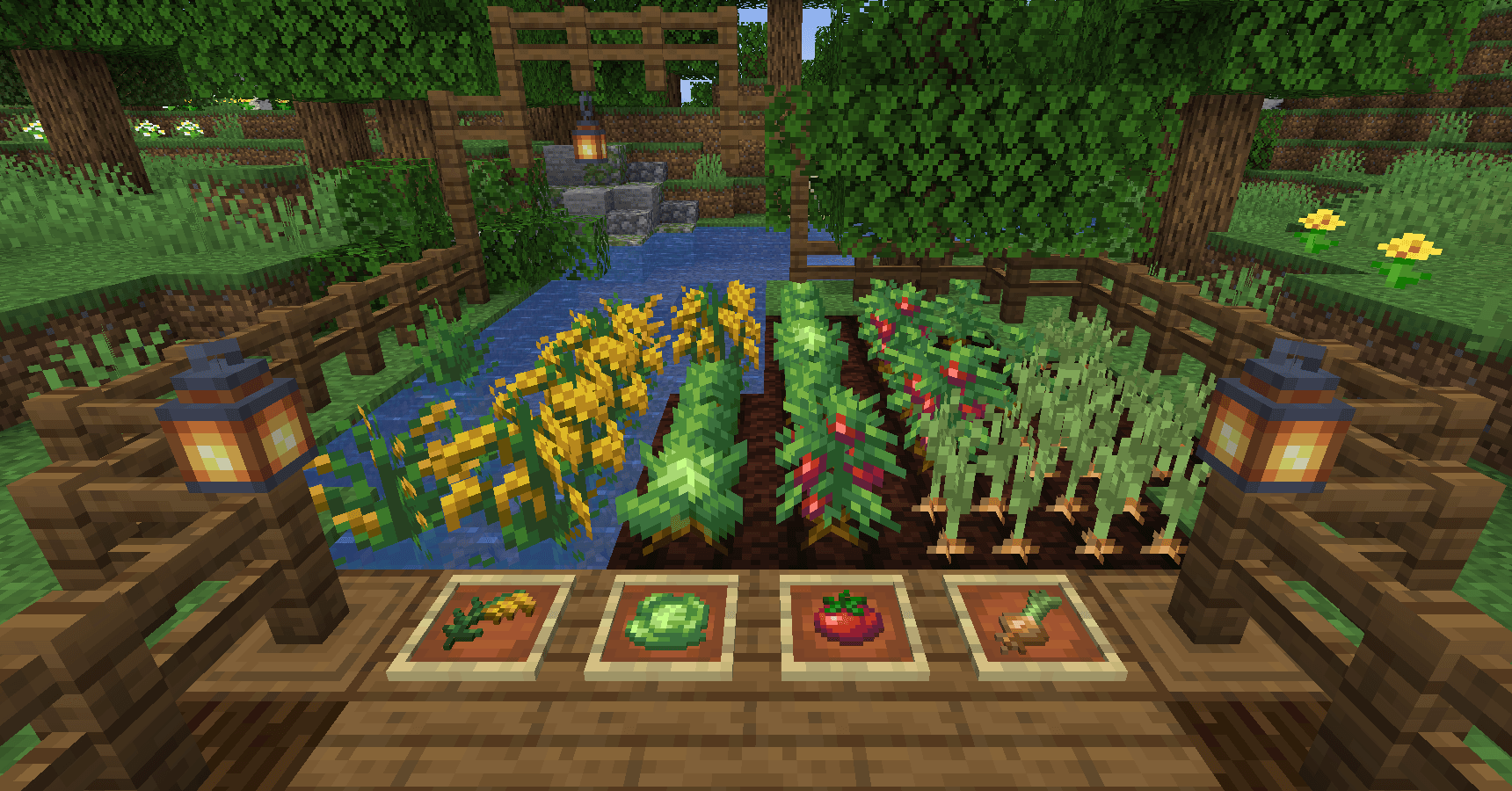
A cozy expansion to farming and cooking!
 Server-ready

Farmer's Delight Refabricated
by Cassian
Modern Fabric port of the cooking and farming mod, "Farmer's Delight"
 Server-ready

BetterEnd
by quiqueck
New Biomes, mysterious rituals and Mobs for your End
Ready for your server with Create: Central Kitchen?
6 GB of RAM from €12.00 per month. 35% off your first month with MADO35.