
Customizable Player Models
Customize your minecraft avatar!
About this Mod
Customizable Player Models
Create a custom avatar using the built-in editor.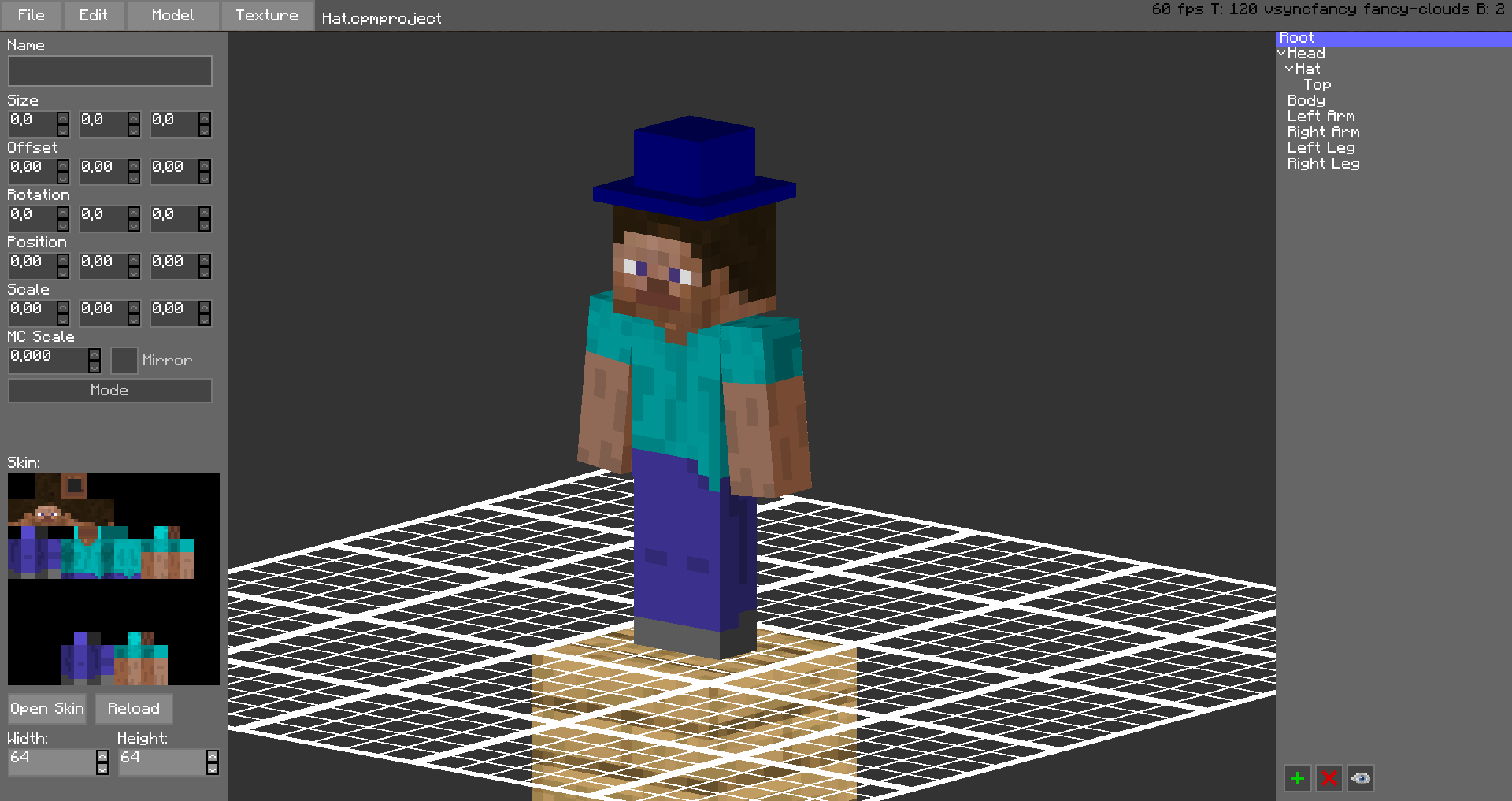
The models are stored in unused space on your Minecraft Skin, or as a Gist on GitHub.
Upload the exported image file as your skin to load the custom model.
Browse uploaded models on the Models Website.
The additional parts can have custom textures, higher resolution skins can be used (Steve skin from Soartex Fanver - Vanilla)
Parts of the normal player model can be hidden or moved around.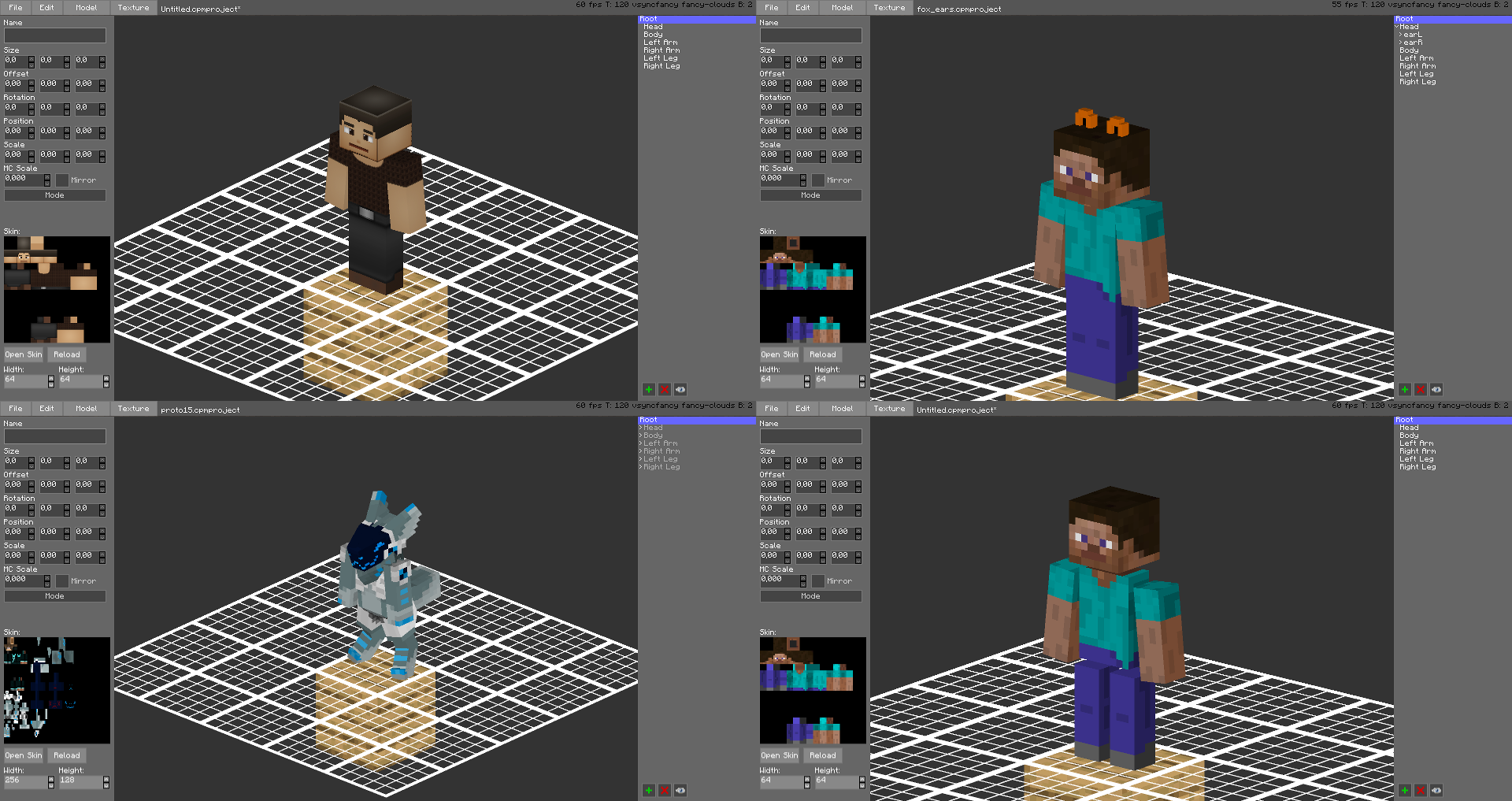
You can even make parts of your skin "glow" like a glow squid.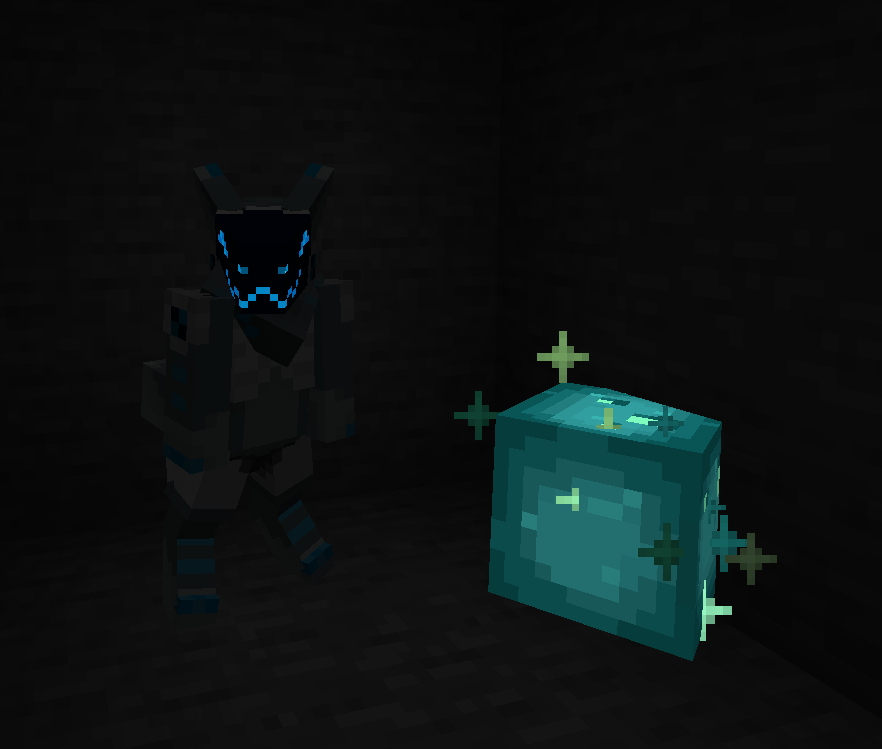
Plugin for Bukkit/Spigot servers for changing skins ingame (not required): https://github.com/tom5454/CustomPlayerModels/releases
Available Versions
How to Install Customizable Player Models on Your Server
Order Server
Order a Minecraft Java server with at least 3 GB RAM (4 GB recommended).
Set babric Loader
In the panel under "Egg", select the babric loader and matching Minecraft version (26.3).
Install Mod
Open the mod browser in the dashboard and search for "Customizable Player Models". Click "Install" – done! Alternatively, upload the .jar via SFTP to the /mods folder.
Compatibility
Mod Loaders
Minecraft Versions
26.3, 26.3-pre-1, 26.3-snapshot-5 (+107 more)
Server-side
~ OptionalRecommended RAM
4 GB(min. 3 GB)Frequently Asked Questions
Customizable Player Models server crashes on startup – what to do?
Most common cause: wrong babric version or insufficient RAM. Check the server log (latest.log) for "OutOfMemoryError" or "Mixin" errors. With Mado Hosting: ensure at least 3 GB RAM is allocated and the loader matches the mod version (26.3). You can switch loaders with one click in the panel.
Is Customizable Player Models compatible with babric and bta-babric and bukkit and fabric and folia and forge and java-agent and neoforge and paper and purpur and quilt and spigot?
Customizable Player Models officially supports babric, bta-babric, bukkit, fabric, folia, forge, java-agent, neoforge, paper, purpur, quilt, spigot for Minecraft 26.3, 26.3-pre-1, 26.3-snapshot-5. Note: Forge and Fabric mods are NOT cross-compatible – pick one loader and stick with it. The Mado dashboard automatically detects incompatible loader combinations.
Server lagging with Customizable Player Models – how to optimize performance?
Recommended RAM: 4 GB (per 8 players). Use /spark profiler to check if Customizable Player Models consumes the most tick time. Common fixes: reduce server view-distance to 8-10, install "performant" or "starlight" as supplementary mods on Forge. With Mado Hosting, your server runs on NVMe SSDs with dedicated CPU cores for minimal latency.
Similar Mods

![[ETF] Entity Texture Features](https://cdn.modrinth.com/data/BVzZfTc1/af683d206d50b05258d865b0d6e4aa2f2cee12f2_96.webp)
![[EMF] Entity Model Features](https://cdn.modrinth.com/data/4I1XuqiY/6e5bbd0d06b1741bfdab6c0cfab6de8fdaf0064c_96.webp)



Rent Modded Server
Install Customizable Player Models with just one click on your server.