
Modrinth · Fabric, Forge · Client mod
Eternal FPS
Eternal FPS is a client-side mod. Install it on your computer; the server does not need it.
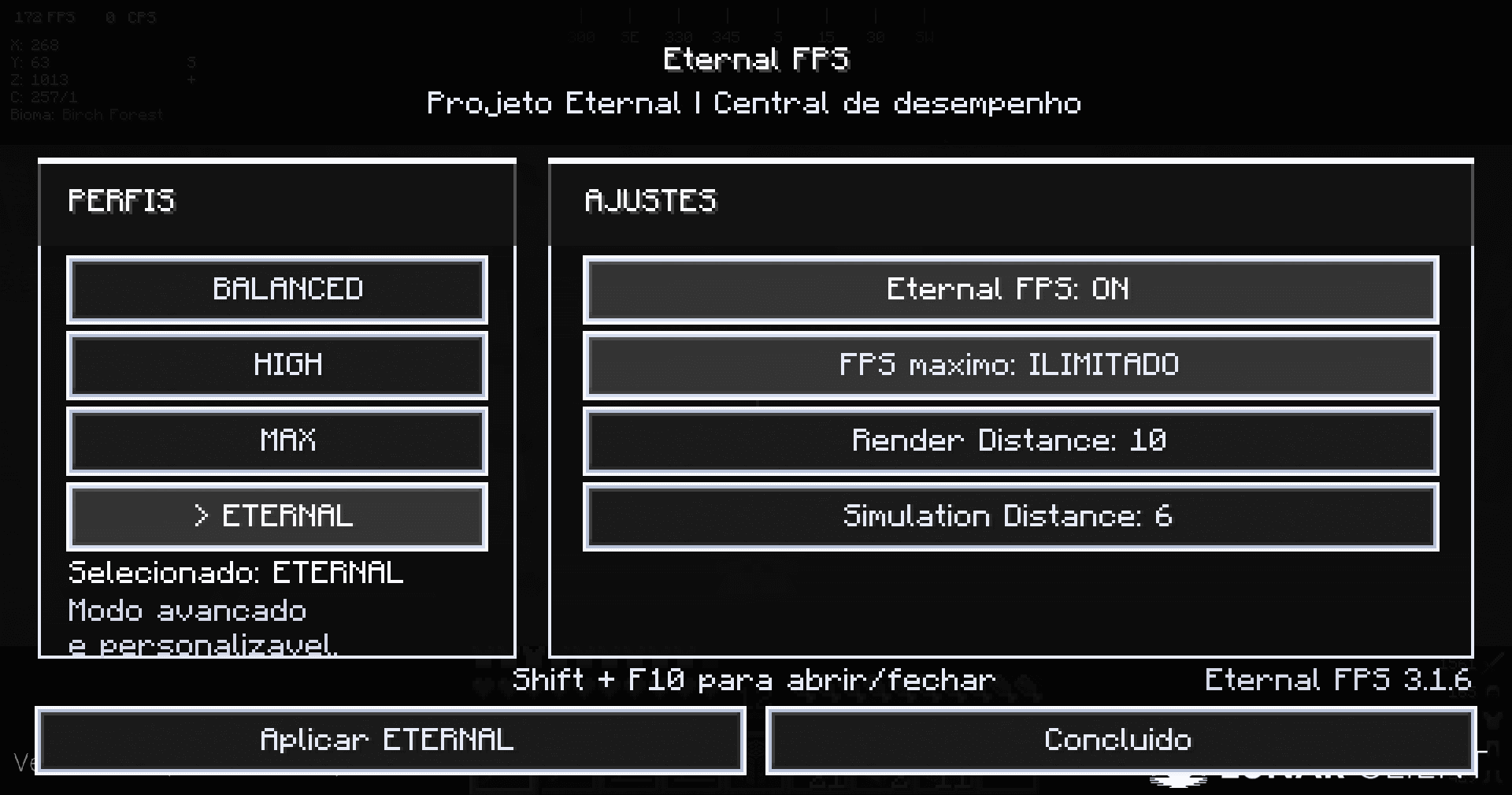
A Minecraft performance control mod with customizable profiles, FPS limit, Render Distance, and Simulation Distance controls.
- Downloads
- 2.6K
- Author
- _sh4dowK1ngxX
- Loader
- Fabric, Forge
- Minecraft
- 1.21.10 – 26.3
- Updated
- –
Screenshots
What Eternal FPS looks like

Images: Eternal FPS on Modrinth, published by the project team.
Setup
Install Eternal FPS on your client
Client-side mods only run on your computer. More server RAM does not change their performance.
- 01
Install the loader locally
Install Fabric or Forge for your Minecraft version in your launcher.
- 02
Download the file
Download the Eternal FPS file for your loader and your exact Minecraft version, for example 26.3.
- 03
Add it to the mods folder
Put the .jar file in your local .minecraft/mods folder and remove older duplicates.
- 04
Launch
Launch Minecraft with the loader profile. Nothing needs to change on the server.
- On the server
- Not needed
- On the client
- Required
- Loader
- Fabric, Forge
- Minecraft
- 26.3, 26.2, 26.1.2 +4 more
- License
- MIT License
Releases
Published releases
Pick the file that matches your server’s loader and Minecraft version. The server and players need the same release.
Eternal FPS · Modrinth- Eternal FPS 4.0.0October 10, 2026Minecraft 1.21.10 · Forge
- Eternal FPS 4.0.0October 10, 2026Minecraft 1.21.11 · Forge
- Eternal FPS 4.0.0October 10, 2026Minecraft 26.1 · Forge
- Eternal FPS 4.0.0October 10, 2026Minecraft 26.1.1 · Forge
- Eternal FPS 4.0.0October 10, 2026Minecraft 26.1.2 · Forge
Original description by the project author
Site oficial do projeto : eusouosh4dow.pages.dev
Eternal FPS
English
Eternal FPS is the central performance control module of Project Eternal for Minecraft Java.
It provides its own performance menu, allowing players to quickly switch between different profiles and control important performance settings.
Features
- Dedicated performance menu.
- Shift + F10 to open and close the menu.
- FPS limit control.
- Render Distance control.
- Simulation Distance control.
- Performance profiles:
- BALANCED
- HIGH
- MAX
- ETERNAL
- Customizable ETERNAL profile.
Requirements
- Minecraft Java 26.2
- Fabric Loader
- Fabric API
- Java 25
Installation
- Install Fabric Loader.
- Install Fabric API.
- Place
Eternal-FPS-3.1.6.jarinside themodsfolder. - Start Minecraft.
License
MIT
Author
_sh4dowK1ngxX
Português
Eternal FPS é o módulo central de controle de desempenho do Projeto Eternal para Minecraft Java.
O mod oferece um menu próprio para controlar configurações importantes de desempenho e alternar rapidamente entre diferentes perfis.
Recursos
- Menu próprio de desempenho.
- Shift + F10 para abrir e fechar o menu.
- Controle de limite de FPS.
- Controle de Render Distance.
- Controle de Simulation Distance.
- Perfis BALANCED, HIGH, MAX e ETERNAL.
- Perfil ETERNAL personalizável.
Requisitos
- Minecraft Java 26.2
- Fabric Loader
- Fabric API
- Java 25
Licença
MIT
Author
_sh4dowK1ngxX
Does Eternal FPS need to be installed on the Minecraft server?
No. Modrinth marks Eternal FPS as unsupported on the server side. Install it only in your local mods folder. Your server can stay unchanged unless the project page lists an additional dependency.
Which version and loader does Eternal FPS require?
Use a file for Fabric, Forge and your exact Minecraft version. Supported versions include 26.3, 26.2, 26.1.2. Files for different loaders are not interchangeable.
Eternal FPS is not working – what should I check?
First check the Minecraft version, loader version and required dependencies. Because the mod is client-side, more server RAM will not fix it.
Similar mods
Popular mods in the same category
 Client only

Sodium
by jellysquid3
A high-performance rendering engine replacement for Minecraft, which greatly improves frame rates and reduces micro-stutter.
 Client only

Iris Shaders
by coderbot
A modern shader pack loader for Minecraft intended to be compatible with existing OptiFine shader packs
 Client only

Entity Culling
by tr7zw
Using async path-tracing to hide Block-/Entities that are not visible
 Server-ready

FerriteCore
by malte0811
Memory usage optimizations
Looking for mods for your own server?
The catalog lists mods that run on Minecraft servers.