
Extinction Z
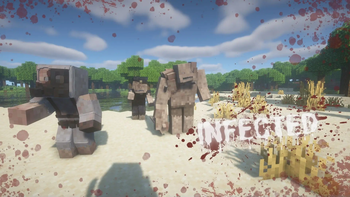
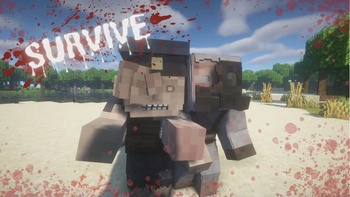
The world has been invaded by a merciless zombie plague. Cities lie in ruins, forests echo with undead wails, and survivors struggle every day to find safe shelter and scarce resources. This mod adds a wide variety of melee weapons, variety of enemies
Screenshots
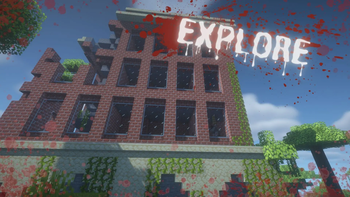
About this Mod
The Extinction Z mod for Minecraft is an addition that transforms the game into an apocalyptic survival environment, where players must face hordes of zombies and survive in a post-apocalyptic world. This mod introduces new gameplay mechanics, enemies, and resources that challenge players to adapt to a much more hostile and dynamic environment.
Key Features:
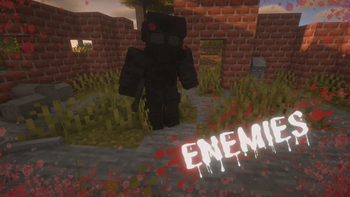
- New Zombie Types: The mod adds a variety of zombies, each with unique abilities and varying levels of difficulty, increasing the challenge and strategy needed to survive.
- Improved Survival Mechanics: Players must manage resources such as food, weapons, and ammunition more carefully, as they are more limited and essential for survival.
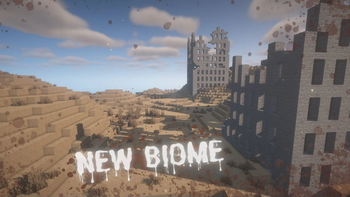
- New Structures and Locations: New locations are included that can be explored, some of which contain valuable resources, but also pose considerable risk due to the presence of enemies or traps.
- Progression System: A progression system is introduced that allows players to improve their skills and tools to face the increasing threats.
- Dynamic Events: The mod adds random events that can occur at any time, such as massive zombie attacks, that keep players always on their toes.
In short, Extinction Z turns Minecraft into an intense survival game where strategic planning, resource management, and the ability to react to unexpected events are crucial to staying alive.
Available Versions
How to Install Extinction Z on Your Server
Order Server
Order a Minecraft Java server with at least 3 GB RAM (4 GB recommended).
Set forge Loader
In the panel under "Egg", select the forge loader and matching Minecraft version (1.20.1).
Install Mod
Open the mod browser in the dashboard and search for "Extinction Z". Click "Install" – done! Alternatively, upload the .jar via SFTP to the /mods folder.
Compatibility
Mod Loaders
Minecraft Versions
1.20.1
Server-side
✓ RequiredRecommended RAM
4 GB(min. 3 GB)Frequently Asked Questions
Extinction Z server crashes on startup – what to do?
Most common cause: wrong forge version or insufficient RAM. Check the server log (latest.log) for "OutOfMemoryError" or "Mixin" errors. With Mado Hosting: ensure at least 3 GB RAM is allocated and the loader matches the mod version (1.20.1). You can switch loaders with one click in the panel.
Is Extinction Z compatible with forge?
Extinction Z officially supports forge for Minecraft 1.20.1. The Mado dashboard automatically detects incompatible loader combinations.
Server lagging with Extinction Z – how to optimize performance?
Recommended RAM: 4 GB (per 8 players). Use /spark profiler to check if Extinction Z consumes the most tick time. Common fixes: reduce server view-distance to 8-10, install "performant" or "starlight" as supplementary mods on Forge. With Mado Hosting, your server runs on NVMe SSDs with dedicated CPU cores for minimal latency.
Similar Mods




Rent Modded Server
Install Extinction Z with just one click on your server.