
GUI Tween
Added some GUI animation effects.
Screenshots


About this Mod
Added some GUI animation effects.
🎨 Animation Effects
Added various GUI animation effects to enhance the visual operation experience:
Chat Animation:

Window Item Animation:
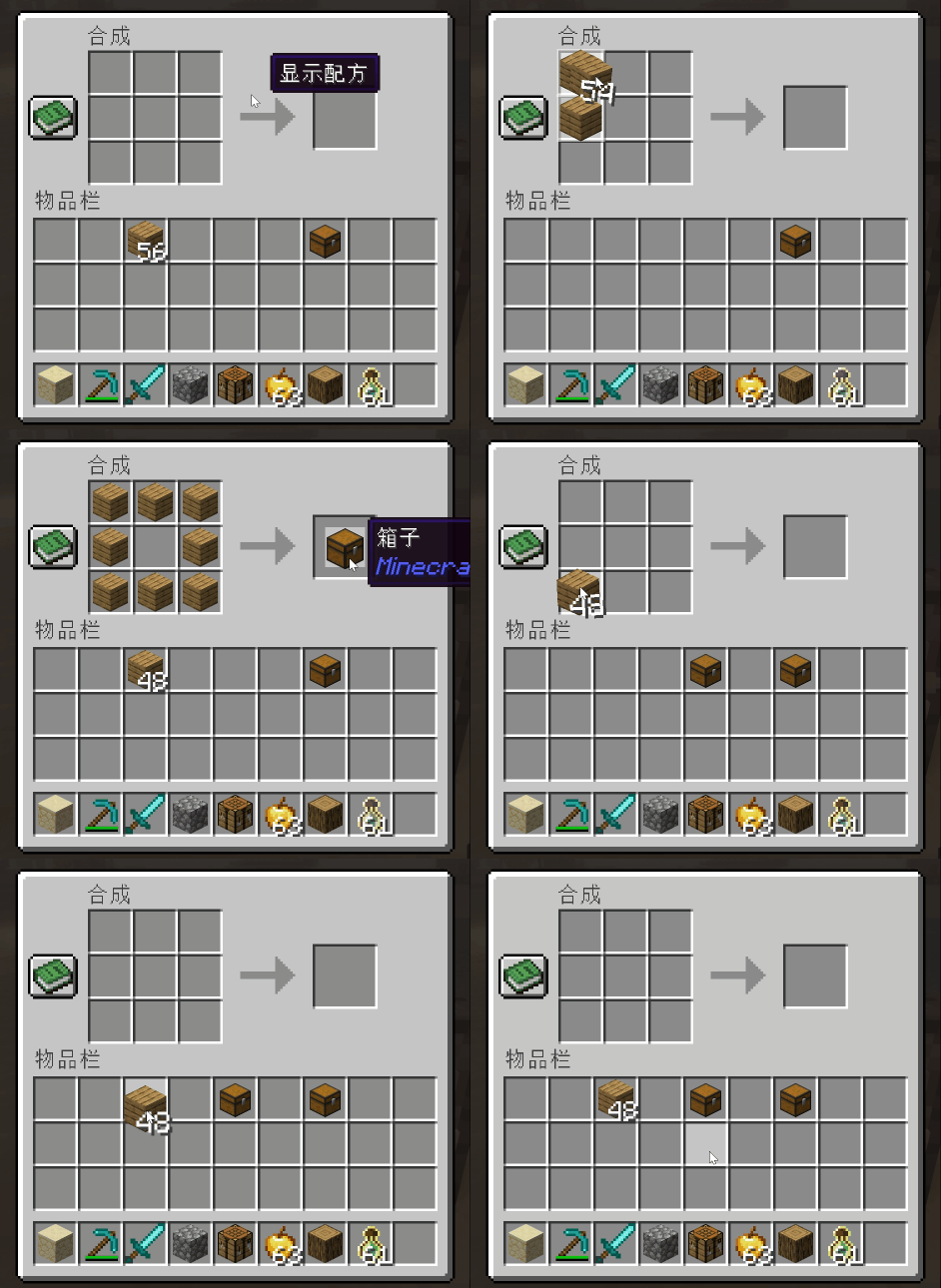
Window Open Animation:

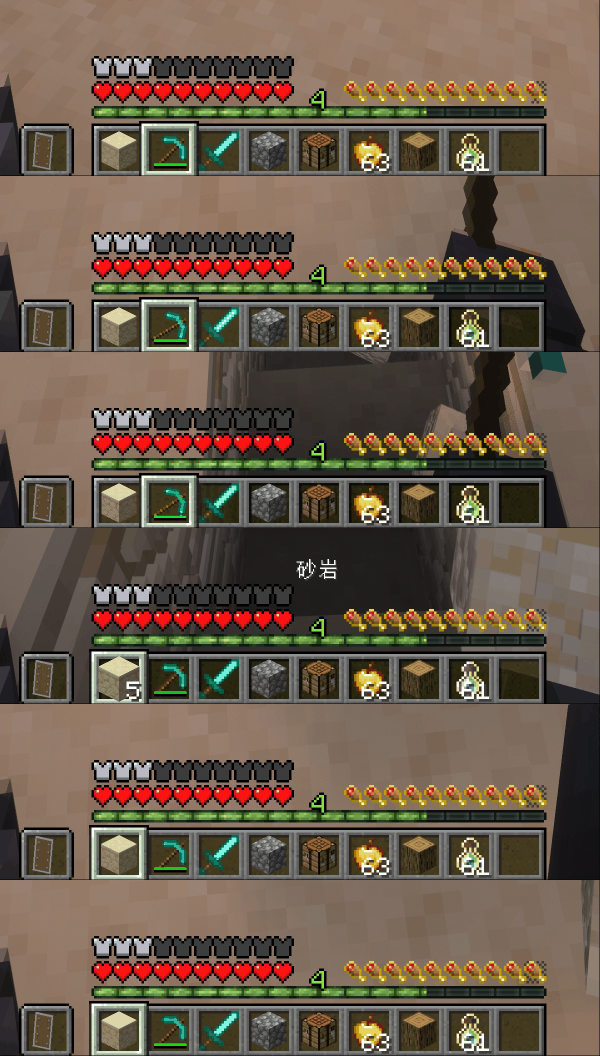
Hotbar Animation:

Item Use Animation:
⚙️ Configuration
GUI animation related configuration interface:

🔧 Add a new screen output slot animation
You can add an output slot animation to a specified screen by creating a datapack, following these steps:
1. Folder Directory Structure
The following directory format must be strictly followed:
"Any Name"/data/"mod id"/window_slots/"name".json
Directory Example:

2. Configuration Instructions
Core Rules:
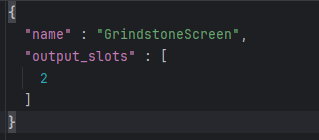
name: Fill in the screen class nameoutput_slots: Fill in the output slot index array
Configuration Example:
3. View Screen Information
Method to obtain screen class name and slot index:
Enter the configuration interface and enable "enable debug window"
Open the target screen to view the relevant information
Screen Information Example:

Available Versions
How to Install GUI Tween on Your Client
Install the Mod Loader Locally
Install fabric for your local Minecraft version.
Download the Matching File
Choose the GUI Tween file for fabric and Minecraft 26.3.
Install Mod
Place the .jar file in your local .minecraft/mods folder and restart Minecraft. No server-side installation is required.
Compatibility
Mod Loaders
Minecraft Versions
26.3, 26.2, 26.1.2 (+5 more)
Server-side
✗ UnsupportedRecommended RAM
4 GB(min. 3 GB)Frequently Asked Questions
Does GUI Tween need to be installed on the Minecraft server?
No. Modrinth marks GUI Tween as unsupported on the server side. Install it only in your local Minecraft mods folder. Your server can remain unchanged unless the mod page lists an additional dependency.
Which version and loader does GUI Tween require?
Use a file for fabric, forge, neoforge and your exact Minecraft version. Supported versions include 26.3, 26.2, 26.1.2. Files for different loaders are not interchangeable.
GUI Tween is not working – what should I check?
First check the Minecraft version, loader version and required dependencies. Put the .jar file in your local .minecraft/mods folder and remove older duplicates. Because this mod is client-side, adding server RAM will not fix it.
Similar Mods

![[ETF] Entity Texture Features](https://cdn.modrinth.com/data/BVzZfTc1/af683d206d50b05258d865b0d6e4aa2f2cee12f2_96.webp)
![[EMF] Entity Model Features](https://cdn.modrinth.com/data/4I1XuqiY/6e5bbd0d06b1741bfdab6c0cfab6de8fdaf0064c_96.webp)



Minecraft Server for Your Group
GUI Tween stays on your client. Host a compatible world for your group.