
Modrinth · Forge, NeoForge
GuideME on your Minecraft server
GuideME runs on Minecraft servers with Forge or NeoForge. Order your server, set the loader in the panel and install the mod with one click in the mod browser.
A guidebook toolkit for mods and modpack makers alike with comfortable markdown formatting, and live 3d scenes!
- Downloads
- 3.4M
- Author
- shartte
- Loader
- Forge, NeoForge
- Minecraft
- 1.20.1 – 26.3
- Updated
- –
Screenshots
What GuideME looks like
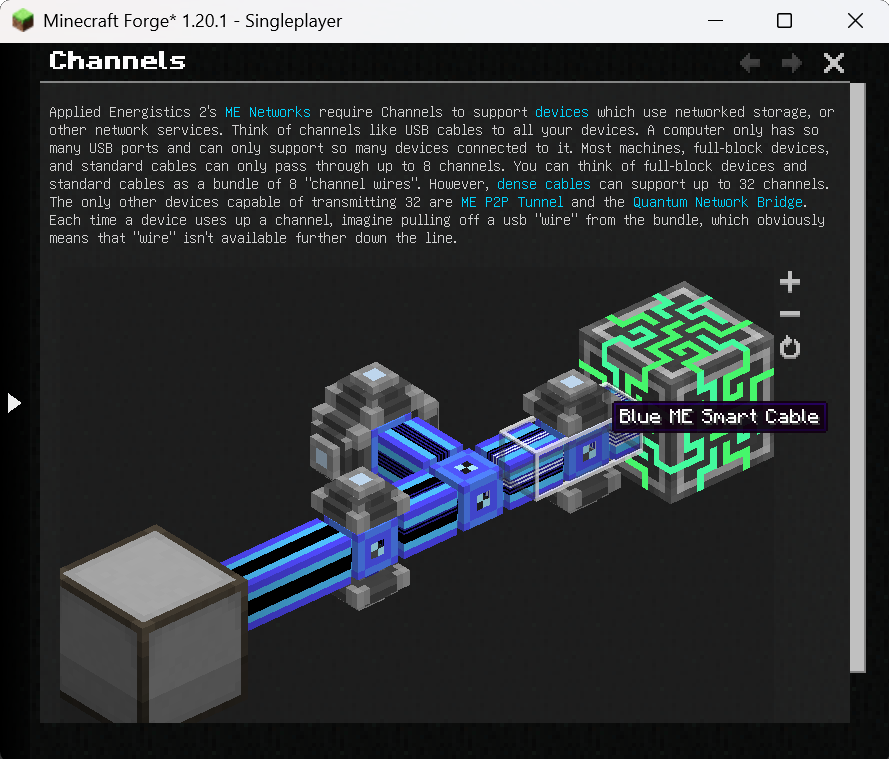
Images: GuideME on Modrinth, published by the project team.
Setup
Install GuideME on your server
The server and players need the same loader and Minecraft version. Back up the world before adding or updating mods.
- 01
Configure
4 GB of RAM is preselected. You choose the term and add-ons and pay by credit card or PayPal.
- 02
Set the loader
In the panel, set the server software to Forge or NeoForge and choose the matching Minecraft version, for example 26.4-snapshot-6.
- 03
Install the mod
Search the mod browser for “GuideME” and install the release for your loader. Alternatively, upload the .jar to the mods folder via SFTP. Required dependencies are listed on the project page.
- 04
Connect
Every player installs the same GuideME release locally and connects using the server address from the panel.
- On the server
- Required
- On the client
- Required
- Loader
- Forge, NeoForge
- Minecraft
- 26.4-snapshot-6, 26.4-snapshot-5, 26.4-snapshot-4 +33 more
- License
- LicenseRef-Multiple-OSS-Licenses
The panel
Install mods, find errors.
Real screenshots from the Mado panel. Both come with every Minecraft server.
Mod browser
Modrinth and CurseForge, right in the panel.
The browser filters by your Minecraft version. Install mods with one click, without uploading .jar files.

AI crash analysis
When a mod crashes, the analyzer reads the log.
Mods often fail on a wrong loader version, Java version or missing dependency. The analyzer names a likely cause and suggests a fix.

Releases
Published releases
Pick the file that matches your server’s loader and Minecraft version. The server and players need the same release.
GuideME · Modrinth- GuideME 21.1.22October 29, 2026Minecraft 1.21.1 · NeoForge
- GuideME 20.1.15June 6, 2026Minecraft 1.20.1 · Forge
- GuideME 20.4.6October 19, 2025Minecraft 1.20.4 · NeoForge
- GuideME 21.8.3September 9, 2025Minecraft 1.21.8 · NeoForge
Original description by the project author
GuideME
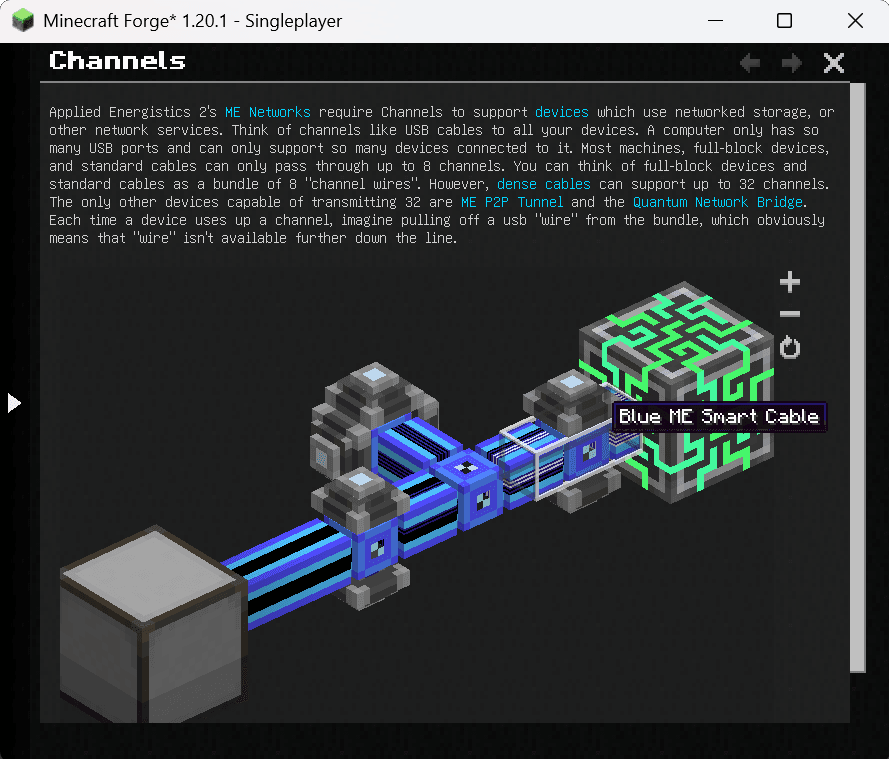
This project offers the foundation for your mods or modpacks guidebook. Based on the technology powering Applied Energistics 2s guidebook, it allows you to write your guide in simple Markdown, while embedding 3d scenes straight from structure files.
For players, guides based on GuideME offer:
- Smooth scrolling goodness
- Content being front and center, with an advanced text layout engine supporting reflow and inline elements
- Interactive 3D scenes with annotations, intuitively illustrating concepts from your mod
- Cross-linking between topics and quick information in link tooltips
- Showing inline-recipes in your guidebook "JEI-Style"
- Offers the ability to "hold G" to quickly jump to the relevant guidebook page in any item tooltip
For modders, it offers a rich extensibility API, allowing you to:
- Add custom inline or block tags to Markdown, backed by a custom Widget system
- Extend the recipe rendering to display your custom recipes in the guide
- Use custom Markdown front-matter to easily add arbitrary information to guidebook pages
- Use custom indices to quickly find pages based on custom attributes
- Allow resource packs or addons to add their own content to your guide
Example
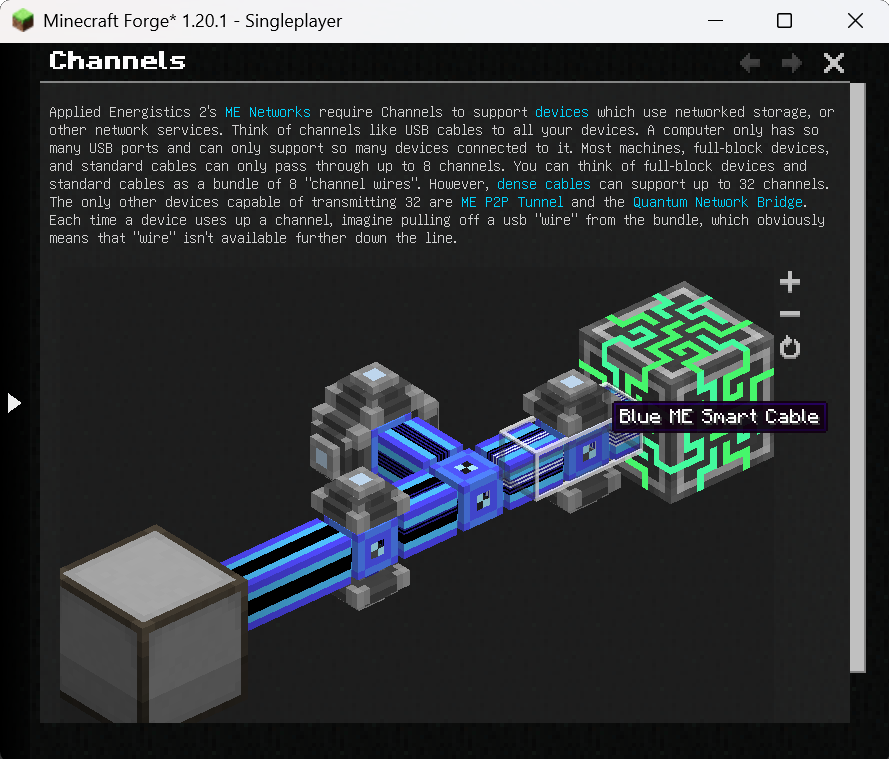
The following is an example page from the AE2 guidebook (source).
---
navigation:
  parent: ae2-mechanics/ae2-mechanics-index.md
  title: Channels
  icon: controller
---

# Channels

Applied Energistics 2's [ME Networks](me-network-connections.md) require
Channels to support [devices](../ae2-mechanics/devices.md) which use networked storage, or other network
services. Think of channels like USB cables to all your devices. A computer only has so many USB ports and can only support
so many devices connected to it. Most machines, full-block devices, and standard cables can only pass through
up to 8 channels. You can think of full-block devices and standard cables as a bundle of 8 "channel wires". However, [dense cables](../items-blocks-machines/cables.md#dense-cable) can support up
to 32 channels. The only other devices capable of transmitting 32 are <ItemLink id="me_p2p_tunnel" />
and the [Quantum Network Bridge](../items-blocks-machines/quantum_bridge.md). Each time a device uses up a channel, imagine pulling off a usb "wire" from
the bundle, which obviously means that "wire" isn't available further down the line.

<GameScene zoom="7" interactive={true}>
  <ImportStructure src="../assets/assemblies/channel_demonstration_1.snbt" />
</GameScene>
GuideME server crashes on startup – what to do?
Common causes: the loader or Minecraft version does not match the mod file, a dependency is missing, or RAM is too low. Check the log (latest.log) for “OutOfMemoryError”, “Mixin” or missing mods. At Mado, the AI crash analysis reads the log and suggests a cause. You can change the loader and version in the panel.
Which loader does GuideME run on?
According to Modrinth, GuideME supports Forge, NeoForge for Minecraft 26.4-snapshot-6, 26.4-snapshot-5, 26.4-snapshot-4.
How much RAM does a server with GuideME need?
As guidance, 3–4 GB for a server with this mod. This is an estimate, not a measured minimum. More mods, many players and long view distances need more. The spark profiler shows whether a mod is costing tick time.
Similar mods
Popular mods in the same category
 Server-ready

Fabric API
by modmuss50
Lightweight and modular API providing common hooks and intercompatibility measures utilized by mods using the Fabric toolchain.
 Server-ready

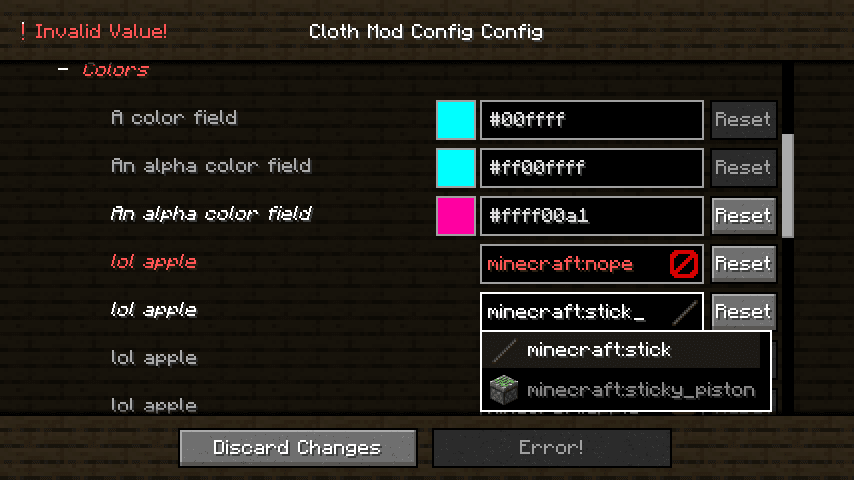
Cloth Config API
by shedaniel
Configuration Library for Minecraft Mods
 Server-ready

YetAnotherConfigLib (YACL)
by isxander
A builder-based configuration library for Minecraft!
 Server-ready

Fabric Language Kotlin
by modmuss50
This is a mod that enables usage of the Kotlin programming language for Fabric mods.
Ready for your server with GuideME?
4 GB of RAM from €8.00 per month. 35% off your first month with MADO35.