
Modrinth · Fabric, NeoForge, Quilt · Client mod
HighLightItem
HighLightItem is a client-side mod. Install it on your computer; the server does not need it.
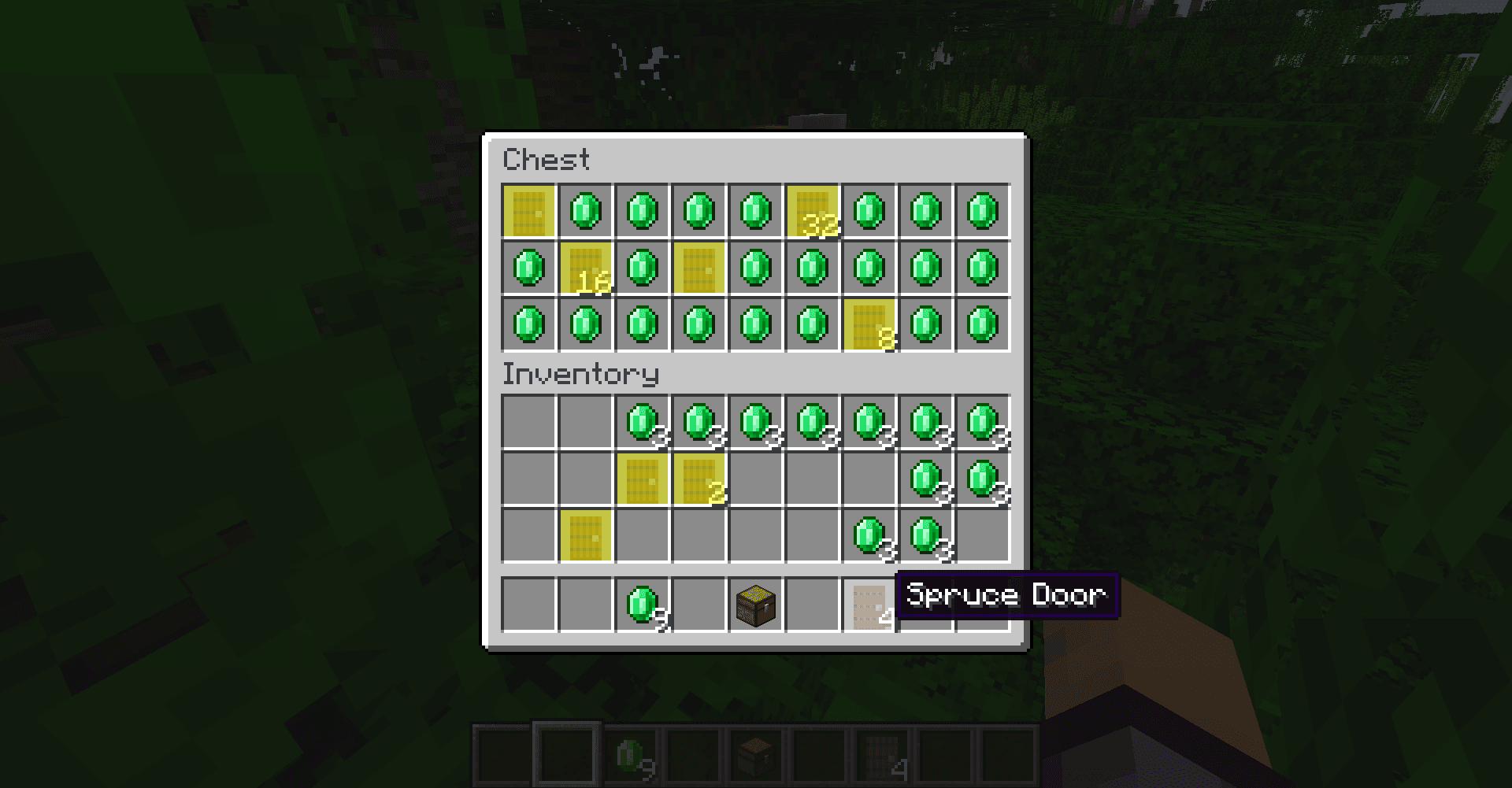
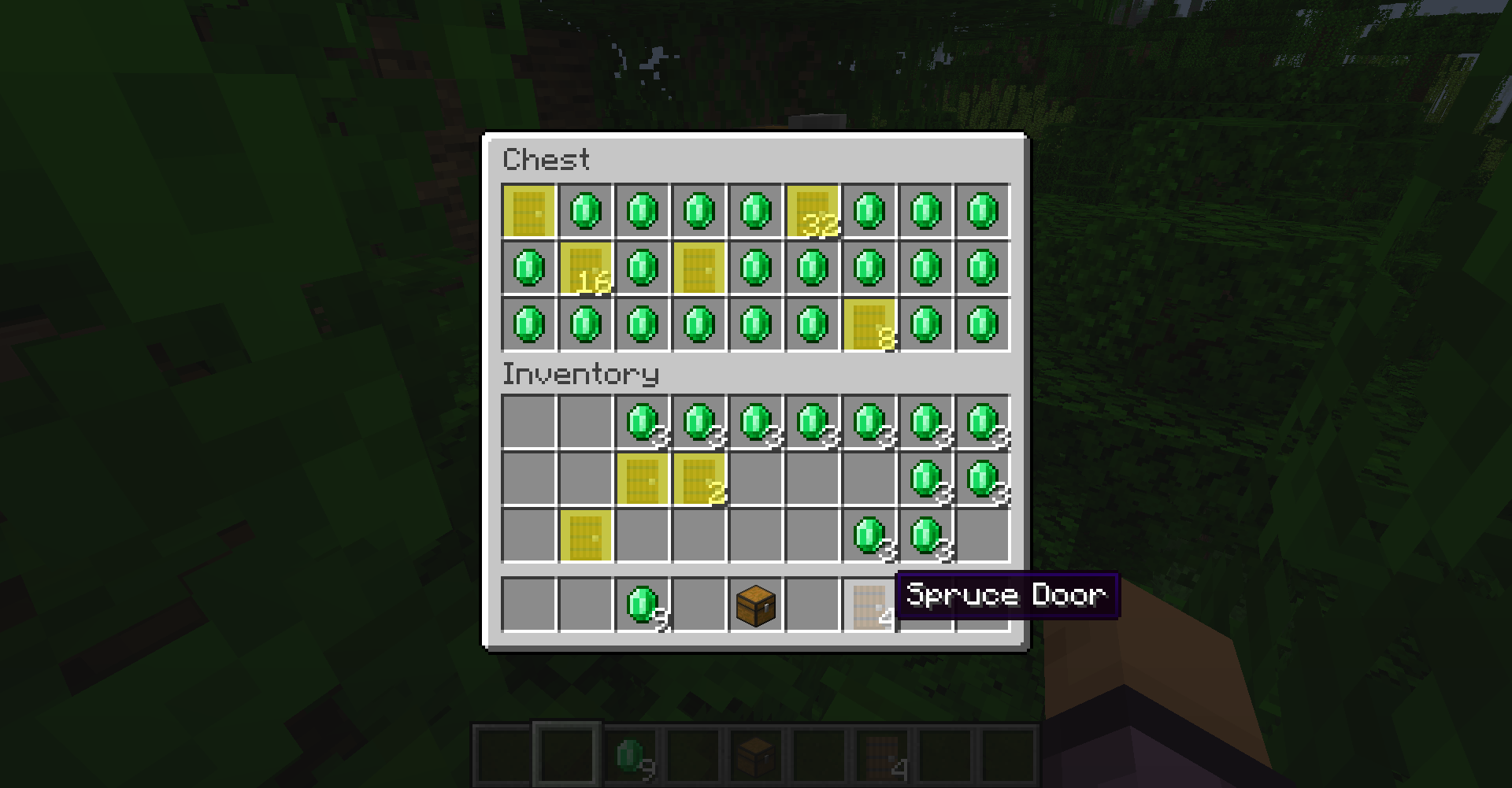
Minecraft mod that highlights inventory items similar to the one hovered over.
- Downloads
- 49.2K
- Author
- elmital
- Loader
- Fabric, NeoForge, Quilt
- Minecraft
- 1.20 – 26.3
- Updated
- –
Screenshots
What HighLightItem looks like

Images: HighLightItem on Modrinth, published by the project team.
Setup
Install HighLightItem on your client
Client-side mods only run on your computer. More server RAM does not change their performance.
- 01
Install the loader locally
Install Fabric or NeoForge or Quilt for your Minecraft version in your launcher.
- 02
Download the file
Download the HighLightItem file for your loader and your exact Minecraft version, for example 26.3.
- 03
Add it to the mods folder
Put the .jar file in your local .minecraft/mods folder and remove older duplicates.
- 04
Launch
Launch Minecraft with the loader profile. Nothing needs to change on the server.
- On the server
- Not needed
- On the client
- Required
- Loader
- Fabric, NeoForge, Quilt
- Minecraft
- 26.3, 26.2, 26.1.2 +21 more
- License
- GNU General Public License v3.0 only
Releases
Published releases
Pick the file that matches your server’s loader and Minecraft version. The server and players need the same release.
HighLightItem · Modrinth- HighLightItem 1.2.0June 16, 2024Minecraft 1.21, 1.21.1 · Fabric, Quilt
- HighLightItem 1.1.3April 29, 2024Minecraft 1.20.5, 1.20.6 · Fabric, Quilt
- HighLightItem 1.1.1December 7, 2023Minecraft 1.20.3, 1.20.4 · Fabric, Quilt
- HighLightItem 1.0.1October 2, 2023Minecraft 1.20.2 · Fabric, Quilt
Original description by the project author
What is the mod doing?
Minecraft mod that highlights inventory items similar to the one hovered over.
Features (only 1.0.0 or superior versions)
You can use differents comparaison modes :
- ITEM_ONLY : This mode will only compare if the materials are identicals for example if it's a oak door or not. It's how the mod has compared ItemStack until this feature was added and it's the default mode
- ITEM_AND_AMOUNT : Like the previous mode but it will compare if stacks has the same amount for example only all the 2 oak doors stacks will be highlighted
- ITEM_AND_NBT : It will compare like ITEM_ONLY mode plus compare the NBT for example does a name tag uses same names or shulker boxes contains the same exact contents
- ITEM_AND_NBT_AND_AMOUNT : It's a mix of all previous modes
For version 1.1.0+ three new comparaison modes exists :
- NAME_ONLY : It will check if items share the same name
- NAME_AND_AMOUNT : like previous one but check if stacks has the same amount too
- NAMESPACE : It will highlight the items who share the same namespace usefull to highlight all items that are from the same mod
Custom colors :
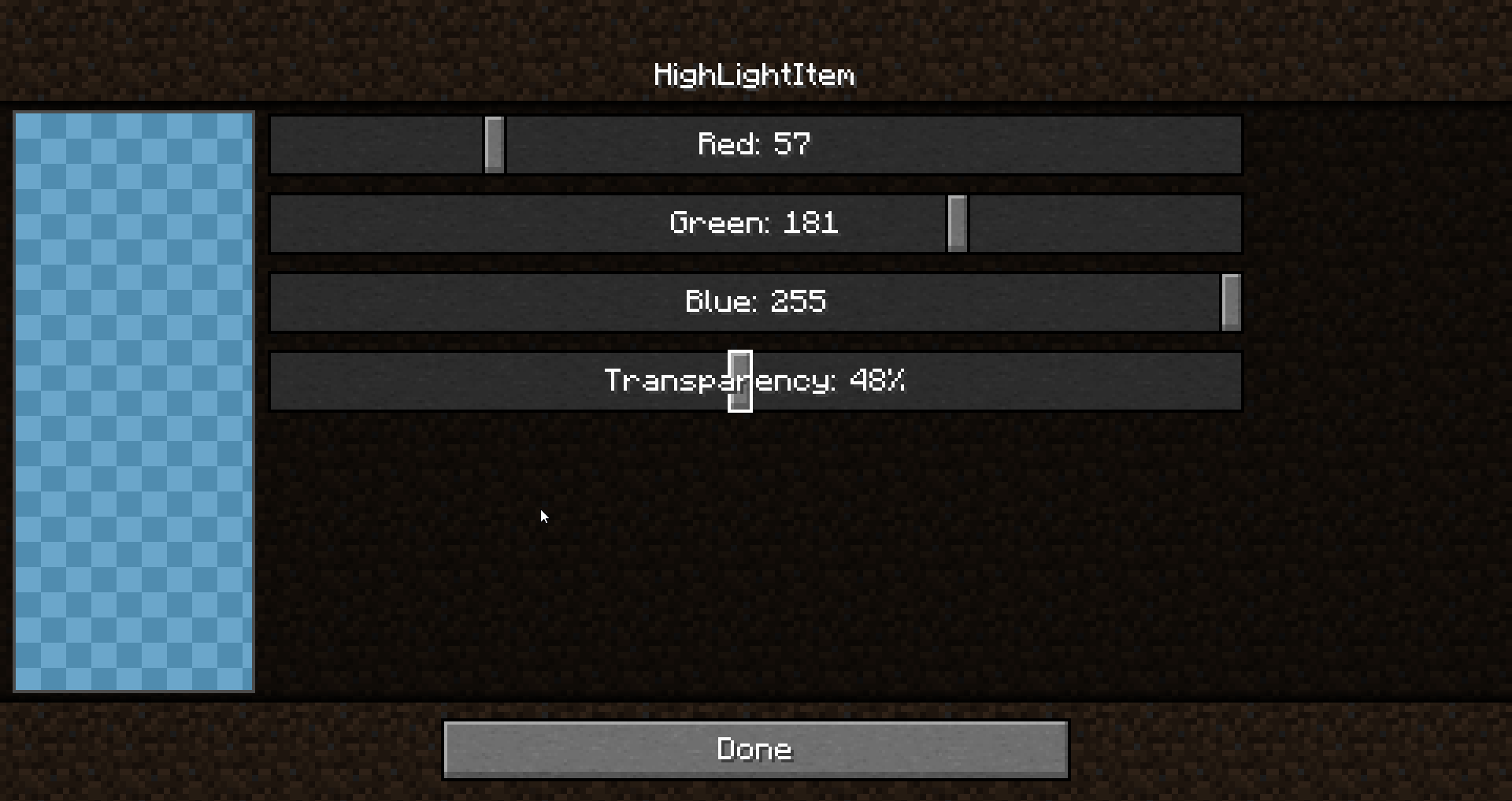
You can choose between 16.777.216 colors to tune the Highlighting either using the command or via the menu where you can use sliders and a preview to make it easier. The format used is the RGBA
Opacity :
With the custom colors using the RGBA format it means you can tweak the transparency which is the A(for alpha) value you choose.
Keybinds :
You can add keybinds to toggle the highlighting, changing mode comparaison, color the hovered element or open the color picker menu.
Language :
The mod is available in English, French, German, Russian, Ukrainian and Chinese Simplified.
Config menu (v2.0.0+):
The old color picker is now a true configuration menu where you can change all the configs directly. To open it you can use the command /highlightitem menu or the keybind or if you use ModMenu directly from the Mods button.
Notifications (v2.0.0+):
You can choose a preferred mod notification sending mode when you have no inventory opened :
- Default : It depends on the context.
- If you are using the command to make a change the notif will be sent in the chat.
- If you pressed a key bind it will be sent in the minecraft overlay zone (above life, levels and hunger).
- Chat : It will be sent in the chat
- Overlay : It will be sent in the minecraft overlay zone (above life, levels and hunger).
- Toast : It will always be sent in a "minecraft toast notification"
Highlighting limitations (v3.0.0+)
You can limit the Highlighting in some areas of the screens if you want there are 5 types :
- Everywhere : It's like the mod worked before, it highlights all the slots when they match the hovered one regardless their positions
- Exclude Creative (Default) : No slot in the Creative Screen will be highlighted even if they match the hovered one
- Player inventory : Only highlight the slots that are in the player inventory if they match the hovered one
- Player inventory and exclude Creative : In the Creative screen it only highlights the slots in the hotbar (if they match the hovered one) else it only highlights the slots that are in the player inventory (if they match the hovered one)
- Container only : Only highlight the slots that are in the containers (if they match the hovered one), like in chests or shulkerboxes for example
Hovered Item colored (v3.0.0+)
You can choose to color the hovered slot with the Minecraft vanilla highlighting or even highlight it even if it is empty rather than just choose to color or not. You have 5 modes to color or not the hovered slot :
- Not colored : the hovered slot will not be highlighted at all
- Colored : the hovered slot will be colored with the color you chose in the menu
- Colored when not empty : the hovered slot will be colored with the color you chose in the menu if there is an item in it
- Vanilla highlighting : the hovered item will be with the vanilla highlighting, the others items matching will be colored with the color you chose in the menu
- Vanilla highlighting when not empty: the hovered item will be with the vanilla highlighting if there is an item in it, the others items matching will be colored with the color you chose in the menu
NeoForge support (v3.0.0+)
The mod now supports NeoForge only on the most recents versions superior to v3.0.0
Commands
If you prefer commands than keybinds and the menu there are three commands available to manage the mod :
/highlightitem toggle -> activate/deactivate the mod
/highlightitem menu -> open the config menu (only for v2.0.0+)
/highlightitem colorHover <true/false>-> when set to true the slot of the item you are pointing with your cursor will be colored too when set to false it still will be highlight but with the vanilla highlighting
/highlightitem color <COLOR> -> choose the color in a list of default colors the mod will use to highlight the items
/highlightitem color CUSTOM <RGBA value> -> choose a custom color using the RGBA format
Support the project
Want to support me and other creators by the same time? Disable your ad blocker while you are on Modrinth it's free and the website use ethical and non-invasive ads ;)
Does HighLightItem need to be installed on the Minecraft server?
No. Modrinth marks HighLightItem as unsupported on the server side. Install it only in your local mods folder. Your server can stay unchanged unless the project page lists an additional dependency.
Which version and loader does HighLightItem require?
Use a file for Fabric, NeoForge, Quilt and your exact Minecraft version. Supported versions include 26.3, 26.2, 26.1.2. Files for different loaders are not interchangeable.
HighLightItem is not working – what should I check?
First check the Minecraft version, loader version and required dependencies. Because the mod is client-side, more server RAM will not fix it.
Similar mods
Popular mods in the same category
 Client only

Iris Shaders
by coderbot
A modern shader pack loader for Minecraft intended to be compatible with existing OptiFine shader packs
 Client only

[ETF] Entity Texture Features
by Traben
Emissive, Random & Custom texture support for entities in resourcepacks just like Optifine but for Fabric
 Client only

[EMF] Entity Model Features
by Traben
EMF is an, OptiFine format, Custom Entity Model replacement mod available for Fabric and Forge.
 Client only

Not Enough Animations
by tr7zw
Bringing first-person animations to the third-person
Looking for mods for your own server?
The catalog lists mods that run on Minecraft servers.