
IVR
An addon for MTR Mod, provides more features of KCR for the game
Screenshots
About this Mod
 Overview
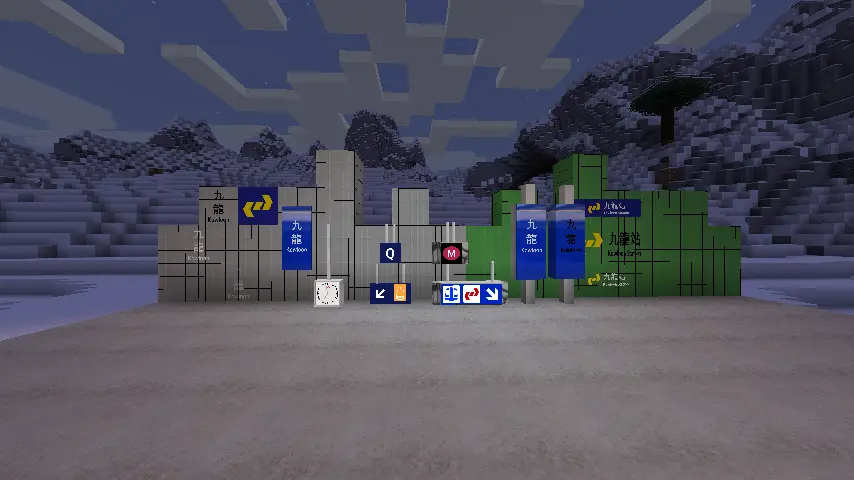
IVR, is an addon for Minecraft Transit Railway(MTR) Mod.
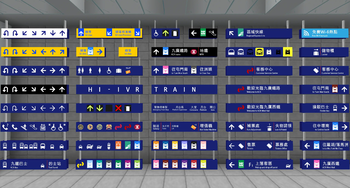
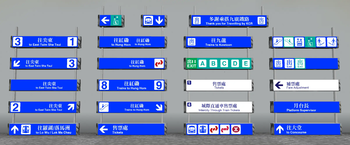
This mod provides two style extra realistic KCR railway signs,Modern Sign and Classical Sign.
You can enjoy more different signs at the same time in your gameplay.
In additional, IVR mod also provide almost 500 symbols for your gameplay to easily simulate KCR railway company.
Requirement 要求
- Fabric And Forge
- Minecraft Transit Railway (version 3.2.2-hotfix1 or above), but NOT support MTR 4.0
- Minecraft 1.16.x-1.19.x
This mod support both of Client side and Server side
Both of Client and Server side need to be installed for Server gameplay.
Notice 注意
This mod may has bugs.
Please BACKUP the world before to use
目前版本可能有潜在的漏洞,使用前請確保已經把世界備份好。
If you have any issue,please report at https://github.com/Hulan1234/IVR-Mod
Future Vision
- Support Minecraft 1.20.1
- KCR Route Maps.
- Support MTR 4.0(after 500 years)
Available Versions
How to Install IVR on Your Server
Order Server
Order a Minecraft Java server with at least 3 GB RAM (4 GB recommended).
Set fabric Loader
In the panel under "Egg", select the fabric loader and matching Minecraft version (1.19.4).
Install Mod
Open the mod browser in the dashboard and search for "IVR". Click "Install" – done! Alternatively, upload the .jar via SFTP to the /mods folder.
Compatibility
Mod Loaders
Minecraft Versions
1.19.4, 1.19.3, 1.19.2 (+13 more)
Server-side
✓ RequiredRecommended RAM
4 GB(min. 3 GB)Frequently Asked Questions
IVR server crashes on startup – what to do?
Most common cause: wrong fabric version or insufficient RAM. Check the server log (latest.log) for "OutOfMemoryError" or "Mixin" errors. With Mado Hosting: ensure at least 3 GB RAM is allocated and the loader matches the mod version (1.19.4). You can switch loaders with one click in the panel.
Is IVR compatible with fabric and forge?
IVR officially supports fabric, forge for Minecraft 1.19.4, 1.19.3, 1.19.2. Note: Forge and Fabric mods are NOT cross-compatible – pick one loader and stick with it. The Mado dashboard automatically detects incompatible loader combinations.
Server lagging with IVR – how to optimize performance?
Recommended RAM: 4 GB (per 8 players). Use /spark profiler to check if IVR consumes the most tick time. Common fixes: reduce server view-distance to 8-10, install "performant" or "starlight" as supplementary mods on Forge. With Mado Hosting, your server runs on NVMe SSDs with dedicated CPU cores for minimal latency.
Similar Mods

![[ETF] Entity Texture Features](https://cdn.modrinth.com/data/BVzZfTc1/af683d206d50b05258d865b0d6e4aa2f2cee12f2_96.webp)
![[EMF] Entity Model Features](https://cdn.modrinth.com/data/4I1XuqiY/6e5bbd0d06b1741bfdab6c0cfab6de8fdaf0064c_96.webp)



Rent Modded Server
Install IVR with just one click on your server.