
Modrinth · Fabric, Forge, NeoForge, Quilt
Player Shops on your Minecraft server
Player Shops runs on Minecraft servers with Fabric or Forge or NeoForge or Quilt. Order your server, set the loader in the panel and install the mod with one click in the mod browser.
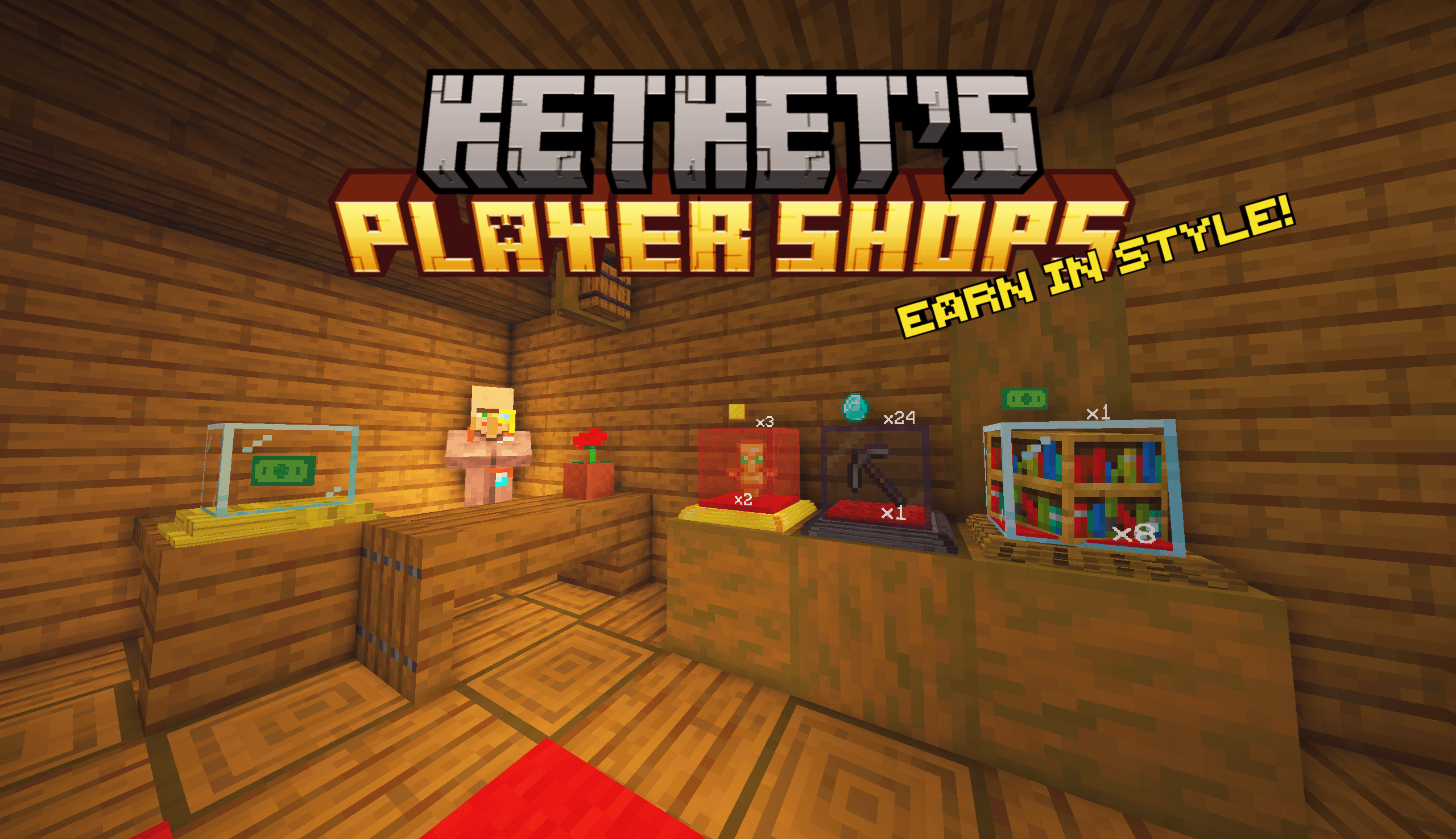
Earn in style with this user-friendly player shop datapack! Villagers will be your only competitors.
- Downloads
- 50.8K
- Author
- efeketket
- Loader
- Fabric, Forge, NeoForge, Quilt
- Minecraft
- 1.19.4 – 26.3
- Updated
- –



Setup
Install Player Shops on your server
The server and players need the same loader and Minecraft version. Back up the world before adding or updating mods.
- 01
Configure
4 GB of RAM is preselected. You choose the term and add-ons and pay by credit card or PayPal.
- 02
Set the loader
In the panel, set the server software to Fabric or Forge or NeoForge or Quilt and choose the matching Minecraft version, for example 26.3.
- 03
Install the mod
Search the mod browser for “Player Shops” and install the release for your loader. Alternatively, upload the .jar to the mods folder via SFTP. Required dependencies are listed on the project page.
- 04
Connect
Player Shops is optional on the client. Players connect using the server address from the panel.
- On the server
- Required
- On the client
- Optional
- Loader
- Fabric, Forge, NeoForge, Quilt
- Minecraft
- 26.3, 26.2, 26.1.2 +19 more
- License
- MIT License
The panel
Install mods, find errors.
Real screenshots from the Mado panel. Both come with every Minecraft server.
Mod browser
Modrinth and CurseForge, right in the panel.
The browser filters by your Minecraft version. Install mods with one click, without uploading .jar files.

AI crash analysis
When a mod crashes, the analyzer reads the log.
Mods often fail on a wrong loader version, Java version or missing dependency. The analyzer names a likely cause and suggests a fix.

Releases
Published releases
Pick the file that matches your server’s loader and Minecraft version. The server and players need the same release.
Player Shops · Modrinth- [DP] Player Shops 3.3July 14, 2025Minecraft 1.21.7, 1.21.8 · Fabric, Forge, NeoForge, Quilt
- [DP] Player Shops 3.3July 14, 2025Minecraft 1.21.7, 1.21.8 · datapack
- [MOD] Player Shops v3.1June 24, 2025Minecraft 1.21.6 · Fabric, Forge, NeoForge, Quilt
- [DP] Player Shops v3.1June 24, 2025Minecraft 1.21.6 · datapack
- [MOD] PlayerShops 2.3December 17, 2024Minecraft 1.21.2, 1.21.3, 1.21.4 · Fabric, Forge, NeoForge, Quilt
Original description by the project author
KETKET'S PLAYER SHOPS - Sell in style!
Minecraft Quality of Life datapack based on vanilla. Working with 1.21.4- 1.19.4
For more information and updates about the project, visit the ketket.dev page.
UTILITIES
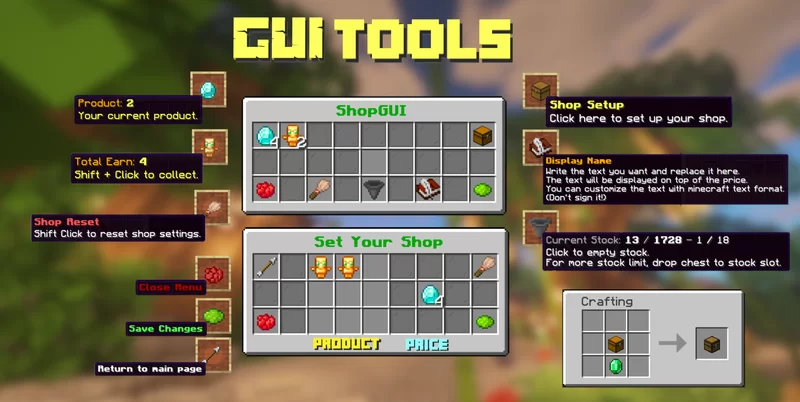
- With this datapack, you can easily create your own shops and can customize it to your own style.
- You can sell every item to players for every item you want.
- Without permission, players cant change anything to other player shops. (break,withdraw,store etc.)
- As an admin, you can create an infinitely stocked shop for players.
For tutorial videos CLİCK HERE
Check My Other Projects
Silk/Fortune Switch - Instantly switch between Fortune and Silk Touch enchantments on your tools with a simple right-click.
Display Cases - Interactive display cases that can store items, change appearance, and emit redstone signals when occupied.
Better Cauldrons - Throw dirt or concrete powder into a water-filled cauldron to instantly create mud or concrete. Wash dyed blocks and items back to their clean form with an intuitive, vanilla-friendly system.
Mannequins - Add fully customizable mannequins that can hold items, change poses, swap skins, and bring your world to life.
UndyingRefill - Automatically replaces a used Totem of Undying by pulling another one from your inventory—or even from the first shulker box containing a totem. Never fumble your totems again.
Graves - This datapack creates a grave when a player dies, safely storing their items. Retrieve your belongings without worrying about losing them!
Quick Shulker Boxes - Quick Shulker Boxes lets you open Shulker Boxes while holding them, without needing to place them on the ground. Simply shift-right-click to access your shulker boxes.
Stackraft - Compress farm items like sugarcane, gunpowder, and more to save space. Perfect for managing large farms and keeping your inventory organized. Also works with the new Auto Crafters.
EasyCoords - Displays your coordinates, daytime, and direction on screen, simplifies location sharing, and shows death coordinates in chat.
Better Hanging Signs - It will enable your hanging signs to hold items.
FurnniCraft - Furnish your creations with a wide variety of unique furniture in the vanilla style, without the need for any resource packs.
EXTERNAL LINKS


🚯 Uninstall
- Run
/function ketket_shops:uninstallcommand. - Disable datapack.
- If there is any PlayerShops material left, run
/kill @e[type=ketket_shop]command.
Player Shops server crashes on startup – what to do?
Common causes: the loader or Minecraft version does not match the mod file, a dependency is missing, or RAM is too low. Check the log (latest.log) for “OutOfMemoryError”, “Mixin” or missing mods. At Mado, the AI crash analysis reads the log and suggests a cause. You can change the loader and version in the panel.
Which loader does Player Shops run on?
According to Modrinth, Player Shops supports Fabric, Forge, NeoForge, Quilt for Minecraft 26.3, 26.2, 26.1.2. Forge and Fabric files are not interchangeable: pick one loader for the server and clients.
How much RAM does a server with Player Shops need?
As guidance, 3–4 GB for a server with this mod. This is an estimate, not a measured minimum. More mods, many players and long view distances need more. The spark profiler shows whether a mod is costing tick time.
Similar mods
Popular mods in the same category
 Client only

Iris Shaders
by coderbot
A modern shader pack loader for Minecraft intended to be compatible with existing OptiFine shader packs
 Client only

[ETF] Entity Texture Features
by Traben
Emissive, Random & Custom texture support for entities in resourcepacks just like Optifine but for Fabric
 Client only

[EMF] Entity Model Features
by Traben
EMF is an, OptiFine format, Custom Entity Model replacement mod available for Fabric and Forge.
 Client only

Not Enough Animations
by tr7zw
Bringing first-person animations to the third-person
Ready for your server with Player Shops?
4 GB of RAM from €8.00 per month. 35% off your first month with MADO35.