Laser Bridges & Doors
Adds laser sources that create laser platforms and doors when powered
Screenshots
About this Mod





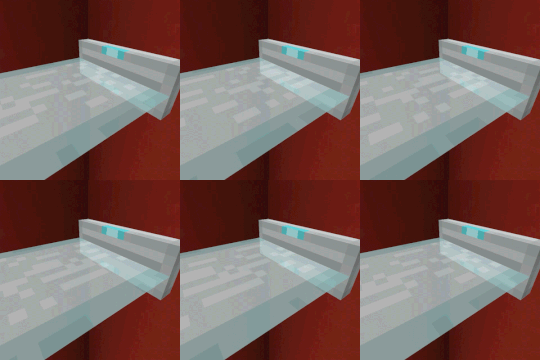
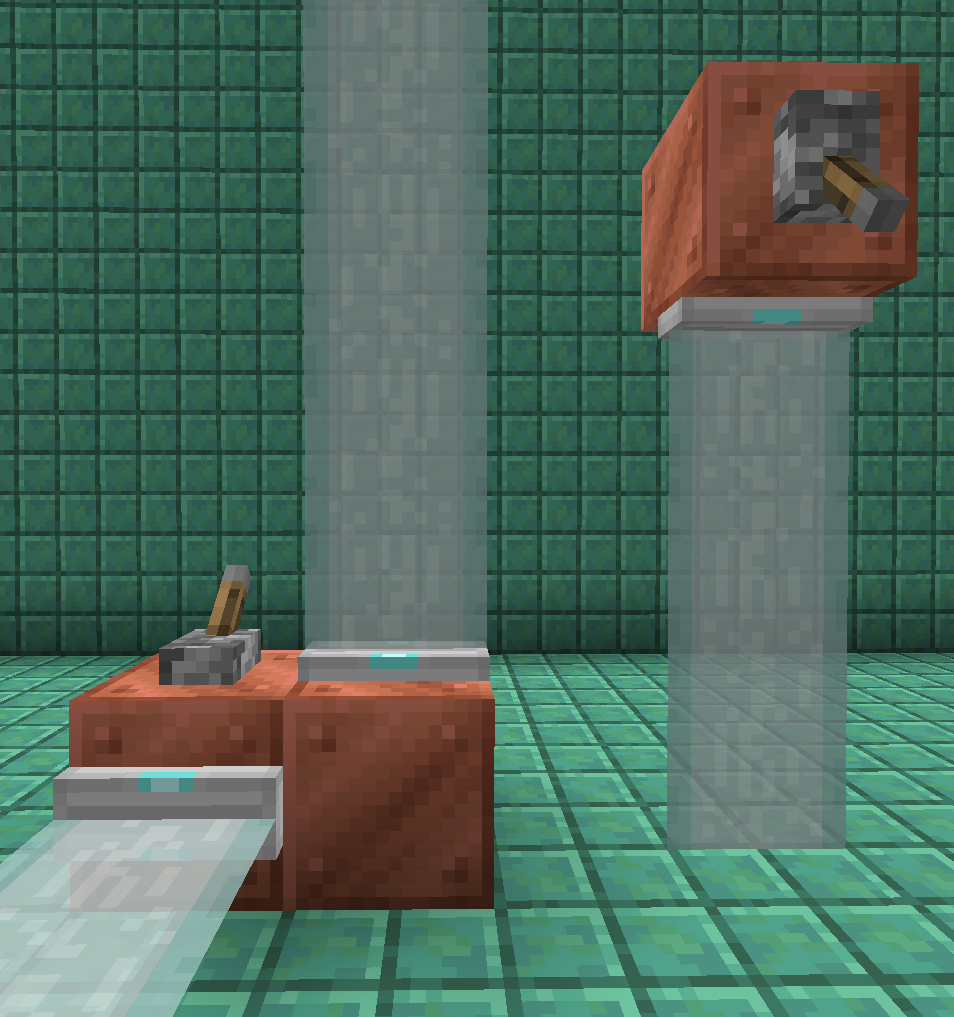
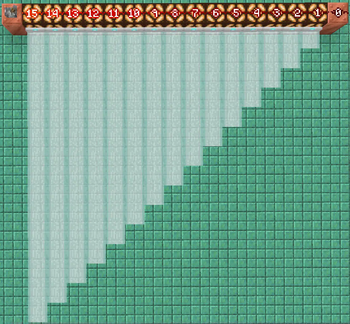
This configurable mod introduces futuristic-looking laser bridges, doors, and fences, which are formed when a laser source block is activated by a redstone signal.

Their length depends on the redstone signal strength and updates dynamically.


You can color laser source blocks by clicking on them with a dye in hand or using a dispenser to apply the dye.
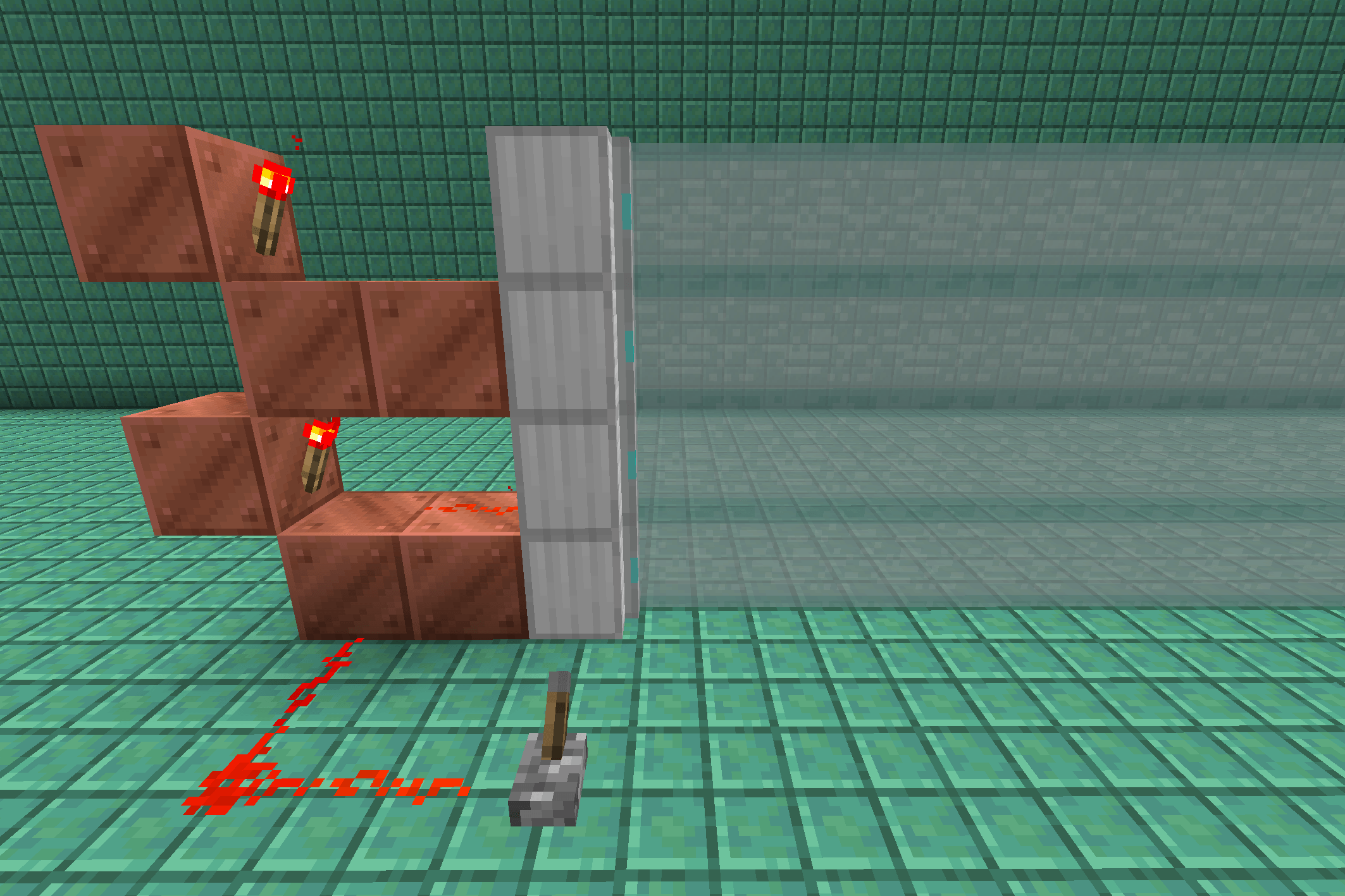
Use full block laser sources to construct more complicated redstone contraptions.

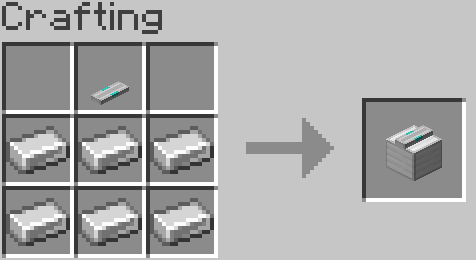
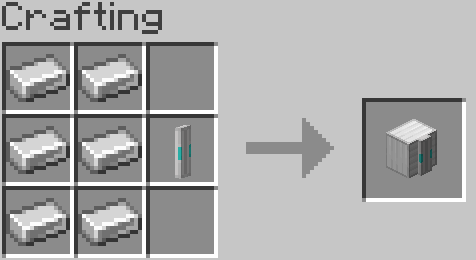


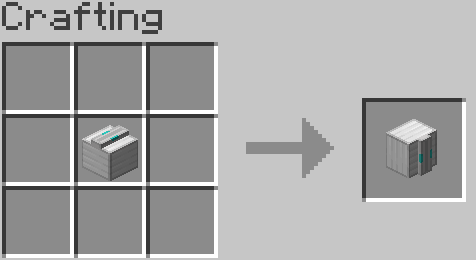
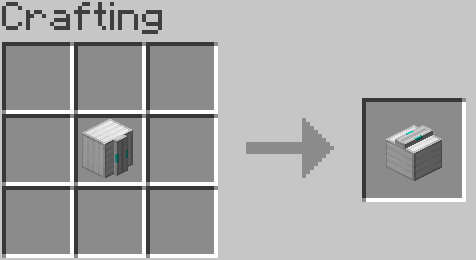
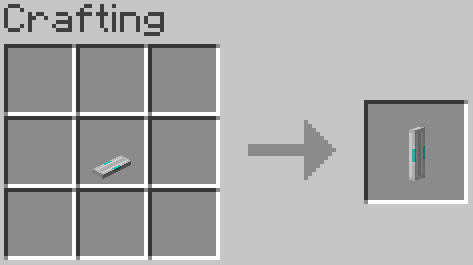
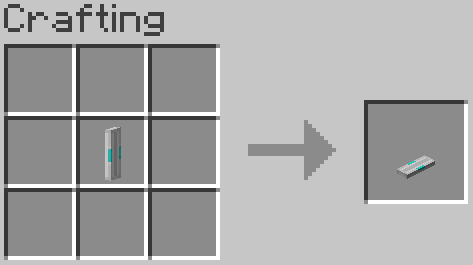
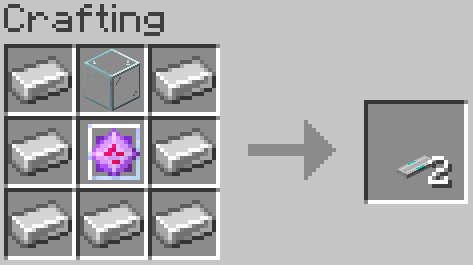
To craft a Laser Source Block, place a Glass Block and 7 Iron Ingots around an End Crystal in the crafting grid. You can craft a Laser Fence Source Block by placing a Laser Source Block in the crafting grid, and this conversion works both ways.
Configuration
You can configure this mod directly in-game or edit the JSON file config/laserbridges.json in your profile folder.
max_length - The maximum length of a laser generated by a fully powered laser source block. All other partial lengths are calculated based on this value. By default, set to 15.
blocks_cut_through_by_lasers - List of blocks which can be replaced by lasers.


Available Versions
How to Install Laser Bridges & Doors on Your Server
Order Server
Order a Minecraft Java server with at least 3 GB RAM (4 GB recommended).
Set fabric Loader
In the panel under "Egg", select the fabric loader and matching Minecraft version (26.3).
Install Mod
Open the mod browser in the dashboard and search for "Laser Bridges & Doors". Click "Install" – done! Alternatively, upload the .jar via SFTP to the /mods folder.
Compatibility
Mod Loaders
Minecraft Versions
26.3, 26.2, 26.1.2 (+29 more)
Server-side
✓ RequiredRecommended RAM
4 GB(min. 3 GB)Frequently Asked Questions
Laser Bridges & Doors server crashes on startup – what to do?
Most common cause: wrong fabric version or insufficient RAM. Check the server log (latest.log) for "OutOfMemoryError" or "Mixin" errors. With Mado Hosting: ensure at least 3 GB RAM is allocated and the loader matches the mod version (26.3). You can switch loaders with one click in the panel.
Is Laser Bridges & Doors compatible with fabric and forge and neoforge and quilt?
Laser Bridges & Doors officially supports fabric, forge, neoforge, quilt for Minecraft 26.3, 26.2, 26.1.2. Note: Forge and Fabric mods are NOT cross-compatible – pick one loader and stick with it. The Mado dashboard automatically detects incompatible loader combinations.
Server lagging with Laser Bridges & Doors – how to optimize performance?
Recommended RAM: 4 GB (per 8 players). Use /spark profiler to check if Laser Bridges & Doors consumes the most tick time. Common fixes: reduce server view-distance to 8-10, install "performant" or "starlight" as supplementary mods on Forge. With Mado Hosting, your server runs on NVMe SSDs with dedicated CPU cores for minimal latency.
Similar Mods

![[ETF] Entity Texture Features](https://cdn.modrinth.com/data/BVzZfTc1/af683d206d50b05258d865b0d6e4aa2f2cee12f2_96.webp)
![[EMF] Entity Model Features](https://cdn.modrinth.com/data/4I1XuqiY/6e5bbd0d06b1741bfdab6c0cfab6de8fdaf0064c_96.webp)



Rent Modded Server
Install Laser Bridges & Doors with just one click on your server.