![[Let's Do] Vinery](https://cdn.modrinth.com/data/1DWmBJVA/029aec55be4d860ba0aede4939dd93332b6dafad_96.webp)
[Let's Do] Vinery
Sun-warmed vineyards, creaking barrels and dusty bottles in a cool cellar. Grow your grapes, press your own wine and build the winery of your dreams.
Screenshots
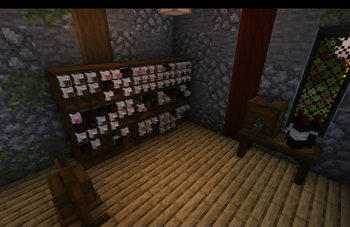
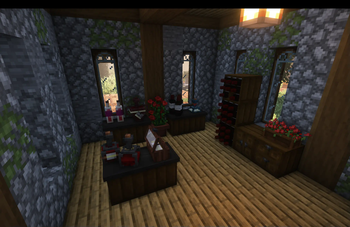
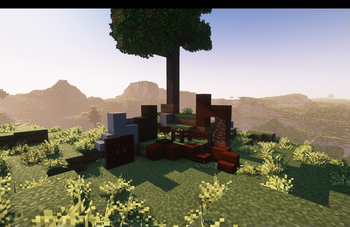
About this Mod

Fine Wine & Sophisticated Decor
The mod that started the Let's Do collection
"Life, pressed gently"
Vinery adds a brand new way of creating luxurious beverages using intuitive mechanics. You reap the vines, press the grapes, ferment the wine, and time ages it for you.
Ferment wine to your heart's desire. Cherrish time.
Vinery is the mod that started the creation of the Let's Do collection and serves to expand the world of potion effects and luxurious drinks. No more need for simple water and honey!
Plucking the Vine
- Variety of wild grapes found across your world
- Vine stems to decorate your vineyard
- New cherry trees that yield actual cherries
Grab your basket, raid the vineyard.
Fermenting perfection
- A Grapevine Pot to press the grapes
- A Fermenting Barrel to ferment the grapejuice into wine
- An Applepress to mash apples into applejuice
Pressing, fermenting, and aging, that is the vine of life.
Decorative Elements
- Lattices for your vineyard
- Furniture for your cottage
- A brand new cherry wood
- Winemaker's attire to fit the part
- Displays to display your grand cru
- And the dirt slabs we've all been asking for ;)
Reap what you've sown.
Put in the work.
Cherish every minute.
Dedicated to MissLilitu
The Let’s Do Collection

Support & Community
Let’s Do grows through its community.
Available Versions
How to Install [Let's Do] Vinery on Your Server
Order Server
Order a Minecraft Java server with at least 3 GB RAM (4 GB recommended).
Set fabric Loader
In the panel under "Egg", select the fabric loader and matching Minecraft version (1.21.1).
Install Mod
Open the mod browser in the dashboard and search for "[Let's Do] Vinery". Click "Install" – done! Alternatively, upload the .jar via SFTP to the /mods folder.
Compatibility
Mod Loaders
Minecraft Versions
1.21.1, 1.20.1, 1.20 (+2 more)
Server-side
✓ RequiredRecommended RAM
4 GB(min. 3 GB)Frequently Asked Questions
[Let's Do] Vinery server crashes on startup – what to do?
Most common cause: wrong fabric version or insufficient RAM. Check the server log (latest.log) for "OutOfMemoryError" or "Mixin" errors. With Mado Hosting: ensure at least 3 GB RAM is allocated and the loader matches the mod version (1.21.1). You can switch loaders with one click in the panel.
Is [Let's Do] Vinery compatible with fabric and forge and neoforge and quilt?
[Let's Do] Vinery officially supports fabric, forge, neoforge, quilt for Minecraft 1.21.1, 1.20.1, 1.20. Note: Forge and Fabric mods are NOT cross-compatible – pick one loader and stick with it. The Mado dashboard automatically detects incompatible loader combinations.
Server lagging with [Let's Do] Vinery – how to optimize performance?
Recommended RAM: 4 GB (per 8 players). Use /spark profiler to check if [Let's Do] Vinery consumes the most tick time. Common fixes: reduce server view-distance to 8-10, install "performant" or "starlight" as supplementary mods on Forge. With Mado Hosting, your server runs on NVMe SSDs with dedicated CPU cores for minimal latency.
Similar Mods

![[ETF] Entity Texture Features](https://cdn.modrinth.com/data/BVzZfTc1/af683d206d50b05258d865b0d6e4aa2f2cee12f2_96.webp)
![[EMF] Entity Model Features](https://cdn.modrinth.com/data/4I1XuqiY/6e5bbd0d06b1741bfdab6c0cfab6de8fdaf0064c_96.webp)



Rent Modded Server
Install [Let's Do] Vinery with just one click on your server.